Travel connectivity guide
Bhaktapur eSIM: Mobile Internet & Travel Guide
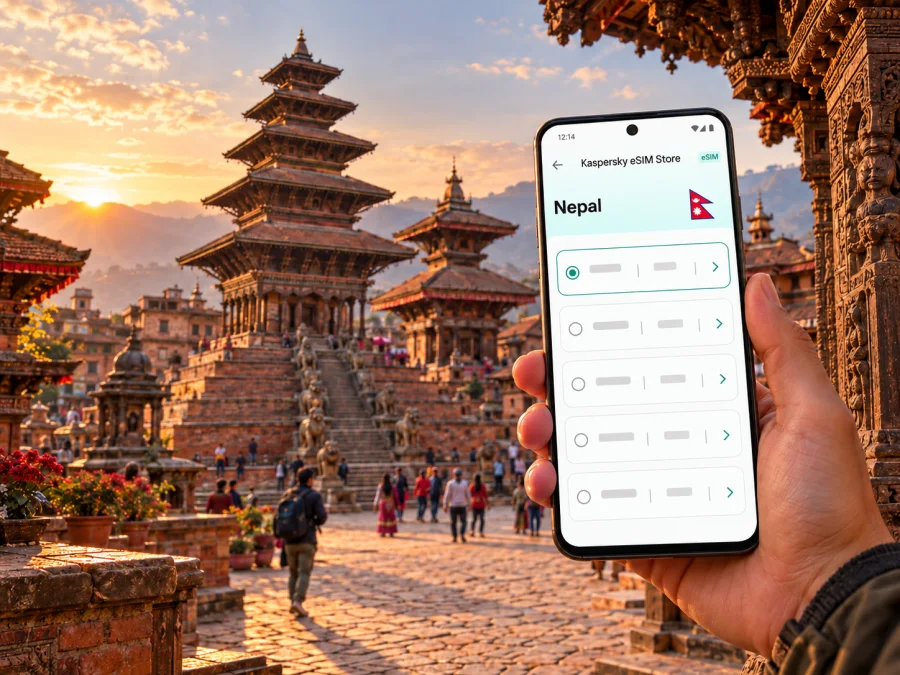
Bhaktapur eSIM for mobile connection and internet on your trip
Bhaktapur rewards travellers who slow down. Its brick lanes, courtyards, shrines and pagoda roofs are close enough to explore on foot, yet the old town is a maze of turns where a saved map, translation app or message to your host can make the day easier. A mobile data connection helps you check your next stop, coordinate a driver and keep practical details at hand without relying on a café network each time you need directions.
This guide is about using mobile internet in Bhaktapur: getting from Kathmandu to the city, finding your way around the historic centre, planning a visit to the main squares and preparing an eSIM for Nepal. It also explains what a travel eSIM can and cannot do, how to estimate data use, and what to check before you leave.
What to expect from a visit to Bhaktapur
Bhaktapur is a city in the Kathmandu Valley, east of Kathmandu. It is especially known for its historic urban fabric and the Bhaktapur Durbar Square monument zone. The Kathmandu Valley’s UNESCO-listed property consists of seven monument zones; Bhaktapur Durbar Square is one of the palace-square ensembles within it. In the city, the main square, Taumadhi Square and Dattatreya Square form useful waypoints for a walk, while smaller courtyards and narrow lanes make wandering part of the experience.
The city is not a single open-air attraction with one entrance and one route. You will move between active neighbourhoods, temples, workshops, cafés and guesthouses. Streets may be busy with local traffic and daily activity, and some lanes are easier to navigate on foot than by car. Keep a digital map available, but also note your accommodation’s name and location offline in case you need to ask for directions or your data connection drops temporarily.
Arriving from Kathmandu and planning the transfer
If you arrive at Tribhuvan International Airport (TIA) in Kathmandu, continue overland to Bhaktapur. The airport is not in Bhaktapur. Plan the airport transfer as a separate leg: confirm the pickup point with your driver or accommodation, save the address, and share your expected arrival time before boarding if you can. Road conditions and journey times vary, so avoid building a tight connection around a single estimated duration.
A practical arrival checklist:
- Save your accommodation’s name, address and a map pin before leaving the airport.
- Keep the host’s phone number and pickup instructions somewhere you can open offline.
- Check which mobile line is selected for data before using maps or ride services.
- If you buy a local SIM or eSIM, follow the provider’s current identity-registration and activation instructions.
- Carry a little battery reserve; navigation, camera use and mobile data can drain a phone during a long transfer.
Choosing how to stay connected in Nepal
Travellers generally compare three options: roaming on their home SIM, buying a local SIM or eSIM from a Nepalese operator, or preparing an international travel eSIM for data. Each option has different terms. A local operator’s tourist package may include voice and SMS as well as data, while an international travel eSIM is commonly intended for data. Check the actual tariff details rather than assuming that every eSIM includes calls, texts or the same network access.
| Option | Useful when | Check before you rely on it |
|---|---|---|
| Home-carrier roaming | You need to keep your usual number active and value continuity | Rates, roaming activation, data limits and whether Nepal is included |
| Local Nepal SIM or eSIM | You want a service issued for the Nepal market, possibly with local voice options | Current registration rules, passport or identity requirements, plan validity, top-up method and phone compatibility |
| Travel eSIM for data | You want to prepare a separate data line for a trip | Nepal coverage details, supported local network, data allowance, validity, activation instructions and whether voice/SMS are excluded |
| Wi-Fi only | You will spend most of your time at accommodation and can plan offline | Quality and availability at each location; public Wi-Fi should not be your only navigation plan |
Nepal has its own operator market. For example, Ncell publishes tourist SIM and eSIM information for foreign travellers, while Nepal Telecom operates an eSIM portal with services for new or existing customers. These are local operator offerings with their own eligibility, identity checks and terms. Their existence does not establish which network or tariff a separate travel eSIM uses in Bhaktapur; check the chosen plan’s current details before purchase.
If comparing plans, focus on the country or regional coverage description, named network where disclosed, data allowance, validity period and the point at which validity begins. A plan that starts when installed may behave differently from one that starts on first network connection. Read the activation conditions carefully, especially if you plan to install the eSIM before travelling and switch data on only after arrival.
How much mobile data might a Bhaktapur visit use?
Your data use depends more on what you do than on the name of the city. A visitor using a map for occasional directions and sending text messages will have a different pattern from someone uploading video throughout the day or joining long video calls. Treat any estimate as a planning aid, not a guaranteed allowance.
| Travel day | Typical connected activities | How to keep use predictable |
|---|---|---|
| Short walk around the old town | Map lookups, messages, opening hours, a few searches | Download an offline map area where available; close apps that refresh in the background |
| Day trip with several stops | Navigation, ride coordination, translation, photos and messaging | Check data use at midday; use Wi-Fi for large uploads when suitable |
| Remote-work day | Email, cloud files, calls, hotspot use | Estimate video-call consumption separately and confirm hotspot support and plan rules |
| Multi-day stay | Navigation plus routine browsing and sharing | Review remaining data daily and keep a small reserve for transfers or changes |
Kaspersky eSIM Store is an app and website where you can choose, arrange and activate an eSIM with a suitable tariff for mobile internet on an international trip. You can review eSIM options for Nepal and compare the conditions shown for your dates and expected use. The local operator, supported network and plan terms are determined by the selected offer, so use those details when making your decision.
Walking between squares, lanes and landmarks
The most useful navigation setup for Bhaktapur is simple: keep a map app available, save the places you care about, and use local names alongside pins. Bhaktapur Durbar Square is a natural starting point, with its palace architecture and monuments. Taumadhi Square is associated with the five-storey Nyatapola Temple and Bhairavnath Temple. Dattatreya Square and the surrounding older lanes offer another cluster of historic buildings and workshops. The precise route between them can be adjusted to your pace and to which monuments are open during your visit.
Maps do not always communicate the character of the route. A short line on screen can lead through a narrow lane or a courtyard passage, and a vehicle route may stop short of the place you are trying to reach. Zoom in near the destination, check that the pin is on the correct side of a square, and follow signs or ask locally if the route appears to cut through a private or restricted space.
A phone is useful for more than turn-by-turn directions. You may want to check a museum or monument’s current opening information, translate a menu, message a guide, or confirm where to meet after exploring independently. Keep the phone secure in crowded areas and avoid walking with your attention fixed on the screen. Stop somewhere safe to check the next turn, then continue looking up at the carved windows and roof struts that make the old city distinctive.
For a relaxed walking day, save these items before leaving your room:
- Your accommodation pin and a written address.
- The squares or temples you want to visit, with opening details checked close to the date.
- A meeting point for anyone travelling with you.
- A transport pickup point outside any lane that vehicles cannot easily enter.
- A note of the nearest place where you can return to Wi-Fi or charge your phone.
Staying, working and making a short stop
If you are based in the historic centre, a guesthouse or hotel may be close to the main squares but tucked away from a vehicle road. Send the property a message before arrival to confirm the last part of the route and the best place to meet a driver. A screenshot of the map pin and the property’s own description can be more useful than a street name alone.
For a day visit from Kathmandu, make a small plan for the return journey before you begin sightseeing. Save the pickup point, agree on a departure window and keep your phone available for messages. If you are travelling onward to another part of the Kathmandu Valley, check the next destination and transport arrangement before leaving Bhaktapur rather than assuming every connection will be immediate.
On a short stopover, prioritize the essentials: a saved route from the airport or hotel, a clear return plan, a charged phone and a modest data allowance for maps and coordination. Bhaktapur is close enough to Kathmandu to feature in an itinerary, but travel time is subject to road conditions. Leave a buffer before a flight or scheduled departure and keep the airport name and terminal details accessible offline.
Preparing and installing a travel eSIM
Set up your connection before the moment you need directions. Start by checking that your device supports eSIM and is not restricted by a carrier lock. Support can vary by model and by regional device variant, so use the exact model information rather than relying on a family name alone. Check whether your device supports eSIM before choosing a plan.
A sensible preparation sequence:
- Compare the Nepal tariff options for your travel dates and route. Check coverage, validity, data amount and any stated limitations.
- Confirm that the phone can use eSIM and has the latest device settings required by its manufacturer.
- Arrange the selected tariff through Kaspersky eSIM Store, then follow the instructions shown for that tariff.
- Install the eSIM over a stable internet connection, preferably before departure if the plan instructions allow it.
- Label the new line clearly, such as “Nepal data”, so it is easy to distinguish from your home number.
- On arrival, select the intended line for mobile data and enable data roaming only if the eSIM instructions require it.
- Keep your home SIM settings available for calls or verification messages if you need them, and review the default voice and data line before making calls.
The exact menu names vary across operating-system versions and device makers. Use the relevant Android eSIM installation guide or iOS eSIM installation guide, then follow any plan-specific activation steps. Do not delete an installed eSIM simply because a connection is delayed; first check the tariff instructions, selected data line, network selection and device settings.
A data-only travel eSIM generally does not replace your usual phone number for standard calls and SMS. You may continue to use your home line for those services subject to its roaming terms, while internet-based messaging and calling apps use data. Check each plan’s description to confirm what is included. Keep access to account verification methods in mind before changing SIM settings, because some services send one-time codes to your usual number.
If the connection does not work as expected
Start with checks that do not risk deleting your profile or changing the plan:
- Confirm that the eSIM line is turned on and selected for mobile data.
- Check the tariff’s destination, validity dates and activation conditions.
- Verify whether data roaming must be enabled for that particular plan.
- Turn airplane mode on briefly and then off, or restart the phone if the plan instructions recommend it.
- Move to a different spot and allow the phone time to register on a supported network.
- Check whether manual network selection is allowed by the provider’s instructions.
- Review the device’s data limit or low-data settings.
- Contact the service provider named in your plan details if the issue continues.
Practical checklist before leaving for Bhaktapur
Phone and tariff
- [ ] Device supports eSIM and is carrier-unlocked.
- [ ] The precise plan includes Nepal and suits the duration of your stay.
- [ ] Data allowance, validity start and any fair-use terms are understood.
- [ ] Installation and activation steps are saved.
- [ ] Home SIM and travel eSIM are labelled clearly.
Arrival and local movement
- [ ] Accommodation address and pin are available offline.
- [ ] Airport pickup or transfer instructions are saved.
- [ ] Return transport or onward journey has a time buffer.
- [ ] Bhaktapur’s main stops are saved in a map app.
- [ ] Phone charger or power bank is ready for a full day out.
Data habits
- [ ] Large photo backups and app updates are set to Wi-Fi where practical.
- [ ] Offline map data is downloaded if the map app supports it.
- [ ] Essential tickets, contacts and booking details can be opened without a signal.
- [ ] You know which SIM line is selected for data and calls.
Frequently asked questions
Does an eSIM for Nepal guarantee coverage in every part of Bhaktapur?
No plan should be treated as a guarantee for every building or street. Check which local network or networks the tariff lists, then consider that signal conditions can differ indoors and outdoors. The selected provider’s current coverage information is the best guide to the plan’s intended service area.
Can I use a travel eSIM for ordinary phone calls?
Many travel eSIMs are intended for mobile data and do not include a standard phone number, voice calls or SMS. Check the offer details. Internet calling and messaging apps can work over data, while your regular number remains governed by your home carrier’s roaming terms.
What is the most useful preparation for a half-day visit?
Save your accommodation or Kathmandu pickup point, the Bhaktapur locations you want to visit and your return plan. For a short walk, maps and messaging may be the main data uses, but keep addresses and meeting details available offline as a backup.
Choose your connection before setting out
A little preparation makes Bhaktapur easier to explore: save the places you want to see, confirm how you will reach your accommodation, and choose a data option that matches your route and habits. Review the Nepal tariff details in Kaspersky eSIM Store, check device compatibility and install the selected eSIM according to its instructions. When you are ready, choose an eSIM tariff for your Nepal trip and keep your essential travel details available offline as well.


