Travel connectivity guide
Biarritz eSIM: Mobile Internet for Your Trip
Biarritz eSIM: Mobile Connection and Internet for the Atlantic Coast
Biarritz is compact enough to explore on foot, yet a good mobile connection can make arrival, beach days and trips along the Basque coast much easier. You may need internet to check the bus from Biarritz Pays Basque Airport, find a hotel on a steep side street, read a tide table, message your host or adjust a train connection. An eSIM can help you prepare mobile data for France without swapping the physical SIM in your phone.
This guide focuses on using an eSIM during a stay in Biarritz: what to plan before departure, how to get online after landing, where mobile data is useful around town, and what to check when you travel onward. Mobile service depends on the plan, its partner network, your device and local conditions. No single connection can be assumed to perform identically indoors, on the beach and on the road.
Biarritz at a glance: a coastal city with several travel patterns
Biarritz is in southwestern France, on the Atlantic coast in the French Basque Country, close to Anglet, Bayonne and Bidart. The city’s landmarks and beaches are spread along a varied shoreline rather than arranged around one flat central grid. Streets rise and fall between the waterfront and inland districts, so a map can be useful even on a short walk.
The experience changes from one part of town to another. Grande Plage sits beside the central shopping and hotel area. Port-Vieux is a smaller cove near the old port and the Aquarium. The Côte des Basques is known for its surf setting and wide views, but the beach can be covered at high tide; access and the walk down the cliff should be considered before setting out. Farther south, Marbella and Milady are useful reference points for visitors staying beyond the central waterfront.
These differences affect how you use your phone:
- Arriving with luggage: confirm the address and route from the airport or railway station before you leave the terminal.
- Walking between viewpoints: save the hotel location and an offline map in case you prefer not to rely on continuous data.
- Planning beach time: check current tide and beach information before going down to the shore, especially at the Côte des Basques.
- Taking a bus or train: check the current timetable close to departure; local services can change by season, day and disruption.
- Working remotely: check Wi-Fi availability with your accommodation and keep mobile data as a backup for messages and essential browsing.
A useful rule is to prepare the first journey in advance, then use mobile data for live updates and changes. That reduces the pressure to solve every detail while standing in a busy arrival area.
From Biarritz Pays Basque Airport to your accommodation
Biarritz Pays Basque Airport is close to the city and also serves nearby Anglet and Bayonne. Its official transport information describes local bus and regional coach connections, but routes, timetables and stopping patterns can change. Check the airport or TXIK TXAK information for your travel date rather than relying on a route number saved from an older guide. The airport’s published information has included a bus connection serving Biarritz railway station, and the local network may adjust service during summer periods.
Before boarding, confirm three details on your phone: the stop closest to your accommodation, whether you need to change buses, and whether the route is running at your arrival time. If you land late, have bulky luggage or need to reach an address away from a direct route, compare a taxi or pre-arranged transfer with public transport. Keep the address written down as well as saved in a map app; a street name and postal code can be easier to show than a map pin when you need help.
The railway station, Gare de Biarritz, is outside the central waterfront area. It connects with regional and longer-distance rail services, while buses link the station to other parts of the agglomeration. If you arrive by train, check the onward bus timetable and the exact station exit or stop. A journey that looks short on a city map can take longer when you include a transfer, a wait or a walk uphill with bags.
Arrival checklist
- Download or save your accommodation address, booking details and check-in instructions.
- Check the latest airport or station transfer information for your arrival time.
- Keep a payment method available for transport tickets; do not assume every vehicle accepts the same payment option.
- Save a map area around the airport, station and accommodation for offline use.
- Keep your home SIM active if you need its number for calls or verification messages, and confirm its roaming settings and charges with your home provider.
- Turn on the travel eSIM only when you are ready to use it and follow the selected plan’s activation instructions.
Choosing mobile data for your days in Biarritz
The right data allowance depends on how you travel, not simply on the number of nights. A visitor who mostly walks, uses accommodation Wi-Fi and checks messages may need less data than someone who uploads video, joins calls outdoors or streams entertainment on the move. A short stay can still use a noticeable amount of data if you keep cloud backups, video autoplay or app updates running over mobile service.
Think through a normal day before selecting a plan. Will you use live navigation between the station and the beach? Will you send photos to family? Do you need to join work calls? Will you use a map for a day trip to Bayonne or Saint-Jean-de-Luz? Those answers give you a better estimate than choosing a package solely by its headline size.
| Typical use | What to consider |
|---|---|
| Weekend city break | Maps, messages, restaurant searches and transport checks; use Wi-Fi for large uploads. |
| Surf or beach-focused stay | Tide and weather pages, meeting friends, checking return transport and occasional photos. Save key information before heading to the shore. |
| Remote work | Video calls and file transfer can use much more data; confirm accommodation Wi-Fi quality and plan a backup. |
| Family trip | Several devices or frequent photo sharing may increase usage. Check whether your plan allows tethering before relying on a hotspot. |
| Road or rail extension | You may use data on the way to other towns; confirm the plan’s geographic coverage for the complete route. |
For a trip that stays within France, compare available France options by data allowance, validity period, activation rules and price shown at the time you choose. If your itinerary also crosses into Spain, do not assume a France-only option includes service there. Check whether a regional plan is available and read the destination list and restrictions before purchase. A plan’s name alone is not proof that it covers each stop on your route.
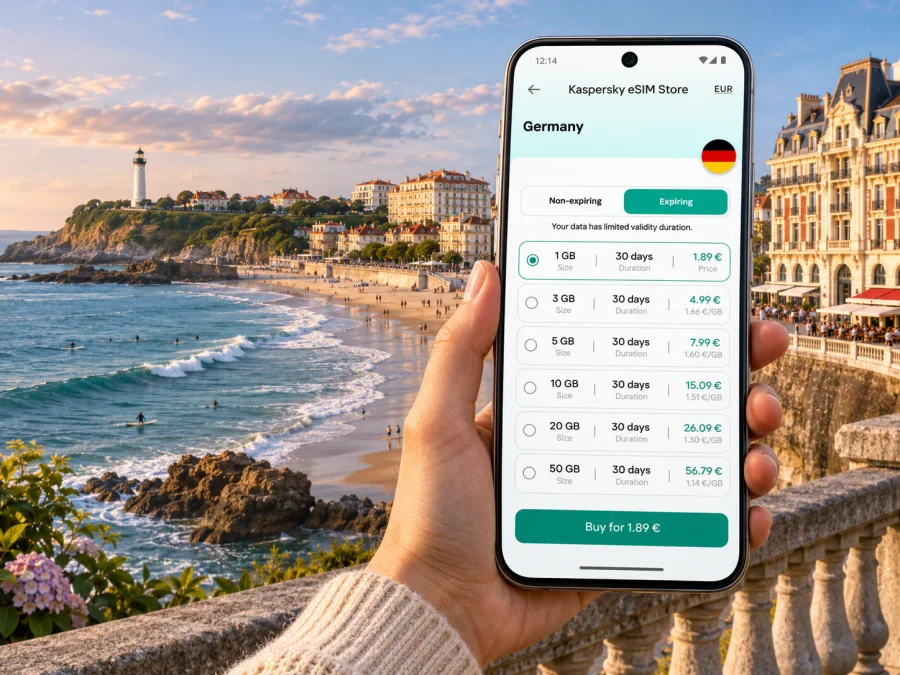
Kaspersky eSIM Store is an app and website where you can select, arrange and activate an eSIM with a suitable plan for mobile data while travelling abroad. To review current France options and their terms, explore eSIM plans for a trip to France. Availability, price, included data, validity and supported partner networks can change, so use the information displayed for the specific option you select.
Where an internet connection helps around the city
Grande Plage and the central streets
Grande Plage is close to central Biarritz, with cafés, shops and hotels nearby. A phone is useful for locating a meeting point, checking opening hours or finding your way back through the streets above the waterfront. In busy periods, agree on a precise landmark rather than saying only “the beach”; the beachfront is broad and people may enter from different streets.
Port-Vieux, the Aquarium and the old port
The Port-Vieux area combines a cove, places to eat and access to the Aquarium. Navigation can help connect it with the central seafront or nearby viewpoints. If you are visiting with children or meeting a group, save the address of the next stop and set a meeting point before people spread out.
Rocher de la Vierge and the coastal walk
The Rocher de la Vierge is a prominent landmark between the central bay and the southern beaches. A map helps you follow the coastal route and find the next access point, but keep your attention on paths, steps and the surroundings rather than walking while looking at your screen. Weather and sea conditions can change the character of a waterfront walk; check local notices and choose a safe route.
Côte des Basques, Marbella and Milady
The southern shore calls for a little more planning. The Côte des Basques is affected by the tide, and at high tide the beach may be inaccessible or covered by water. Consult a current tide forecast and local beach information before descending. Mobile coverage and battery can also be less convenient when you are away from the main streets, so save the return route and any relevant bus stop details beforehand. Avoid placing a phone where sand, water or heat can damage it.
Les Halles and the inland streets
Around Les Halles, mobile data can help with directions, translating a menu or checking a reservation, especially if you are exploring without a fixed itinerary. Market and restaurant opening times vary, and a listing may not reflect a holiday or seasonal schedule. Check the latest details and keep a second nearby option in mind if a place is closed or crowded.
Will an eSIM work everywhere in Biarritz?
No coverage statement can guarantee service in every exact spot. A phone connects through the mobile network used by the selected plan, and actual performance can vary with the operator, signal indoors, building materials, terrain, crowd levels, device settings and temporary network conditions. The Atlantic shoreline, older buildings, busy events and moving transport are different environments, so avoid treating a coverage map or a general description as a promise of uninterrupted service.
France is part of metropolitan France for the purpose of checking a France travel plan. However, the specific network your eSIM uses and its local performance depend on the plan’s terms and network arrangements. Check which country or region is included, what network access is described, whether 4G or 5G is supported where applicable, and whether the plan has any usage limits or activation requirements. When possible, test important routes and indoor locations with the coverage information available for the actual network rather than assuming all plans use the same one.
An eSIM plan focused on mobile data may not include a regular French phone number, voice calls or SMS. Confirm the details of the selected plan. Internet calling and messaging apps can work over a data connection, but they are not a replacement for every phone-based service, such as a text verification code. If you need to receive calls or SMS on your usual number, check with your home provider and keep the appropriate SIM line available.
Check device compatibility before you travel
Your phone must support eSIM and be eligible to use another carrier profile. Support differs by exact model and regional device variant; two phones with similar product names can have different capabilities. A device may also be locked to a carrier even if its hardware supports eSIM. Check the manufacturer’s specifications for your exact model and the status of any network lock with the company that sold or manages the phone. Check whether your device is compatible before you select a plan.
Also make sure you can access the email account or app profile used for purchase, and update your operating system if the manufacturer recommends it. Keep access to Wi-Fi during installation, because setup instructions or a profile download may require an internet connection. Do not delete an installed eSIM profile as a troubleshooting shortcut unless the plan provider’s instructions say it can be reinstalled; some profiles cannot be transferred or restored after removal.
Installation and activation: prepare before landing
Follow the instructions for the specific eSIM you choose. Installation methods and activation timing can differ. Some plans begin their validity period when installed, while others start when they first connect to a supported network. Read the displayed terms so you can choose the right time to install or enable the profile.
- Before purchase: confirm device compatibility, country coverage, included data, validity and any activation conditions.
- While you have Wi-Fi: open the purchase confirmation and follow the steps for your operating system. Use the Android eSIM installation guide or the iOS eSIM installation guide.
- Label the profile: give it a clear name such as “France travel” so it is easy to identify next to your usual SIM.
- At your destination: select the travel eSIM for mobile data according to its instructions. Keep your home line set for calls or messages if you still need it.
- If data does not start: check that the eSIM is enabled, the correct line is selected for mobile data, and required data-roaming settings are on for that eSIM. Restart the phone only if the plan instructions recommend it, then contact support using the details in your confirmation.
On dual-SIM phones, settings can be easy to mix up. Review which line handles mobile data, calls and messages. If you want to avoid unexpected roaming charges on your home SIM, confirm its data-roaming setting with your provider and disable mobile data for that line if appropriate. Keep in mind that settings labels differ across Android manufacturers and iOS versions.
Before you leave: a compact checklist
A day or two before travel
- Confirm your exact device model supports eSIM and is not restricted by a carrier lock.
- Compare data amount, validity, destination coverage and activation rules for the plan.
- Install the profile at the time permitted by its terms, using stable Wi-Fi.
- Save accommodation, airport or station details, and offline maps.
- Check how your home SIM will handle roaming, calls and SMS.
On arrival in Biarritz
- Choose the correct line for mobile data and check the plan’s activation steps.
- Confirm current transport options from Biarritz Pays Basque Airport or Gare de Biarritz.
- Keep a note of your destination address and check-in contact details.
- Use live data for updates, but keep key information available offline.
During the stay
- Check tide and beach information before visiting the Côte des Basques.
- Use current transport information for buses and trips around the Basque coast.
- Monitor data use if you stream, work on video calls or use a hotspot.
- Remember that performance can vary between the central streets, buildings, transport and shoreline.
Frequently asked questions
Is Biarritz in France or Spain?
Biarritz is a city in southwestern France, in the French Basque Country. Its proximity to Spain does not change the country coverage required for a France-only plan.
Can I use an eSIM from the airport to the city?
You can use a compatible, active eSIM for mobile data if its plan includes France and the phone connects to a supported network. Airport transport options and schedules change, so check current local information before boarding.
Does a travel eSIM replace my phone number?
A data-focused eSIM generally provides mobile data, not necessarily a regular phone number, voice service or SMS. Check the chosen plan’s terms and keep your usual line available if you need its number.
How much data do I need for a weekend in Biarritz?
There is no single amount that fits every visitor. Maps, messaging and searches use a different amount from video calls, streaming and photo backups. Estimate your usual activities, use Wi-Fi for large transfers where suitable, and select a plan with terms that match your trip.
Will mobile internet work on every beach and inside every hotel?
No plan can promise identical service in every location. Signal depends on the network, building, terrain, device and current conditions. Check local coverage information where available and keep important addresses or maps saved offline.
Can I keep my usual SIM active?
Many dual-SIM phones let you keep more than one line available, but exact settings vary. Choose which line handles mobile data and check roaming charges with your home provider. Calls or SMS on your usual line may be billed under its own terms.
What should I do if the eSIM connects but apps do not load?
Check the selected data line, plan status, remaining data and any required settings. Try a different location and consult the setup instructions. If the problem continues, use Wi-Fi if available and contact the support channel in your confirmation.
Prepare your Biarritz connection
A little preparation makes the first hours in Biarritz easier: check device compatibility, choose a France option that matches your route and usage, and understand when its validity begins. Save your hotel address, airport or station directions, and beach access information before you set out. Keep in mind that local schedules and network performance can change, particularly across seasons and between indoor and coastal locations.
Use Kaspersky eSIM Store on the website or in the app to select and activate an eSIM plan for your trip. Review the current options for France, compare the stated data, validity and destination terms, and prepare your mobile internet before exploring Biarritz.


