Travel connectivity guide
Bidiyah eSIM for Mobile Internet in Oman
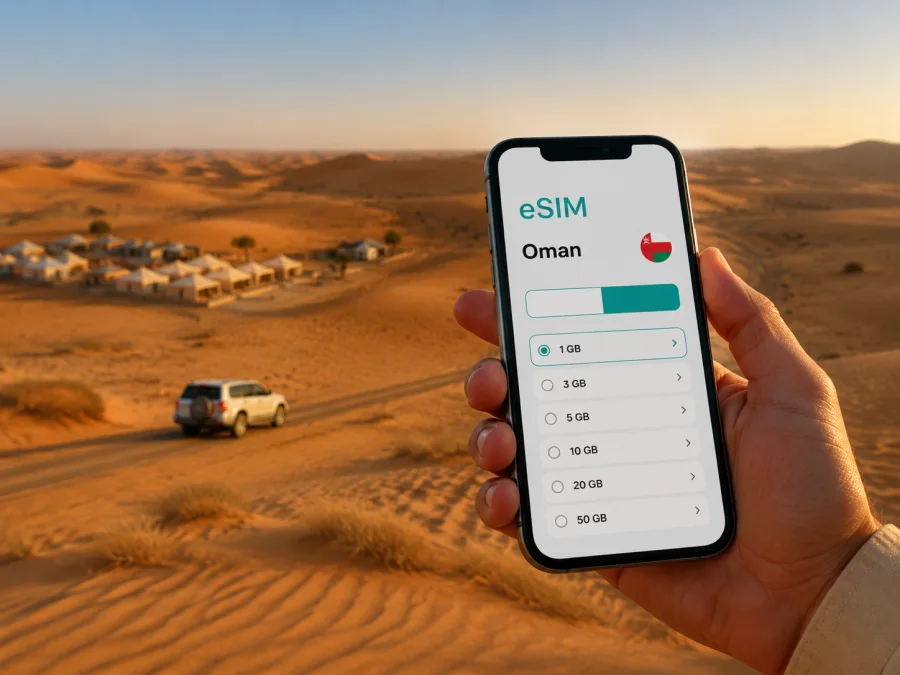
Bidiyah eSIM: Mobile Connection and Internet for Your Oman Trip
Bidiyah is the kind of destination where a reliable mobile connection is part of the route, not an afterthought. You may arrive after a long drive, find your desert camp outside the settled center, follow a meeting point for a 4x4 transfer, or need a map while moving between Al Wasil and the sands. An eSIM can help you prepare mobile internet for that journey without changing the physical SIM card in your phone.
Kaspersky eSIM Store is an app and website that helps you choose, arrange, and activate an eSIM with a suitable plan for mobile internet on an international trip. Before travelling to Oman, review the destination, data allowance, validity period, and price shown for the selected option. A short stop in Bidiyah needs a different allowance from a longer road trip through Oman.
Why mobile internet matters in Bidiyah
Bidiyah is closely associated with the desert landscape of A’Sharqiyah Sands. The experience is spacious and memorable, but the practical rhythm differs from a stay in a dense urban center. Accommodation may be a desert camp, a lodge near Al Wasil, or a small property in the wider Bidiyah area. Your day can include a transfer from the road, a guided dune drive, a walk through a village, and a return after sunset.
In that setting, mobile data can support several small but important tasks:
- checking the route to a hotel, camp, meeting point, or fuel stop;
- confirming a transfer time with accommodation or a local guide;
- using maps while driving between Bidiyah, Al Wasil, and other stops;
- translating a message or sending an update to family or colleagues;
- opening a reservation or digital travel document;
- checking weather conditions and adjusting a desert excursion with the organiser.
These needs become harder when you are searching for Wi-Fi at every stage. An eSIM helps prepare mobile data before departure or after arrival, subject to the plan, device, and local network.
Arriving in Bidiyah: plan the first connection
Most international visitors travelling to Bidiyah organise the road journey as part of a wider Oman itinerary. Muscat International Airport is a common starting point for routes into the interior, while other plans may combine Bidiyah with Nizwa, Ibra, Wadi Bani Khalid, Sur, or a return to Muscat.
After landing, you may need to collect a rental car, meet a driver, contact a camp, or check final directions. It is useful to have the eSIM installation plan settled while you still have dependable Wi-Fi.
Use this arrival checklist:
- Save your accommodation name, confirmation, and contact details in the phone before leaving the airport.
- Confirm whether the property expects you to meet at a particular road, village, or fuel station.
- Download the map area you may need for offline reference, while keeping mobile data available for live updates.
- Check fuel, battery, and the next realistic stopping point before leaving the built-up area.
An eSIM does not replace planning the road journey. It simply gives you another way to prepare data access for navigation, messages, and travel information without removing your home SIM.
Moving around Bidiyah and the surrounding desert
Bidiyah is a road-based destination. Plan around a base, a meeting point, a road segment, and an activity window rather than a dense network of short city transfers.
Rental car and self-drive trips
A rental car can make a multi-stop Oman itinerary more flexible. Keep the phone ready for navigation, but do not treat a map as a substitute for local instructions. A desert camp may arrange the final approach through its staff or a guide, and some excursions use a suitable 4x4 vehicle.
Before setting out, compare the route in daylight, clarify where the accommodation wants you to arrive, and check whether a transfer is included. Do not drive onto dunes or an unmarked track simply because a map shows a line there. Follow the advice of the camp, tour operator, or local guide for the final desert section.
Transfers and guided excursions
An organised transfer may handle the last part of a desert stay. Mobile data helps confirm the driver’s arrival, send your position, or receive a schedule change. Make the meeting place specific: a named property, visible landmark, or agreed roadside point is better than a vague description.
If your programme includes dune driving, camel riding, sandboarding, or stargazing, you may be away for several hours. Carry water, protect the phone from heat and sand, and save key contact details.
Short walks and local stops
In and around Bidiyah, you may combine desert activities with a cultural stop. Bidiyah Museum and Al Wasil Fort are points of interest in the wider area. Use data to arrive and confirm meeting details, then put the phone away to enjoy the place.
Choosing a plan for a Bidiyah itinerary
The most useful plan is not automatically the largest one. Start with the route and habits you expect, then leave a reasonable margin for navigation, messages, and changes.
| Trip pattern | Typical data needs to consider | What to prioritise |
|---|---|---|
| One night in Bidiyah | Maps, messages, reservations, occasional browsing | A short validity period and enough data for the arrival and return legs |
| Several nights at a desert camp | Navigation, transfer coordination, calls through messengers, photo sharing | Validity covering the whole stay and a buffer for limited Wi-Fi |
| Bidiyah as part of a road trip | Repeated map checks, accommodation messages, route changes, bookings | Coverage for the full Oman route rather than only the town stop |
These are planning categories, not promises about a specific allowance. Actual use depends on maps, photo uploads, video, background updates, and available Wi-Fi. Compare the available Oman options by:
- Validity: make sure the active period covers arrival, the Bidiyah stay, and the next destination if you are continuing by road.
- Data volume: navigation and messaging are lighter than video calls, cloud photo backup, or streaming.
- Route and activation: confirm that the option is intended for Oman and read when the plan begins.
- Conditions if data runs low: do not assume every option has the same top-up or replacement rules.
For a road trip, a plan that expires before the return leg can be inconvenient. For a short stop, a much larger allowance may be unnecessary. The practical goal is a plan that fits your route, duration, and habits.
When you are ready to compare the available Oman options, you can choose an eSIM plan for a trip to Bidiyah. Keep the destination and the full travel period in mind while reviewing the details.
Installing an eSIM before departure or after arrival
Install the eSIM with a stable internet connection and enough time to read each step. If you install it before leaving home, keep your regular line available for your normal number and select the travel eSIM for mobile data after arrival. Menu names differ by model.
- Check that the phone supports eSIM and is not locked by the home operator. Check your device compatibility before purchasing.
- Open the Kaspersky eSIM Store app or website, choose Oman, and select a plan that matches the Bidiyah itinerary.
- Complete the purchase and locate the installation details or QR code in your profile or related message.
- In mobile-network settings, add the eSIM and follow the on-screen installation flow. Keep the QR code private.
- Label the line “Oman travel”, select it for mobile data after arrival, and check any required data-roaming setting.
- Test a simple webpage or message before leaving the airport, hotel, or another place with dependable Wi-Fi.
For operating-system-specific help, use the Android eSIM installation instructions or the iOS eSIM installation instructions. If activation takes a few minutes, stay on Wi-Fi and follow the instructions rather than repeatedly deleting the profile.
Compatibility and practical checks before purchase
Models can differ by region, and the device may be locked to an operator. Before paying, verify that:
- your exact phone model supports eSIM;
- the device is unlocked for another mobile plan;
- you can access the email, profile, or QR code used for installation;
- the plan’s validity and data allowance fit the whole itinerary.
If you are travelling with a second phone, tablet, or work device, check each device separately. An eSIM profile should not be assumed to transfer to another device. If someone needs independent data, decide whether a separate compatible eSIM is more practical than sharing a hotspot.
Bidiyah for work trips and short stopovers
Bidiyah may be a destination in its own right or a carefully timed stop between major Oman locations. A business traveller might work on the road, join a desert activity after a meeting, and leave early for the next city. Judge the plan by the whole route, not only by the hours at the camp.
Before a work-focused stay:
- Save meeting details and hotel information for offline access.
- Ask the accommodation about Wi-Fi and decide which tasks should use mobile data.
- Keep email, messaging, and documents ready before the road section; schedule large uploads for Wi-Fi.
- Carry a charging cable or power bank if navigation and hotspot use may overlap.
For a short stopover, install the eSIM with time to spare rather than during the final minutes before a transfer. A stable connection and a clear plan for the next road segment are more useful than rushing through settings.
Day trips from Bidiyah
The wider North Al Sharqiyah area supports routes that combine desert scenery with other landscapes and heritage stops. A traveller may continue toward Wadi Bani Khalid, Ibra, or the coast, depending on the itinerary. Check the transfer, daylight, and accommodation plan for each leg.
Mobile data helps you:
- confirm the next reservation or arrival time;
- keep navigation available between rural and settled areas;
- check a driver’s or accommodation’s latest meeting instructions.
For desert and wadi routes, rely on the accommodation or guide for access, vehicle suitability, and timing. A prepared eSIM supports communication, but it cannot replace local route knowledge.
Troubleshooting on the road
If the eSIM does not appear, confirm that the profile was added in mobile-network settings and restart the phone. If data does not work, check the selected data line, mobile data, any required data-roaming setting, airplane mode, and signal. At a camp or on the road, move to a safe place before changing settings.
A short sequence:
- Check the selected data line and plan status.
- Toggle airplane mode once and wait for reconnection.
- Restart the phone if the profile or network still does not appear.
- Contact support with your purchase details and device model; do not delete the profile unless instructed.
Frequently asked questions
Is an eSIM useful for a trip to Bidiyah?
Yes. It can support navigation, messages, booking details, and coordination with a camp or driver. Choose the plan by the whole Oman route, not only by the town stop.
Does an eSIM replace my regular phone number?
Usually no. It is intended for mobile internet, and ordinary calls or SMS are not included unless the selected terms say otherwise. Messaging and calling apps can use the data connection.
Should I install the eSIM before flying to Oman?
It can make arrival easier if the phone is compatible and you have a stable connection for setup. You can also install after arrival using Wi-Fi. Read when activation or validity begins.
Do I need a separate eSIM for every person?
Not necessarily. A hotspot may work, but it uses battery and data and can be inconvenient at a remote camp. Independent users need compatible devices and suitable plans.
Can I use an eSIM for a route beyond Bidiyah?
That depends on the destination and plan conditions. Check that the option covers Oman and remains valid until the next stop; do not assume that one country’s plan covers a neighbouring country.
What should I do if my phone is not compatible?
Check the exact model and whether it is operator-locked. If it cannot use eSIM, keep the regular SIM or choose another arrangement that fits the device. Confirm this before purchasing.
A compact Bidiyah eSIM checklist
Before departure:
- [ ] Confirm the route: airport, Bidiyah accommodation, activity, next stop.
- [ ] Check device compatibility and operator-unlock status.
- [ ] Compare Oman plans by validity and data volume.
- [ ] Save the camp, driver, hotel, and booking details.
- [ ] Install the eSIM with a stable connection and label the travel line.
- [ ] Pack a charger or power bank.
After arrival:
- [ ] Select the Oman eSIM for mobile data and check any required roaming setting.
- [ ] Test a message or webpage before the road section.
- [ ] Confirm the next meeting point and keep a local contact available.
- [ ] Monitor data use when uploading photos, calling, or sharing a hotspot.
Prepare your connection for the road ahead
Bidiyah rewards travellers who leave room for the landscape. Check compatibility, choose a plan for the full route, install the eSIM carefully, and keep navigation and contact details ready.
When your itinerary is clear, prepare an Oman eSIM plan for your Bidiyah trip. Kaspersky eSIM Store helps you choose, arrange, and activate an eSIM for mobile internet abroad; the final conditions depend on the selected plan, your device, and the local network.


