Travel connectivity guide
Big Bend eSIM: Mobile Internet in Eswatini
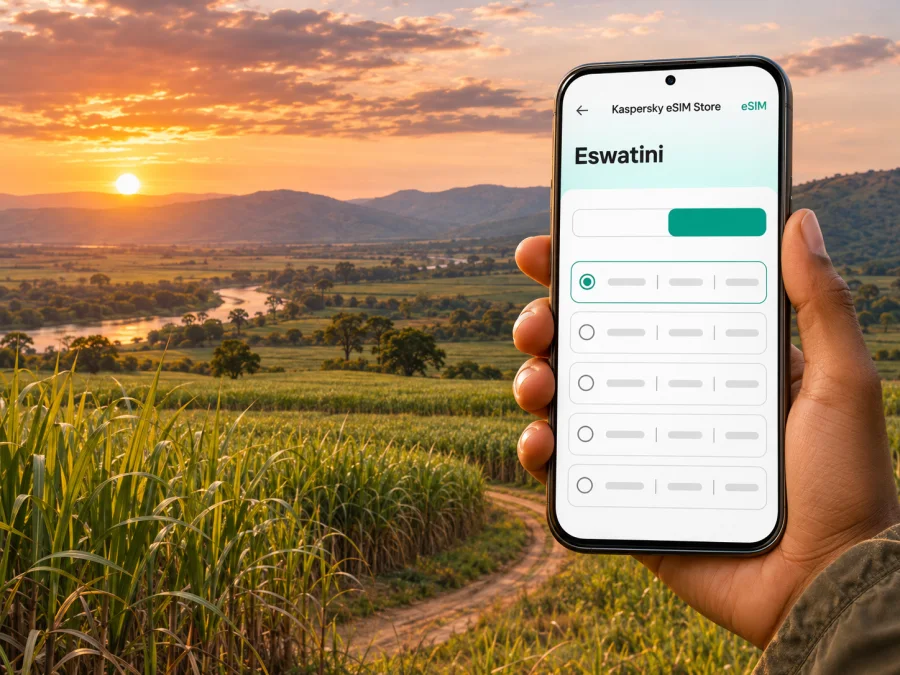
Big Bend eSIM: Mobile Connection and Internet in Swaziland
Big Bend is a practical base in Eswatini’s warm southeastern lowveld, where sugarcane fields, long road journeys and wildlife destinations shape the visitor’s day. A working mobile data connection can help you coordinate a pickup, check directions, message your accommodation and keep plans together while moving between town and the surrounding countryside. An eSIM can be one way to prepare for that connection, provided your device and chosen plan support the trip.
The name in this travel brief is Swaziland. The country’s current official name is the Kingdom of Eswatini; Swaziland remains a familiar former English name and is still used in some older place and travel references. Big Bend is in Eswatini’s southeast. This guide focuses on getting around Big Bend and preparing mobile data for a visit.
What to expect from Big Bend
Big Bend grew around the sugar industry and serves as a regional centre in the southeast. The surrounding lowveld is markedly different from the country’s cooler highlands: the landscape opens out into agricultural fields, and the Great Usutu River is part of the wider setting. Big Bend is a regional service town and a useful starting point for road trips, local errands and nearby nature experiences.
That affects how you should plan mobile internet. In a compact town, you may use maps to find a hotel, shop or fuel stop. Outside town, you may need directions, a saved booking confirmation or a message to a driver when you are not near a familiar landmark. A route can also pass through quieter stretches where signal strength, mobile data performance and access to Wi-Fi vary. Do not assume that an online map or a message will always load at the exact moment you need it.
Getting to Big Bend and planning the first leg
King Mswati III International Airport is in Sikhuphe. The airport authority places it about 50 kilometres from Manzini, while Big Bend lies farther southeast. The onward journey requires a road transfer. Confirm your driver, rental vehicle or onward transport in advance and allow for the journey to take longer than a map’s ideal driving estimate if you have a border stop, a late arrival or a pickup connection to coordinate.
Big Bend is associated with the MR8 corridor, which continues toward the Lavumisa border in the south. If you are coming from South Africa, confirm the border post and onward route for your itinerary before setting out.
| Arrival situation | Useful preparation | Why mobile data may help |
|---|---|---|
| Landing at King Mswati III International Airport | Save your driver’s name, pickup location and accommodation details offline | Coordinate a pickup or send an update after landing |
| Driving from Manzini | Keep the destination pin and route available before leaving town | Check turns and share an estimated arrival time |
| Entering from South Africa by road | Confirm the selected border crossing and save the address on the Eswatini side | Communicate if plans change near the crossing |
| Reaching a lodge or rural property | Ask the host for precise directions and the best meeting point | Send a message if the final approach is unclear |
King Mswati III International Airport is the principal international gateway; arrange the onward road transfer with your booking. Confirm the driver’s meeting point and how to contact them.
eSIM and mobile connection in Big Bend
An eSIM is a digital SIM profile that you add to a compatible device. For travel, a plan can provide mobile data through a supported local network or roaming arrangement, depending on its terms. Kaspersky eSIM Store is an app and website that helps you choose, purchase and activate an eSIM with a suitable plan for mobile internet while abroad. It is not a mobile operator, and the plan’s actual network, service area, data allowance, validity and activation rules depend on the selected offer.
Before choosing a plan for Big Bend, verify that it explicitly covers Eswatini. A regional plan may include several countries, but do not infer that from its name; check the country list and any conditions shown on the plan. Read whether the allowance is fixed or renewable, how long it remains valid, when validity starts, and whether tethering is included if you intend to connect a laptop. If your trip also crosses into South Africa or Mozambique, confirm that those destinations are listed separately. A plan for Eswatini should not be assumed to cover neighbouring countries.
The coverage picture can differ between central Big Bend, the road into town, a property on the edge of the settlement and a more remote reserve. A national coverage map or the presence of service in town cannot guarantee reception at every stop. The available public material does not establish a reliable, current signal level for each Big Bend neighbourhood or nearby lodge. Treat connectivity as location-dependent: check the network details and coverage guidance attached to the specific plan, and keep offline navigation and booking information available.
Choosing a plan for your itinerary
The right data allowance depends more on how you travel than on the town name. A traveller staying in one property with Wi-Fi and using mobile data mainly for maps and messages may need a different allowance from someone navigating all day, sharing photos, taking video calls or connecting a second device. There is no universal number that fits every itinerary.
Use this quick comparison as a planning tool, not as a claim about any individual tariff:
| Your likely use | What to check in the plan | A practical habit |
|---|---|---|
| Directions, messages and occasional search | Coverage country, validity and total data | Download maps and keep background updates off |
| Frequent navigation and restaurant or activity searches | Data allowance, validity start and network conditions | Close navigation when you stop and use saved places |
| Work calls and cloud documents | Whether your apps work over mobile data and whether hotspot is permitted | Test a short call before an important meeting |
| Photos, video and laptop tethering | Data use, tethering terms and remaining allowance | Upload large files over trusted Wi-Fi when practical |
| Multi-country road trip | Every country included and any regional restrictions | Recheck the list before crossing a border |
A few habits help control data use in any destination:
- Download the map area and key documents while you have dependable Wi-Fi.
- Turn off automatic app updates and cloud photo uploads over mobile data if you want to conserve the allowance.
- Save accommodation addresses in both a maps app and a note that can be opened offline.
- Use messaging and voice-call apps deliberately; video can consume substantially more data than text.
- Check the plan’s remaining data and expiry in the account or app specified at purchase.
If a plan has a fixed validity period, installation and activation may not mean the same thing. The tariff terms should explain when its validity begins. Some profiles may be installed before travel and connected later; others may have different start conditions. Read the plan instructions and avoid switching on the line until you understand the timing. Do not delete an installed profile as a troubleshooting shortcut unless the provider’s instructions say it can be reinstalled.
When you are ready to compare options, browse available travel eSIM plans. Check that Eswatini and any other intended destinations are listed, then review the conditions shown for the selected plan.
Where mobile data fits into a Big Bend visit
Airport pickup and the road transfer
The first useful task may be a short message rather than continuous browsing. Keep your driver’s contact, accommodation address and booking confirmation accessible offline. Once your phone connects, confirm the meeting point and send a concise update if a flight delay changes your arrival. If the connection is unavailable, you still have the saved details and can use the agreed fallback plan.
Around the town centre
Big Bend’s everyday services make it a useful regional stop. Maps can help with the last turn to a shop, service station, guesthouse or meeting place, but a map pin does not confirm opening hours or a reservation. Check directly with a business before relying on a stop, especially if you arrive late or continue beyond town. For a short walk, save both your starting point and return location, and share a recognizable meeting place as well as a pin.
Sugar-country scenery and the Great Usutu
The local landscape is closely linked to irrigated sugarcane and the Great Usutu River. Use established access points or locally arranged activities, respect private land and follow your host’s directions around the river. Mobile data can help with coordination; get local guidance on safe access.
The Sugarcane Museum at Tambankulu estate describes Eswatini’s sugar production. If you plan to visit, verify current opening times, visitor arrangements and directions; do not assume it is a walk-in attraction in central Big Bend.
Wildlife excursions near Big Bend
Mkhaya Game Reserve is described as lying between Manzini and Big Bend. A reserve visit involves its own access and booking arrangements, so confirm these with the reserve or your accommodation rather than driving to an unverified entrance. Nearby nature experiences may be outside the built-up area, where a mobile signal can be less predictable. Save the meeting time, contact details and directions in advance, and follow the operator’s guidance on where to meet.
The same preparation applies to KaMsholo and other regional stops: check whether the experience is open, whether advance booking is required and how the final approach works. Do not depend on last-minute mobile search to resolve a missing reservation or find a turn after leaving the main road.
Town, countryside and border: a connectivity checklist
In town, mobile data is useful for searches, navigation and booking checks. On the road or near a border, save the next stop’s details in advance and confirm that your plan covers the country you are entering.
Before departure, check off the following:
- [ ] The phone or tablet supports eSIM and is not restricted by a carrier lock.
- [ ] The selected plan lists Eswatini, and any other countries on the itinerary are explicitly included.
- [ ] Data amount, validity, activation timing and hotspot conditions fit your expected use.
- [ ] The eSIM installation instructions and QR code or in-app activation steps are accessible.
- [ ] Accommodation, driver and excursion details are saved offline.
- [ ] Offline maps cover Big Bend and the road legs you expect to take.
- [ ] You know which SIM is selected for mobile data and which line should remain available for ordinary calls or SMS.
Device compatibility can vary by model and regional version. Check your manufacturer’s specifications and confirm whether your device supports eSIM before purchase. Also check whether the phone is carrier-unlocked. A device that has an eSIM function may still be unable to use a profile if it is locked or if a regional variant differs from another version with the same model name.
Installing and activating before the trip
If your plan allows pre-installation, setting up the profile while you have stable Wi-Fi gives you time to resolve a setup issue before departure. Follow the instructions included with the chosen eSIM. Keep the plan’s start conditions in mind: installing a profile does not necessarily mean that its validity period has started, and the exact rule depends on the offer.
General steps are:
- Confirm that the selected plan covers Eswatini and that the device is compatible and unlocked.
- Read the plan’s activation and validity information, then decide whether to install it before departure or after arrival.
- Connect to Wi-Fi and follow the plan’s QR-code or in-app installation process.
- Label the new line clearly, such as “Travel data,” so that it is easy to identify alongside your home SIM.
- Keep your regular number enabled if you need it for calls or SMS, and select the travel eSIM for mobile data when appropriate.
- At the destination, follow the plan’s directions for enabling the line and data roaming, if required.
- Open a simple webpage or map to confirm that data works before relying on it for a transfer.
For device-specific steps, use the Android installation guide or the iOS installation guide. Menu names can differ between operating-system versions. If a QR code is displayed on the same phone you are setting up, you may need another screen or the manual activation details supplied with the plan.
A travel data eSIM may not include a conventional phone number, voice calls or SMS. Check the individual plan description rather than assuming these services are included. If it is data-only, internet-based messaging and calls can work when you have data and the relevant app, while your normal SIM can remain available for its usual services subject to your home operator’s roaming terms.
If the connection does not work
Start with simple checks, changing one setting at a time:
- Confirm the profile is installed, the line is on and the travel eSIM is selected for mobile data.
- Check that the plan is active, in date and has data remaining.
- Follow its guidance for data roaming and network selection; enable roaming only as directed.
- Move to another spot, wait briefly, then toggle airplane mode or restart the phone.
- Use manual network selection only if the plan instructions identify a supported network.
- If the problem persists, contact the support channel listed with your order and keep the error message and device details available.
These steps cannot create coverage where no supported signal exists. If you are driving, pull over safely before troubleshooting. For rural stretches, keep a fallback: offline maps, a charged phone, a power bank and a saved destination address. Ask your host or driver for help with directions while resolving a data issue.
Frequently asked questions
Is Big Bend a city or a small regional town?
Big Bend is commonly described as a town and regional centre in southeastern Eswatini. The visit is oriented around local services, agriculture and road access to nearby destinations rather than a large urban public-transport network.
Is Swaziland the current country name?
The current official name is the Kingdom of Eswatini. Swaziland is the former English name and remains present in older references and in the wording of this travel brief. When checking a border, airline or government notice, use the current official name and verify the latest information.
Can I count on eSIM coverage throughout Big Bend and nearby reserves?
No plan should be treated as a guarantee of service at every address. Coverage depends on the selected offer, its supported network and local conditions. Check the plan’s Eswatini coverage information and ask a lodge or activity provider about connectivity at the exact property. Keep offline details for rural travel.
Will the eSIM give me a local phone number?
Not necessarily. Many travel eSIM plans are designed for mobile data and do not include a regular number, voice calls or SMS. Review the individual offer. Messaging and internet calls may work through apps when data is available; your home SIM may handle ordinary calls and texts under its own terms.
Should I install the eSIM before flying?
That depends on the plan’s instructions and when its validity begins. If pre-installation is allowed, Wi-Fi before departure can make setup easier, but read whether installation, first connection or another event starts the validity period. Follow the offer’s instructions rather than assuming a standard rule.
Can I use the same plan in South Africa or Mozambique?
Only if those countries are included in the selected plan’s coverage terms. A plan that lists Eswatini does not automatically include neighbouring countries. Check the country list before a cross-border journey.
What if mobile data is unavailable on arrival?
Check that the correct line is active and selected for data, then follow the plan’s guidance on roaming and network selection. Use your saved address and offline map while troubleshooting. If the problem continues, contact the support channel associated with your order.
A calmer way to stay oriented
Big Bend rewards a little preparation: confirm the road transfer, save addresses, check excursion arrangements and keep offline maps for the stretches beyond town. An eSIM can make it easier to use maps, messages and online services during the visit, but the experience depends on device compatibility, plan terms and the network available at each location. Verify those details before travel and carry a simple offline fallback.
When you are ready, browse available eSIM options for your trip through Kaspersky eSIM Store. Review the listed destination, data allowance, validity and activation instructions, then install and activate the eSIM on a compatible, unlocked device according to the plan’s guidance.


