
Travel connectivity guide
Bihac eSIM: Mobile Internet for Travel
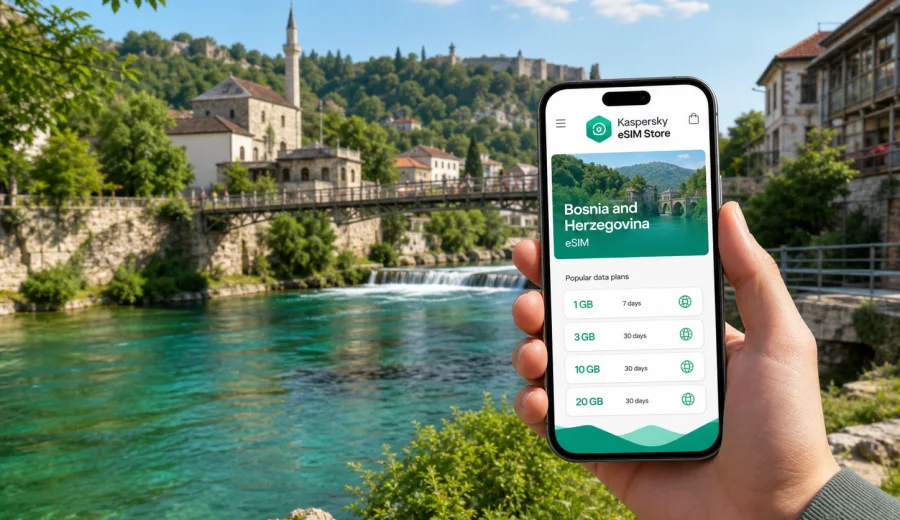
Bihac eSIM: mobile connection and internet for your trip
Bihac is a practical base for travelers who want a compact city, river scenery, and access to northwestern Bosnia and Herzegovina without losing time on basic travel logistics. The city sits on the Una River, so many everyday trip moments depend on being online: finding your hotel after an overland arrival, checking walking routes along the river, messaging a driver, confirming a day trip to Una National Park, or working from a cafe between meetings.
An eSIM can help you prepare mobile internet for Bihac before you arrive, without looking for a physical SIM card after a long journey. With Kaspersky eSIM Store, you can choose, order, and activate an eSIM with a suitable data plan for your trip, then use mobile data on a compatible phone once the eSIM is installed and the selected plan is active.
This guide focuses on Bihac itself: arrival, local movement, hotels, short stays, work trips, and trips out of the city.
Why mobile internet matters in Bihac
Bihac is not a city where travelers usually land directly at a major international airport and step into a dense metro network. Many visitors arrive by car, bus, transfer, or a longer regional route through Sarajevo, Zagreb, Zadar, Split, Banja Luka, or other Balkan cities. That makes mobile data useful from the first hour of the trip.
You may need internet in Bihac for:
- map navigation from the bus station or a parking area to your hotel;
- messaging a host, hotel reception, guide, or driver;
- checking routes to the Una River, city center, and nearby viewpoints;
- using translation tools in restaurants, shops, and transport situations;
- confirming opening hours, bookings, and meeting locations;
- working remotely or joining a call between city stops;
- planning trips to Una National Park, Martin Brod, Kulen Vakuf, or border-area routes.
Bihac is a good example of a city where the value of mobile internet is control. If you already have a working eSIM profile, you are less dependent on public Wi-Fi in hotels, cafes, or transport stops.
Arrival scenarios: when an eSIM is useful first
Your first online task in Bihac depends on how you enter the city. The route can be simple, but the final kilometer often needs maps, messages, or booking details. If you arrive by bus, you may need walking directions and reception messages. If you arrive by car, you may need parking notes, live navigation, and fuel stops. If you enter Bosnia and Herzegovina from a nearby country, check whether your plan is valid for your whole route.
If your phone supports dual SIM, you can often keep your regular SIM active for calls and messages while using the eSIM for mobile data. Check your device settings before the trip so you know which line is used for data and which line is used for calls.
Local movement: city center, river walks, taxis, and hotels
Bihac is manageable, but it is still easier with mobile internet. The city center, riverside areas, hotel zones, cafes, and starting points for excursions are not always arranged around one single tourist corridor. If you are arriving after dark, during rain, or with luggage, live navigation and messaging can save time.
Mobile internet is also helpful for hotel check-in. Some apartments and guesthouses use messages for arrival instructions, entry codes, parking notes, or payment details. With an eSIM, you can open your booking details and contact the host before you reach the door instead of waiting for Wi-Fi.
Choosing an eSIM data plan for Bihac
For a city article, the right plan is normally a country plan for Bosnia and Herzegovina, because Bihac belongs to that destination. The city is the travel scenario; the country is the coverage destination you select when choosing an eSIM plan.
Before choosing a plan, estimate your trip style:
| Trip style | Typical data needs | What to check |
|---|---|---|
| One or two days in Bihac | Low to moderate | Maps, messaging, hotel details, restaurant search |
| Weekend with Una River activities | Moderate | Photo sharing, maps, tour messaging, weather checks |
| Remote work or business trip | Moderate to high | Video calls, hotspot rules, backup Wi-Fi options |
| Route through Bosnia and Herzegovina | Moderate to high | Validity period, total data, route length |
| Multi-country Balkan trip | Variable | Whether a country or regional plan is more suitable |
Do not choose only by the largest data allowance. Check the validity period, destination, activation rules, and whether the plan matches the days you will actually be in Bosnia and Herzegovina. A short stay in Bihac with light map use needs a different setup from a week of remote work, video calls, and day trips.
What to check before buying
eSIM setup is usually straightforward, but it depends on the device and the selected plan. Before you choose a plan for Bihac, check four things.
1. Your phone or tablet must support eSIM.
2. The device should not be locked to one mobile carrier.
3. You need internet access to install the eSIM profile.
4. The plan must be valid for Bosnia and Herzegovina, or for the region that includes your route.
If you are not sure whether your device supports eSIM, check your device before buying. Some phone models differ by market or regional version, so it is better to verify support in advance instead of discovering the issue during travel.
Also remember that an eSIM data plan for travel is mainly for mobile internet. It normally does not include a regular phone number, voice calls, or SMS unless the conditions of a specific plan say otherwise. For calls and messages, you can use internet-based apps over mobile data.
How to install an eSIM for your Bihac trip
You can install the eSIM before you leave or after you arrive, as long as you have an internet connection during setup. Many travelers prefer to install it before the trip, then activate or start using mobile data at the right moment according to the plan conditions.
Basic setup flow:
1. Check that your device supports eSIM and is not carrier-locked.
2. Choose the destination and a suitable data plan.
3. Complete the order and open the eSIM details in your profile or app.
4. Install the eSIM using the on-screen instructions or QR code.
5. Select the eSIM line for mobile data when you want to use it.
6. If required by the device or plan, enable data roaming for the eSIM line.
7. Wait a few minutes for the device to connect to a local network.
For detailed setup steps, use the Android installation guide or the iOS installation guide. The exact names of menu items can vary by device model and operating system version.
Mid-trip planning: prepare internet before you need it
The most convenient time to prepare mobile data is before the moment becomes urgent. If your Bihac itinerary includes a hotel check-in, a late arrival, a business meeting, or a river tour, prepare your eSIM while you still have stable Wi-Fi at home, in a previous hotel, or at a transit stop.
For Bosnia and Herzegovina, you can use Kaspersky eSIM Store to choose an eSIM plan for your trip to Bihac and review plan conditions before you travel. This keeps the first arrival tasks simple: switch to the right mobile data line, confirm that the eSIM is active, and continue with maps, messages, and bookings.
This link leads to the country plan page because a Bihac city trip uses the Bosnia and Herzegovina destination. If your route also includes nearby countries, compare the country plan with regional options before deciding.
Practical data planning for Bihac
Use your itinerary to estimate data more accurately. Maps and messaging are usually light. Video calls, cloud photo backup, hotspot use, and streaming can consume data quickly. Download offline maps, save booking confirmations, keep large downloads for trusted Wi-Fi, and monitor data use in your phone settings. For a relaxed city stay, mobile data is mainly a travel tool. For a working stay, it becomes a backup connection, so choose a larger allowance if you expect calls or hotspot use.
Bihac trip moments where eSIM helps
Bihac is compact, but travelers move between different practical zones. A city-focused eSIM plan helps most when you are between known Wi-Fi points.
| Situation | Why internet helps | Suggested preparation |
|---|---|---|
| Central Bihac | Walking routes, cafes, restaurants, short errands | Save your hotel and meeting points in maps |
| Una River area | Photo sharing, navigation, weather checks | Keep enough data for maps and messaging |
| Apartment check-in | Host messages, entry instructions, parking notes | Screenshot key details, then use data for updates |
| Business meetings | Calendar changes, calls, document access | Test eSIM data before leaving the hotel |
| Trips from Bihac | Navigation, fuel stops, timing changes | Download offline maps and use mobile data for updates |
Prepare a data connection for the parts of the trip where Wi-Fi is uncertain: arrivals, transfers, outdoor routes, and short windows between hotel, meeting, and transport.
Business travel and remote work in Bihac
Bihac can be a stop for regional business, field work, cross-border travel, or a quieter working stay. If you need access for work, treat the eSIM as part of your travel setup rather than a last-minute add-on.
Before a work trip, prepare:
- calendar entries with offline addresses;
- eSIM installation completed before arrival;
- a data plan that covers the full stay;
- a backup plan for calls, email, and document access.
Use mobile data for essential continuity: messages, two-factor authentication, maps, email, and quick document access. Network performance depends on location, local conditions, device settings, and the selected plan. For large transfers or long video meetings, a stable hotel or office Wi-Fi connection may still be more suitable.
Short stopovers and one-night stays
A short stop in Bihac often leaves little time for troubleshooting. If you are staying one night before continuing to Una National Park, Sarajevo, Zagreb, the Adriatic coast, or another regional destination, set up your eSIM early.
For a short stay, focus on a validity period that matches your travel window, enough data for maps and messages, offline copies of hotel details, and a clear understanding of when plan validity begins. Short trips are where a preinstalled eSIM is especially useful: you avoid spending your first hour looking for a SIM card or relying on public Wi-Fi just to send a message.
Trips from Bihac: Una National Park and regional routes
Many travelers use Bihac as a base for nearby nature and regional routes. Una National Park, river activities, villages, viewpoints, and road trips can involve areas where Wi-Fi is limited or unavailable. Mobile data helps with planning, but it should not be your only preparation.
Before leaving the city, download offline maps, save your accommodation address, keep tour contacts in your phone, check the weather, and make sure the eSIM line is selected for mobile data. A power bank is useful if you will use maps for several hours.
If your trip crosses borders or includes several Balkan countries, review the destination coverage of your plan carefully. A Bosnia and Herzegovina plan is suitable for Bihac-focused travel, but a wider regional route may require a different option.
Quick checklist before you leave for Bihac
Use this checklist a day before departure:
- Confirm your phone supports eSIM.
- Check that the device is not locked to one carrier.
- Choose a plan valid for Bosnia and Herzegovina.
- Read the data allowance, validity period, and activation conditions.
- Install the eSIM while you still have stable internet.
- Save hotel, transfer, and booking details offline.
- Download offline maps for Bihac and any route out of the city.
- Decide which SIM line will handle mobile data.
- Keep your regular SIM available if you need calls or SMS from your usual number.
This preparation is useful even if your hotel has good Wi-Fi, because the most important travel moments often happen outside the hotel.
FAQ: eSIM for Bihac
Is an eSIM useful for a trip to Bihac?
Yes. An eSIM can be useful for maps, messaging, hotel check-in, translation, business tasks, or trips from Bihac to nearby nature areas.
Which destination should I choose for Bihac?
Choose Bosnia and Herzegovina, because Bihac is in Bosnia and Herzegovina. If your route includes other countries, check whether a regional plan better matches the full itinerary.
Should I install the eSIM before I arrive?
Installing it before arrival is often convenient because you can complete setup on stable Wi-Fi. Check the plan conditions so you understand when validity starts and when mobile data should be activated.
What if my phone does not support eSIM?
You will need another connectivity option, such as roaming or a physical SIM card. Check device compatibility before buying, especially if your phone model has different regional versions.
Choose an eSIM plan for Bihac
Bihac rewards travelers who keep logistics simple: arrive with your hotel details ready, keep maps available, and prepare mobile internet before you need it. An eSIM can help you move between the river, city center, hotels, meetings, and day trips with less dependence on public Wi-Fi or physical SIM-card errands.
With Kaspersky eSIM Store, you can choose a suitable eSIM plan for Bosnia and Herzegovina, install it on a compatible device, and use it for mobile internet during your Bihac trip. Before you order, check your device compatibility, review the plan validity and data allowance, and make sure the destination matches your route.