Travel connectivity guide
Bijilo eSIM: Mobile Internet and Connection
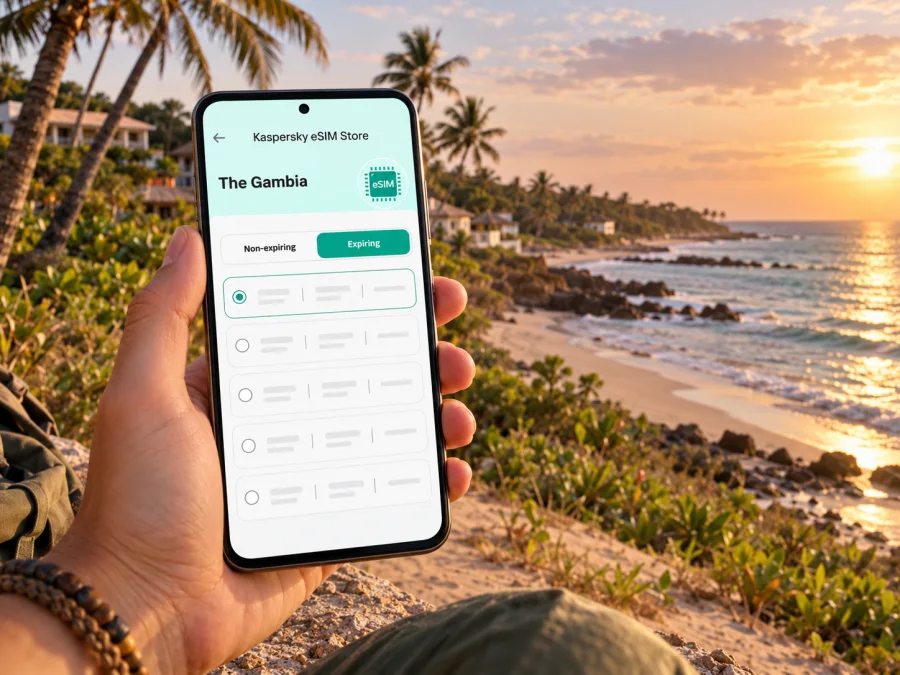
Bijilo eSIM: mobile connection and internet for a coastal stay
Bijilo is a coastal settlement and resort area in The Gambia’s West Coast Region, south of Kololi and the Senegambia strip. It is a compact base for beach time, forest walks and short drives along the Atlantic coast, rather than a large city with one obvious centre. That matters when planning mobile internet: your day may begin at Banjul International Airport, continue through a hotel check-in, and then move between Bijilo, Kololi, Brufut or a day trip farther west.
An eSIM can make it easier to get data on a compatible, unlocked phone without swapping out your home SIM. Before choosing one, check the exact destination, data allowance, validity period, activation conditions and local network shown for the offer. Signal and speed can vary by building, device, network load and location, so keep a backup plan for essential directions and bookings.
Bijilo at a glance: where mobile data fits into the trip
Bijilo sits on the Atlantic coast in the West Coast Region, in the Kombo North area. The name can refer to the settlement, the resort strip or the surrounding destination in travel listings. Nearby Kololi and the Senegambia area are closely connected in everyday visitor itineraries, but they are distinct place names. Banjul, the capital, is elsewhere; Banjul International Airport is at Yundum, inland from the coast. Check the address of your accommodation rather than assuming a booking described as “Bijilo” is right beside a particular attraction.
Bijilo has hotels, residences, beach access points and roads rather than one obvious centre. You may walk within a resort, take a taxi to the next neighbourhood or arrange a driver for a wider excursion. Data helps confirm a pickup, share your location and message a host; local advice is still useful when an entrance or landmark is unclear.
| Trip moment | What data can help with | A practical backup |
|---|---|---|
| Arrival at Banjul International Airport | Message your driver, check accommodation details and open your saved map | Save the hotel address and driver contact before departure |
| First transfer to Bijilo | Confirm the agreed destination and follow the route | Keep the address available offline and confirm the fare or pickup arrangement directly |
| Walk between the coast and hotel | Locate the correct access point and share your position | Ask hotel staff about the safest, clearest walking route |
| Day trip beyond Bijilo | Check meeting times and communicate changes | Agree on a meeting place and return time before setting out |
| Evening plans | Find a restaurant pin and arrange a ride back | Keep enough battery for the return journey |
Arriving from Banjul International Airport
Banjul International Airport (BJL) is the main international arrival point for visitors heading to Bijilo. The Gambian Civil Aviation Authority lists its address at Banjul International Airport in Yundum. Bijilo is not at the airport, and a data plan does not arrange a transfer automatically. Decide before landing whether you will use a prearranged hotel transfer, a licensed taxi or another locally confirmed option, and make sure you know where your driver will meet you.
At the airport, having mobile internet may help you check messages and open your accommodation information, but prepare for the possibility that your eSIM will not connect immediately. Some plans require setup before travel and activation only after arrival; others may begin validity at purchase or installation. Read the offer conditions carefully. Keep your home SIM available for important calls if your phone supports dual SIM, and check which line is selected for mobile data to avoid unintended roaming charges on your usual number.
Before leaving home:
- Save your hotel name, full address, booking reference and a contact number in an offline note.
- Ask the accommodation or transfer provider to confirm the meeting point and what to do if a flight is delayed.
- Download an offline map covering the airport, Bijilo and the places you expect to visit.
- Install the travel eSIM while you have reliable Wi‑Fi if the plan instructions recommend it; do not delete the profile if activation takes longer than expected.
- Carry a charger or power bank, and keep your phone accessible after landing.
The drive time to Bijilo depends on traffic, the route and the precise destination. Avoid treating a map estimate as a guaranteed arrival time, particularly after a flight. If you have a timed tour or restaurant booking, leave a margin and message the host if your arrival changes.
Choosing an eSIM for Bijilo and The Gambia
A country eSIM is selected for the country in which you will use data, not for the name of a particular hotel or neighbourhood. For Bijilo, check that the plan’s destination is The Gambia. The current Gambia offer page identifies AFRICELL as the local telecommunications provider for the listed data plans. This identifies the network associated with that offer; it does not promise identical reception in every hotel, room, beach area or stretch of road. The Gambian regulator lists multiple mobile network operators in the national market, while the eSIM offer page names a specific operator for its own plans. Those are different kinds of information and should not be conflated.
Use this checklist when comparing options:
- Destination: Confirm that The Gambia is included. A regional plan may cover multiple countries, but check the included destinations rather than assuming it does.
- Data amount: Estimate your usage. Maps, text messaging and searching for opening details usually need less data than frequent video calls, uploads or streaming.
- Validity: Match the number of days to your itinerary. Check when the validity clock starts, especially if you are buying well before departure.
- Tethering: If you plan to connect a laptop or another phone, confirm that hotspot use is supported and consider how quickly shared data may be used.
- Service type: Travel eSIM plans are commonly data-only. Check the specific plan terms for calls, SMS, top-ups and any restrictions; do not assume a local phone number is included.
- Network and coverage: Note the named local network and check for updated coverage information where available. No country-level label guarantees a signal indoors or at every point on the coast.
- Device: Verify eSIM support for your exact phone model and regional variant, plus whether the phone is carrier-unlocked.
Kaspersky eSIM Store is an app and website that helps travellers select, purchase and activate an eSIM with a suitable data plan for an international trip. It is not a mobile operator and does not own the Gambian network. The eSIM profile connects through the provider and local network specified for the selected offer; practical performance depends on that network and the conditions at your location.
What to expect around Bijilo
A beach resort, a shaded hotel room and an open road can behave differently for mobile reception. Walls, building materials, handset radio bands, network demand and location all affect the connection. A weak signal in one room does not prove the whole area has poor service; a strong outdoor signal does not guarantee reception inside a particular building.
Download maps in advance and save your hotel, airport route and meeting points. Live data helps with route changes, while offline maps are a fallback if reception drops. Keep the exact hotel pin and written address: a map marker may point to a driveway or road instead of reception.
Bijilo Forest Park is a coastal green space near the resort area. GPS may be less precise on shaded paths than on open roads. Set a group meeting point before separating, and ask park staff or local guides about current entry arrangements, trail conditions and visitor rules. At the beach, use data for coordination but keep the phone secured from heat and sand.
Moving around: routes, rides and nearby areas
Visitors often combine Bijilo with Kololi, the Senegambia strip, Brufut or other destinations. A short map distance can take longer because of traffic, stops or the pickup point. Ask your host which entrance and landmark drivers recognise, and share a pin when practical.
You can review the available data options for The Gambia and compare the current package details before you travel. Availability, prices, included data, validity, activation timing and provider arrangements can change, so rely on the details displayed when you make your selection rather than on an old screenshot or a general statement about the country.
Agree on the destination and fare directly with a taxi or transfer provider. Do not assume a particular ride-hailing service operates nearby. State both the map pin and hotel name; drivers may know a business by a local name that differs from the map label.
For a day with several stops, save the accommodation pin, meeting time, route order, return point and a host contact. Share the plan with your group and send any change before getting into a vehicle. For excursions farther away, confirm the route and return arrangements. Coverage can vary along the drive, so download maps and check that your plan covers destinations beyond The Gambia.
eSIM compatibility and preparation
An eSIM is a digital SIM profile installed on a device. Support is not universal: it depends on the exact model, the country or region where the device was sold, the software and sometimes the carrier lock. A model name alone may not be enough to establish compatibility. Before buying, check whether your device supports eSIM and confirm with its manufacturer or carrier if uncertain. Make sure it is not locked against another profile.
Also check that the device can use mobile data from the travel eSIM while keeping your home line available, if that is what you want. Menu names differ across Android manufacturers and iOS versions. Label the eSIM clearly and select it for cellular data. If the instructions require roaming on the travel profile, enable it only for that line; check your home operator’s terms before enabling roaming on your regular SIM.
A careful setup sequence
- Connect to stable Wi‑Fi and review the plan’s installation and activation instructions.
- Add the eSIM using the in-app flow, QR code or manual details provided with the purchase. Use the QR code only once if the instructions say it is single-use.
- Label the new line “Gambia” or “Travel” so it is easy to identify in your phone settings.
- Keep your home number set for calls or messages if needed, and choose the travel eSIM for mobile data when you are ready to use it.
- Turn off data roaming on the home SIM if you want to avoid roaming data charges. Follow the plan instructions if roaming must be enabled on the travel eSIM.
- On arrival, allow the profile to register on the supported local network. Restart the phone or toggle airplane mode only if the provider’s troubleshooting steps recommend it.
- Test a simple webpage or map before heading away from Wi‑Fi. If it fails, check the selected data line, the plan’s activation status and the provider’s setup steps.
For step-by-step help, see the Android eSIM installation instructions or the iOS eSIM installation instructions. If you encounter a problem, keep the purchase confirmation and error message, and contact support through the channel shown in the app or website. Avoid deleting an installed eSIM profile unless support or the plan instructions tell you to; a deleted profile may not be recoverable through the same QR code.
How much data should you plan for?
There is no single right allowance for every Bijilo trip. A traveller using messages and maps may need much less than someone uploading videos or working over video calls. Estimate from your normal daily use, trip length and expected Wi‑Fi access. Property Wi‑Fi quality varies, so do not assume it will always be suitable for large downloads.
| Typical activity | Data-planning approach |
|---|---|
| Messaging and searches | Disable automatic media downloads if conserving data |
| Maps and ride coordination | Save offline maps; use live data for changes |
| Photo backup | Pause large cloud uploads on mobile data |
| Remote work or video | Check application usage, hotspot terms and have a backup |
This is a planning guide, not a guarantee. App settings and background updates affect consumption. Turn off automatic updates over mobile data if needed, and check the remaining allowance in the plan account.
Practical scenarios
A short beach break
Save the hotel location and transfer details, install the eSIM according to its instructions, and use data for messages and directions. Ask hotel staff about walking routes and local pickup points. Select an allowance based on your own habits and the displayed validity.
A work trip
Test the accommodation Wi‑Fi early. A mobile eSIM can provide another way to message or handle essential tasks, but its performance is not guaranteed. Confirm hotspot rules, keep key files offline and tell colleagues how to reach you if a call drops.
A late arrival
Save the driver’s name, number, vehicle details if supplied, hotel address and meeting point. If data connects, report delays; if not, the offline note still has the essentials. Keep your phone charged and meet only at the agreed location.
A day trip
Confirm the itinerary, guide’s contact, stops and return time. Download maps and booking details, and agree on a physical meeting point in case signal or battery runs out. Before a border crossing, verify that the selected plan covers the next country.
Common connection problems and sensible fixes
The eSIM shows no service. Confirm that the travel profile is enabled, the phone is unlocked, you are in the plan’s destination and activation requirements are met. Check that mobile data is assigned to the travel line, then follow the provider’s troubleshooting steps.
The phone connects but data does not load. Check the remaining allowance, selected data line and any APN or roaming instructions. Test a basic page in an open area. Contact the provider before changing advanced settings.
The map points to the wrong entrance. Compare the property pin with its written address, ask the hotel for a landmark, then share the corrected point with your driver.
The connection is slow. Move to a more open location if practical, pause background downloads and try again later. Speeds vary with reception, network demand, device capability and local infrastructure; a destination listing is not a speed promise.
The phone cannot add an eSIM. Recheck the exact device variant and carrier-lock status. Similar model names can differ by sales market. Confirm compatibility with the manufacturer or carrier, and use physical SIM or Wi‑Fi if eSIM is unsupported.
Frequently asked questions
Is Bijilo a separate city from Kololi?
They are distinct place names along the coast, although travel listings may group nearby resort areas. Confirm your accommodation’s exact location.
Which airport should I use?
Banjul International Airport at Yundum is The Gambia’s international airport. Arrange onward transport and keep your address ready.
Does a Gambia eSIM guarantee reception throughout Bijilo?
No. A plan identifies its destination and may name a local network, but signal and speed vary by building, location and network conditions.
Can I keep my regular SIM active?
Many dual-SIM phones allow this, but behaviour varies. Select the line for mobile data and check your home operator’s roaming terms.
Does a travel eSIM include a Gambian number?
Do not assume so. Many travel plans are data-only; check the selected plan’s terms for calls and SMS. Internet messaging apps may work over data.
Should I install the eSIM before travelling?
Preparing over Wi‑Fi can be convenient, but follow the plan’s instructions and confirm when validity begins. Do not remove a profile if setup is delayed.
What if I travel outside The Gambia?
Check destinations on the plan before crossing a border. A country plan and regional package are not interchangeable.
A compact Bijilo connectivity checklist
Before you travel: confirm device compatibility and unlock status; compare data and validity; review activation timing; save transfer details; download offline maps; bring a charger.
After landing: select the travel eSIM for data; confirm activation; message your driver or accommodation; keep the address offline; test a map or webpage.
During your stay: use offline maps as backup; confirm rides and tours directly; monitor battery and data; check coverage before leaving The Gambia.
Prepare your mobile connection before the trip
For a Bijilo stay, a little preparation helps you spend less time sorting out directions after arrival. Confirm that your phone and its regional variant support eSIM, compare the current data allowance and validity for The Gambia, and save your transfer and accommodation information offline. Kaspersky eSIM Store is an app and website that helps you choose, purchase and activate an eSIM for mobile data while travelling; the specific network, package terms and local conditions depend on the selected offer.
Choose a suitable data plan for your trip to The Gambia and review its latest destination, network, activation and validity details before purchase. Install and activate the eSIM by following the instructions for your device, then keep offline directions available for the journey from Banjul International Airport to Bijilo.


