
Travel connectivity guide
Bimbo eSIM for Mobile Internet and Travel
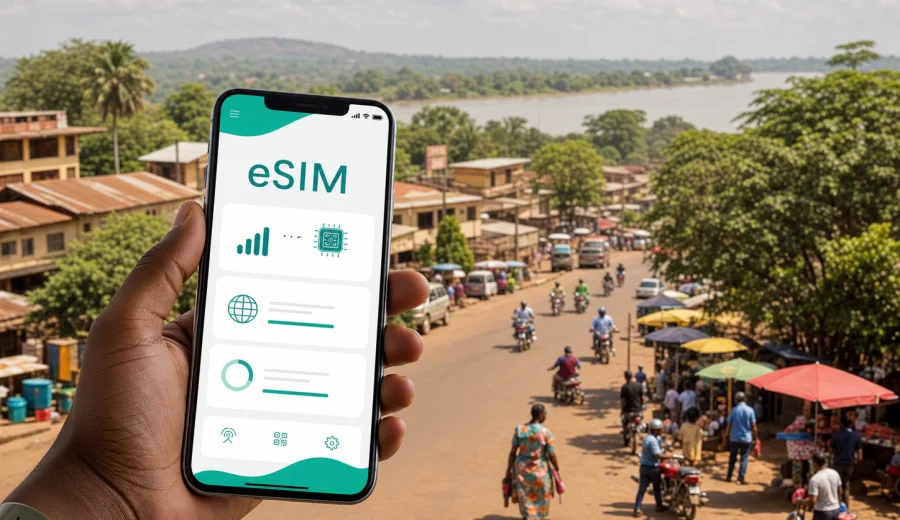
Bimbo eSIM: mobile connection and internet for your trip
Bimbo is one of the most practical places to think about mobile internet before you land in the Central African Republic. The city sits next to Bangui and is often part of the same arrival, hotel, meeting, and transfer routine as the capital. If your route includes Bimbo, you may need maps, ride coordination, messaging, translation, hotel confirmations, and work tools from the first hour of the trip.
An eSIM can make that first hour easier. Instead of looking for a physical SIM card after arrival or depending only on hotel Wi-Fi, you can prepare a digital SIM profile in advance and use a suitable data plan on a compatible phone. Kaspersky eSIM Store is an app and website where you can choose, arrange, and activate an eSIM with a suitable mobile data plan for an international trip.
This guide focuses on Bimbo, not only on the Central African Republic in general. It is useful if you are staying in Bimbo, crossing between Bimbo and Bangui, meeting a local team, visiting family, arranging transport from Bangui M'Poko International Airport, or using the city as a base for short trips around the Bangui area.
Why mobile internet matters in Bimbo
Bimbo is close enough to Bangui that many visitors treat the two cities as one travel area, but that does not remove the need for reliable planning. You may land at Bangui M'Poko International Airport, travel by car toward Bimbo, confirm the address of a guesthouse, share your location with a driver, and keep in touch with a host before you have time to solve connectivity locally.
Mobile internet is useful in Bimbo for everyday travel tasks:
- checking the route between the airport, Bangui, and Bimbo;
- confirming hotel or apartment details before arrival;
- messaging drivers, colleagues, hosts, or family;
- translating addresses, menus, and short messages;
- keeping booking documents available in cloud storage;
- checking travel updates before a return transfer;
- using email and work apps during a business stop.
The most important point is preparation. If your phone supports eSIM and is not locked to one carrier, you can install the eSIM profile before departure or after arrival when you have Wi-Fi. Then, once the plan is active and the device connects to a local network according to the selected plan conditions, you can use mobile data for the travel tasks that matter.
Arrival scenarios: airport, transfer, and the first evening
Most international visitors reach Bimbo through Bangui M'Poko International Airport. From there, the trip normally continues by road toward Bangui and the wider urban area. Travel time depends on traffic, route, weather, and local conditions, so it helps to have mobile internet before the car leaves the airport area.
Before landing, save key documents, pickup details, and the hotel address offline. Then use mobile data for the live parts of arrival: messaging the driver, checking a map pin, confirming the gate or entrance, and sharing your location if the meeting point changes.
Choosing data for a Bimbo trip
The right data plan depends on how you will use your phone in Bimbo. A short stopover usually needs less data than a week of maps, calls through messengers, and laptop tethering. A business trip with video calls can use more data than a family visit where most heavy usage happens on hotel Wi-Fi.
Use this quick estimate as a planning aid:
| Travel style | Typical phone use | Data planning note |
|---|---|---|
| One or two days in Bimbo | Maps, messages, airport transfer, basic browsing | A smaller plan may be enough if you use Wi-Fi for large files |
| Business visit | Email, work chat, cloud files, occasional calls | Choose more data and monitor usage during the trip |
| Family or local visit | Messaging, maps, photo sharing, ride coordination | Balance plan size with expected Wi-Fi access |
| Regional route | Bimbo, Bangui, and other places in the country | Check that the selected plan covers the Central African Republic |
| Remote work day | Laptop tethering, calls, document sync | Pick a plan with enough data and avoid large updates |
Before you choose, check three details: destination coverage, data allowance, and validity period. The destination should match the Central African Republic for a Bimbo trip. The allowance should fit your actual use, not only the number of days. The validity period should cover your full stay, including arrival and departure days.
Where eSIM is most useful around Bimbo
The value of eSIM in Bimbo is strongest in ordinary moments that are easy to underestimate before departure. A saved map is helpful, but live location, updated routes, and messaging are much more useful when a pickup point changes. In Bimbo, mobile internet can help with:
- moving between Bimbo and Bangui for meetings or errands;
- finding the correct entrance to a hotel, compound, office, or apartment;
- coordinating with a driver when street addresses are not enough;
- checking whether a meeting time has changed;
- sharing a live location with a colleague or host;
- translating short instructions during transport;
- keeping maps available when road names and landmarks are unclear;
- confirming return travel and airport pickup details.
If you are visiting for work, treat mobile data as part of your meeting kit. Put your agenda, contact list, meeting address, and backup phone numbers in a place you can access offline. Then use eSIM data for the live layer: messages, map updates, and urgent email.
How Kaspersky eSIM Store fits into the trip
Kaspersky eSIM Store helps you choose, arrange, and activate an eSIM with a suitable mobile data plan for a trip. It is designed for travelers who want to prepare mobile internet without buying a physical SIM card after arrival.
For Bimbo, the main choice is the country plan for the Central African Republic. Around the middle of your travel planning, after you know your dates, route, and expected data use, you can choose an eSIM plan for your trip to Bimbo and compare the plan conditions shown before checkout.
Kaspersky eSIM Store is not a mobile network operator. Plan availability, network access, data allowance, validity, and other conditions depend on the selected plan. Before purchase, read the details carefully and make sure they match your route and device.
Before you buy: compatibility and phone settings
Not every phone can use eSIM, and some devices may be restricted by region, model variant, or carrier lock. Before you rely on eSIM for Bimbo, check your device while you still have time to change your plan.
Use this checklist:
- Check your device to confirm eSIM support.
- Make sure the phone is not locked to a single mobile carrier.
- Update the operating system if an update is already planned.
- Keep enough battery before installation and arrival.
- Check that you can receive account emails or sign in to the Kaspersky eSIM Store profile.
- Save the installation QR code or instructions where you can access them.
- Do not delete an installed eSIM profile unless you are sure you no longer need it.
If you are traveling with a work phone, confirm whether your employer allows adding an eSIM profile. Some corporate device policies restrict mobile settings or require administrator approval.
How to install and activate eSIM for Bimbo
You can usually install an eSIM before departure while connected to Wi-Fi, then activate or use it according to the selected plan conditions. If you prefer to install after arrival, make sure you will have stable Wi-Fi at the airport, hotel, office, or apartment.
Follow a simple sequence:
1. Check that your device supports eSIM and is not carrier locked.
2. Choose the Central African Republic as the destination for your Bimbo trip.
3. Select a plan by data allowance, validity period, and trip length.
4. Complete the order and open the eSIM details in your profile or email.
5. Install the eSIM using the on-screen instructions or QR code.
6. Select the eSIM profile for mobile data when you are ready to use it.
7. If the instructions for your plan require it, enable data roaming for the eSIM profile.
8. Wait a few minutes for the phone to connect to the available local network.
For device-specific steps, use the official Kaspersky eSIM Store installation guides: Android installation guide and iOS installation guide. Keep your primary SIM active if you need your usual phone number for calls, SMS, or banking verification.
Practical data use in Bimbo
Mobile data can disappear quickly if your phone syncs photos, downloads app updates, or backs up files over cellular. Before you leave for Bimbo, adjust the settings that usually consume the most data.
Recommended settings:
- disable automatic app updates over mobile data;
- turn off cloud photo backup on cellular data;
- download offline maps for Bimbo and Bangui;
- save hotel addresses and meeting locations offline;
- restrict background data for apps you do not need during the trip;
- use Wi-Fi for large files and video calls when possible;
- monitor data usage in your phone settings and in the service interface if available.
For many travelers, the best approach is mixed: use eSIM for maps, messages, transport coordination, and urgent work, then use trusted Wi-Fi for heavy downloads. This keeps the data plan available when you need it outside the hotel or office.
Bimbo, Bangui, and short local routes
A city article for Bimbo should not become a general country guide, but the relationship with Bangui matters. Bimbo is part of the wider urban travel pattern around the capital. Visitors may sleep in Bimbo, attend meetings in Bangui, visit family in nearby neighborhoods, and return to the airport through Bangui traffic.
For that reason, choose your eSIM plan around the whole local route, not only the address of your first night. Ask yourself:
- Will you travel between Bimbo and central Bangui more than once?
- Will you need maps during evening transfers?
- Will a driver or host send location pins by messenger?
- Will your return flight require early-morning coordination?
- Will you visit offices, projects, or sites outside your hotel area?
- Will you use your phone as a hotspot for a laptop?
If your answers include several data-heavy tasks, choose more data than the minimum. If your stay is short and you will use Wi-Fi for most work, a smaller plan may be more practical.
Business trips to Bimbo
For a business trip, mobile internet is not only about browsing. It supports schedule changes, two-factor authentication, document access, and coordination with local contacts. A missed message can create a late arrival or a wasted transfer.
Before traveling for work, prepare a small connectivity folder on your phone with meeting addresses, contact names, offline documents, hotel confirmation, eSIM instructions, and one backup Wi-Fi location. This gives you a fallback if a file, message, or route is needed before your local schedule is settled.
If you expect calls through Teams, Zoom, WhatsApp, or other apps, test your audio settings before the trip. For long calls, prefer stable Wi-Fi when possible and keep eSIM data for mobility.
What eSIM does and does not include
In Kaspersky eSIM Store, eSIM is used for mobile internet in international travel. It usually does not provide a local phone number, standard voice calls, or SMS unless that is stated in the specific plan conditions. For calls and messages, use internet-based apps when mobile data or Wi-Fi is available.
Keep these limits in mind:
- eSIM data is not the same as a local voice line.
- A plan has a defined destination, allowance, and validity period.
- Connection can take a few minutes and depends on the device and local network conditions.
- Some devices require data roaming to be enabled for the eSIM profile.
- Removing an eSIM profile can make it difficult or impossible to use again, depending on plan rules.
- Public Wi-Fi can still be useful for heavy downloads, but avoid relying on it as your only option.
These details are not obstacles; they are the normal checks that help you avoid surprises.
FAQ about eSIM in Bimbo
Is eSIM useful for a trip to Bimbo?
Yes, it can be useful if your phone supports eSIM and you want mobile data for maps, messages, bookings, and local coordination without looking for a physical SIM card after arrival.
Which destination should I choose for Bimbo?
Choose the Central African Republic for a Bimbo trip. Bimbo is in the Bangui travel area, but the plan should match the country where you will use mobile data.
Can I install eSIM before I fly?
In many cases, yes. You can install the eSIM profile while you have stable Wi-Fi, then use it according to the selected plan conditions. Read the plan details before activation.
Will eSIM give me a local phone number?
Usually no. eSIM plans for travel mobile data normally do not include a standard phone number, voice calls, or SMS unless the plan conditions say otherwise. Use messengers and internet calling apps for communication.
Final preparation for Bimbo
Before you leave, make mobile internet part of your travel checklist. Confirm device compatibility, choose the Central African Republic as the destination, select data for your Bimbo and Bangui route, and install the eSIM on Wi-Fi.
Kaspersky eSIM Store helps you prepare mobile data for the trip through an app or website where you can choose, arrange, and activate an eSIM with a suitable plan. If Bimbo is on your itinerary, you can prepare an eSIM plan for the Central African Republic before arrival and keep the first transfer, first message, and map search under better control.