Travel connectivity guide
Biratnagar eSIM: Mobile Internet for Your Trip
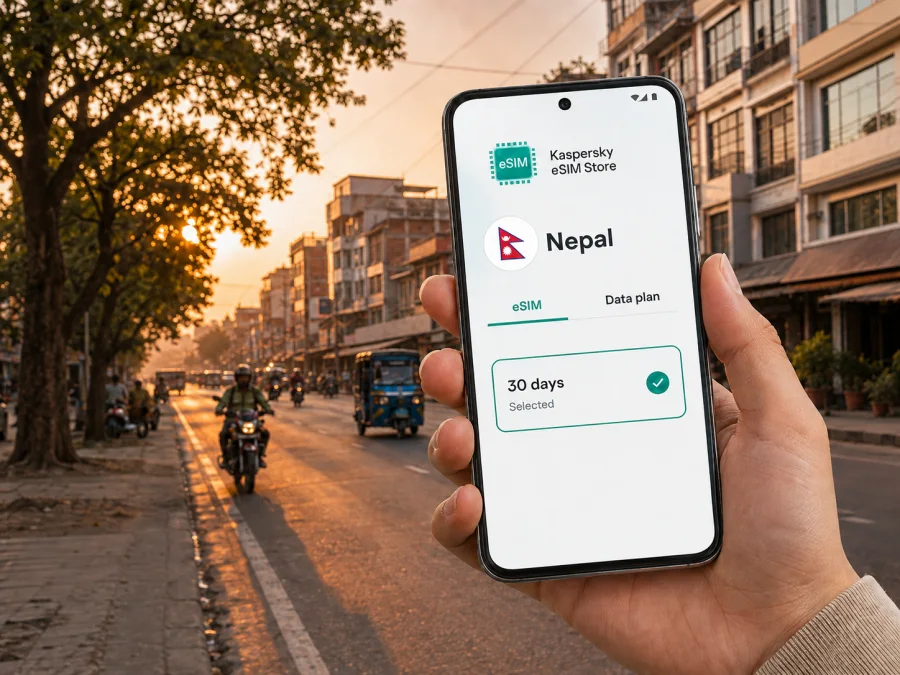
Biratnagar eSIM: mobile connection and internet for your Nepal trip
Biratnagar is a practical first stop in eastern Nepal: you may arrive by air, cross the southern border, attend meetings, or use the city as a base for a wider Koshi itinerary. Mobile internet helps with the first ride, hotel check-in, maps, messages, and changed plans. An eSIM, or digital SIM, lets you prepare a mobile-data profile without removing your physical SIM.
Kaspersky eSIM Store is an app and website where you can choose, arrange, and activate an eSIM with a suitable data tariff for an overseas trip. For Biratnagar, the relevant destination is Nepal: the city is in Morang District and Koshi Province, and a Nepal tariff is the starting point for a stay in the city. The exact conditions depend on the tariff you select, so check its coverage, data allowance, validity period, and activation terms before you travel.
Short answer: eSIM for Biratnagar is useful when you want mobile internet for arrival, local navigation, transport, bookings, work, and communication without waiting to find a physical SIM. Check that your device is compatible and unlocked, choose a Nepal tariff that fits your route, install the profile with an internet connection, and select it for mobile data when you are ready to use it.
Why mobile internet matters in Biratnagar
Biratnagar is a metropolitan city and an administrative, commercial, and industrial centre in eastern Nepal. It is also close to the Jogbani border area, which makes the arrival pattern different from a trip limited to Kathmandu or a mountain destination. A visitor might land at Biratnagar Airport, enter by road, or continue through the city after crossing from India. Having a data connection prepared means you can deal with these transitions in the same way as the rest of your itinerary.
The most useful tasks are usually simple rather than data-heavy: checking accommodation, sharing an arrival time, using maps, coordinating transport, confirming a booking, and staying reachable for work or family.
Public Wi-Fi at an airport, café, or hotel can help, but it should not be your only plan for the first hour in an unfamiliar city. An eSIM reduces the need to find a network before opening a map or contacting your host, without changing physical SIM cards.
Because traffic and local conditions can change, use mobile data to check each route before leaving, keep the destination visible, and confirm the final address rather than relying on a remembered landmark.
Arrival scenarios: airport, road, and border travel
Arriving at Biratnagar Airport
Biratnagar Airport is a domestic airport served by the Civil Aviation Authority of Nepal. If you fly in, the first practical sequence is usually: collect your belongings, confirm where you are staying, contact your driver or host, and travel onward. You may not need much data, but you need it at a moment when walking around to find a shop or Wi-Fi is inconvenient.
The Nepal Tourism Board describes a direct Kathmandu–Biratnagar flight as taking about 40 minutes, but schedules and operating conditions can change. Do not base your data plan on flight time alone: arrival, transport, check-in, and route changes also use data.
Before take-off, save the hotel address, contact number, and booking reference where you can read them offline. After landing, keep your physical SIM available for calls if needed and set the eSIM as the mobile-data line only when you intend to use it.
Entering from the southern border
If Biratnagar is part of an overland route, mobile internet becomes useful before you reach the city centre. You may need to coordinate a vehicle, check the next address, or tell your accommodation that your arrival time has moved. The road connection through the Jogbani–Biratnagar area is a regional travel corridor; border procedures and waiting times are variable, so allow room in your itinerary and do not promise an exact arrival time to your host.
Before you approach the border, save the accommodation address, local contact, planned arrival window, and first route in an offline note. The eSIM is not a replacement for travel documents or border information; it keeps the data part of your trip ready while you move between arrival points.
Moving around the city without losing your route
Biratnagar travel often involves several short journeys rather than one long sightseeing transfer. You may move from the airport to a hotel, from a hotel to an office, and then toward a market or meeting point. With mobile data, you can verify each leg as you go instead of trying to remember a sequence of turns.
| City situation | What mobile data helps you do | Useful preparation |
|---|---|---|
| Airport to accommodation | Confirm the pickup point, send an arrival message, and check the address | Keep the hotel name and contact in an offline note |
| Office, shopping, or dining stop | Check the entrance or venue and arrange the next ride | Save a return address before leaving the hotel |
| Border-side travel or day trip | Coordinate timing and check the next stop | Review whether the tariff covers the whole route in Nepal |
Use maps as a navigation aid, not as a guarantee of road conditions or journey time. Pin the hotel, office, airport, and any planned meeting place before you leave. If you are meeting someone, agree on a simple landmark and send a message when you are close. These habits are particularly useful when several streets have similar names or when an address is easier to identify locally than on a map.
If a pickup point changes or a meeting runs late, an active data profile lets you update the plan without searching for Wi-Fi. Keep the eSIM for data and your everyday number for calls or messages if your device supports that arrangement.
Choosing a tariff for Biratnagar
Select the destination first. For a city stay, that means Nepal rather than a made-up city-specific product. If your route continues to other places in Nepal, check whether the selected tariff applies across the country and whether its stated validity matches the complete itinerary. If you cross an international border during the same trip, verify the second country separately rather than assuming that a Nepal tariff applies there.
Next, estimate how you will use data. Maps, messages, searches, and booking checks are light use; frequent navigation, photo sharing, email, or short data-based calls are regular use; remote work, uploads, video meetings, hotspot use, or several devices are high use.
This is not a promise about how long a tariff will last. App settings, updates, video quality, and hotspot activity can change consumption quickly. Turn off unneeded background refresh and use hotel Wi-Fi for large updates when appropriate.
Validity matters as much as the data allowance. A tariff for a one-day meeting, a week of city travel, and a longer Nepal route should not be chosen in the same way. Check when the validity starts, whether activation or first data use affects the term, and what happens when the allowance is used. Those conditions are displayed with the selected tariff and can change, so read them before confirming.
You can view Nepal eSIM options for your Biratnagar trip once you know the dates and route. Compare the available data volume, validity, price, and any stated limitations on the page. Kaspersky eSIM Store helps you select and activate an appropriate eSIM for the trip; the underlying mobile service is governed by the conditions of the selected tariff and its local network arrangements.
Business trips and remote work in Biratnagar
Business travel makes a prepared connection especially practical. A meeting address may arrive shortly before departure, a colleague may need your updated arrival time, or you may need to send a document between appointments. An eSIM can keep mobile data separate from your main number where your device and existing service allow it.
Before leaving, confirm the office address and contact, save key documents offline, decide which device will use the eSIM for data, and check whether the tariff supports hotspot use. Keep a backup route from the hotel to the airport or next meeting.
For remote work, consider the number of devices, video meetings, file sizes, and hotspot use rather than the headline allowance alone. A laptop can use data much faster than a phone, so keep key files offline and arrange a fallback for important meetings.
An eSIM tariff is generally intended for mobile data. It does not automatically give you a separate telephone number, ordinary voice calls, or SMS unless the individual tariff says otherwise. You can use internet-based messengers for communication, while keeping the distinction clear for clients, colleagues, and family members who may call your usual number.
How to install an eSIM before or after arrival
Install the profile when you have a stable internet connection and enough battery. Before purchase, check whether your device supports eSIM and confirm that it is not locked to an operator. Device models can differ by region, so do not assume that support on one version guarantees support on another.
The purchase and installation stages are separate. First choose the destination and tariff. After the order, follow the profile or QR-code instructions shown in your account or sent to you. Some devices may require data roaming to be enabled for the eSIM profile; use the setting only as described by the device and tariff instructions.
A careful setup sequence
- Check the device. Confirm eSIM support, an unlocked device, an up-to-date operating system where appropriate, and enough battery for setup.
- Prepare an internet connection. Use your home connection, trusted Wi-Fi, or another working data line while adding the eSIM profile.
- Open mobile-network settings. Choose the option for adding a mobile plan or eSIM. The wording varies between Android and iOS versions.
- Add the profile. Scan the QR code from your account or email, or use the installation flow provided for your device. Do not scan the same activation code repeatedly if the profile has already been added.
- Label the line. Give the profile a clear name such as “Nepal trip” so you can distinguish it from your everyday line.
- Choose mobile data. Select the Nepal eSIM for mobile data when you want to use it. Keep your primary line for calls or SMS if required and supported by your phone.
- Test at the right time. After arrival, enable the eSIM line and check data. Connection can take a few minutes and depends on the device and local network. If required by the tariff, enable data roaming for that eSIM only.
For device-specific guidance, see the Android eSIM installation instructions or the iOS eSIM installation instructions. The labels in your settings may not be identical to the examples, but the logic is the same: add the profile, choose the data line, and confirm the mobile-data setting.
If you install before departure, leave the profile disabled until you are ready to use it when the tariff conditions advise. If you install after landing, keep another way to reach the internet during setup. Do not delete a profile just because it does not connect immediately; first check the selected data line, airplane mode, network selection, roaming setting, and the tariff’s activation conditions.
What to check before you leave
Use this compact checklist before departure:
- Confirm eSIM support on the exact device and regional version, and make sure the phone is unlocked.
- Check access to your Kaspersky eSIM Store profile or installation email, plus enough battery for setup.
- Make sure the tariff applies to Nepal and your full route, with suitable data volume and validity.
- Read when validity starts, what happens when data runs out, and whether top-ups or hotspot use are allowed.
- Save the hotel address, contact, pickup point, and first route offline.
- Decide which line is for calls or SMS and which line is for mobile data.
Continuing from Biratnagar to other places
Biratnagar may be one part of a wider eastern Nepal itinerary. Before travelling onward by road or returning to the airport, check remaining data and validity and save the next address offline. A Nepal tariff may simplify a multi-city route, but read its coverage wording; review a second country separately if you cross a border.
Frequently asked questions
Can I use it for ordinary calls and SMS?
Not unless the individual tariff explicitly includes those services. The eSIM scenario described here is for mobile internet. For voice and messages, use your normal line where available or an internet-based messenger over data.
Why is there no connection immediately after installation?
Check that the eSIM is enabled and selected for mobile data, that the device is not in airplane mode, and that any required data-roaming setting is enabled for that profile. Connection can take a few minutes. Also confirm that the tariff is valid for Nepal and that its activation conditions have been met.
Prepare your Biratnagar connection
A practical setup is simple: confirm the arrival route, save the first addresses, check device compatibility, choose a Nepal tariff by data use and validity, and install the eSIM while you have a stable connection. Once you arrive, select it for mobile data and keep the original line available for the functions you still need.
When your dates and itinerary are clear, choose an eSIM tariff for Nepal and prepare your Biratnagar trip. Kaspersky eSIM Store helps you move from destination selection to eSIM activation in one place, while the selected tariff’s terms explain its allowance, validity, and usage conditions.


