Travel connectivity guide
Bishkek eSIM: Mobile Internet for Your Trip
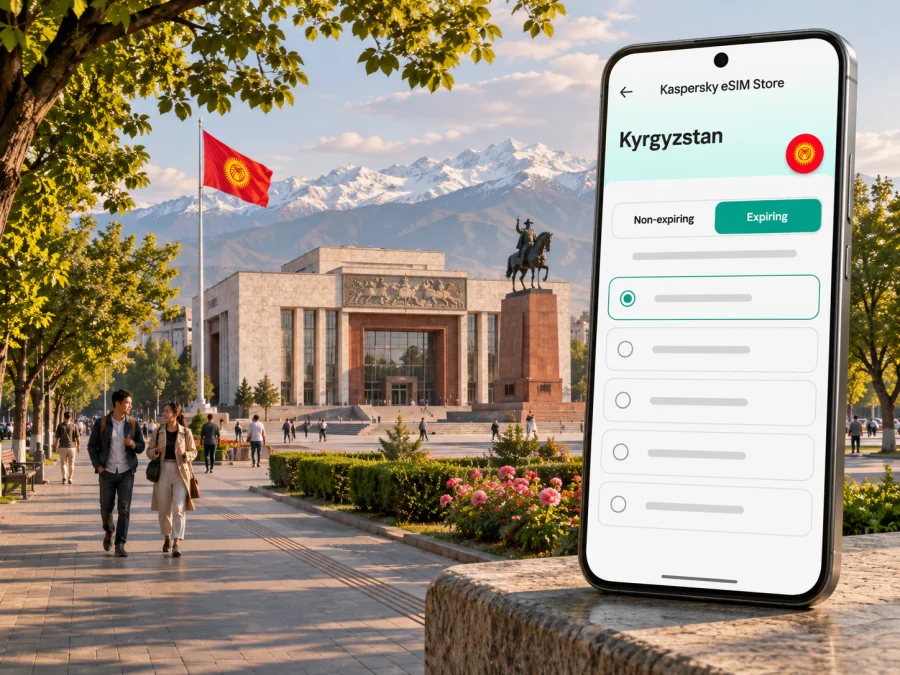
Bishkek eSIM: mobile connection and internet for your city trip
Bishkek, the capital of Kyrgyzstan, is a useful first stop: you may arrive at Manas International Airport, check into a hotel, find your way across the center, and decide whether to head into the mountains or stay in the capital for a few days. A mobile data connection helps with maps, ride bookings, messages, and changing plans. A travel eSIM can arrange data without replacing your physical SIM, if your device supports it and the plan covers Kyrgyzstan.
The practical detail to remember is that Bishkek is a city, while mobile plans are usually defined for a country or region. A plan shown for Kyrgyzstan is therefore the relevant place to check for a stay in Bishkek; it does not mean that every plan has identical coverage, speed, or terms at every address. Confirm the destination, data amount, validity, activation rules, and local network information shown for the specific plan before you pay.
When mobile data helps in Bishkek
The first useful moment can be before you leave the airport. Manas International Airport is about 23 km northwest of Bishkek, so the arrival journey is a separate leg rather than a walk into the city. After clearing the terminal, use data to check a pickup point or message your accommodation. Save its address and arrival instructions offline as a fallback.
In the center, a map helps locate side-street hotel entrances and meeting points. Use current venue information, and confirm opening times directly when timing matters.
Bishkek trips often mix urban stops with journeys beyond the city. Travelers may spend the morning around Ala-Too Square and the central museums, browse Osh Bazaar, then arrange a driver or excursion toward Ala-Archa. A local data connection helps coordinate the day, but a city plan should not be treated as proof of dependable service on a mountain road or hiking trail. Download maps and essential details before leaving the city, and agree on a meeting point and return arrangements with your driver or guide.
| Trip moment | How mobile data may help | A useful backup |
|---|---|---|
| Airport arrival | Check directions, contact your host, share your location | Save the address and pickup details offline |
| Central sightseeing | Navigate between landmarks and find updated venue information | Keep a paper or saved map for the walking area |
| Public transport | Check routes or a live transport map where available | Confirm the direction and final stop before boarding |
| Osh Bazaar visit | Pin an agreed meeting point and message companions | Choose a recognizable entrance or landmark in advance |
| Business meeting | Open the address, send an update, join a call if the plan permits | Save the contact and meeting details before leaving Wi-Fi |
| Day trip outside Bishkek | Coordinate pickup and check route details before departure | Download maps; do not assume city coverage continues along the route |
Arrival from Manas: plan the first connection
Manas is Bishkek’s principal international airport, about 23 km northwest of the city. Decide how you will reach your accommodation before you travel. If a driver is meeting you, exchange the pickup point and contact details while you have a connection. If you plan to order a ride after landing, check its pickup area and whether your app or payment method is ready. Do not assume an eSIM includes voice calls or SMS; check the selected plan’s terms.
A calm arrival checklist:
- Keep your accommodation address and pickup instructions available offline.
- Confirm that your phone supports eSIM and is not carrier-locked.
- Install the profile over reliable Wi-Fi, following the plan instructions.
- Set the travel eSIM as the line for mobile data when appropriate; review roaming settings for your home SIM.
- After landing, follow the plan’s network instructions and test a map or message.
An eSIM does not replace a meeting point or backup contact. Setup depends on the device and plan, so avoid leaving the first installation attempt until you are outside the terminal with a low battery.
Moving around the city
Bishkek is best approached by neighborhood and task rather than by trying to cover everything in one continuous walk. The central area around Ala-Too Square, Chuy Avenue, parks, museums, and many visitor services can make a manageable day on foot, but distances, weather, and the exact location of your hotel still matter. A map can help you decide whether to walk, use a taxi, or take public transport, especially when you are carrying luggage or crossing the city at rush hour.
City buses, trolleybuses, and minibuses may be relevant depending on your route. Bishkek City Hall has previously described a municipal “My City” tool for trolleybus routes and vehicle tracking. Transport systems and apps can change; check current route information before relying on a saved screenshot or an old online post. At a stop, confirm the route direction and intended destination with current signage or a local source. Mobile data is useful for checking a map while you travel, but it does not replace confirming that you are boarding the correct service.
Ride-hailing or a prearranged taxi can be practical for airport transfers, late arrivals, luggage, or a trip to a destination that is awkward by bus. Pin the pickup point carefully: a large avenue, market entrance, hotel driveway, or one-way street may make “I’m outside” ambiguous. If you cannot use an app, keep your accommodation’s phone number and address available, and agree on the fare and destination before setting off when arranging a ride directly.
Use navigation as a helper, not an autopilot. Map pins sometimes point to a building’s back entrance, a broad complex, or the wrong side of a busy road. Check the written address, street name, and nearby landmark together. At night, choose a well-lit route and a clear pickup location rather than taking an unfamiliar shortcut just because it appears shorter on screen.
Neighborhoods, landmarks, and practical routes
Ala-Too Square is a useful reference point for the central civic area, parks, museums, and main avenues. Save planned stops in your map before setting out; listings may use different English, Kyrgyz, or Russian transliterations, so match a pin with its written address or a recognizable building.
Osh Bazaar is busier and harder to navigate by a single pin. Agree on a visible entrance or meeting point before separating, keep it saved, and message companions before entering crowded lanes. If you arrange a ride afterward, note a main entrance or landmark rather than relying on a stall name.
For a short visit, combine one central landmark with a park or museum, allow time for a meal, and leave a buffer before your next appointment. Keep the hotel address and return option saved. A mountain excursion is a separate outing: arrange transport, pickup details, and a fallback contact before leaving the city.
A half-day in the center
- Start with a saved map and the address of your first stop.
- Explore Ala-Too Square and choose a nearby museum or park based on current opening hours.
- If you continue to Osh Bazaar, agree on a regrouping point before entering.
- Leave enough time to return to your hotel or meeting; traffic and walking pace can change.
Choosing an eSIM plan for Kyrgyzstan
Use the country listing to inspect live options and read each plan’s conditions. The Kyrgyzstan eSIM options are available to review before your trip; check the current data allowance, validity, price, activation timing, and any restrictions shown at checkout. These details can change, so rely on the terms displayed for the plan you are considering.
Start with your route. If Bishkek is your only stop, a country plan may be the simplest option to assess. If your trip continues to other countries, compare the exact destination list of a regional plan with your itinerary. A regional label by itself does not prove that every stop is included. For journeys from Bishkek to rural areas or mountain destinations, review the plan’s coverage information and ask your local guide about practical connectivity along the route; do not infer remote coverage from availability in the capital. The current Kyrgyzstan listing identifies BEELINE as the local telecommunications provider for the offers shown. Check the exact plan details before purchase: provider identity does not guarantee reception at a particular address or on a mountain route.
Estimate data by what you will actually do. A traveler who checks maps, sends messages, and occasionally searches for opening times will use data differently from someone who uploads large video files or joins long video meetings. Download offline maps, boarding documents, and entertainment in advance when possible. If you expect to work remotely, confirm that the plan’s data allowance and hotspot terms fit your work needs, and identify dependable Wi-Fi at your accommodation as a backup.
| What to compare | Question to ask before choosing |
|---|---|
| Destination | Does the plan explicitly include Kyrgyzstan and every other country on your route? |
| Data amount | Will the allowance cover maps, messaging, browsing, and any work you expect to do? |
| Validity | Does the validity period fit your travel dates, including any connection or stopover? |
| Start of service | Does validity begin at purchase, installation, or first connection? Check the stated rule. |
| Network details | Which local network or networks are listed, and are there any stated limitations? |
| Tethering | Does the plan permit hotspot use, and does your phone support it? |
| Voice and SMS | Does the plan include these, or is it data-only? Do not assume it comes with a local number. |
| Refund and support | Read the current policy and know how to contact support if installation fails. |
Kaspersky eSIM Store is an app and website for choosing, purchasing, and activating a travel eSIM with a suitable data plan. Service and coverage depend on the selected plan and its local provider. Kaspersky eSIM Store is not a mobile network operator; a city name does not guarantee indoor reception, a particular speed, or service on every excursion.
Before buying: check your device and timing
Not every phone supports eSIM, and a model name alone may not settle the question. Support can differ by exact device variant, country or sales region, software, and carrier lock status. Check the manufacturer’s information for your exact model and confirm that the device is not locked in a way that prevents another eSIM from being used. If you are unsure, check whether your device supports eSIM before purchase.
Also check how installation works for the plan you select. Some flows use a QR code; others provide installation from within an app or account. A QR code displayed on the same phone may be difficult to scan, so follow the provider’s supported method for that device. Keep the confirmation details accessible, use a stable Wi-Fi connection during setup, and avoid deleting an installed eSIM unless support or the plan instructions tell you to do so. Some eSIM profiles cannot simply be reinstalled after removal or transferred to a different phone.
Think about timing as well. Installing a profile and starting its data validity may be separate events, but the rule is plan-specific. Read the activation description before you buy, especially if the plan has a fixed validity window or you are purchasing well before travel. If the terms are unclear, ask support before checkout rather than guessing.
How to install and use the eSIM
The exact screens differ between Android and iOS versions, but the basic preparation is similar:
- Connect to stable Wi-Fi and open the purchase confirmation or the Kaspersky eSIM Store app.
- Follow the selected plan’s installation steps. If you use a QR code, keep the code available on another screen or use the manual method where supported.
- Label the new line something recognizable, such as “Kyrgyzstan travel,” so you can distinguish it from your home SIM.
- Keep your regular line configured for calls or texts if you need it, and set the travel eSIM as the line for mobile data when appropriate.
- Review data roaming instructions for the travel eSIM. Enable it only if the plan’s instructions require it, and understand the separate roaming settings for your home line.
- On arrival, allow the phone to register on an eligible local network, then test a simple web page or map.
For device-specific steps, use the Android eSIM installation guide or the iOS eSIM installation guide. Follow the instructions shown for your exact plan if they differ from a general device guide. The eSIM options shown through Kaspersky eSIM Store are typically intended for data; the specific plan terms determine whether calls or SMS are included. Messaging and internet calls through apps require data and accounts that are already set up.
If the connection does not start, check the basics in order: confirm that the eSIM profile is enabled, mobile data is assigned to the intended line, airplane mode is off, and the plan is active for the current destination and date. Restart the device if the plan’s troubleshooting guidance recommends it. Do not delete the profile as a first response. Save a screenshot of any error and contact support using the channel listed in your account or confirmation.
Bishkek for business travelers and short stopovers
For a meeting-heavy trip, save each address, contact name, and appointment time before leaving the hotel. Test an important meeting link on Wi-Fi and confirm whether the plan has enough data for a video call. Keep an alternate contact method if the organizer provides one.
For a short stopover, prioritize onward travel details, the airport-to-city plan, and a clear return time. A city visit only makes sense if entry arrangements, luggage, traffic, and your flight schedule allow it. Store the return route offline and leave a generous buffer; a map estimate is not a guarantee of travel time.
If continuing to other cities, review whether the chosen plan covers the full route. Keep driver contacts and route notes offline, and ask local providers about service along the way. A mobile connection helps with coordination, while preparation matters if the signal is weak.
A compact preparation checklist
Before leaving home:
- Confirm that your exact phone variant supports eSIM and is not carrier-locked.
- Compare the Kyrgyzstan listing with your full route and travel dates.
- Read the data, validity, activation, network, hotspot, and refund terms.
- Install the profile over stable Wi-Fi if the instructions allow it.
- Save your hotel address, pickup details, transport notes, and maps offline.
After landing, check that the travel eSIM is enabled and selected for mobile data, follow its network and roaming instructions, and test navigation before leaving the airport. Keep your home SIM’s roaming settings in mind. These steps reduce setup problems but cannot guarantee a particular signal or speed.
Frequently asked questions
Is an eSIM for Kyrgyzstan suitable for Bishkek?
It may be, if the selected plan explicitly includes Kyrgyzstan, your exact device supports eSIM, and the terms suit your trip. Check the live destination listing rather than assuming every regional plan includes the country.
Will the connection work at the airport, in the city, and in the mountains?
Coverage and performance vary by location, building, terrain, provider, and device. Airport proximity does not guarantee identical service in the city, and an urban plan does not guarantee service on mountain routes. Keep offline essentials.
Does a travel eSIM give me a Kyrgyz phone number?
Do not assume so. Many travel eSIM plans are data-only, with no conventional local number, calls, or SMS. Check the selected plan’s terms. Internet messaging or calls require data and accounts that are already set up.
Can I keep my regular SIM active?
Many dual-SIM phones can keep a physical SIM and an eSIM configured, but behavior depends on the device. Choose which line handles data and check your home operator’s roaming charges.
Should I install the eSIM before flying?
If the plan allows, installation over reliable Wi-Fi before departure can make arrival easier. Check when validity begins; installation and first use may be different events. Ask support if the timing is unclear.
What if the eSIM is installed but there is no data?
Check the plan’s destination and dates, enable the eSIM, select it for mobile data, and follow network and roaming instructions. Use Wi-Fi to check account status. Contact support before deleting the profile.
Is an eSIM enough for a day trip outside Bishkek?
It can help with coordination, but download maps and confirmations, agree on a pickup point, and ask about connectivity along the route. Do not rely on uninterrupted data in remote areas.
Prepare your Bishkek connection
A little preparation makes the first hours in Bishkek easier: check the exact Kyrgyzstan plan conditions, confirm your phone’s eSIM support, and save essential directions before you travel. Use Kaspersky eSIM Store on the website or in the app to review and activate a suitable travel eSIM, then keep offline maps and contact details as a backup. Review the current eSIM options for Kyrgyzstan and choose a plan that matches your dates, data needs, and route.


