Travel connectivity guide
Bissau eSIM: Mobile Internet for Your Trip
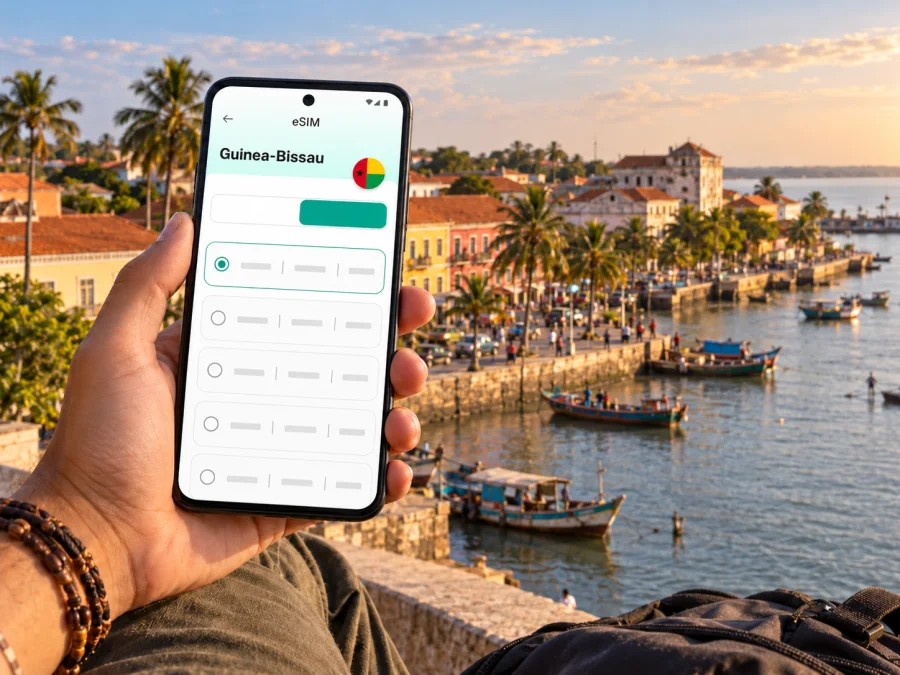
Bissau eSIM: mobile connection and internet for your trip
A trip to Bissau is easier to manage when your phone can help with the first practical tasks: confirming an airport pickup, finding your accommodation, checking a meeting address, or messaging someone after you land. An eSIM can provide mobile data without replacing your regular physical SIM, provided your device supports eSIM and the selected plan is valid in Guinea-Bissau.
Bissau is the capital of Guinea-Bissau and the country’s main urban hub. Travel here may involve a short city stay, a work visit, or a longer itinerary that continues beyond the capital. Mobile data can help you coordinate each stage, but signal, speed, and service availability depend on the local network, your location, your device, and the terms of the plan. Treat offline maps and saved contact details as useful backups.
When mobile internet is useful in Bissau
The most valuable time to have a working data connection is often the transition between the airport and your first stop in the city. You may need to contact a driver, share your arrival details, confirm a hotel address, or let a colleague know that your flight has landed. If you are relying on airport Wi-Fi, check whether it is available when you arrive; access can change, and a public connection may require a sign-in step.
The Osvaldo Vieira International Airport (OXB) is Bissau’s main air gateway. Before departure, save your accommodation’s full address and phone number, the name of your airport pickup contact, and any directions the property has sent you. A map pin is helpful, but keep a written address too: a driver or host may recognize a nearby landmark more readily than a pin on a screen.
Arrival and the first trip into the city
The airport is outside the central areas, so arrange your onward transfer before you travel if possible. Ask your hotel or host which pickup point to use, how to identify the driver, and what to do if your flight is delayed. If you plan to find a taxi after landing, agree on the destination and fare before starting the trip. Keep the address visible in Portuguese or in the form supplied by your accommodation, even if you use a map app as well.
An eSIM can be installed before departure, while you still have a reliable internet connection. You can then decide when to select it for mobile data, according to the plan’s activation instructions. If you prefer to install it after landing, first check whether you will have Wi-Fi and enough time to complete setup. Do not assume that airport Wi-Fi will be available or that installation will finish instantly.
Before leaving the terminal, check the basics:
- Confirm that your phone has power and that the eSIM profile appears in its mobile settings.
- Select the intended profile for mobile data only when you are ready to use it.
- Keep your regular SIM settings available if you need your usual number for calls or messages.
- Ask your contact to confirm the pickup arrangement before walking away from the agreed meeting point.
- Save the address and directions in a form you can read without a connection.
If mobile data does not connect straight away, wait a few minutes, check that the correct line is selected, and follow the provider’s instructions. Some eSIM plans require data roaming to be enabled for that eSIM profile. Check the plan terms first and keep data roaming disabled on your home SIM if you want to avoid unintended charges from your regular operator.
Finding your way around Bissau
Bissau is a city where a combination of a phone map and local directions can be more dependable than relying on a single digital route. Save the places you expect to visit, but also note nearby squares, major buildings, or the name of the area. Ask your hotel which landmarks are easiest for a driver to recognize and whether a location pin points to the entrance you should use.
A few central places may appear in your itinerary, including Praça dos Heróis Nacionais, the Pidjiguiti waterfront and port area, Bissau Velho, and the Bandim market area. These names are useful search terms when planning visits or arranging a meeting. Local conditions and opening hours can change, so confirm access and timing with a trusted local contact before making a special trip.
| Situation | How a connection helps | A sensible backup |
|---|---|---|
| Going from the airport to your lodging | Reopen the address and contact the pickup person | Keep the address and phone number in a note |
| Visiting a market or public square | Share your location or check a nearby landmark | Agree on a meeting point before separating |
| Returning after an evening appointment | Message your host and confirm your destination | Arrange transport with a known local contact |
| Moving between business meetings | Check updated messages and calendar details | Save addresses and appointment times offline |
Download or cache the map area before you leave a dependable Wi-Fi connection. Search for the hotel, meeting venue, market, and any other essential stop while you are online. Carry a power bank if you expect to use navigation for much of the day, and lower screen brightness when you do not need it. Those simple steps can matter more than adding extra data to a plan you may not use.
Choosing an eSIM plan for a Bissau stay
Choose a plan for Guinea-Bissau, not just a plan that mentions West Africa or a neighboring country. A regional plan may include Guinea-Bissau, but coverage lists and conditions differ, so check that the country is explicitly included before purchasing. If your itinerary continues elsewhere, verify every destination separately and compare the validity period with the full travel dates.
Estimate your data needs from the way you will use your phone. Messaging and occasional map checks usually consume less data than video calls, streaming, large file transfers, or frequent hotspot use. If you will work remotely, check whether the plan allows tethering and whether the available data volume suits your laptop use. Avoid choosing by headline data volume alone: validity, supported destinations, activation conditions, and the plan’s restrictions also matter.
A quick planning table can help you compare your needs with the plan details shown at checkout:
| Your travel pattern | What to check before choosing |
|---|---|
| Short city visit with messaging and navigation | Country validity, enough data for maps, and the plan’s start date |
| Several days of meetings | Validity across the full stay and whether video calls fit your data budget |
| Work that depends on a laptop | Hotspot or tethering conditions and data use on connected devices |
| Bissau followed by another destination | The list of included countries and whether one plan covers each stop |
| Uncertain arrival date | Whether activation can be scheduled or validity starts on purchase or first connection |
Kaspersky eSIM Store is an app and website where you can choose, order, and activate an eSIM with a suitable plan for mobile internet during an international trip. The specific destination page can show current plan details when available; check the listed country, data amount, validity, price, and activation terms at the time you book. Browse the current Guinea-Bissau destination options and confirm that the displayed conditions fit your dates and route. An available plan does not guarantee service at every address or indoors in Bissau.
Local eSIM availability and device differences
There is a local eSIM option in Guinea-Bissau: Orange Bissau currently describes an eSIM service. That confirms an offer from that operator, but it does not establish that every travel eSIM uses the same network, that a specific plan is available to every visitor, or that every handset variant will work. Check the terms of the exact plan you intend to use and confirm support for your device’s model and region of sale.
Compatibility is not determined by the brand name alone. Some phones are sold in regional variants with different cellular features, and an operator lock can prevent a profile from connecting as expected. Before paying, look for an eSIM or EID entry in your device settings, check the manufacturer’s support information for your exact model number, and confirm that the phone is not locked to a home carrier. Check whether your device supports eSIM.
Also check what the plan includes. A travel eSIM may be data-only and may not provide a local phone number, conventional voice calls, or SMS unless its terms explicitly say otherwise. Your regular SIM can remain in the phone for calls and texts, but review your home operator’s roaming conditions and choose which line handles mobile data.
Install and activate before you need directions
You need a compatible, unlocked device and an internet connection to add an eSIM. Keep the installation instructions or QR code accessible on another screen if your phone cannot scan its own display. Avoid deleting an installed profile as a troubleshooting shortcut: some profiles cannot be installed again after removal.
- Check compatibility. Confirm eSIM support for the exact device variant and make sure the phone is not carrier-locked. Check your device.
- Choose the destination and plan. Confirm that Guinea-Bissau is covered, then review data, validity, activation timing, and any restrictions.
- Connect to Wi-Fi. Use a stable internet connection during installation and keep the QR code or setup details available.
- Add the eSIM profile. Follow the on-screen steps or the provider’s installation instructions. The wording can differ by operating system and device.
- Label the profile. Give it a clear name such as “Travel data” so you can distinguish it from your home SIM.
- Choose the data line. Set the travel eSIM as the mobile data line when you are ready to use the plan. Keep your preferred line for calls and texts if needed.
- Check the connection. After arrival, allow a few minutes for network registration. Follow the provider’s instructions if data roaming must be enabled on the travel profile.
For device-specific steps, use the Android eSIM installation guide or the iOS eSIM installation guide. Install at a convenient time before travel if your plan allows it, but check when validity begins: installing a profile and starting a data plan are not always the same event. If you want to wait until Bissau, keep the QR code and account access ready and arrange a Wi-Fi option for setup.
Keep your plan useful and your phone ready
Data can disappear faster than expected when maps, photo backups, app updates, and video calls run in the background. Before departure, turn off automatic downloads over mobile data, pause cloud photo synchronization if you do not need it, and check which apps can use cellular data. Download translation resources, boarding details, and offline maps over Wi-Fi.
Use a simple routine during the trip:
- Check remaining data before a long work call or hotspot session.
- Use Wi-Fi for large downloads when you trust the network and understand its sign-in terms.
- Keep map use focused on the route you need rather than leaving navigation active all day.
- Avoid sharing a connection with other devices unless your plan permits tethering and you understand the added data use.
- Save key details offline so that a temporary signal gap does not prevent you from finding your next address.
If you see no service, first confirm that the eSIM is enabled and selected for mobile data. Then check the plan’s destination and activation status, toggle airplane mode once, and restart the phone if needed. Give the device a few minutes after each change. If the problem continues, use Wi-Fi to contact the service’s support team and provide the device model, the eSIM status shown in settings, and the steps you have already tried. Do not share a QR code or activation code publicly.
Bissau for work, stopovers, and onward travel
For a business visit, use mobile data to keep calendar changes, meeting messages, and document links available between appointments. Download files you will need in advance, and check that your employer’s sign-in or security requirements allow access from your travel device. If a call is important, test the chosen calling method before leaving Wi-Fi and keep the meeting contact’s number in your notes.
For a short stopover, prioritize a small number of tasks: confirm the onward departure, arrange transport, keep a messaging channel open, and save the location of your next meeting or accommodation. Do not assume that you will have enough time to install an eSIM, troubleshoot a phone, and explore the city during a tight connection. Preparing the profile and saving essential details in advance reduces that pressure.
If Bissau is the start of a wider trip, plan connectivity for each leg rather than assuming that a city plan applies across the country. Routes to other parts of Guinea-Bissau may involve different transport arrangements and less predictable access to mobile data. For travel to the Bijagós islands or another coastal destination, confirm transport schedules, lodging arrangements, and local connectivity with your operator or host before leaving the capital. Download the information you will need, since a working connection in central Bissau does not guarantee service along the entire route.
Quick checklist before leaving for Bissau
- [ ] Confirm that the eSIM profile is supported by your exact phone variant.
- [ ] Check that the device is unlocked and can add a new mobile plan.
- [ ] Verify that the selected plan includes Guinea-Bissau and covers your dates.
- [ ] Read the activation, validity, data-roaming, and tethering conditions.
- [ ] Save your accommodation address, airport pickup details, and key phone numbers offline.
- [ ] Download the city map and any travel documents you may need without internet.
- [ ] Decide which SIM handles mobile data and which line receives calls or texts.
- [ ] Carry a charger or power bank if you expect to rely on maps and messaging.
- [ ] Keep your eSIM setup information private and accessible.
Frequently asked questions
Can I rely on mobile data throughout Bissau?
No plan can promise service everywhere. Availability depends on the selected provider, local network coverage, building materials, device support, and temporary network conditions. Check the plan’s coverage terms and keep offline directions for important journeys.
Does an eSIM for Guinea-Bissau include a Bissau phone number?
Not necessarily. Many travel eSIMs are designed for mobile data only. Check the plan description for voice and SMS; if those services are not listed, use your regular number or internet-based messaging and calling apps where available.
Can I use my regular SIM at the same time?
Often, yes, on a dual-SIM phone. You can keep the home SIM available for calls while selecting the eSIM for data, but simultaneous use depends on your device. Check your home operator’s roaming charges and confirm the data line in settings.
Should I install the eSIM before flying?
Installing before departure is often convenient because you can use a stable connection and take your time. First check the plan’s activation rules so you know whether validity starts at installation, purchase, or first connection. You can also install after arrival if you have internet access and the provider’s instructions allow it.
Why does the phone show the eSIM but no mobile internet?
A profile can be installed without being selected for data or registered on a local network. Check that it is enabled, selected for mobile data, and activated according to the plan’s terms. Follow any data-roaming instructions for that eSIM. If there is still no connection, contact the provider over Wi-Fi.
Is the airport enough time to install an eSIM?
It depends on your arrival schedule and access to Wi-Fi. Setup may take several minutes, and troubleshooting can take longer. If you need to contact a driver immediately, install in advance or have a second way to reach the person meeting you.
Prepare your mobile connection before you travel
A little preparation makes mobile internet in Bissau easier to use for airport coordination, city navigation, meetings, and messages. Confirm the device and destination, review the plan’s current conditions, and save important addresses offline. When you are ready, check the current eSIM options for Guinea-Bissau in Kaspersky eSIM Store, then choose, order, and activate a plan that suits your trip.


