Travel connectivity guide
Bloemfontein eSIM: Mobile Internet in South Africa
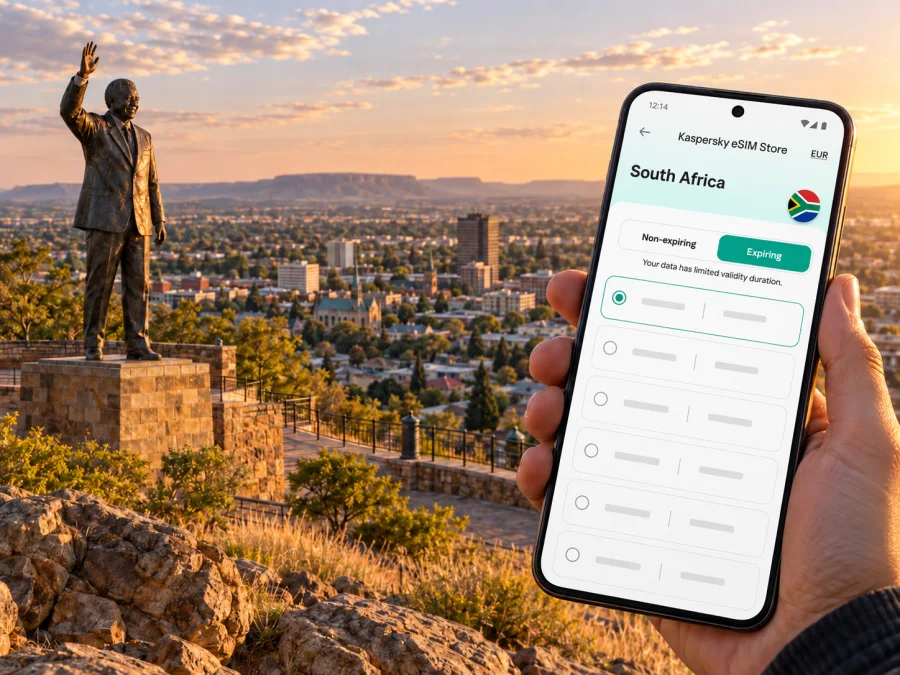
Bloemfontein eSIM: mobile connection and internet for your trip
Bloemfontein is an inland city in South Africa’s Free State, known nationally as the country’s judicial capital. For a visitor, access to mobile data is useful from the moment a flight lands: to confirm a transfer, open a map, contact a host, or check a meeting address. An eSIM can provide mobile internet without replacing the physical SIM already in your phone, provided your device supports it and the selected plan covers South Africa.
Bloemfontein is covered by the South Africa destination in the plan flow; it is not a separate country-level network destination. Check the plan’s current network, coverage, allowance, validity and activation terms before you travel.
The first connection after landing
Bram Fischer International Airport is the airport serving Bloemfontein. Airports Company South Africa describes it as an important gateway to the Free State and places it about eight kilometres from the central business district. Airport information says taxis and shuttles are available just outside the terminal building, with schedules matched to flight arrivals. If you need a particular vehicle, confirm arrangements with your accommodation or transport provider before departure; availability and waiting times can vary.
A working data connection can help you check the pickup point, message a driver, share your arrival status, and navigate to a hotel or meeting venue. Downloading the address and route details before boarding is useful too. If you arrive late or your flight changes, save the accommodation’s phone number and booking details somewhere accessible offline rather than relying on a single app.
| Arrival task | How mobile internet can help | Prepare in advance |
|---|---|---|
| Meet a shuttle or taxi | Confirm the pickup location and exchange messages | Save the driver or accommodation contact details |
| Reach your lodging | Open a route and check the street address | Keep the address in your booking app or notes |
| Handle a delay | Check updated travel information and contact the host | Keep a backup plan if the airport connection is unavailable |
The airport is linked to the N8 corridor, which connects Bloemfontein with the wider region and Maseru in Lesotho. If your itinerary crosses into Lesotho, check that country’s coverage separately; a South Africa plan should not be assumed to cover a neighbour.
Getting around Bloemfontein
Bloemfontein’s points of interest are spread across the city, so route planning matters more than trying to cover everything on foot. The central business district contains civic and judicial addresses, while the University of the Free State campus, shopping areas and cultural venues are in different parts of the urban area. For a first visit, set the exact destination in your map before choosing a ride, and verify the street name and entrance with the venue or host.
Airport shuttles and taxis are the official airport’s named public-transport options. For movement within the city, visitors may use a prearranged driver, a taxi or a ride-hailing service if one is available for their route and time. Availability, fares and pickup rules can change, so confirm them in the relevant service rather than relying on an old screenshot or a general travel estimate. Ask your accommodation which options are practical for the specific address, particularly for a late arrival or an early departure.
Driving can be practical for several stops or day trips. Check the route, parking and road conditions before setting off; save directions offline if you expect uncertain reception.
Keep a map fallback
Before leaving Wi-Fi, save the address and venue name, download an offline map if your app supports it, and keep a screenshot of pickup instructions. Confirm that your phone uses the travel eSIM for data. These small backups help if the battery is low or the connection takes a few minutes to establish.
City stops where data helps
Bloemfontein’s government, education, business and cultural venues are spread across the city. The Free State High Court and Supreme Court of Appeal reflect its judicial role, while the University of the Free State has a Bloemfontein campus. For appointments or conferences, confirm the exact building, entrance and meeting details with your host; a map pin may not show the right access point.
The University’s visitor information highlights Oliewenhuis National Art Museum, Sand du Plessis Theatre, Loch Logan Waterfront and Mimosa Mall. Naval Hill is another recognizable landmark, with the University’s Centre for Earth and Space and planetarium. Check current hours, event schedules and access before setting off. Mobile data helps with directions, contacting a venue and adjusting plans, but it does not replace confirming that a place is open.
For a full day, map each stop before leaving and keep the next address ready. This is useful for sightseeing as well as work errands when appointments are in different parts of the city.
Choosing an eSIM for Bloemfontein
Start with the country, not just the city name. Bloemfontein is in South Africa, so check that the plan is for South Africa and that its terms match your itinerary. Choose the South Africa destination rather than assuming there is a separate Bloemfontein network plan. At the time of checking, the South Africa page states that displayed services are supplied by local telecommunications providers and lists TELKOM. That information is specific to the South Africa offer shown at the time; provider arrangements and available plans can change. Review the current listing and its coverage before you buy, and do not treat a country label as a guarantee of reception at every address.
Review current eSIM options for travel in South Africa and check the plan details shown at the time of purchase. In particular, compare the data allowance, validity period, supported destination, activation conditions and any stated restrictions. If your trip includes Bloemfontein and another country, check both destinations explicitly rather than assuming that a South Africa plan will continue to work across a border.
Estimate your data use
Maps, messages and email generally use less data than video calls, streaming, large uploads or hotspot use. List the days you expect to rely on mobile data, identify data-heavy activities, then compare the plan’s allowance and validity with your travel dates. Check tethering terms if you need to connect a laptop. Do not choose only by the headline data amount: validity, route coverage and the plan’s rules for activation and unused data matter too.
Match the plan to the trip
| Travel pattern | What to prioritize |
|---|---|
| Short city visit | South Africa coverage and validity for the dates |
| Work trip | Data allowance and tethering terms if needed |
| Several days out | Validity through the final day and map access |
| Road trip | Coverage for every country or region on the route |
| Airport connection | Time to install and test the profile |
Kaspersky eSIM Store is an app and website that helps you choose, arrange and activate an eSIM with a suitable plan for mobile internet during an overseas trip. The network service is provided by the local telecommunications provider named for the offer. Check current terms rather than assuming every plan has the same provider, coverage or conditions.
Check your phone before you travel
Confirm that your exact phone supports eSIM and is not locked to a carrier. Support can differ between model versions and regional variants, even when product names look similar. If you bought the phone outside South Africa or through a carrier, ask the seller or your mobile operator about eSIM capability and any restriction before purchasing a plan. Check whether your device supports eSIM.
Also confirm that the phone can use a second SIM profile in the way you expect. Many devices let you keep a physical SIM and an eSIM installed, but the available combinations and settings vary. Decide which line should handle mobile data, and check whether your home SIM should remain enabled for calls or messages. If you leave your home line active, review its roaming terms so it does not create unexpected charges.
Before departure, update your phone’s operating system, charge it, and make sure you can access the email or account containing your eSIM details. Keep the QR code or installation information available on another screen or device if your phone cannot scan its own display. Do not delete an installed eSIM while troubleshooting unless the plan instructions tell you to do so; a profile may not be reusable after removal.
Install, then decide when to connect
Installation and activation are not always the same event. The plan’s terms explain when validity starts, so read them before adding the profile. If you want to install at home but start using data after arrival, follow the plan’s instructions and keep the travel line’s data roaming setting off until you are ready, if the device and plan allow that setup.
Before you start
You need a compatible, unlocked device, an internet connection for installation, and the QR code or digital installation details from your purchase. Keep your home SIM available if you still need its number for calls or verification messages.
Add the eSIM profile
- Open your phone’s mobile-network settings.
- Choose the option to add a SIM or eSIM.
- Scan the provided QR code, or enter the details manually if the instructions offer that option.
- Label the profile something clear, such as “South Africa travel”.
- Keep the profile switched off if you are not ready to use it and the plan permits this.
For device-specific steps, use the Android eSIM installation instructions or the iPhone and iOS eSIM installation instructions. Menu names vary by phone maker and operating-system version, so follow the steps that match your device.
Connect when you need data
- Select the travel eSIM as the line for mobile data.
- Turn on the eSIM line when you are ready to connect.
- Enable data roaming for that eSIM only if the plan instructions require it.
- Wait a few minutes for the device to register on a supported network.
- Open a simple webpage or messaging app to confirm that data works.
If there is no connection, check that the eSIM is enabled, selected for mobile data and within its validity period. Confirm the plan’s destination and network instructions, then restart the phone if appropriate. If the problem continues, contact the service support channel provided with your purchase. Avoid repeatedly deleting and reinstalling a profile unless support or the instructions advise it.
Keep data use practical
Download maps, tickets, meeting documents and entertainment over Wi-Fi before you leave. Set photo backups and large downloads to Wi-Fi only, and use venue Wi-Fi for large work files when suitable. Keep mobile data for maps, messages and ride coordination. If you plan to share the connection with a laptop, check the plan conditions and monitor usage. After a software update or SIM-setting change, confirm which line is selected for data.
Common questions
Is Bloemfontein a separate eSIM destination?
No. Bloemfontein is a city in South Africa. Choose a plan that includes South Africa, then check its current local-network and coverage information for the places you intend to visit.
Will a South Africa eSIM work at every address in Bloemfontein?
Coverage cannot be guaranteed at every indoor location or on every route. Reception depends on the local network, device, building and conditions at the time. Review the plan’s network information and keep offline maps or saved addresses as a fallback.
Can I use the eSIM for calls and SMS?
A travel data eSIM does not necessarily include a phone number, voice calling or SMS. Check the selected plan’s terms. Messaging and internet calls may work over data; ordinary calls can continue through your home SIM subject to its roaming terms.
Does any eSIM-compatible phone work?
Not always. The exact device must support eSIM, be unlocked where required, and be compatible with the plan’s network. Regional variants can differ, so confirm your model and settings before buying.
What should I do if mobile data does not start after landing?
Check the selected data line, confirm that the eSIM is enabled, and review the plan’s activation instructions. Give the phone a few minutes to register. If it still does not connect, restart the device and contact the support channel listed with the purchase. Keep your airport pickup details accessible offline while you troubleshoot.
A simple plan for your visit
Before travelling, confirm device compatibility, check the South Africa plan’s current network and coverage details, and save your first destination offline. After landing at Bram Fischer International Airport, use the airport’s current transport information and verify your pickup directly. In the city, keep addresses ready before setting off and check venue details on the day. If your route extends to Lesotho or another country, verify that the plan covers it separately.
Choose your South Africa eSIM plan
Use Kaspersky eSIM Store to review current options for South Africa, compare their data and validity conditions, and select a plan suited to your visit. Install the eSIM on a compatible device, then activate data according to the instructions and the plan’s terms: choose an eSIM plan for your trip to South Africa.


