Travel connectivity guide
Blue Sky Communications eSIM in American Samoa
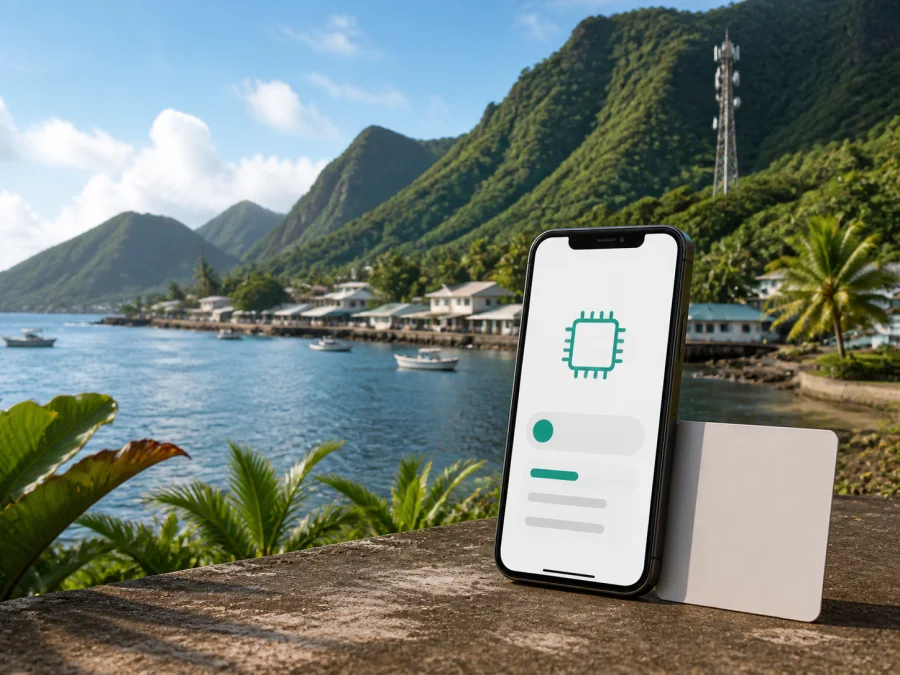
Blue Sky Communications eSIM in American Samoa: traveler guide
If you are traveling to American Samoa, mobile internet can help with arrival details, maps, transport, accommodation, and contact. Blue Sky Communications offers eSIM service for compatible devices, allowing a digital profile instead of a physical card. This guide covers facts, traveler checks, and a travel eSIM route through Kaspersky eSIM Store.
This is an independent information page. Blue Sky Communications is not affiliated with Kaspersky eSIM Store, and Kaspersky eSIM Store is not an official partner or distributor of Blue Sky Communications. Company names and trademarks belong to their respective owners.
Short answer
Yes, Blue Sky Communications publicly describes eSIM service in American Samoa. Its eSIM page explains that an embedded profile can be downloaded to a compatible phone without a physical SIM card. The page presents travelers as a relevant use case and mentions QR-code onboarding. The operator’s eSIM FAQ adds that the device must support eSIM, the phone must be network unlocked, a valid ID may be required for prepaid and individual postpaid customers, and the device must support the network bands.
There is an important process caveat. The eSIM page says travelers can download a profile before arriving in American Samoa, while the FAQ says eSIM activations are completed physically at a retail store or authorized partner. Both pages were checked on September 2, 2026. Contact Blue Sky Communications before departure and ask which procedure applies to your phone, identity document, and visitor status.
Blue Sky Communications in the American Samoa market
Blue Sky Communications is a local telecommunications provider serving American Samoa. Its public About Us page describes mobile and internet services within the United States territory, while its contact page publishes customer and retail information for Pago Pago and nearby locations. A local eSIM therefore follows the operator’s own service and support process rather than a generic international profile.
The operator’s website currently shows eSIM and prepaid mobile sections. Its eSIM page also describes the service as relevant to travelers. This confirms the general presentation of eSIM, prepaid, and travel use, but it does not prove that every overseas visitor can order remotely or qualify for every current offer. Confirm those points directly.
What the operator confirms
An eSIM is a SIM profile built into the phone. Instead of inserting plastic, the user adds the profile and selects it in mobile settings. Depending on the model, a physical SIM and an eSIM can remain in one device. The current public pages confirm Blue Sky Communications eSIM service in American Samoa, downloadable profiles with QR-code onboarding, traveler and prepaid use cases, and a new-profile process when changing phones.
Device variants, software, identity rules, retail procedures, and available services can change. Check the operator’s current information before relying on remote activation.
Prepaid and tourist use
“Prepaid” and “tourist” are not automatically the same customer journey. Prepaid service is generally paid for before or during use, while a tourist option is designed around a short stay. Blue Sky Communications publicly shows prepaid and eSIM categories and speaks to travelers, but its pages do not fully specify the current visitor process.
Ask whether a visitor may order before arrival, whether activation must happen in American Samoa, which ID is accepted, whether the eSIM supplies a local number, and how voice, SMS, and mobile data are handled. The FAQ currently lists a valid ID for prepaid and individual postpaid customers, while corporate customers are directed to a separate support route.
The same FAQ says that a visit to American Samoa requires physical activation at a retail store or authorized partner. This conflicts with the broader pre-arrival wording on the eSIM page. Mention both statements when contacting support so the response addresses the current traveler workflow.
Connection and activation
If Blue Sky Communications confirms remote preparation, use a stable connection and follow its instructions. Keep the QR code on another screen or in a secure place. If activation must happen in person, the public contact information lists a retail location at Laufou Shopping Center in Nu’uuli and a kiosk at the Fagatogo Marketplace in Pago Pago. Confirm opening information and eligibility before relying on either location.
Do not delete an eSIM while troubleshooting unless support tells you to. The FAQ says that a removed profile cannot simply be reused and that changing devices requires a new profile.
Preparation sequence
1. Check the phone
Confirm that the exact model and regional version support eSIM. Check device settings, regional manufacturer specifications, and the operator’s current compatibility information. You can also check eSIM device compatibility before choosing a travel option.
2. Check the unlock status
An eSIM-capable phone can still be restricted to another network. Blue Sky Communications’ FAQ says that a phone purchased from another operator or overseas must be network unlocked. Verify this with the original seller or operator before travel.
3. Confirm the traveler route
Send Blue Sky Communications your arrival details and phone model. Ask whether a store or authorized partner is required, which ID is accepted, and whether a visitor qualifies under the current rules.
4. Keep activation details ready
Keep the QR code or activation information accessible while opening mobile settings. Do not forward it publicly. Retain any store confirmation and support instructions.
5. Choose the data line
After installation, select which line handles mobile data. If your regular SIM remains active, review its data-roaming setting so the phone does not use the wrong line.
6. Test the connection
Test mobile data while Wi-Fi is available. If it does not appear, check the selected line, review the instructions, and contact support.
Choose an eSIM plan for American Samoa
Compatibility and supported technologies
Compatibility has two layers: the phone must support eSIM, and its cellular hardware must support the network bands. The current FAQ lists selected Apple iPhone models and says that some phones can use a physical SIM and eSIM together. It also says that a device may store multiple profiles while only one is active in the described setup. A current model check is safer than assuming that every modern phone is supported.
The FAQ names these bands for compatible devices:
| Area | Publicly listed information |
|---|---|
| 3G | 850 MHz, Band 5 |
| 4G | Band 2 at 1900 MHz and Band 12 at 700 MHz |
| 5G | Confirm support for your exact device and local service before travel |
These are compatibility references, not a guarantee at every location; terrain, buildings, congestion, maintenance, weather, device settings, and local conditions can affect access.
The operator’s current About Us page describes 5G mobile service and reports coverage for around 93% of the population; its 2024 announcement identifies 5G non-standalone service with 3G, 4G, and 5G support. These are operator descriptions, not guarantees for every road, harbor, room, or outer-island location. A device may move from 5G to 4G depending on local conditions.
Coverage planning in American Samoa
American Samoa includes populated areas, coastal roads, steep terrain, and communities separated by water, so a territory-wide statement is only a broad planning reference. For a trip centered in Pago Pago, save reservations, directions, and contact details offline. If you travel beyond the main populated areas, ask Blue Sky Communications whether your route is served and whether 5G is expected.
Local eSIM or travel eSIM?
A local Blue Sky Communications eSIM may suit travelers who need a local operator relationship, possibly a local number, and local support. It can require valid ID, a store or partner visit, an unlocked phone, and compatible bands. A travel eSIM is instead intended for mobile internet and can use a separate data line while the primary SIM stays in the phone; voice, SMS, and a local number depend on its conditions.
Kaspersky eSIM Store is an app and website that helps users choose, arrange, and activate an eSIM with a travel data plan for a selected destination. It is not a mobile operator, does not own Blue Sky Communications’ network, and does not provide local radio coverage. Official Kaspersky information describes checking compatibility, choosing a destination, installing the eSIM, selecting it for data, and following activation instructions.
If you choose Kaspersky eSIM Store for American Samoa, confirm that the destination is currently selectable and review its displayed conditions. Check that the phone is eSIM-capable and unlocked, install with a stable connection, and select the intended data profile after arrival.
Installing a travel eSIM on iPhone or Android
Menu labels vary by manufacturer and operating-system version. Start with compatibility and an unlocked device, then use the supplied QR code or in-app installation flow. If the phone uses its camera, display the code on another screen or use direct installation when available.
On iPhone, open Settings and the mobile or cellular section, add an eSIM, follow the prompts, label the line, and select it for mobile data. Review data switching.
On Android, open Settings and the SIM or mobile-network section, add or download a SIM, scan the QR code, and follow the prompts. Name the profile, select it for mobile data, and review data roaming if required. Use the device maker’s instructions when names differ.
Installation is not the same as activation. A profile may be installed before the trip while data use begins under the selected service’s conditions. A local Blue Sky Communications eSIM may involve identity and retail steps; a travel eSIM follows the timing shown by its service.
Troubleshooting checklist
If the eSIM does not connect:
- Confirm that Airplane Mode is off and mobile data is enabled.
- Check that the intended eSIM is switched on and selected for data.
- Review roaming for that profile if the instructions require it.
- Confirm that the phone is unlocked and supports the required bands.
- Restart the phone and allow a few minutes for registration.
- Move location if buildings or local coverage may be involved.
- Check that the profile was fully installed and the QR code was not already used.
- Contact support before deleting the profile.
For Blue Sky Communications, ask support to verify the account, ID requirement, profile status, and activation location. The public contact page lists a 24-hour customer service center and local service locations; reconfirm procedures. For Kaspersky eSIM Store, use in-app or site support and provide the device model, operating-system version, destination, and failed step.
What to confirm before departure
| Question | Why it matters |
|---|---|
| Does the exact phone variant support eSIM? | Regional versions can differ. |
| Is the phone unlocked? | A network lock can prevent another profile from working. |
| Is a valid ID required? | The FAQ lists this for prepaid and individual postpaid customers. |
| Can the profile be obtained before arrival? | The public pages describe different activation routes. |
| Where is in-person activation available? | The FAQ refers to stores and authorized partners. |
| Which bands does the phone support? | The FAQ lists 3G and 4G compatibility bands. |
| Which line is selected for data? | The phone can otherwise use the wrong SIM or eSIM. |
| Does the travel eSIM include voice or SMS? | Travel options are generally data-focused; check current conditions. |
Frequently asked questions
Can I activate it before arriving?
The public information needs clarification. The eSIM page describes pre-arrival profile download, while the FAQ says activations for a visit to American Samoa are completed physically at a retail store or authorized partner. Ask Blue Sky Communications which rule applies to your customer status and phone.
Does a travel eSIM replace Blue Sky Communications?
No. A travel eSIM is a separate way to prepare mobile internet. Kaspersky eSIM Store helps you choose, arrange, and activate that travel eSIM; it is not the local operator, network owner, or source of Blue Sky Communications coverage. Choose after checking compatibility, availability, and the functions required.
Final checklist
Before departure, verify the exact phone model, eSIM support, unlock status, compatible bands, ID requirement, activation location, support contact, and data-line settings. For Blue Sky Communications, pay special attention to the difference between the eSIM page’s pre-arrival language and the FAQ’s in-person activation instruction.
If a travel eSIM is more suitable, use Kaspersky eSIM Store as the app and website for selecting and activating an eSIM travel data plan, after checking that American Samoa is currently supported and the device is compatible. It is a travel-data preparation service, not a mobile operator or owner of the local network.
Mobile services, device support, coverage, activation rules, prepaid availability, and travel conditions may change. This article was checked on September 2, 2026 against current public eSIM, eSIM FAQ, product, About Us, network, homepage, promotions, and contact information published by Blue Sky Communications, together with current official Kaspersky eSIM Store information. Confirm final conditions with the relevant service before purchase or activation.


