Travel connectivity guide
BMobile eSIM in Papua New Guinea: what to check
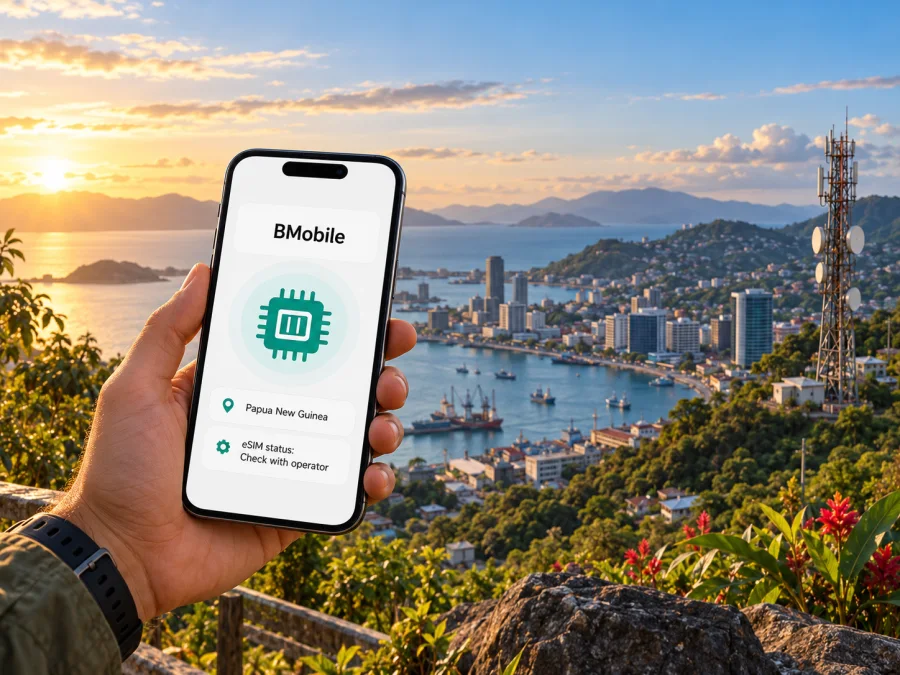
BMobile eSIM in Papua New Guinea: what travellers should check
If you are travelling to Papua New Guinea and considering BMobile for mobile service, start by checking two separate things: whether your handset supports eSIM, and whether BMobile currently offers an eSIM profile to customers in the country. BMobile’s public pages describe prepaid and postpaid mobile services, SIM registration, stores and coverage information. In the official information reviewed for this guide, however, I could not confirm that BMobile issues eSIMs. Treat support as unconfirmed until BMobile tells you otherwise.
That distinction matters. A phone with eSIM capability does not mean every operator or market supports eSIM activation. A travel eSIM that works in Papua New Guinea is also not automatically a BMobile subscription. Before you plan around one digital profile, check with BMobile whether it is available for your customer type, where it can be obtained, and what activation or identification steps apply.
This guide explains how to make those checks, what to consider when using a local BMobile SIM, and how a separate travel data eSIM may fit into a trip. Details can change, so confirm current conditions directly with the provider before travelling.
BMobile’s place in Papua New Guinea
Papua New Guinea has a complex mobile market and varied geography. BMobile is a familiar consumer-facing name in the country’s telecommunications sector. The National Information and Communications Technology Authority (NICTA) identifies Vodafone PNG Limited as “Vodafone PNG Limited (bmobile)” in its public market information. NICTA’s National ICT Indicators Report 2025 also describes structural changes involving Telikom PNG Limited and Bmobile Limited, alongside Vodafone PNG’s entry into the market. These references explain why travellers may see both BMobile and Vodafone names. They do not establish which entity would issue a particular SIM or eSIM today.
BMobile’s own website presents the bmobile brand and provides routes to information about prepaid service, postpaid service, SIM registration, self-service, stores, customer support and a coverage map. Its online self-service portal includes options related to prepaid, SIM registration and account management. These are useful indications that traditional local SIM service is part of the offer. This does not confirm digital eSIM issuance.
The scope here is the BMobile offer in Papua New Guinea. It is not a guide to similarly named services elsewhere, and it does not assume that a service sold under a partner, reseller or travel brand is issued by BMobile. If you need a local phone number, voice service or texts, ask which BMobile product provides those functions and whether it is available to visitors.
Is BMobile eSIM available?
As of 1 November 2026, I could not verify an official BMobile page that confirms eSIM availability, an eSIM purchase flow, QR-code installation instructions or an eSIM-specific eligibility policy for Papua New Guinea. BMobile’s public site links to SIM registration, prepaid services, store locations, FAQs and a coverage map, but the reviewed materials did not establish an eSIM offer. The safe answer is therefore: check directly with BMobile; do not assume that eSIM is available.
This is a statement about what could be confirmed from the operator’s currently accessible public materials, not proof that no eSIM option exists. An offer may be limited, newly introduced, handled in a retail location, or described under a different product label. Ask BMobile support to confirm the following before relying on it:
- Does BMobile issue eSIM profiles in Papua New Guinea at this time?
- Can a visitor or a newly registered customer obtain one, or is it limited to existing subscribers?
- Is eSIM available for prepaid service, postpaid service, or both?
- Where is the profile issued: online, in a BMobile store, or through another channel?
- What identity documents and account details must be presented?
- Does activation require an in-country network connection, Wi-Fi, or a one-time QR code?
- Can an existing BMobile number be moved to eSIM, and what happens to the physical SIM?
- Which phone models and regional variants are accepted, and can the profile be moved to another device later?
BMobile’s contact page lists telephone and email support and gives its head-office location in Port Moresby. Its public store information includes retail outlets, including locations in Port Moresby and Lae. Contact the company before visiting, especially if an eSIM is essential to your plans. Ask for the current requirements in writing where practical, and keep the response with your travel documents.
A local prepaid SIM may be an option if you need BMobile service and eSIM is unavailable. BMobile’s site instructs customers to bring valid identification for SIM registration when obtaining a SIM through participating retail outlets. Confirm visitor document rules, acceptable identification, registration and availability directly with the operator. Do not assume that requirements for residents and visitors are identical.
Local SIM, eSIM and travel data: how the options differ
A local BMobile SIM and a travel data eSIM serve overlapping but different needs. A local operator SIM may be the more relevant choice if you need a domestic number, local calls or SMS, or an account that can be managed within BMobile’s own service channels. A travel data eSIM may help with internet access without changing the physical SIM in your phone, but the exact service depends on the profile’s provider and the networks it is permitted to use in Papua New Guinea.
| What you need | What to verify |
|---|---|
| A local number for calls or SMS | Ask BMobile which local SIM option provides it and what registration is required. Do not assume a data-only travel eSIM includes a number. |
| Mobile data soon after arrival | Check whether BMobile can activate service for you, or whether a separate travel eSIM lists Papua New Guinea as a covered destination. |
| Service over eSIM | Confirm the provider, eligibility, phone compatibility and activation steps. A compatible handset alone is not enough. |
| Use on a multi-stop itinerary | Check every destination and the profile’s stated network arrangements before purchase. Country coverage does not establish identical service in every location. |
| Connectivity outside main towns | Check the relevant operator’s current coverage map against your actual route, then prepare offline maps and other essentials. |
Kaspersky eSIM Store is an app and website that helps travellers select, arrange and activate a travel eSIM for mobile data. It is not a mobile operator, network owner or provider of mobile internet. Its Papua New Guinea destination page currently identifies Digicel as the local telecommunications provider for the displayed travel eSIM service. That listing is separate from BMobile and should not be treated as evidence that a Kaspersky eSIM uses BMobile’s network or that BMobile itself provides that profile.
After reviewing the destination and the terms shown at the time you travel, you can browse eSIM options for Papua New Guinea. This destination page is for checking currently displayed travel options. It is not a BMobile tariff page, and availability or partner-network details can change. Confirm the provider and destination coverage in the live offer before arranging a plan.
Coverage and network technology
Papua New Guinea’s terrain, distance between settlements and travel routes make it important to check coverage at the level of your itinerary. A national label or a map of major towns cannot promise a usable signal on every road, island, coastal area or highland route. Even within a listed coverage area, reception can vary with buildings, terrain, device bands, local conditions and network load.
NICTA’s market tools describe coverage maps that allow users to check by location and by technology, including 2G, 3G and 4G. NICTA notes that maps are indicative and real experience can vary. Use the current BMobile coverage map and, where available, NICTA’s coverage tools to review each planned stop. If you will travel beyond a town, check with your accommodation, tour provider or local contact about recent service experience along the specific route. This supplements, but does not replace, a map.
BMobile’s archived consumer guide refers to 2G, 3G and 4G mobile services. As the guide is older, it should not be used to infer that a particular technology is available at every site or remains active in a specific area. Confirm current technology and coverage in the locations that matter. No statement about advertised coverage guarantees indoor reception, continuous connectivity or a particular data speed.
Do not infer BMobile eSIM support from 4G or 5G branding, device compatibility, or the existence of eSIM service from another provider. Radio network access and the way a subscriber profile is issued are separate questions. Ask BMobile about the exact service and check that your handset supports the network technologies and bands used by the profile you intend to use.
Before you travel: a practical verification checklist
Before choosing a local SIM or travel eSIM, use this short checklist:
- Define the need. Decide whether you need data only, or also a local number, calls, SMS or operator account access.
- Ask BMobile about eSIM. Confirm current support in Papua New Guinea for your customer type, purchase channel, registration rules and activation steps.
- Check the exact phone. Verify its full model code and sales region with the manufacturer. Variants within one model family can differ in eSIM support.
- Confirm the phone is unlocked. A device locked to another provider may reject a new profile.
- Check route coverage and setup. Review each stop on current coverage maps, find out whether activation needs Wi-Fi or a local connection, and save key travel details offline.
- Keep a backup connection plan. Confirm where you can reach support or Wi-Fi if activation takes longer than expected.
Device compatibility: check the variant, not just the family name
Phones sold under the same commercial name can differ by country or hardware version. Check the manufacturer’s specifications for your precise model code. On many phones, an “Add eSIM” or “Add mobile plan” option appears in cellular settings, but a missing option can also reflect software, management or carrier restrictions. Confirm that the handset is unlocked and supports the networks used by the profile you intend to use. A travel eSIM compatibility check does not guarantee that BMobile will issue a profile for that device.
Before arranging a travel profile, you can check eSIM device compatibility. If your exact variant is unclear or unlisted, ask the manufacturer or seller using the model code. Do not assume every regional version is equivalent.
Installing a travel eSIM on a compatible phone
The steps below apply to a travel eSIM whose provider gives you a QR code or in-app installation flow. They do not describe BMobile activation because BMobile eSIM availability and its process could not be verified. Follow the instructions supplied for the particular profile; device menus and activation rules vary.
Before installation, connect to reliable Wi-Fi, make sure the phone is unlocked and compatible, and keep access to the order details. If the profile’s terms say that validity begins on installation or activation, consider waiting until the appropriate time. Do not delete a profile or reset the device to troubleshoot unless the provider confirms that it can be reissued.
- On iPhone: use the iOS eSIM installation guide. In general, open Settings, go to Cellular or Mobile Service, choose Add eSIM and scan the QR code if that is the method provided. Keep your usual number as the default voice line if needed, then select the travel profile for mobile data when you are ready to use it.
- On Android: use the Android eSIM installation guide. Menu names vary by manufacturer and Android version. On supported devices, the flow is commonly in Connections or Network settings, under SIM management or Add eSIM. Scan the provider’s code or follow its app instructions.
When you arrive, select the correct line for mobile data. Some travel profiles require data roaming to be enabled on that profile; follow the provider’s instructions and avoid enabling roaming on your home line unless you intend to use your home provider’s roaming service. If data does not start, check that the eSIM is enabled, it is selected for data, Airplane Mode is off and the phone has completed network registration. Give activation a little time, then consult the provider’s setup guidance. Do not guess an APN value; enter one only if the profile provider supplies it.
A travel eSIM generally should not be assumed to replace a local number. The Kaspersky eSIM Store destination information describes data connectivity; its general service information says travel eSIMs provide data and do not include ordinary calls, SMS or a phone number unless a specific offer says otherwise. Keep your regular SIM available for any services that depend on your existing number, while checking its roaming settings to prevent unwanted charges.
If BMobile eSIM cannot be confirmed
If BMobile says eSIM is unavailable for your account or visitor status, ask whether a physical local SIM is available, what identification is accepted and whether registration can be completed at a retail outlet. Check the current outlet location and hours with BMobile before travelling there.
If you mainly need internet for maps, messaging and web access, a separate travel data eSIM may be an option when its current destination page lists Papua New Guinea and your phone is compatible. Check its named network partner and coverage terms. Do not assume it uses BMobile, includes a local number or works in every province.
Prepare for gaps in service: save maps, accommodation details and key contacts offline, and confirm communications arrangements with a host or tour provider when travelling remotely. You can combine a home SIM, local SIM and travel eSIM where the handset supports the required active lines. Check which line is selected for data and review roaming settings before use.
Common questions about BMobile eSIM in Papua New Guinea
Can I buy a BMobile eSIM online before I arrive?
I could not confirm an official BMobile online eSIM purchase or activation flow. Ask BMobile whether eSIM is available to visitors, where it is issued and whether activation must happen in Papua New Guinea.
Does BMobile offer prepaid service?
BMobile’s public website has a prepaid section and links to SIM registration and account services. Confirm current products, eligibility and visitor requirements directly with the operator.
Does a travel eSIM for Papua New Guinea connect to BMobile?
Not necessarily. Kaspersky eSIM Store’s current destination page identifies Digicel for its displayed service. Check the live offer’s network details; it is distinct from BMobile.
Can I keep my home number while using a travel eSIM?
Many dual-SIM phones let you retain a line for calls and messages while selecting another profile for data. This depends on the handset and regional variant. Check the settings, choose the data line and review roaming charges with your home provider.
Will an eSIM work everywhere in Papua New Guinea?
A country-level destination label does not establish service at every location. Terrain, network reach, partner arrangements, the device and local conditions matter. Check coverage for your route and prepare offline essentials.
What should I do if activation fails?
Check internet access, compatibility, unlock status, whether the profile is enabled and which line is selected for data. Follow the profile provider’s roaming and APN instructions; do not guess an APN. Contact the company that issued the profile and share the error message.
A simple plan for staying connected
Before travelling, decide whether you need a local number, data only, or both. Confirm BMobile eSIM support directly because the public official information checked for this guide did not verify its availability. If you prefer a local BMobile SIM, check registration requirements, current retail availability and coverage for your itinerary. If you choose a travel eSIM, confirm that Papua New Guinea is included, identify the partner network and read the activation conditions shown at the time of purchase.
Kaspersky eSIM Store can help you select, arrange and activate a travel eSIM for mobile data through its app and website. Check the current Papua New Guinea destination page for the available option and its stated network information. It is not a BMobile service and does not provide a local BMobile number.
This article is independent and is not affiliated with, endorsed by or sponsored by BMobile, Vodafone PNG or NICTA. Company names identify the services discussed. Information was checked on 1 November 2026 against BMobile’s public prepaid, SIM registration, retail, contact and coverage information; NICTA’s market information, coverage guidance and National ICT Indicators Report 2025; and the current Kaspersky eSIM Store Papua New Guinea destination page and installation guides. Public pages and service terms can change, so reconfirm requirements with the relevant provider before purchase or activation.


