Travel connectivity guide
bmobile eSIM in Trinidad and Tobago: guide
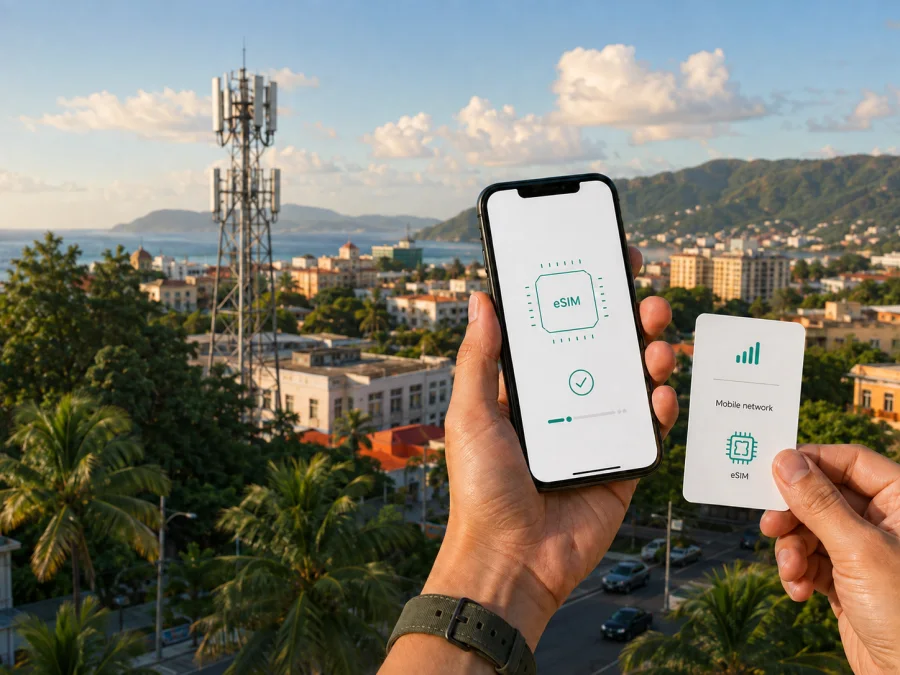
bmobile eSIM in Trinidad and Tobago: what travelers should check
Publication date: September 5, 2026.
This guide concerns bmobile in Trinidad and Tobago. “bmobile” and related names belong to their respective rights holders. Kaspersky eSIM Store is not affiliated with bmobile, is not its official partner or distributor, and this article does not represent an endorsement by either company.
If you are traveling to Trinidad and Tobago and need mobile internet, there are two broad routes to investigate: a local bmobile service arranged through the operator, or a travel eSIM prepared before departure. bmobile is the consumer mobile brand under Telecommunications Services of Trinidad and Tobago Limited (TSTT), as stated on the operator site. Its public support pages confirm eSIM availability for prepaid and postpaid customers. They describe an in-store QR-code process for a new customer and an in-store route for an existing customer moving from a physical SIM. The suitable route depends on whether you need a local number, how soon you need data, which documents you can present, and whether your phone supports eSIM.
Quick answer for a trip to Trinidad and Tobago
| Question | What current public information shows |
|---|---|
| Does bmobile document eSIM support? | Yes. Its eSIM help page describes a digital SIM that connects a compatible device to the bmobile network and says prepaid and postpaid eSIMs can be purchased. |
| How does a new customer receive one? | The documented route is a selected bmobile store, where staff provide a QR code and guide the setup. |
| Can an existing physical SIM be changed? | Yes. bmobile describes an in-store process followed by a call or data check. |
| What kind of phone is required? | A compatible, unlocked eSIM handset. bmobile lists examples from later iPhone models, Google Pixel devices and selected Samsung Galaxy devices. |
| Is prepaid or a tourist offer confirmed? | Prepaid service is documented. No separate current tourist-specific offer was identified; ask bmobile about the option available to visitors. |
| Which technologies are presented? | bmobile presents 4G LTE service and a 5G-ready statement; check coverage for your route and device. |
These points were checked on September 5, 2026, in bmobile’s “eSIM with bmobile”, “Guides & How Tos”, “Welcome to bmobile”, “Mobile” and “4G LTE Coverage” sections. The eSIM help page is marked as last modified July 24, 2023, so confirm the current store process before traveling.
Is bmobile eSIM available?
At the verification date, bmobile’s “eSIM with bmobile” page explicitly states that customers can purchase a prepaid or postpaid eSIM. It explains that the eSIM is downloaded to a compatible device and connects it to the bmobile network. This is direct information from the operator, not an assumption based on a device list.
For a new customer, the public instructions say to visit one of the selected bmobile stores. A customer service representative provides a QR code, the customer follows the device instructions, and the service and new number are then checked. For an existing customer replacing a physical SIM, bmobile says the account is updated in store, a QR code is supplied, and the customer verifies the current number by making a call or using data.
The described store step is important for travelers who expect to complete everything online before takeoff. bmobile’s public guidance does not document remote issuance for a new local bmobile eSIM. Store selection, opening hours, stock, payment methods and visitor procedures can change, so confirm them with bmobile shortly before the trip.
An eSIM profile is not a removable card. bmobile’s help material says that one eSIM cannot be used on different eSIM-supported phones at the same time. It also explains that a lost or stolen phone may require a visit to a bmobile store to request a new eSIM for the existing number. Keep account details and any QR code private, and avoid deleting a working profile while troubleshooting unless support advises it.
Prepaid access and tourist planning
bmobile’s current “Welcome to bmobile” page documents prepaid service, account activation, balance checks and account management through bmobile channels. This confirms general prepaid availability, but it does not mean that every visitor can use every channel or receive every type of service in every store.
The operator’s online-delivery FAQ says prepaid sign-up is available to nationals and non-nationals and notes that an international passport may apply for visitors. Treat this as preparation guidance, not as a promise that every location follows an identical process. Bring a valid passport and allow time for registration. If you want to transfer an existing number, further identification checks may apply under the operator’s number-porting process.
No separate, current tourist-only eSIM offer was clearly identified in bmobile’s public customer guidance checked on September 5, 2026. This does not prove that no visitor-oriented service exists; the distinction was simply not documented clearly. Ask bmobile whether a visitor can receive an eSIM as a new prepaid customer, which identification is accepted, and what roaming conditions apply if your itinerary continues outside Trinidad and Tobago.
| Traveler situation | Point to clarify |
|---|---|
| Short visit and data only | Whether a travel eSIM can be installed before arrival and used beside your primary line. |
| A local number is useful | Whether bmobile can issue local service to a visitor and which store can complete eSIM onboarding. |
| Existing bmobile customer | Whether the current line can be moved from physical SIM to eSIM and how recovery works after a handset change. |
| Multi-island or onward route | Which local and roaming conditions apply outside the place where the service was activated. |
Check the exact device
An eSIM requires compatible hardware and software. bmobile’s device FAQ lists iPhone XS, iPhone XS Max, iPhone XR and later as examples of Apple devices with eSIM support. It also names Google Pixel 3-series and 3a-series phones and selected flagship Samsung Galaxy models. The list was published in July 2023, so use it as a starting point rather than a complete current catalogue. Regional versions can differ.
Before purchase or a store visit, check the exact model number, sales region, software version and carrier-unlocked status. Open the settings and look for an option to add a mobile plan or eSIM. bmobile states that a device without eSIM compatibility cannot become compatible through a setting.
| Check | Why it matters |
|---|---|
| Exact model and region | A product family can contain variants with different eSIM capabilities. |
| Carrier-unlocked status | A locked handset may restrict a new profile. |
| Internet during setup | A QR-code or app-based download needs a working connection. |
| Contact backup | bmobile says contacts and SMS do not transfer automatically when moving from physical SIM to eSIM. |
How to install and activate eSIM
Installation puts a profile on the phone; activation makes the service usable under the relevant conditions. A profile may appear in settings before network registration is complete, so check the status after each step.
If you obtain a bmobile eSIM locally
- Check the handset. Confirm eSIM support, an unlocked status and enough battery.
- Prepare identification. If you are a visitor, carry the passport that bmobile’s prepaid sign-up guidance says may apply.
- Visit a selected bmobile store. Ask whether the location can issue the eSIM required for your situation.
- Receive the QR code. Keep it private and use it on the intended handset.
- Open mobile-network settings. Choose the option to add an eSIM and scan the code.
- Follow the on-screen steps. Accept the profile and label the line clearly.
- Verify service. For a new line, confirm the number; for a replacement, test the current number with a call or data as bmobile advises.
If you prepare a travel eSIM before departure
- Check compatibility and unlocking. Use the exact handset model, not only its family name.
- Choose Trinidad and Tobago as the destination. Review activation, support and refund information, including any onward country.
- Install with stable internet. Follow the travel service’s instructions before departure and keep your primary line available if the phone supports dual SIM.
- Select the data line after arrival. Choose the travel eSIM for mobile data and enable data roaming for that profile only if instructed; wait a few minutes before troubleshooting.
Kaspersky eSIM Store is an app and website that helps travelers choose, arrange and activate an eSIM with a suitable travel data option. It is not a mobile operator, does not own the bmobile network and should not be described as the provider of a local signal. The Kaspersky official blog’s article “Internet on the go with Kaspersky eSIM Store”, published June 17, 2025 and retrieved September 5, 2026, describes the app-and-website choice and activation flow. Check the destination, device compatibility, activation instructions and current conditions shown for the selected travel option.
When a travel eSIM is used beside a primary SIM, check which line is selected for mobile data and disable automatic data switching if the handset offers that control. A travel eSIM generally focuses on mobile data; do not assume it includes a local telephone number, ordinary voice calls or SMS unless its own conditions say so. Messaging apps can be used through an available data connection, but their behavior depends on the app and device.
For a data-first arrival scenario, choose an eSIM plan for Trinidad and Tobago after checking your handset and the conditions shown at the time of purchase. Kaspersky eSIM Store helps you prepare and activate the travel eSIM; the local bmobile process remains separate.
Coverage and network technology
bmobile’s current mobile page presents 4G LTE service and links to a dedicated “4G LTE Coverage” page. That page also carries a “5G ready” statement. These are the operator’s published technology descriptions, not a promise that every building, street, handset or route will receive the same service. A compatible device may move between available technologies according to location and network conditions.
For travel planning, review coverage along your actual route. Port of Spain, airport approaches, urban areas, coastal roads, interior roads and Tobago can have different terrain and building conditions. Weather, congestion, maintenance and handset configuration can also affect registration. Save essential reservations, maps and contacts for offline use.
The dedicated coverage page is the named public reference for bmobile’s 4G LTE footprint and was retrieved on September 5, 2026. Its numeric counters are rendered dynamically, so this article does not reproduce a percentage or area figure. The same caution applies to the “5G ready” wording: treat it as the operator’s current statement and check local availability for your device and destination.
Roaming is separate from local coverage. bmobile’s “International Calling & Roaming” page explains that roaming service outside Trinidad and Tobago depends on the destination and account provisions. If your journey continues elsewhere, check the current roaming conditions with bmobile before leaving. A local bmobile eSIM should not be treated as a guarantee of service on an onward route.
Frequently asked questions
Can a visitor get a bmobile eSIM in Trinidad and Tobago?
bmobile confirms prepaid and postpaid eSIM availability, with a selected-store route for new customers. Its prepaid onboarding FAQ says an international passport may apply to visitors. Ask bmobile to confirm the current visitor process, accepted identification and store availability.
Is a tourist-specific bmobile eSIM available?
A separate current tourist-only eSIM offer was not clearly confirmed in the public pages checked on September 5, 2026. Prepaid and visitor identification guidance are documented; contact bmobile for current instructions.
Final checklist and conclusion
Before flying to Trinidad and Tobago, check eSIM support for the exact handset, confirm that it is not carrier-locked, decide whether you need a local number or data only, and prepare the identification bmobile requests if you plan to visit a store. For a travel eSIM, arrange stable installation internet, identify the data line, review roaming settings and save support details. Confirm the visitor process and store availability directly before travel.
bmobile’s published information supports a careful choice: local eSIM service is documented for prepaid and postpaid customers, QR-code setup is tied to selected stores, visitors may need an international passport, and coverage details should be checked for the route. A separate tourist-only eSIM offer was not clearly confirmed. Travelers who mainly need data ready for arrival can consider a travel eSIM; those who need local service should confirm bmobile’s procedure.
If you prefer to prepare mobile data before departure, go to the Trinidad and Tobago eSIM options and verify compatibility, destination and activation conditions before proceeding.
Information in this article was checked on September 5, 2026. Operator pages, store procedures, device lists, coverage displays, roaming conditions and travel eSIM options may change. Confirm current conditions with bmobile or the selected travel eSIM service before purchase and activation.


