Travel connectivity guide
Bo eSIM: Mobile Internet in Sierra Leone
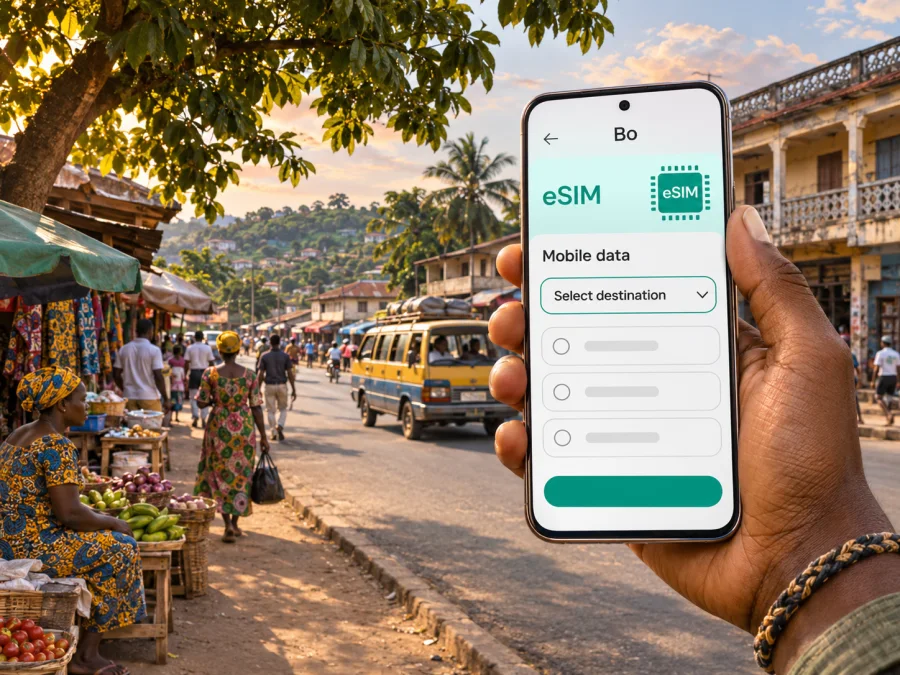
Bo eSIM for a reliable mobile connection and internet on your trip
Bo is an important stop in Sierra Leone’s south: a busy provincial centre, a place to arrange onward travel, and a practical base for visiting communities and landscapes farther east and south. For a visitor, mobile internet is useful as soon as the journey begins: to share an arrival time, check a saved address, contact a driver, or keep plans in reach while moving between town and countryside.
An eSIM can make the data part of that preparation simpler. It is a digital SIM profile installed on a compatible, unlocked device. A travel eSIM plan is generally intended for mobile data; it does not automatically provide a local phone number, ordinary voice calls or SMS. Check the exact plan terms before purchase, and keep another way to reach people who expect a call or text.
Bo is not the same as Freetown, and a country-level plan is not a promise of uninterrupted signal on every road. The useful question is whether a selected plan covers Sierra Leone, which network it can use, when its validity begins, and whether the places on your itinerary have service. This guide focuses on using mobile data around Bo and planning realistically for the journey in and out.
What to plan for in Bo
Bo is the capital of the Southern Province and one of Sierra Leone’s major urban centres. It is also a trading hub, with roads linking it to Freetown and Makeni. Visitors may come for work, family visits, the market and city life, or as a stop before a trip to Tiwai Island and other natural areas. That mix shapes how to plan connectivity: you may need maps and messaging in town, but should not assume that data will remain available once you leave the main urban area.
Use a connected phone for the tasks that benefit from current information, but save the essentials offline as well. Before travelling, download maps for Bo and the route you expect to take, keep your accommodation details in a note or screenshot, and write down important phone numbers. An eSIM is one part of a travel plan, not a substitute for local advice, a confirmed driver, or offline directions.
A quick guide to connectivity needs
| Part of the trip | What mobile data can help with | Useful backup |
|---|---|---|
| Arrival and transfer planning | Messaging your host or driver, checking a saved location, updating someone about delays | Save names, meeting point and directions before boarding |
| Staying in Bo | Looking up an address, using maps, checking messages and web-based work | Keep a screenshot of the hotel or meeting details |
| Moving around town | Rechecking directions and coordinating a pickup | Agree on a visible meeting point and confirm transport details directly |
| Road trip from Freetown | Sharing progress and checking route information where service is available | Download maps and plan breaks before setting out |
| Excursion beyond Bo | Contacting your driver and using online information near connected areas | Carry offline maps, cash as appropriate, and a pre-agreed return plan |
The table describes possible uses, not a guarantee that a particular app or network will work at every location. Service depends on the selected plan, its local network partner, radio coverage, terrain, congestion, weather-related disruption and the phone itself. If a task is safety-critical, do not rely on a live map or a single data connection as your only resource.
Arrival: from the airport to Bo
Most international visitors enter Sierra Leone through Freetown International Airport at Lungi. Bo is inland, so reaching it involves more than stepping out of the terminal and taking a short city transfer. The route commonly includes getting from the airport area toward Freetown and arranging onward road travel to Bo. The airport is on the mainland opposite Freetown; travel between Lungi and Freetown may involve a boat crossing. Confirm current transfer arrangements, departure times and fares with the operator or your accommodation before travel, because these practical details can change.
From Freetown, Sierra Leone’s tourism information describes travel to Bo by road in a hired vehicle with a driver or by bus. It gives an approximate journey time of three and a half hours, but treat that as an indicative estimate rather than a timetable. Road conditions, stops, traffic, rain and the exact starting point can make the trip longer. Agree the pickup and destination in advance, and allow time between a flight arrival and a separate onward departure.
An active data connection can help you coordinate a pickup or tell someone that your plans changed. It cannot resolve an unclear meeting point by itself. Send the driver’s name and vehicle details to a travel companion, keep the accommodation address available offline, and make a clear plan for what to do if your flight is delayed or mobile data is unavailable.
Arrival checklist
- Confirm how you will travel between Lungi and Freetown and who is responsible for each leg.
- Arrange the road journey to Bo before landing if you are making a same-day connection.
- Save the driver’s contact details, your destination and any booking reference offline.
- Keep your regular SIM available for calls or verification messages if you need it.
- Check that your travel eSIM is installed correctly, but wait to enable data use until the plan’s activation instructions say to do so.
- Carry a charging cable and power bank if you expect a long transfer.
Where an eSIM helps around the city
In Bo, mobile data is most useful when it supports a task you already understand: finding a destination, confirming a meeting, communicating with your hotel or checking information while you are connected. The city’s Big Market is a lively commercial area, and Bo also has a stadium and nightlife. These are local settings where a saved pin or a message can help you coordinate, but a pin does not replace confirming an entrance, opening time or pickup point with the person you are meeting.
For a first visit, keep navigation simple. Ask your host or driver to identify the destination using a local name as well as a map pin. Save both the destination and a nearby landmark or main road if your map offers that option. If you are walking, check the route before leaving a place with Wi-Fi or mobile service; do not keep your phone out unnecessarily in crowded areas. When taking an okada (motorcycle taxi), agree the destination and fare before departure and use the safety equipment available. A data plan will not verify a driver or make a ride safe.
A work trip has different priorities from sightseeing. If you need to join online meetings, upload documents or use a hotspot, check the plan’s data allowance, validity and tethering terms before relying on it. For important calls, have a second option such as hotel Wi-Fi or a dial-in number. Do not assume that a travel data plan includes a phone number, voice service or SMS; those are separate features and should be explicitly listed if included.
Before comparing plans, decide what connectivity is for. A traveler who mainly sends text messages and checks a map occasionally may need a different data allowance from someone who relies on video calls or uploads large files. Estimate the days you need service, the start date, and whether your trip includes remote areas. Then compare the stated data amount, validity, supported destination and any restrictions shown for the plan.
When you are ready to review options, you can browse current travel destinations and available eSIM plans. This is the Store homepage, so check the destination and the conditions shown for the specific plan before choosing it; do not assume that the homepage itself is a Sierra Leone tariff page.
Choosing a plan for a Bo itinerary
A suitable plan matches your route, data needs and travel dates. Occasional messages and map checks differ from regular video calls or hotspot use, so decide what you will actually do before comparing data amounts.
| Check | What to confirm |
|---|---|
| Destination and network | Sierra Leone is included, and the plan’s local network partner is identified where applicable |
| Data and validity | Allowance, expiry period, and the event that starts validity |
| Tethering | Whether hotspot use is allowed for a laptop or second device |
| Device and service | Your exact phone variant supports eSIM and is unlocked; voice and SMS are listed if included |
A travel eSIM and a local operator’s own SIM or eSIM can have different registration, eligibility and service terms. For example, QCell Sierra Leone describes a local eSIM process that requires a visit to one of its customer care shops for device eligibility and setup. That local arrangement is distinct from a travel plan, which follows the provider’s own purchase and activation terms. Do not infer local eSIM eligibility or a particular network from the word “eSIM” alone. Review the selected plan’s destination and network information, and ask its provider if an important condition is missing.
Estimate use by listing the days you need service and the activities that need data. Download maps and large files over Wi-Fi, pause automatic backups if needed, then compare your likely use with the plan’s stated allowance. Buying more data does not guarantee service in remote areas.
Check the phone before you travel
A phone’s eSIM capability can depend on its exact model, software, market version and carrier-lock status. Two devices with the same family name may differ by regional variant. Check the model in your settings or documentation, confirm it is unlocked, and check whether your device supports eSIM before purchase.
Do not assume a general compatibility list covers a carrier-specific or regional variant. On many phones, an “Add eSIM” or “Add mobile plan” setting is a useful clue, but it does not prove that every plan is supported. Keep your home SIM available if you need calls or verification texts, and check its roaming terms. When using the travel eSIM, confirm which line is selected for mobile data and follow the plan’s data-roaming instructions.
Installing and activating your eSIM
If advance installation is allowed, add the profile over stable Wi-Fi, with sufficient battery and access to the setup details. Installation and activation may be separate events: check when the plan’s validity begins. Avoid deleting a working eSIM during troubleshooting unless its provider instructs you to, since some profiles cannot simply be downloaded again.
A general setup sequence is:
- Confirm destination, activation trigger and validity.
- Add the profile using the supplied QR code or manual details.
- Label it “Travel data” and select the intended data line.
- Enable the eSIM and any required data settings when the instructions say to.
- Test a simple web page before relying on the connection.
Follow the device-specific steps for Android eSIM installation or iPhone eSIM installation, along with the selected plan’s instructions. If data does not work, confirm that the plan has started, the eSIM is enabled and selected for data, then check any APN instructions and restart once. Contact the plan provider over Wi-Fi before deleting or reinstalling the profile.
Getting around and taking trips from Bo
Bo’s streets may not feel like a familiar grid. Use a map as a guide, then confirm the final turn or meeting point with your accommodation, driver or local contact. Save a clear description as well as a pin, and choose a safe pickup point where a vehicle can stop.
Okadas (motorcycle taxis) are common in Bo; Sierra Leone Tourism recommends a private vehicle and driver for exploring the city. Choose based on the trip, luggage and local advice. Agree on the destination and fare first, and ask about a helmet when taking a motorcycle taxi. For longer journeys, agree how to reconnect if plans change or service drops.
Bo is also a practical stop on the way to Tiwai Island. The onward journey involves travel beyond town and a boat transfer. Tourism information recommends arranging a suitable vehicle and driver for the wider trip; roads farther south may be unpaved and difficult, particularly in the rainy season. Confirm the current road state and boat arrangements directly with your host or tour organizer. A travel eSIM may help in connected places, but cannot guarantee service along the drive or on the island.
Before leaving town, download the route, save your return arrangements and share your itinerary with someone. Carry a charging option and keep addresses, contact numbers and bookings available offline. Plan as though you may be offline for part of the excursion.
Troubleshooting in a practical order
If data is unavailable, check these items one at a time:
- Confirm Sierra Leone is included and that the plan has started with data remaining.
- Make sure the eSIM is enabled and selected for mobile data.
- Follow the plan’s instructions about data roaming; check that the home SIM is not using data unintentionally.
- Refresh the connection or restart the phone, then wait for registration.
- Try a safe open location; indoor signal and service can vary.
- Contact the plan provider over Wi-Fi with your device model and a description of the issue.
Slow pages or a dropped app call do not by themselves mean the eSIM is faulty. Signal, network demand, buildings, terrain and device capability can affect performance. Use a stable Wi-Fi connection or reschedule an important work call if the connection is unreliable.
Common questions about eSIM and mobile internet in Bo
Does an eSIM guarantee internet throughout Bo?
No. The plan and its local network partner determine where it can connect. Service can vary by location, building, device and network load, so keep key directions and contacts offline.
Will a travel eSIM give me a Sierra Leone phone number?
Not necessarily. Many travel plans are data-only and do not include ordinary calls, SMS or a local number. Check the exact plan description and retain another way to make important calls.
Can I use an eSIM between Bo and Freetown?
Only if the plan includes Sierra Leone and the network partner has service along the route. Country inclusion does not guarantee uninterrupted coverage. Download route information before leaving.
Should I install the eSIM before flying?
If advance installation is permitted, setup over reliable Wi-Fi can reduce pressure after arrival. Check whether validity starts at installation or first connection and follow the plan’s instructions.
Can I rely on live maps on a trip to Tiwai Island?
Use them where service is available, but save the route, driver contact, pickup and return details before departure. Confirm road and boat arrangements with the trip organizer.
A simple preparation plan
- Check your precise phone model, regional variant and unlock status.
- Match your expected use and travel dates to the plan’s data allowance and validity.
- Confirm Sierra Leone is included and review network, activation and hotspot terms.
- Install over Wi-Fi if allowed, then label the eSIM and select the intended data line.
- Save transfer details, lodging address, meeting points and onward travel plans offline.
- Keep a charging option and another way to contact your driver or accommodation.
The key distinction is between a device that can install an eSIM and a plan that can connect in the places you will visit. Check both. In Bo, prepare your route and meeting details; outside town, expect connectivity to vary and keep offline information ready.
Prepare your eSIM for Bo
Kaspersky eSIM Store is an app and website where you can choose, purchase and activate an eSIM with a suitable plan for mobile data on an international trip. Review the listed destination, data amount, validity and activation instructions for the specific option, then install it on a compatible, unlocked device before you travel if the plan permits.
Browse current destinations and review available eSIM plans. Confirm that the specific plan includes Sierra Leone and suits your dates and route. Keep maps, addresses and transfer details available offline so you are prepared even if mobile service is limited.


