Travel connectivity guide
Bocas del Toro eSIM: Internet for Your Trip
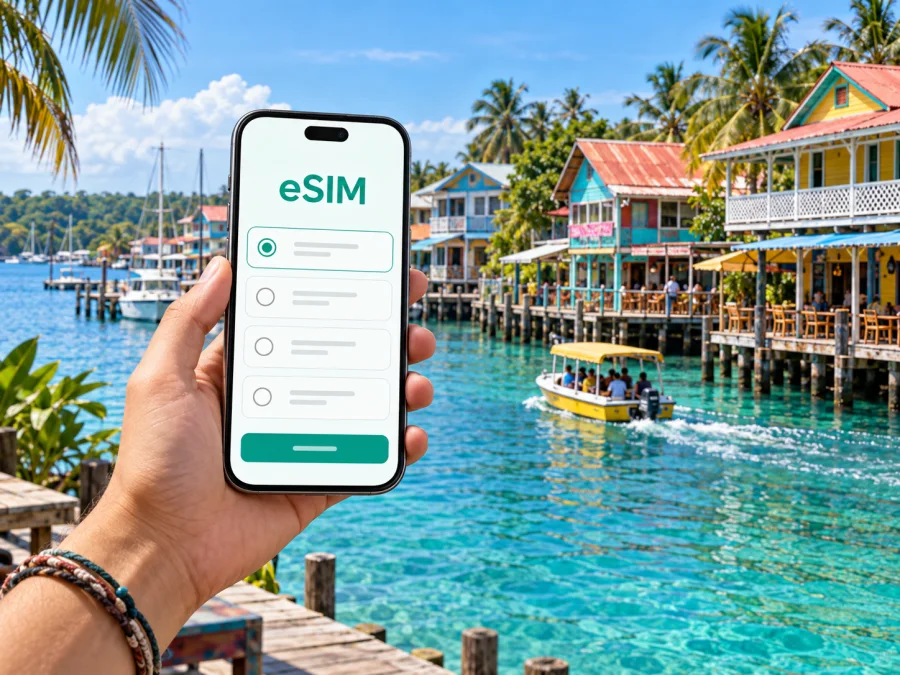
Bocas del Toro eSIM: Mobile Connection and Internet for Your Trip
Bocas del Toro is both the name of a Panamanian province and its best-known island destination. For most visitors arriving in the town, the practical starting point is Bocas Town on Isla Colón: a compact waterfront hub where flights, boats, places to stay, restaurants, and excursions come together. A reliable way to get online helps with each transition, from checking a booking after landing to sharing a boat pickup point or looking up the way back through town.
An eSIM can make mobile data planning easier when your phone supports it. You can arrange a travel data plan before leaving home, keep maps and reservation details close at hand, and use internet-based messaging while moving between the airport, the dock, your lodging, and nearby islands. Coverage and performance depend on the local network, your location, your device, and the plan conditions, so it is sensible to keep offline details for the parts of the trip where you may be away from a signal.
Start with the shape of Bocas Town
Bocas Town sits at the southern end of Isla Colón and is the main service center for visitors exploring the archipelago. Its streets, waterfront, and docks are close enough that many first-day errands can be handled on foot. The town is a useful base, but it is not the whole destination: beaches, quieter accommodation, and neighboring islands are reached by road or boat rather than by treating the archipelago like one continuous urban area.
That distinction matters when planning data use. A map can guide you through town, but a boat journey needs a clear departure point and an agreed return plan. Save the name and address or map pin for your accommodation, confirm which dock or meeting place an excursion uses, and keep the operator’s contact details available offline. Ask your host how to describe the property to a driver or boat captain; lodging names and nearby landmarks can be more useful than a street address on an island route.
| Part of the trip | What a connection can help with | Useful backup |
|---|---|---|
| Arrival in Bocas Town | Opening a reservation, contacting a host, checking a map | Save the booking and directions before departure |
| Walking around town | Finding a restaurant, shop, or waterfront meeting point | Keep the destination name and pin in a notes app |
| Boat transfer | Confirming the dock, pickup time, and return arrangement | Agree on the plan before boarding |
| Day trip from Isla Colón | Messaging your host or checking updated details | Screenshot the itinerary and contact information |
| Departure day | Rechecking flight or land-transfer arrangements | Keep ticket details accessible offline |
Arriving on Isla Colón
Many travelers reach Bocas Town by air at Bocas del Toro International Airport on Isla Colón, with flights connecting the island to Panama City. The airport is close to town, but your next step still depends on where you are staying and how you plan to travel. Confirm the transfer with your accommodation in advance, particularly if you are continuing to a property outside the central town or catching a boat onward. Do not assume that a single road transfer will take you to every island lodging.
Others arrive by land and water via Almirante, on Panama’s mainland. The ferry route connects Almirante and Bocas, and local water taxis serve nearby island destinations. If you are combining a bus or road journey with the ferry, allow room in the schedule for the separate legs and verify current departure arrangements before setting out. The boat timetable, weather, and your final destination all affect how much time you need; avoid planning a tight connection around an unverified schedule.
For either arrival, mobile data is most useful when it supports a decision you have already prepared for. Download your reservation, know the name of the arrival dock or airport, and message your host with your estimated arrival time. If the journey changes, a data connection may make it easier to coordinate, but keep essential details saved so that a temporary signal gap does not leave you searching for them.
A simple arrival sequence
- Before leaving your previous stop, save your lodging confirmation, host contact, and route notes.
- Check whether your arrival is by air at the Isla Colón airport or by ferry from Almirante, then confirm the transfer from that specific arrival point.
- At the airport or dock, use the agreed pickup instructions rather than assuming every driver or boat serves every accommodation.
- Once checked in, save the location of your lodging and the nearest practical meeting point for tours or water taxis.
- Before going out for the day, confirm your return arrangement, especially if you are staying beyond the center of Bocas Town.
A travel eSIM is one option for having data available as you move through these steps. In Kaspersky eSIM Store, you can review eSIM plan options for Panama and consider the data amount and validity that fit your itinerary. Check the plan details for supported destinations and activation conditions before choosing; a country plan should be assessed against your full route, not just the name of the first town on your booking.
Getting around: streets, roads, and water
Bocas Town is compact, and walking is a practical way to reach many central restaurants, shops, lodging, and waterfront points. Allow extra time in rain and ask your host to confirm an unclear route. For places farther along Isla Colón, confirm the destination and return plan before arranging road transport; do not rely on a map estimate for a time-sensitive transfer.
Water taxis connect Bocas Town with nearby islands and waterfront stops. Confirm the destination by name, agree on the drop-off and return arrangement, and save the relevant contact details. Mobile data can help you message or share a pin, but it cannot replace knowing where the boat will meet you.
| How you move | Best suited to | Before you leave |
|---|---|---|
| Walking | Short trips in central Bocas Town | Save the destination and confirm the route if uncertain |
| Road transfer | Locations farther along Isla Colón | Confirm pickup, return, and road access |
| Water taxi | Nearby islands and waterfront destinations | Agree on drop-off, fare, and return or pickup plan |
| Ferry | The connection between Almirante and Bocas | Verify current operating details and leave time for the next leg |
Choose a base that fits your days
Central Bocas Town puts you near restaurants, shops, docks, and many tour meeting points. It suits a short stay or travelers who want to arrange outings day by day, though the waterfront can be busy. A quieter property elsewhere on Isla Colón or on another island changes the transfer plan, so confirm the exact location, road or boat access, luggage handling, and return options with the host.
Before booking, ask whether the property is in town or across the water, which arrival point to use, how to contact the host, and whether mobile coverage or Wi-Fi is available where you will stay. A listing may use “Bocas del Toro” broadly; a pin alone may not tell you whether the last leg requires a boat. These details also help estimate data needs: a town-based visit with saved maps may use less than a longer stay involving frequent transfers and work messages.
Navigation when routes cross water
A map can show a destination without identifying its dock, road access, or boat pickup point. Confirm those details with your host, guide, or boat operator. Before leaving, save the lodging location, contact details, meeting point, and return arrangement; download an offline map if available and screenshot tickets or directions. Take a charged phone and protect it from rain and splashes.
Travel around the archipelago may alternate between connected places and boat journeys where service is weaker. Save essential information while online, and do not depend on a live map or message to establish a time-sensitive pickup once you are underway.
Using mobile internet thoughtfully
Maps, reservations, and messages usually need less data than video calls, photo uploads, cloud backups, and streaming. Download large files over trusted Wi-Fi, pause automatic media backups while traveling, and save documents before heading out. Check the selected plan’s allowance and validity against your whole itinerary.
A data eSIM is generally intended for internet access; do not assume it includes a local number, ordinary calls, or SMS. Check the plan description. Internet messaging may work over data if the recipient can receive it. Service can vary by location, device, buildings, terrain, and network availability, so keep important details offline and confirm the eSIM is selected for mobile data in your phone settings.
Preparing an eSIM before travel
Before choosing a plan, confirm that your phone supports eSIM and is not carrier-locked. Check the exact model and regional version, since variants can differ. You can check whether your device supports eSIM before checkout. Review the destination coverage, data allowance, validity, installation method, and when validity begins; choose for your full route and dates.
- Use reliable Wi-Fi to review the plan terms and dates.
- Confirm compatibility and unlock status, and keep installation details accessible.
- Follow the plan’s installation steps. If scanning a QR code, display it on another device.
- Install when the plan permits; follow its instructions for when to enable the data line.
- On arrival, select the eSIM for mobile data and enable data roaming for that line only if instructed.
- Check that your usual SIM settings remain as intended and the correct line handles data.
For help, see the Android eSIM installation guide or iOS eSIM installation guide. Menu names vary by device and software version. Install at home over a stable connection if convenient; if you wait until arrival, save setup details offline.
Three practical travel patterns
Short town stay: Save the lodging pin, confirm the airport or dock pickup, and keep an excursion meeting point in your notes. Use data for messages and changes after downloading the core itinerary.
Longer island stay: Confirm transfers with each host, mark lodging and docks separately, and agree on a return plan before a boat trip. Do not assume the outbound ride will be available whenever you want to come back.
Work during the trip: Ask the accommodation about Wi-Fi before booking. Mobile data can be a backup for simple communication, but do not schedule a critical call around an untested connection. Download work files in advance and plan important calls where internet access has been confirmed.
Planning onward travel from Bocas Town
Bocas Town is a launch point for Isla Colón and nearby islands, but each onward trip has its own steps. A beach on the same island, a stay across the water, and a mainland journey may require different road, boat, or ferry arrangements. Confirm the route, meeting point, departure details, and return option with the provider. For a connection to another part of Panama, plan the legs in sequence and leave a buffer between separately booked services.
Keep tickets, confirmation numbers, and pickup details on your phone for offline access. Before departure, check that the route starts and ends where you expect, any water crossing uses the correct dock, and the eSIM plan covers the destinations and dates.
Common questions
Is Bocas Town the same as Bocas del Toro?
Bocas del Toro names a province and archipelago as well as the principal town. Bocas Town is on Isla Colón and is the main visitor hub. Confirm the exact island and location when arranging a stay or transfer.
Can I get around without a car?
The central town is compact, and many nearby places can be reached on foot. For farther locations on Isla Colón, arrange road transport; boats and water taxis serve nearby islands and waterfront destinations. Confirm the option for your exact destination.
Will mobile data work on every island and boat?
Do not assume uninterrupted service everywhere. Availability depends on network reach, location, device, and other conditions. Save important maps and travel details offline before a boat trip or remote stay.
Is an eSIM useful for a short stopover?
It can help with arrival messages, navigation, and onward-transfer coordination. Check device compatibility, then compare plan validity and allowance with the length of the stop. Save your onward itinerary before arrival.
A practical checklist before you leave
Before the trip
- Confirm your arrival route: Isla Colón airport or Almirante and the ferry.
- Save lodging details, host contact, and transfer instructions.
- Check whether your final leg requires a boat.
- Verify eSIM compatibility, unlock status, coverage, and plan validity.
- Download maps, tickets, and bookings for offline use.
Each day
- Confirm boat pickup and return arrangements.
- Keep your phone charged and protected from water and rain.
- Save important directions and check the return plan before leaving town.
Bocas del Toro is easier to navigate when you treat each leg as part of an island journey: arrive on Isla Colón, orient yourself in Bocas Town, and confirm the next road or boat transfer. An eSIM can support maps, messages, and booking checks, with offline notes ready for places where service is uncertain. Before departure, choose an eSIM plan for your trip to Panama that matches your route, dates, and expected data use, then install and activate it according to the plan instructions.


