Travel connectivity guide
Bodo eSIM: Mobile Internet for Your Norway Trip
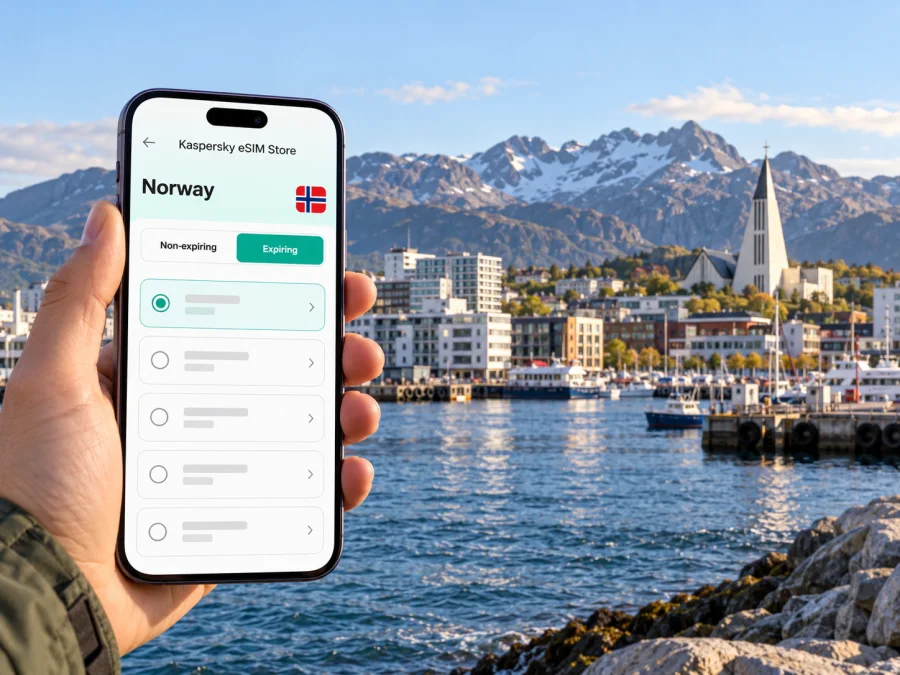
Bodo eSIM: mobile connection and internet for an Arctic city trip
Bodø is a compact coastal city in Nordland, northern Norway, just north of the Arctic Circle. It combines a working harbour, cultural venues, city streets and quick access to open landscapes. That mix makes mobile internet useful in several different ways: to find your hotel after landing, check a bus departure, follow a walking route along the waterfront, or coordinate a day trip beyond the centre.
An eSIM can give your compatible, unlocked device a separate mobile data connection for travel. It does not automatically include a regular phone number, calls or SMS; check the terms of the selected plan and keep your usual SIM available if you need it for calls or account verification. Service depends on the plan, the partner network available at your location and local conditions, so do not assume that a signal will be identical in the city centre, on a boat and on a mountain trail.
What makes Bodø a distinct connection destination
Bodø is the administrative and regional centre of Nordland, and an important transport starting point for the wider Salten region. The city is close to the airport, the northern end of the Nordland Railway, a coastal ferry terminal and express-boat connections. These links make the trip feel urban and regional at once: you can spend a morning around the centre and harbour, then head towards Saltstraumen or plan onward travel along the coast.
The Arctic setting also changes how people plan their days. In summer, long daylight can stretch sightseeing later than expected; in winter, weather and limited daylight can make it more important to confirm a route before setting out. Mobile data is useful for live transport information, maps and messages, but a downloaded map, saved hotel address and offline ticket details are sensible backups.
| Trip moment | Why a connection helps | A practical backup |
|---|---|---|
| Leaving the airport | Check your hotel address and current bus or taxi options | Save the address and route before landing |
| Moving around downtown | Find the harbour, accommodation, cafés and cultural venues | Keep a map area available offline |
| Planning an excursion | Check departure details and the return connection | Save the operator or meeting-point information |
| Travelling outside town | Recheck conditions and your route as you go | Download maps and avoid relying on continuous signal |
From Bodø Airport to the city
Bodø Airport is unusually close to the centre for a regional capital. The local visitor guide describes it as about 1.2 kilometres from downtown, and walking may be practical if you have light luggage and the weather is suitable. The airport’s public-transport information lists city bus routes 1 and 4, with a stop just to the left of the main entrance. The stated bus journey to the centre is about five minutes; schedules vary, and weekend service can be less frequent than weekday service.
After landing, check the current departure and the stop location rather than relying on a timetable saved before the trip. If you arrive late, have bulky bags or meet difficult weather, compare the available bus, taxi and walking options against your actual arrival time. A mobile connection helps you check these details, but it is useful to keep the hotel address and a simple route written or saved on your phone in case data takes time to connect.
The airport is also a useful interchange point. Regional buses serve parts of Salten, while the rail station and city’s boat and ferry terminals are elsewhere in the urban area. Confirm the exact departure point for your next leg: “Bodø” can refer to multiple stops or terminals, and a short city transfer still needs time, especially if you are carrying luggage or connecting to a fixed departure.
First-hour arrival checklist
- Turn off airplane mode when permitted and check which SIM is selected for mobile data.
- Confirm the eSIM line is enabled and that the selected plan is intended for Norway.
- Check whether the plan requires data roaming for that line; follow its setup instructions.
- Open the current bus or route information and verify the stop before leaving the terminal.
- Save your accommodation address, booking details and a map route for offline access.
- Keep your primary SIM settings clear so you do not accidentally use the wrong line for data.
An eSIM may need a moment to register. If data does not start, check installation, the selected line, plan validity and setup instructions. Performance can differ indoors, near the coast and outside populated areas.
Getting around the centre
Bodø’s central area is manageable on foot for many visitors, with the harbour, shops, places to eat and cultural venues within a relatively compact urban setting. The exact walking distance depends on where you stay. Use your hotel’s location rather than a generic “city centre” pin when planning an arrival route, and check whether the entrance is on the street or around a harbour-side block.
For city buses, use current local route information to confirm the stop, direction and departure time. A map can help you see the relationship between your stop and the destination, but a route planner is more useful for a specific departure. Keep the destination name and any stop name visible in writing: place names may use Norwegian characters such as ø, and copying the exact spelling into a search field can avoid confusion.
The waterfront is a natural orientation point. If you are walking from the centre towards the harbour, a map can distinguish the passenger terminal from other waterfront locations. This matters when you are catching a ferry or express boat: a route that looks close on screen may still involve a different quay or check-in point. Confirm the terminal shown on your booking and allow time to walk there.
Stormen is a prominent cultural landmark, with a concert hall and library in the central area. It can serve as a useful meeting point when you are coordinating with companions, but confirm the exact entrance or event venue before setting off. Similarly, Bodø Cathedral and the harbour are easy to use as broad orientation markers; they should not replace the address of a specific café, hotel or event.
Choosing a data plan for your Bodø itinerary
Start with the route and the way you use your phone, not just the number of days. A short visit centred on downtown may need less data than a week with frequent map use, photo uploads, video calls and regional excursions. Wi-Fi can reduce mobile data use where it is available and secure enough for your task, but it should not be your only plan for finding a bus stop or contacting someone while out.
A practical estimate can be made by listing likely use: maps and route checks, messaging, browsing, social posts, audio, video and work calls. Video and cloud backups can use data quickly; turn off automatic photo uploads or app updates over mobile data if you want more control. Download playlists, maps and travel documents in advance where possible.
| Your travel pattern | What to compare when choosing | Useful habit |
|---|---|---|
| One or two days in the centre | Data allowance, validity period and activation rules | Use Wi-Fi for large downloads |
| Several days with day trips | Validity that covers the full itinerary and enough data for navigation | Download maps before leaving town |
| Remote work or frequent calls | Data allowance, hotspot terms and expected call quality | Use a stable fixed connection for critical calls |
| A multi-stop Norway itinerary | Whether the plan applies to every destination on your route | Check each country or regional boundary in the plan terms |
Before confirming a purchase, read the plan’s destination, data amount, validity, activation trigger, hotspot conditions and any fair-use limits. Prices and available packages can change, so compare the live details shown at the time you choose. If your trip includes other countries, check that each is explicitly covered; a Norway plan should not be treated as a regional plan unless its terms say so.
When you are ready to compare current options for the country, browse eSIM plans for a trip to Norway. Kaspersky eSIM Store is an app and website where you can choose, arrange and activate an eSIM with a suitable plan for mobile data during an international trip. The selection and conditions shown for a plan are the relevant details to review before purchase.
Device and setup checks before departure
Confirm that your phone supports eSIM and is not restricted by a carrier lock. Device support can vary by model, market and regional version; the same product name may have different hardware or software capabilities in different markets. Do not assume support based only on the family name or appearance of a device. Check whether your device is compatible and verify the exact model variant in the manufacturer’s documentation or device settings.
Also check that the phone is updated, that you can access the email or account used for setup, and that you have a reliable internet connection when installing the eSIM. Installation steps depend on the device and plan. Keep the QR code or activation details accessible on another screen if the phone cannot scan its own display, and do not delete an eSIM profile unless you understand whether it can be installed again.
A careful setup sequence
- Before buying: verify eSIM support and carrier-unlock status for the exact device variant.
- Choose the destination: select Norway and compare data allowance, validity and activation terms against your full itinerary.
- Install with a stable connection: follow the supplied steps for Android or iPhone and iPad.
- Label the line: use a clear name such as “Norway data” so it is easy to identify beside your regular SIM.
- Set data preferences: select the travel eSIM for mobile data when you intend to use it; keep calls and messages on your usual number if needed and if your settings allow.
- Activate at the right time: follow the plan’s stated validity trigger. Some plans begin on installation or first connection, while others may have different rules.
- Check connectivity: once in Norway, confirm the data line and follow the plan’s instructions if roaming must be enabled for the eSIM.
Avoid testing unfamiliar settings while rushing to board. If the plan allows installation before travel, you can set it up at home and wait to activate it if the plan’s terms permit. If activation begins on installation, timing matters: read the displayed terms before proceeding.
Day trips, ferries and the wider region
Bodø works as a base for trips into the surrounding region, but each excursion adds a transport and signal-planning step. Saltstraumen, around 33 kilometres from central Bodø, is a major natural attraction. Local visitor information says buses 200 and 300 connect the centre and Saltstraumen; schedules and journey details should be checked for your chosen day. The tidal current changes with the tide, so look up the current time for the date you plan to visit and leave room for the journey back.
A phone can help you coordinate the bus, find the viewing area and check changing conditions, but do not count on uninterrupted service beside water or on a rural stretch. Save the return departure, stop name and any tour details before leaving central Bodø. If joining a boat or guided activity, keep the meeting point and operator contact details available offline and arrive according to the booking instructions.
The harbour connects Bodø with destinations by ferry and express boat, including routes towards Lofoten, Helgeland and nearby islands. Schedules and terminals depend on route and season. Confirm the quay, ticket conditions, any vehicle registration requirements and the transfer from your hotel; keep tickets saved offline.
The Nordland Railway terminates in Bodø, with rail travel south through the region. Check your departure and onward connection using current information. Leave a buffer before a ferry or flight, and save destination details and entertainment for stretches where connectivity varies.
For visitors heading towards Kjerringøy, travel involves getting to Festvåg and then taking the ferry to Misten. The local tourism guide describes the crossing as approximately ten minutes, but the full trip includes reaching the quay and following the current sailing schedule. Treat it as a planned excursion rather than a quick extension of a downtown walk. Keep the ferry timetable, accommodation address and return plan handy before leaving the city.
Outdoor plans and changing conditions
Bodø offers easy access to coastline, viewpoints and hiking routes, and the landscape can feel much more remote only a short distance from urban services. Before a walk, check the route’s length, terrain, weather and daylight for your date. Carry suitable layers and footwear, and tell someone your plan when heading onto a less-travelled route. A mobile map helps with orientation but does not replace preparation or guarantee signal in exposed terrain.
The northern lights and midnight sun are seasonal experiences, not fixed daily appointments. Check current local conditions and choose a safe place to view the sky. If you leave the centre after dark, plan your return and conserve phone battery; cold weather can reduce performance, so carry a power bank and save directions offline. Boat trips and trails can be affected by weather, so review updates and avoid relying on a map’s estimated time in unfamiliar terrain.
If mobile data does not work
Work through the basics in order and avoid deleting the eSIM profile as an early troubleshooting step:
- Check that the eSIM is installed, enabled and selected for mobile data.
- Confirm that the plan is valid for Norway and that its data allowance has not been used.
- Review the plan’s activation instructions and any required data-roaming setting.
- Toggle airplane mode once or restart the device, then allow it time to register.
- Check whether the phone has a carrier lock or a conflicting data-line setting.
- Move to a different location and check again; indoor reception and local conditions can vary.
- Use Wi-Fi to consult the plan instructions or contact support if the line still cannot connect.
If you need to make a normal voice call or send an SMS, remember that a data-only plan may not provide those services. Your primary SIM may still handle calls or verification messages, depending on its roaming settings and charges. Messaging and internet calls can work over data when the relevant apps and contacts are available, but they are not substitutes for emergency calling arrangements.
Frequently asked questions
Is Bodø a city in Norway or a remote settlement?
Bodø is a city and the regional capital of Nordland in northern Norway. It is located just north of the Arctic Circle and has an airport, railway terminal, port and urban services. Excursions beyond the built-up area may involve more rural conditions, so plan those separately.
Is the airport close enough to walk into town?
The airport is about 1.2 kilometres from the city centre according to the local visitor guide, so walking may be feasible with light luggage and suitable weather. City buses 1 and 4 also serve the airport; check current service and departure details before choosing.
Will an eSIM work everywhere around Bodø?
No plan can be assumed to work everywhere. Availability depends on the selected plan, its partner network, the device and local radio conditions. Check the plan’s Norway coverage and expect possible differences outside the centre, indoors, at sea or on outdoor routes.
Can I use the travel eSIM for ordinary calls and SMS?
A data-focused travel eSIM does not necessarily include a phone number, voice calls or SMS. Review the plan terms. You can often use messaging or internet-calling apps over data, while keeping your regular SIM for calls if appropriate.
When should I install the eSIM?
Install it when you have a reliable connection and enough time to follow the instructions. Before starting, read when validity begins: it may start at installation, first connection or another event described in the plan terms. Set up the travel line according to those rules.
What should I do before taking a day trip from Bodø?
Check the departure and return details, save the route and booking information offline, and review the weather or activity update. For Saltstraumen, consult the current bus schedule and tide information. For ferries and boats, verify the correct quay and sailing time.
Prepare your Bodø connection
A little preparation makes it easier to move from the airport into Bodø, find your way around the centre and keep transport details close at hand for a regional excursion. Check your device, read the plan conditions, install the eSIM at a sensible time and save key routes for offline use.
Choose an eSIM plan for your trip to Norway in Kaspersky eSIM Store, the app and website for choosing, arranging and activating an eSIM plan for mobile data abroad. Compare the current destination, data allowance, validity and activation terms with your own itinerary before you travel.


