Travel connectivity guide
Boe eSIM: Mobile Internet in Nauru
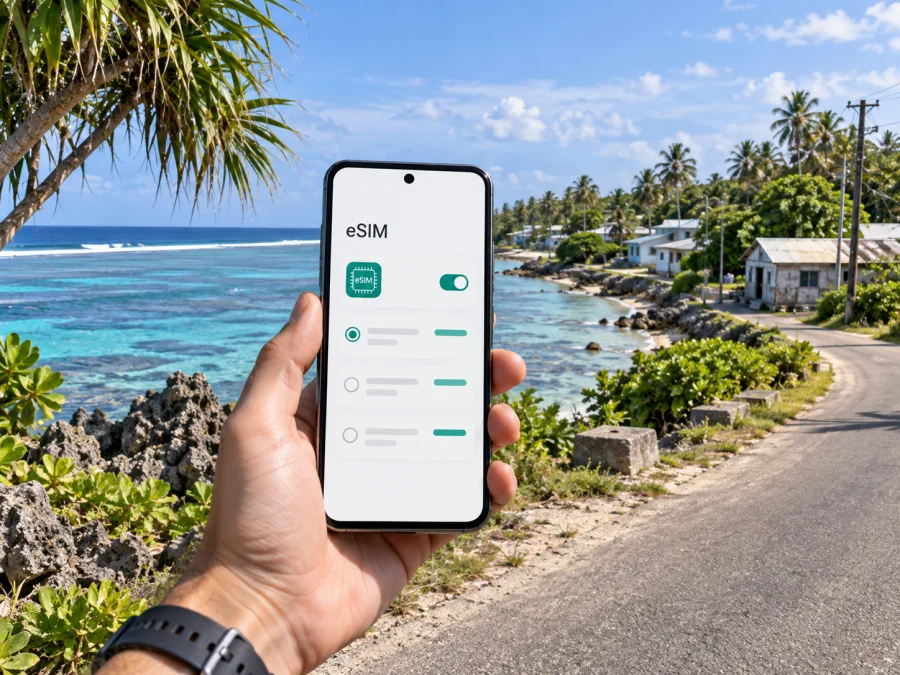
Boe eSIM: Mobile Connection and Internet for Your Nauru Visit
Boe is a district on Nauru’s small Pacific island, not a large city with a separate urban transport network. A visit here is shaped by the island itself: the arrival airport is nearby, coastal roads connect the districts, and everyday plans often involve moving between a place to stay, local services, the shoreline and other parts of Nauru. Mobile internet can help you coordinate those plans, check messages, keep booking details close and orient yourself while you travel.
An eSIM is a digital SIM profile that can be installed on a compatible phone. For a trip to Boe, it can be useful to prepare mobile data before leaving home, then use it for maps, messaging, email and travel information according to the selected tariff’s coverage, validity and data limits. It does not replace every local arrangement: confirm transport, opening times and accommodation details directly, and keep key information available offline.
What to expect when visiting Boe
Boe is one of Nauru’s administrative districts on the island’s southern side. The national airport is in the Yaren area, close to Boe, so the first journey for many visitors is a short transfer from the terminal toward their accommodation or onward destination. Since Nauru is compact, travellers may use Boe as a base while also visiting places elsewhere around the island.
The setting is different from a conventional city break. You should not expect dense blocks of hotels, frequent scheduled transit, or a large choice of public transport routes. A phone is most useful as a practical travel companion: it can hold your accommodation address, help you message a host or driver, show saved map pins, and let you check flight or meeting details when data service is available.
Before you travel, make a small set of plans that do not depend on being continuously online:
- Save the name, address or map pin for your accommodation and the contact details of your host.
- Confirm how you will travel from the airport and whether a pickup has been arranged.
- Keep your flight confirmation and any important booking information accessible offline.
- Download a map area or save key locations in advance, if your preferred map app supports offline use.
- Carry a charging cable and, if useful for your itinerary, a compact power bank.
These simple preparations matter in any remote destination. They are especially useful when a trip includes a late arrival, a work appointment, or a transfer arranged by someone who may not be able to respond immediately.
Arrival and the first hours
Nauru International Airport serves the island and is located in the Yaren area, near Boe. Flight schedules and connections can change, so use the itinerary confirmed by your airline or travel provider. When you land, follow airport and immigration procedures first; do not assume that a data connection replaces printed or saved travel documents.
Before departure, confirm the pickup point with your accommodation or local contact, including what to do if the flight is delayed. Once you have a signal, message them to confirm your arrival. If data is unavailable, use the saved contact details and agreed meeting plan.
| Arrival task | What to prepare | Why it helps |
|---|---|---|
| Meet a host or driver | Name, phone number and meeting instructions saved offline | You can identify the right contact without searching your inbox |
| Reach accommodation | Address or pin saved in your map app | A written location is easier to share than a vague description |
| Check onward plans | Flight details and booking reference stored on your phone | You can review them even when the connection is unavailable |
| Get online | eSIM profile installed and the correct data line selected | You are ready to use mobile data when the plan and local network allow it |
Do not rely on a map alone to arrange your transfer. Confirm whether a taxi, rental car or host pickup is available for your arrival time. Nauru’s visitor information notes that public transport is limited; arrangements may be different for each stay, so ask ahead rather than assuming that a regular bus will be waiting.
A useful arrival checklist
- Keep your passport and entry documents accessible until formalities are complete.
- Confirm which person or service is meeting you, and where.
- Check that your phone has enough battery for navigation and messages.
- If you have installed an eSIM, select it for mobile data only when you are ready to use it.
- Keep your home SIM settings as needed for calls or messages, and check any roaming charges with your home provider.
- If a connection is not available, use the offline details you prepared and follow the agreed pickup plan.
Getting around from Boe
Nauru is compact, and an itinerary may link several districts in a day, but do not estimate travel time from a map alone. The coastal road connects settlements around the island; taxis and car hire are common visitor options, while public transport is limited. Ask your accommodation what is available for your dates and confirm the return journey before setting out.
Plan each leg separately:
- Airport to accommodation: agree on a pickup, taxi or rental car, and save the address and host contact.
- Local appointments: ask for a precise place name or map pin and how to reach the final approach.
- Trips to other districts: confirm road access, transport and return timing with a local contact.
- Airport return: arrange the departure transfer early and leave a sensible time buffer.
If you drive, check rental terms, local requirements, fuel arrangements and suitable routes in advance. A map is useful for orientation, but local advice is more reliable for road access and conditions. Save directions offline and share your plan with your host when travelling independently.
Choose a connection for the way you travel
Choose a tariff around your itinerary and expected data use. A brief stay with occasional messages differs from a work visit involving email, documents or online calls. Compare the offer’s destination coverage, data allowance, validity and activation conditions. Save maps and key details offline, especially if you plan to visit other districts. Actual availability and performance depend on the selected tariff, local network, location and device; keep a backup plan for essential travel information.
Once you know your dates and likely data use, you can review eSIM options for a trip to Nauru and compare the details shown for the available tariff. Look at the country or regional coverage, data amount, validity and activation conditions. The selected offer should match your trip and device; a city name alone does not determine coverage or how much data you need.
Staying oriented in and around Boe
Navigation here is usually about connecting a few places rather than using a complex transit network. Save your accommodation, airport, meeting point and planned stops before leaving a reliable connection. Ask your host to share a pin or spell out the location name, and agree on how you will return or reconnect if plans change.
Use maps as a guide, not a guarantee. A route line may not show access or road conditions, and a local place may be labelled differently in an app. Keep a screenshot or offline map, write down the destination, and check unfamiliar routes with someone local. If your group separates, agree on one rendezvous point instead of relying on everyone to navigate independently.
Accommodation and everyday errands
Boe is a district, not a continuous resort strip. Your accommodation’s location will influence meals, errands and transport, so confirm its exact address and available services with your host. Check opening hours and payment options locally; do not assume an old listing is current. Save booking details and contact information offline. Messaging can help with a change when data is available, while a written plan remains useful if it is not.
Business travel and short stopovers
A work visit may involve a meeting in one district and accommodation or airport transfers elsewhere. Ask the host for the exact venue, a map pin and a contact number. Add the appointment with the correct time zone, download documents in advance, and allow time for transport coordination.
An eSIM can support email, calendars and internet-based calls when the connection and app allow it. It does not automatically include a local phone number, ordinary voice calls or SMS; check the selected tariff and keep another way to reach essential contacts. For an important call, test your setup and consider a lower-bandwidth backup. No data plan guarantees call quality.
For a short stopover, confirm how long you have, transport availability and the time you need to return. Choose one priority, save its location and avoid a schedule that depends on several long journeys or last-minute online searches.
Preparing an eSIM for Nauru
An eSIM is useful when you want to arrange mobile data digitally rather than insert a physical travel SIM. Before purchase, confirm that your phone supports eSIM and is not restricted by a carrier lock. Device support can vary by exact model and region of sale, so check your device’s eSIM compatibility before choosing a tariff.
The setup sequence is straightforward, although menu names can differ between phone models:
- Connect to a reliable Wi-Fi network and open Kaspersky eSIM Store on the website or app.
- Select Nauru and review the available tariff details, including coverage, data allowance, validity and activation conditions.
- Complete the purchase and follow the installation method shown for your device. Keep the QR code or installation details available until setup is complete.
- In your phone’s mobile settings, label the new line clearly and choose which line should handle mobile data.
- Follow the tariff instructions about when to activate the profile and whether data roaming should be enabled for that line.
- When you are ready to use the tariff, confirm that the eSIM line is selected for mobile data and check the phone’s network indicator.
For device-specific steps, use the Android eSIM installation instructions or the iOS eSIM installation instructions. Read the conditions shown for your tariff carefully. Activation timing, supported networks and data use can depend on the plan. If you are unsure whether to install before departure or after arrival, follow the instructions supplied with the selected offer.
Keep your home number and travel data organised
Many phones let you keep a primary SIM active while using an eSIM for data, but settings vary. Choose the line for mobile data, review roaming charges with your home provider and set up messaging apps before departure. The travel eSIM is for mobile data unless the selected tariff says otherwise; do not assume it includes a phone number, voice minutes or SMS.
Manage data use
To conserve an allowance, review automatic photo backups, app updates and video autoplay before travelling. Download work files and map areas in advance where possible, use suitable Wi-Fi for large transfers, and check data usage periodically. These habits do not change the tariff terms, so use the offer details as the source of truth.
FAQs about mobile internet in Boe
Is Boe a city?
Boe is an administrative district of Nauru. Plan for a small island destination rather than a large urban centre with extensive transit.
Is the airport in Boe?
Nauru International Airport is in the Yaren area, close to Boe. Confirm a transfer with your host because the airport and your address may be in different districts.
Is public transport available?
Visitor information describes public transport as limited. Ask about taxis, car hire or a pickup for your dates before setting out.
Will an eSIM work everywhere on Nauru?
No mobile plan should be assumed to have universal coverage. Performance depends on the tariff, local network, location and device. Review the offer details and keep essential information offline.
Does an eSIM include a phone number?
Not necessarily. The travel eSIM is intended for mobile data unless the selected tariff says otherwise. Check its conditions for voice and SMS.
Should I install before travelling?
Follow the selected offer’s installation and activation directions. If installation is allowed before departure, use reliable Wi-Fi and check when validity begins.
What if mobile data is unavailable?
Check that the profile is installed, enabled and selected for data, then review activation instructions. Use saved contacts and addresses, try suitable Wi-Fi, or contact support through the channel shown in your account.
A practical final check
Before leaving for Boe, verify your flight, accommodation and transfer directly with the relevant provider. Save locations, contact details and important documents offline. Compare the selected eSIM tariff with your expected data use, check device compatibility and understand when activation starts. These preparations help you use mobile internet as a useful tool while keeping local arrangements clear.
Prepare your Nauru trip
Choose a tariff that fits your stay, review its conditions and install the eSIM by following the device instructions. Kaspersky eSIM Store is an app and website where you can choose, arrange and activate an eSIM for mobile data on an international trip. Explore eSIM options for your Nauru visit and keep the key details for your time in Boe available offline as well.


