
Travel connectivity guide
Bolans eSIM: mobile internet travel guide
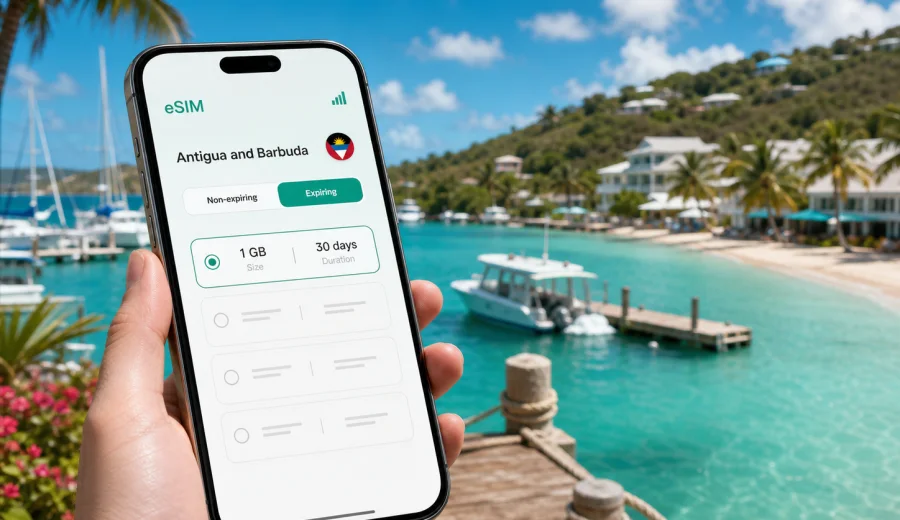
Bolans eSIM guide: mobile connection and internet for your trip
Bolans is a practical base for a relaxed Antigua and Barbuda trip: close to Jolly Harbour, near beaches on the west coast, and connected by road to St. John's, the airport area, and other parts of Antigua. It is not a huge city where you can solve every travel detail on foot. You will likely move between a hotel, marina, beaches, restaurants, taxis, day tours, and nearby settlements. That makes mobile internet more than a nice extra. It helps you check directions, message a driver, confirm a booking, translate a menu, and keep family or colleagues updated.
An eSIM can make that routine easier because you do not need to look for a physical SIM card after arrival. With a compatible phone, you can prepare a digital SIM profile before the trip or shortly after you land, then use mobile data for the everyday tasks that make Bolans easier to navigate. This guide explains how to plan mobile connection and internet for Bolans without turning the trip into a telecom project.
Why mobile internet matters in Bolans
Bolans works best when you can move flexibly. Many visitors stay around Jolly Harbour, Jolly Beach, Valley Church Beach, or nearby villa and resort areas, then take taxis or rental cars to restaurants, boat tours, supermarkets, and beaches. Distances are short by international standards, but you still need coordination.
Mobile data is especially useful for:
- checking the route between your hotel, Jolly Harbour, and nearby beaches;
- messaging taxi drivers or tour operators when pickup points change;
- using maps while driving on unfamiliar roads;
- confirming restaurant hours or marina meeting points;
- receiving airline, hotel, and transfer updates;
- using messengers for calls when your travel eSIM plan is data-only;
- sharing location with friends or family during a beach day;
- managing work email during a short business or remote-work stay.
Public Wi-Fi may be available in hotels, cafes, and some resort spaces, but it is not a complete travel plan. You may need internet before check-in, outside reception areas, while moving between beaches, or when a driver asks for your exact location. A prepared eSIM gives you a separate option for mobile data when Wi-Fi is inconvenient or unavailable.
Arriving for a Bolans stay
Most international visitors arrive through V. C. Bird International Airport, then continue by road across Antigua. Bolans is on the west side of the island, while the airport is in the northeast. The journey is usually handled by pre-booked transfer, taxi, rental car, or hotel-arranged transport.
The first hour after landing is when mobile internet often becomes important. You may need to:
- message your accommodation that you have arrived;
- check the driver's name, pickup zone, or vehicle details;
- open the hotel address for navigation;
- confirm whether you should go directly to Bolans or stop in St. John's;
- look up the route if you are collecting a rental car;
- receive delayed-baggage, flight, or payment notifications.
If your phone supports eSIM, installing the profile before departure can reduce pressure at the airport. You can keep your primary SIM for calls or banking messages, then set the eSIM as the mobile data line when you are ready to use it. Check the terms of the selected plan because activation timing, validity period, hotspot support, and data roaming settings may vary by tariff.
Bolans, Jolly Harbour, and local movement
For many travelers, "Bolans" means a wider west-coast stay that includes Jolly Harbour, beach resorts, villas, restaurants, and short drives to nearby coves. You may not spend the whole day in one compact downtown area. A typical day can include breakfast at the hotel, a walk or taxi to the beach, a marina meeting point for a boat trip, a supermarket stop, and dinner in another part of the coast.
That pattern changes how you should think about mobile data. You do not need a complicated setup, but you do need enough data for navigation and messaging across the whole day. Offline maps help, yet they do not replace live updates, chat apps, ride coordination, or web searches when plans change.
Practical Bolans connectivity scenarios:
| Scenario in Bolans | Why mobile data helps | Useful preparation |
|---|---|---|
| Airport transfer to a west-coast hotel | You can confirm pickup and route details | Install the eSIM before departure or while on airport Wi-Fi |
| Beach day near Jolly Beach or Valley Church Beach | You can message your group and check return transport | Save hotel location and keep enough battery |
| Rental car day across Antigua | Maps and route checks reduce wrong turns | Download offline maps and keep mobile data for live checks |
| Boat tour from the marina area | Operators may send time or dock updates | Keep messenger notifications enabled |
| Business stay in a resort or villa | Email, calls through apps, and hotspot use may matter | Check whether the selected tariff allows tethering |
How much data to plan for
The right amount of data depends on your habits, not only on the length of the trip. A traveler who uses maps, messages, and occasional web searches needs much less data than someone who streams video, uploads many beach clips, or uses a laptop through hotspot.
Use this rough planning logic:
- Light use: maps, messengers, email, check-in pages, and simple web browsing.
- Medium use: all light-use tasks plus social media, photo uploads, and occasional video calls.
- Heavy use: frequent video, cloud backups, laptop hotspot, large file transfers, or remote work.
For Bolans, many travelers can reduce mobile data usage by connecting to trusted hotel Wi-Fi for large updates and media backups, then keeping eSIM mobile data for movement, navigation, and urgent communication. Before buying a tariff, look at the data volume, validity period, destination coverage, price, top-up options, and whether the plan starts counting from installation or first network connection.
Before you choose an eSIM for Bolans
Do a quick check before you travel. It takes a few minutes and helps avoid avoidable problems after arrival.
- Confirm that your phone supports eSIM and is not locked to one operator.
- Make sure the selected plan covers Antigua and Barbuda, not only a different Caribbean destination.
- Check whether you need data only or whether you also need ordinary calls and SMS.
- Read the validity period and when it starts.
- Check whether hotspot use is allowed if you plan to connect a laptop.
- Keep your primary SIM active if you need bank verification messages.
- Save the QR code or installation instructions somewhere you can access offline.
- Update your phone before travel if a system update is pending.
You should also check your device before paying for an eSIM. Some phones vary by region, and some devices that look similar may have different eSIM support. If your phone is locked by an operator, an eSIM profile may not activate as expected.
Using Kaspersky eSIM Store for a Bolans trip
Kaspersky eSIM Store is an app and website where you can quickly choose, arrange, and activate an eSIM with a suitable tariff for mobile internet in an overseas trip. For Bolans, the main idea is simple: choose Antigua and Barbuda as the destination, review the available tariff conditions, and prepare mobile data before you need it on the road.
Kaspersky eSIM Store is not a mobile operator and does not own the local network. The product helps you manage the selection, setup, and activation flow for an eSIM tariff. The actual data experience depends on the selected tariff, the local network situation, the device, terrain, building materials, and other technical conditions.
When the trip is already planned, it is usually easier to view mobile internet options for Antigua and Barbuda before departure than to compare options after a long flight. You can then keep the eSIM ready for airport arrival, the ride to Bolans, and the first evening when you may still be learning where everything is.
Installation steps before or during the trip
Install the eSIM while you have stable internet, such as home Wi-Fi before departure or trusted Wi-Fi at your accommodation. Do not wait until you are standing outside with a driver waiting, unless you have no other option.
1. Check device compatibility and make sure the phone is not operator-locked.
2. Choose Antigua and Barbuda as the destination and review tariff details.
3. Complete the order and open the eSIM details in your profile or app.
4. Follow the setup flow for your device.
5. Set the eSIM as the mobile data line when you are ready to use it.
6. Turn on data roaming for the eSIM if the instructions for your plan require it.
7. Test a simple web page or map search before relying on the connection.
For device-specific setup, use the Android installation guide or the iOS installation guide. The exact names of menu items can differ by phone model and system version, so follow the current on-screen prompts as well.
Transport and navigation around Bolans
Bolans is a place where connectivity supports small decisions. A wrong turn may not ruin the day, but it can delay a transfer, make you miss a boat departure, or leave you unsure which beach entrance your group chose. Mobile data helps with the practical details that maps alone cannot solve.
If you use taxis, keep the driver's contact in a messenger and share your location when the pickup point is not obvious. Hotel entrances, villas, beach access roads, and marina areas can be easier to identify with a live location pin than with a long verbal description.
If you rent a car, download offline maps before travel and use mobile data for live checks. Antigua driving conditions, narrow roads, and local turns can make navigation feel different from a large mainland city. Keep the phone mounted safely, avoid holding it while driving, and let a passenger handle messages when possible.
If you plan day trips from Bolans, mobile internet becomes even more useful. Trips to St. John's, English Harbour, Shirley Heights, Dickenson Bay, or other beaches involve more route decisions and timing checks. An eSIM can help you stay connected throughout the day, while hotel Wi-Fi remains useful for larger downloads after you return.
Hotel, villa, and resort stays
Accommodation around Bolans can range from resort rooms to villas and marina-side stays. Wi-Fi quality can vary by room location, building layout, and the number of guests online. Even when the hotel connection is good, you may still need mobile data outside the room.
Use this simple split:
- Use hotel Wi-Fi for app updates, large photo backups, streaming, and long calls.
- Use eSIM mobile data for maps, messengers, ride coordination, booking confirmations, and payments while away from the hotel.
- Keep both options available if you need to work during the trip.
For remote work, check your data needs carefully. Video meetings and laptop tethering can use data quickly. If you need to join calls from a villa, confirm whether your selected tariff supports hotspot use and choose a data volume that fits your schedule. Also keep a backup plan, such as a hotel lobby, coworking-friendly cafe, or another trusted Wi-Fi location.
Short stays and stopovers
Bolans can also be part of a short Antigua itinerary: one or two nights near the beach, a sailing stop, a wedding weekend, or a quick break before moving elsewhere. For short stays, the best mobile setup is the one that removes friction.
Prioritize:
- a validity period that matches the trip length;
- enough data for arrival, transport, maps, and messaging;
- simple installation before the flight;
- clear instructions in case you need to activate after landing;
- a plan that covers Antigua and Barbuda, not only a broader route you may not need.
Short trips leave less time for troubleshooting. If your phone supports eSIM, preparing it in advance can be more convenient than looking for a SIM counter, comparing local options, or relying on roaming without checking the cost.
Data-saving tips in Bolans
You can make a modest data package last longer by changing a few settings before the trip.
- Download offline maps for Antigua.
- Disable automatic app updates on mobile data.
- Pause cloud photo and video backups until you are on Wi-Fi.
- Reduce video quality in streaming and social apps.
- Use messenger calls instead of video calls when the connection is limited.
- Save hotel, marina, restaurant, and tour addresses before leaving Wi-Fi.
- Keep screenshots of booking confirmations and the accommodation address.
- Monitor data usage in your phone settings during the first day.
These habits matter in a beach destination because many high-data moments are optional. Uploading a full gallery over mobile data can wait. Navigation to a pickup point, a payment confirmation, or a message from your hotel usually cannot.
Common mistakes to avoid
Some travel connectivity problems are easy to prevent.
| Mistake | Why it causes trouble | Better approach |
|---|---|---|
| Waiting until arrival to check eSIM support | You may discover a device limitation too late | Check compatibility before buying |
| Choosing a plan only by data size | Validity and coverage also matter | Match data, duration, and destination |
| Assuming a data eSIM includes calls and SMS | Many travel eSIM tariffs are data-only | Use internet messengers for calls if needed |
| Installing while mobile signal is weak | Setup may take longer or fail | Install on stable Wi-Fi when possible |
| Forgetting the primary SIM | Banking and airline alerts may still use your main number | Keep the primary line available if needed |
| Streaming on mobile data by default | Data can be used quickly | Save heavy media for Wi-Fi |
FAQ about eSIM and mobile internet in Bolans
Is an eSIM useful for Bolans?
Yes, if your phone supports eSIM and you want mobile data for maps, messaging, transport coordination, bookings, and day trips from the west coast. It is especially useful when you do not want to depend only on hotel Wi-Fi.
Does a travel eSIM replace my normal phone number?
Usually no. In this context, an eSIM tariff is mainly for mobile internet. Ordinary voice calls and SMS are not included unless the selected tariff says so. You can still use messengers over mobile data for calls and messages.
Should I install the eSIM before flying to Antigua?
Installing before departure is often convenient because you can use a stable home connection and avoid setup pressure at the airport. Check the selected tariff conditions so you understand when the validity period starts.
Can I use the same setup for trips from Bolans to other places in Antigua?
If the selected tariff covers Antigua and Barbuda, it is intended for use in the destination area described in the tariff conditions. Actual connection quality may vary by local network, terrain, buildings, and device settings.
Do I still need hotel Wi-Fi?
Hotel Wi-Fi is still useful for large downloads, video streaming, backups, and long calls. Mobile data is best kept for movement, navigation, messages, payments, and moments when Wi-Fi is not available.
Final checklist before you leave for Bolans
Before the trip, make sure you have:
- a compatible and unlocked eSIM-capable device;
- the right destination selected: Antigua and Barbuda;
- a data volume and validity period that match your stay;
- installation instructions saved for your phone type;
- offline maps and key addresses downloaded;
- mobile data roaming settings understood for the eSIM;
- your primary SIM available if you need regular calls, SMS, or bank messages;
- a plan for heavy data use, such as hotel Wi-Fi for backups and streaming.
Prepare mobile internet for Bolans
Bolans is easier to enjoy when you can move between the airport, hotel, beach, marina, restaurants, and day trips without constantly searching for Wi-Fi. Kaspersky eSIM Store helps you choose, arrange, and activate an eSIM with a suitable tariff for mobile internet in an overseas trip. Before you travel, choose an eSIM tariff for your Antigua and Barbuda trip, check your device compatibility, and keep the setup ready for the first route to Bolans.