Travel connectivity guide
Bolgatanga eSIM Guide for Mobile Internet in Ghana
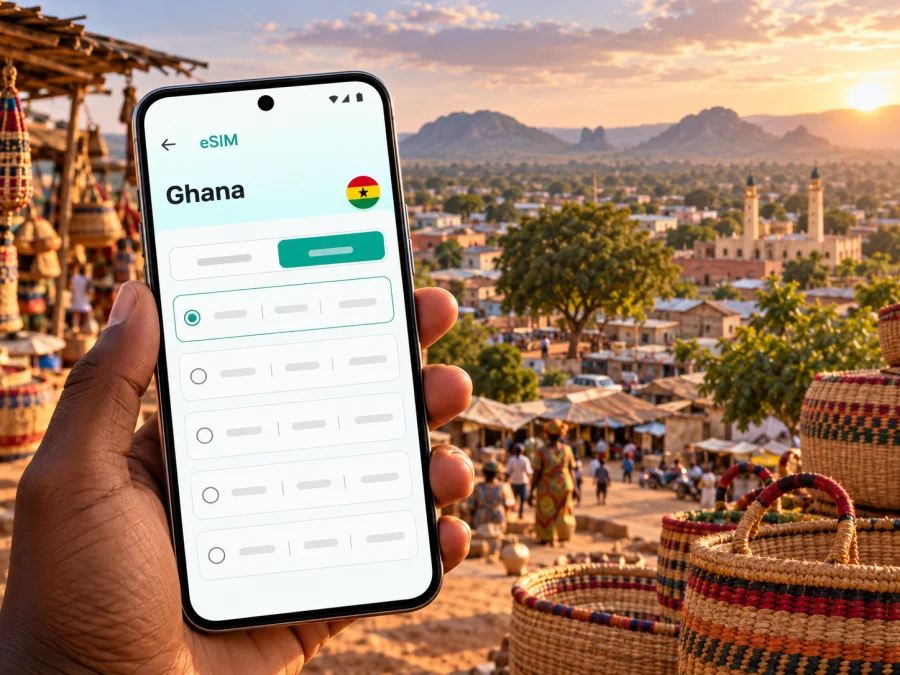
Bolgatanga eSIM: mobile connection and internet for your trip
Bolgatanga, often called Bolga, is the capital of Ghana’s Upper East Region and a practical base for exploring the region’s towns, markets and cultural sites. A working mobile connection helps with the first ride into town, checking your accommodation, finding a meeting point and staying in touch while plans change. If you are travelling with an eSIM, a little preparation makes it easier to use mobile internet without relying on a physical local SIM as soon as you arrive.
This guide focuses on the Bolgatanga part of a Ghana trip: how to plan arrival, get around, choose data for your itinerary and prepare your phone. The city is not an international airport destination, and a travel eSIM is a data option rather than a substitute for every local service. Your actual connection depends on the plan’s terms, its supported network, your device and local conditions.
What mobile data is useful for in Bolgatanga
Bolgatanga is a working regional capital as well as a gateway to nearby destinations. A map can help you orient yourself between your lodging, the market, shops and the road connections leading out of town. Messaging and email are useful for coordinating a pickup or confirming a change of schedule. Translation, ride coordination where available, and saved booking details can also reduce friction when you are unfamiliar with the area.
Plan for more than continuous map use. A day may include a short walk in town, a long road transfer, time at a cultural site and a return after dark. Download maps or directions while you have reliable Wi-Fi, save addresses in a format you can show a driver, and keep key booking information available offline. Mobile data then supports updates and communication rather than becoming the only way to find your way.
A simple preparation checklist:
- Save your accommodation name, address and a local contact number before travel.
- Pin the places you expect to visit and download an offline map for the relevant area.
- Keep a power bank charged for long road days; navigation and a bright screen use battery.
- Confirm whether your chosen eSIM covers Ghana and read when its validity begins.
- Keep your usual number available if you need it for calls, texts or account verification.
Arriving in Bolgatanga and planning the last leg
Bolgatanga has no airport listed under that city in the Ghana Civil Aviation Authority’s current airport directory. The directory includes airports in places such as Tamale and Paga (listed as Navrongo Airport), but an airport’s presence on a directory does not confirm that a convenient commercial flight is operating on your dates. Check current airline schedules and ground transport before choosing an itinerary. Many visitors will reach Bolgatanga by road from another Ghanaian city or from a regional arrival point.
Before setting out, verify the departure location, expected arrival time and the exact place where a bus or driver will leave you. Overland journeys can take longer than a map estimate suggests because of stops, traffic, weather or road conditions. Do not plan a tight connection around an assumed arrival time. If you arrive late, arrange lodging and onward transport in advance rather than expecting to solve every detail after dark.
When you first reach the city, use mobile data for the immediate tasks that benefit from live information: sending a message, checking a saved address, contacting your host and reviewing the next leg. If your eSIM has not connected, use trusted Wi-Fi when available to check its installation instructions and plan details. Keep an offline copy of essential information so a temporary signal issue does not leave you without your accommodation details.
Getting around town and using maps well
Bolgatanga is compact enough that visitors may combine local rides with walking, but the practical choice depends on where you are staying, the heat, your luggage and the day’s schedule. Confirm fares and pickup points directly with the transport provider or driver. If you use a map to share a destination, check that the pin matches the place name and entrance you were given; a map marker can be approximate, especially for a small business or a site outside the centre.
Use directions as a planning aid, not as proof that a route is passable or that a particular service is available. Ask your host or local contact about the best time to travel and current road conditions for a day trip. Save both the destination pin and a plain-language description. A screenshot of the route can be useful if you lose data or the phone battery runs low.
| Situation | A useful mobile-data task | A low-data backup |
|---|---|---|
| First ride to your lodging | Send your arrival update and confirm the pickup point | Save the address and host’s contact details offline |
| Finding a shop or market | Check the map and share the location with your companion | Ask your host for a landmark or written directions |
| Walking around central Bolgatanga | Check the route before leaving and keep the screen locked between checks | Download the relevant map area over Wi-Fi |
| Leaving town for a site visit | Confirm the meeting time and destination with your driver | Save the itinerary and return contact details |
| Working from your accommodation | Send messages, review documents and check whether the connection suits your tasks | Download files in advance and identify Wi-Fi as a backup |
Mobile coverage and data performance are not uniform guarantees. A plan may rely on a partner network, and the available network can differ between central streets, buildings and roads outside the city. Thick walls, congestion, device settings and local infrastructure may affect performance. If an app stops loading, try a brief pause, move to an open area if practical, and check that mobile data is assigned to the intended SIM before assuming the plan has failed.
Markets, crafts and day trips: plan for varied connectivity
Bolgatanga is known for handicrafts including baskets, straw hats, cloth and jewellery. The Ghana Tourism Authority’s regional guide describes the local market as a twice-weekly market; check locally for the current market day and opening details before making a special trip. Markets are busy places, so keep your phone secure and agree on a meeting point if you are visiting with others. A saved pin and a message exchange can help, but choose a clear landmark as a backup in case you cannot reach each other online.
The Upper East Region’s attractions include the Bolgatanga Museum, Tongo-Tenzug Shrine, Sirigu Art and Pottery Village and Paga Crocodile Pond. These destinations are outside the everyday town-centre routine and require separate transport planning. Confirm opening arrangements, local guidance, journey time and return transport directly before you go. Do not assume that mobile data or a particular transport app will work continuously along the whole route. Share your itinerary with someone, keep enough battery for the return and carry any directions you may need offline.
If your trip includes Paga or another destination closer to a national border, remember that mobile networks do not follow administrative borders in a predictable way. Check your phone’s network selection and your eSIM plan’s country terms if you travel near a border. Avoid assuming that a Ghana plan includes service in a neighbouring country. For a cross-border itinerary, confirm the separate country coverage and charges before departure.
For travel through Ghana, Kaspersky eSIM Store is an app and website where you can select, arrange and activate an eSIM with a suitable data plan for an international trip. You can check the available Ghana options and compare the displayed data allowance, validity, price and coverage terms with your itinerary. Availability and plan conditions can change, so confirm the current details shown for the selected offer; the country page is not a promise of coverage at every point in Bolgatanga or on every road.
Choosing a data plan for your Bolgatanga itinerary
Start with the trip itself, not a generic estimate. A visitor who mostly checks messages and maps will use data differently from someone who joins video calls, uploads photos or shares a hotspot. Consider the number of travel days, time spent on the road, availability of Wi-Fi at your accommodation and whether you will use the phone for work.
A practical way to estimate usage:
- List the days when you will need mobile data away from Wi-Fi, including arrival and departure days.
- Identify data-heavy activities such as video meetings, streaming, cloud backups and frequent photo uploads.
- Decide what can be downloaded in advance: maps, boarding information, guides and work files.
- Compare the plan’s allowance and validity with the dates you actually need it.
- Check whether tethering is allowed if you intend to connect a laptop or another device.
Do not treat a large allowance as a reason to leave every background process running. Pause automatic photo backups, app updates and video autoplay while travelling. Prefer Wi-Fi for large downloads when you trust the network and can use it comfortably. If you need dependable work access, plan a backup such as a second connection option or offline copies of essential files; no mobile plan can guarantee a specific speed in every room or location.
Three common data profiles
- Short city stay: Maps, messages and booking details; download the map in advance and pause automatic uploads.
- Regional road trip: Navigation and pickup coordination; keep an offline route and confirm every country on the itinerary is covered.
- Work visit: Email, documents and online meetings; check expected use, accommodation Wi-Fi and hotspot rules before choosing an allowance.
Before buying: device and plan checks
An eSIM works only on a device and regional variant that support it, and the device may also need to be unlocked for another provider’s profile. Product names alone are not always enough: manufacturers can sell different variants under similar names. Check the device settings, manufacturer documentation for your exact model and the eSIM requirements shown during purchase. You can check whether your device is compatible before selecting a plan.
Before confirming a plan, review these points:
- Ghana is explicitly included in the destination or regional coverage terms.
- The data allowance suits your usage, and the validity period covers the dates you need.
- You understand whether validity starts at purchase, installation or first network connection.
- The plan supports your intended use, including hotspot sharing if you need it.
- Your phone is unlocked and has a stable internet connection for installing the eSIM.
- You know which SIM will handle mobile data and which SIM will remain your regular number.
A travel eSIM is commonly intended for mobile data. Do not assume it includes a Ghanaian phone number, ordinary voice calls or SMS unless the specific plan terms say so. You can usually keep a primary SIM enabled for calls and messages while assigning data to the travel profile, but dual-SIM behaviour varies by device. Check the settings carefully to avoid unexpected roaming charges on your regular line.
Install and activate before you travel
When possible, install the eSIM while you have a reliable internet connection and time to follow the prompts. Read the plan’s instructions first: some profiles can be installed before the trip and activated later, while others may begin their validity at a different point. Follow the terms supplied with your specific plan. Keep the QR code or installation details accessible on another screen or in a secure saved location, and do not delete an installed profile unless the instructions tell you to.
- Confirm compatibility and unlock status. Make sure the exact device variant supports eSIM and is not restricted to one carrier.
- Connect to Wi-Fi. Keep the connection stable during profile installation and follow the prompts from the purchase flow.
- Add the eSIM profile. Use the QR code or manual details provided for your plan; menu wording differs across iOS and Android versions.
- Label the profile. Choose a name such as “Ghana data” so you can identify it alongside your regular SIM.
- Set the data line. Select the travel eSIM for mobile data when you are ready to use it. Keep calls and texts on your normal line if that is your preference.
- Check activation conditions. Enable data roaming for the travel profile only if the plan instructions require it, then allow time for the phone to register after arrival.
Use the step-by-step iOS eSIM installation instructions or Android eSIM installation instructions for the relevant device. The names of settings can vary by manufacturer and operating-system version, so follow what appears on your own phone.
If mobile internet does not connect
Work through the basics in order before changing several settings at once:
- Check that the eSIM profile is switched on and selected for mobile data.
- Confirm that the plan includes Ghana and that its validity has started according to its terms.
- Check whether data roaming should be enabled for this specific profile.
- Toggle airplane mode once, wait briefly and let the phone search again.
- Move to a different location if practical; a building or local network condition can affect reception.
- Restart the phone if the profile still does not register, then check the plan’s troubleshooting guidance.
If you can see a network name but apps do not load, check the data-line selection and any device-level data limits. If only one app fails, test a different service before concluding that mobile data is unavailable. Avoid deleting the eSIM profile as a first troubleshooting step: reinstallation may not be possible under every plan’s conditions. Contact the service support channel shown with your purchase if these checks do not resolve the issue.
Keep your connection useful and your phone ready
Save accommodation details, contacts, an offline map and the next day’s itinerary locally. Keep a charger or power bank for excursions, and download work files before leaving Wi-Fi. Treat public Wi-Fi cautiously and follow your organisation’s security requirements for sensitive work. For groups, agree on a meeting point and share the return plan before day trips; do not rely only on live location sharing.
Common questions about eSIM in Bolgatanga
Is Bolgatanga in Ghana’s Upper East Region?
Yes. Bolgatanga is the regional capital of the Upper East Region in northeastern Ghana and a base for visiting nearby towns and cultural sites.
Can I fly directly into Bolgatanga?
Do not assume so. Bolgatanga is not listed as an airport location in the current Ghana Civil Aviation Authority directory. Check live flights and confirm the road journey from your arrival point; an airport listing does not guarantee commercial service.
Will an eSIM work everywhere, and does it include a local number?
Neither is guaranteed. Coverage depends on the plan, its network arrangements, your device and local conditions. A data-only plan does not provide a voice-and-SMS number unless its terms explicitly say so. Save key details offline and keep your regular line if needed.
When should I install the eSIM?
Install it over stable internet and follow the plan’s activation rules. Validity can begin at different points, so check the supplied terms before enabling data roaming.
What if my exact phone variant is not listed?
Check the manufacturer’s specifications for that regional variant and contact the device maker or carrier if support remains unclear. Do not assume a similar model name has identical eSIM capability.
A simple plan for your first day
Before departure, save your lodging address, confirm the road-transfer arrangement and install the eSIM if its terms allow advance installation. On arrival, send a short update, confirm your pickup and check the route to your lodging. Once settled, download or refresh the map over Wi-Fi, verify which SIM is selected for data and confirm the next day’s transport directly with the relevant contact.
That routine leaves mobile data available for the moments when live information matters while giving you offline alternatives for the rest. For Bolgatanga, where a city visit may quickly become a longer regional journey, the most useful preparation is a realistic data plan, a charged phone and clear arrangements for each leg.
Prepare your eSIM for Bolgatanga
Review the Ghana plan options, select an allowance and validity that fit your route, and install the eSIM on a compatible, unlocked device according to the plan instructions. Kaspersky eSIM Store is an app and website that helps you choose, arrange and activate a suitable eSIM plan for mobile data during an international trip. Explore the current Ghana options and confirm the destination, terms and supported use before you travel.


