Travel connectivity guide
Boquete eSIM for Mobile Internet in Panama
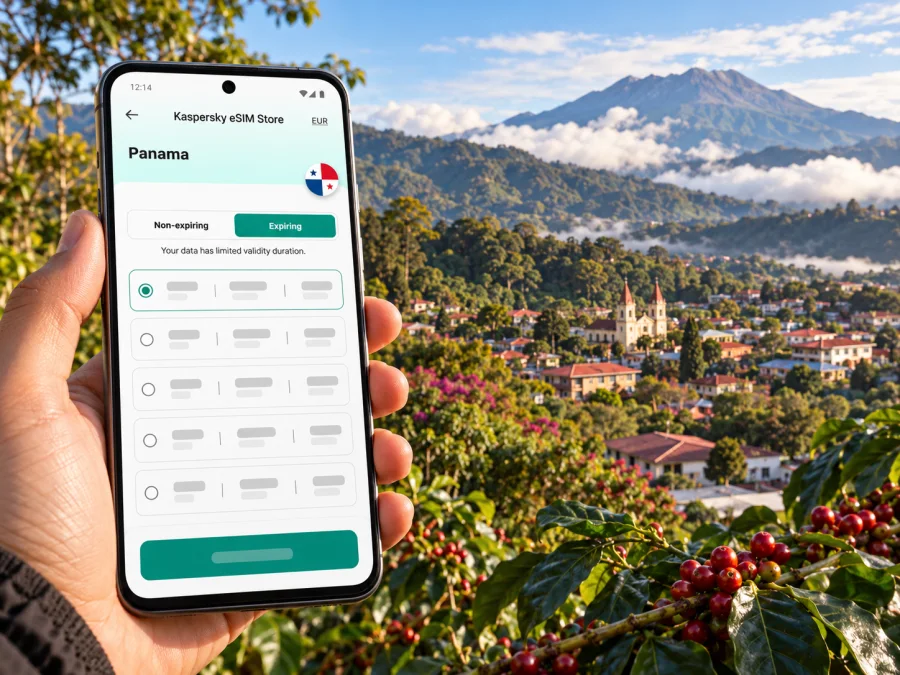
Boquete eSIM: mobile connection and internet for a mountain-town trip
Boquete is a small highland destination in Panama’s Chiriquí province, known for coffee farms, cool mountain scenery and access to outdoor activities. A phone can be useful from the moment you arrive: to coordinate a ride from David, confirm a guesthouse location, follow a route through the valley, message a guide or check changing plans. An eSIM can make mobile data easier to arrange before or during the trip, provided your phone supports it and the selected plan covers your route.
This guide covers arrival, mobile data, device setup and excursions around Boquete. The district includes steep countryside, so a signal in the center does not guarantee service on a trail. Keep offline directions and key details as backup.
Where Boquete is and what “the town” means
Boquete is both the name commonly used for the destination and the name of a district in Chiriquí. The district is organized into several local areas; Bajo Boquete is its administrative seat and the main point many visitors mean when they say they are staying “in Boquete.” Other places, including Alto Boquete, Jaramillo, Los Naranjos, Caldera and Palmira, are spread across the district. An accommodation described as being in Boquete may therefore be in the center or outside it, so check the map pin and ask your host about the final leg before setting off.
The center is walkable for some errands, but lodging, farms and trail access may be separated by hills and winding roads. Check the exact destination and whether a driver can reach the entrance.
Boquete’s landscape is part of the appeal. The Authority of Tourism of Panama describes the region through its biodiversity, coffee tradition and relationship with Volcán Barú; its visitor center in Boquete also presents local ecology, history and culture. These are reasons to plan connectivity in layers: reliable arrangements for the town and lodging, then offline preparation for the highlands and outdoor segments.
Arriving in Boquete: plan the David connection
Most visitors first reach the region through David, the capital of Chiriquí province. If you are coming from Panama City, you can compare an overland journey with a domestic flight to David, followed by a separate ground transfer to Boquete. Air Panama currently publishes Panama–David itineraries, but schedules can change and weather or airport conditions may affect operations. Check your own travel date directly with the carrier and leave a sensible connection buffer if you are arriving internationally before a domestic departure.
A flight to David does not take you directly to Boquete. Continue by road and confirm the pickup point and destination in advance. Save your driver’s details, accommodation address and map pin offline.
If you travel by bus or private vehicle from Panama City, build flexibility into the day. Long-distance travel can involve schedule changes, stops and slower sections, and the last part of the route into the highlands may feel different from the main highway. Avoid planning a time-critical tour immediately after a long transfer. When comparing flight and road options, consider total door-to-door time, baggage, arrival hour and how you will get from David to your lodging, rather than comparing only the flight duration.
A simple arrival sequence
- Save your lodging’s address, map pin and phone number before departure.
- Confirm whether your transfer meets you at Enrique Malek Airport, in David, or at another agreed point.
- Keep your mobile data line and your home number settings clear so you know which line is being used for data.
- Once you have signal, message your host or driver with a brief confirmation.
- Download or open the route to your accommodation and check the final turn with the driver if the property is outside central Bajo Boquete.
Having a working data connection is especially useful for coordination, but it is not a substitute for agreeing a pickup plan. If you depend on a specific vehicle or guide, confirm the arrangements before the travel day.
Mobile internet around the center, farms and trails
Connectivity can vary with terrain, network partner, device and current conditions. A settled town center may offer more opportunities for a usable signal than a forest path or remote slope. Buildings, vegetation, elevation and congestion can affect service, and your plan may use a different network from your regular SIM.
Use data for tasks that benefit from it: navigation between the center and your lodging, ride coordination, checking a tour meeting point, messaging, online reservations and sharing an itinerary with someone at home. Before heading out, download an offline map area if your maps app allows it. Save booking confirmations, emergency contacts, the route back and any meeting instructions on the phone. For a hike, tell someone your plan and expected return time; do not assume a signal will be available to call for help.
| Part of the trip | What mobile data can help with | A useful backup |
|---|---|---|
| David arrival and transfer | Pickup messages, map pins, route coordination | Saved address, driver details and agreed meeting point |
| Bajo Boquete | Walking directions, opening-hour checks, restaurant or tour messages | Offline map and written lodging details |
| Accommodation outside the center | Final approach, contacting the host, ride coordination | Screenshot of directions and arrival instructions |
| Coffee farm or rural visit | Confirming a meeting place and sharing updates | Downloaded route and prearranged return transport |
| Volcán Barú or another trail | Checking information before departure and coordinating afterward | Offline map, local guide instructions and a known check-in plan |
| Road trip beyond town | Route adjustments and messages when service is available | Fuel and stop plan, downloaded map and saved contacts |
The table is a planning aid, not a coverage map. Ask your accommodation or guide about current conditions for the exact route, especially if your plans include a remote property, a long hike or a late return. Do not rely on a live map alone to find trailheads or navigate in poor visibility.
Choose a Panama eSIM for the whole itinerary
An eSIM is a digital SIM profile installed on a compatible device. For a trip centered on Boquete, choose a plan for Panama and read its current terms before paying: check the data allowance, validity period, supported destination, activation rules, and any fair-use or speed conditions. If you are also visiting another country, check whether the plan covers that destination rather than assuming a Panama plan works across a border. A country plan and a city name are not interchangeable coverage promises.
Match the allowance to your use: maps and messages require less than video calls, photo uploads or streaming. Download maps on Wi-Fi, pause automatic updates and photo backups, and reserve data for tasks such as contacting a driver or opening a booking.
Before choosing, compare the plan’s details with your actual dates and route. A plan may start its validity or data-use period under conditions stated in its terms, so check when activation occurs and whether installation can be completed before travel. If you need to check currently available Panama options, browse the Panama eSIM plans and review the displayed terms for the plan you select. Availability, data amounts and prices can change; use the live plan details as the source for your purchase decision.
Kaspersky eSIM Store is an app and website where you can choose, arrange and activate an eSIM with a suitable data plan for an international trip. The underlying mobile service and coverage depend on the selected plan and its network arrangements. It is designed for mobile internet; do not assume that a data plan includes a regular phone number, voice calls or SMS unless its terms explicitly say so. Internet-based messaging and calls may work through apps when data is available.
Check these details before purchase
- Destination: Panama is included for the places on your itinerary, and any additional country is covered if needed.
- Data and validity: The allowance and duration match your travel dates and expected use.
- Activation: You understand when the validity period begins and what steps are required at arrival.
- Tethering: Check the plan terms if you expect to share data with a laptop or another device.
- Device: The phone supports eSIM and is not locked by a carrier. Some device names have regional variants, so verify your exact model and market version. Check whether your device supports eSIM.
- Primary SIM: Decide whether to keep your usual line active for calls or messages and which line should use mobile data. Check your home carrier’s roaming conditions before departure.
Prepare your phone before leaving
Prepare the eSIM over a stable internet connection and follow the instructions for your phone. Keep its QR code or installation details available on another screen or printed page. Do not delete the profile during troubleshooting unless the instructions say to; it may not be possible to reinstall it with the same code.
If you are installing on Android, follow the Android eSIM installation instructions. For an iPhone, use the iOS eSIM installation instructions. Menu names can vary by operating system version and manufacturer. Complete installation where you have a stable connection, then check the plan’s directions for when to enable the profile or data roaming. The phone may need a few minutes to register after you enable the eSIM.
A practical setup sequence is:
- Check compatibility. Confirm eSIM support for your exact device variant and make sure the phone is carrier-unlocked.
- Read the plan instructions. Note any activation steps, validity start conditions and data-roaming requirements.
- Install the profile. Use the QR code or manual details supplied for your order while connected to reliable Wi-Fi.
- Label the lines. Give the travel eSIM a clear name such as “Panama data” so it is easy to identify in settings.
- Choose the data line. Set the travel eSIM as the mobile-data line when you are ready to use it; keep your regular line configured according to your needs.
- Check roaming and network selection. Follow the plan’s own directions. Do not change advanced network settings without a reason.
- Test a basic task. Once active, load a simple page or send a message before you leave Wi-Fi, then store essential details offline.
Menu labels vary by device. If you prefer to use the plan only after arrival, check whether installing it earlier starts validity; follow the plan’s activation timing.
Getting around: use data, but keep directions simple
In Bajo Boquete, central errands may be walkable, while hills and outlying addresses can make a car or local ride more convenient. Check whether your route is walkable and suitable for your luggage. After heavy rain, allow extra time and follow local advice about road and trail conditions.
For taxis and private transfers, share a precise destination pin and confirm the fare or arrangement before you set off. A pin can be more useful than a business name if several places have similar names or the entrance is away from the road. If you need a return ride from a farm, waterfall or trailhead, arrange it before you leave town rather than assuming you can request a car from the site.
For day trips to coffee estates, viewpoints or outdoor sites, save the route and ask about meeting points and return timing. A Panama plan may be useful on the way, subject to its network and local conditions.
Three useful connectivity scenarios
A short stay in the center. Use data for maps, restaurant or tour messages, and check-in coordination. Download a town map, save the lodging address and avoid spending your allowance on automatic uploads.
A coffee visit outside town. Confirm the location and pickup time with the farm or tour operator before leaving. Save the contact and directions. Let your driver know whether you need to be collected at the entrance or at a nearby meeting point.
A hike or mountain excursion. Check the day’s plan with a qualified local guide where appropriate, download maps and weather information before departure, and agree on a check-in plan. Keep your phone charged and protected from rain. Treat loss of signal as possible, and do not use a phone as your only navigation or safety measure.
Common problems and what to try
The eSIM is installed but there is no data. Check that the travel profile is enabled and selected for mobile data. Review the plan’s activation and roaming instructions, then allow the phone time to register. Confirm the plan is valid for Panama and your travel date. If service still does not start, follow the provider’s troubleshooting advice before changing advanced settings.
Data works in town but not on a rural road. Terrain and local coverage can explain the difference. Use your offline map and saved directions, and wait until you are safely stopped in an area with signal before troubleshooting. Do not rely on live navigation to locate a remote trailhead.
Maps show a confusing route. Compare the map with the address or pin from your host, and ask whether the final approach uses a private road or separate entrance. Save a screenshot and do not follow an unfamiliar track just because an app draws a line there.
The plan is using data faster than expected. Check usage in the phone settings and account if available. Pause cloud backups, streaming and automatic updates; use Wi-Fi for large files. Refer to the selected plan’s displayed allowance and validity.
A compact Boquete connectivity checklist
Before leaving home:
- Confirm the device’s exact eSIM compatibility and carrier-unlocked status.
- Choose a Panama plan that fits your dates, route and expected data use.
- Read activation, validity and roaming requirements.
- Install the eSIM when the plan instructions say it is appropriate.
- Save your accommodation address, arrival contact and transfer details offline.
- Download a map for David, Boquete and any planned rural areas.
Before leaving your accommodation each day:
- Check the route, meeting point and return arrangement.
- Save important messages and booking details for offline access.
- Charge your phone and power bank.
- Tell someone where you are going if you will be hiking or travelling beyond town.
- Ask a local host or guide about current road, weather and signal expectations.
Frequently asked questions
Is Boquete a city in Panama?
Boquete commonly refers to the town and surrounding district in Chiriquí. Bajo Boquete is the district seat; confirm the exact area of your accommodation because the district includes rural communities.
Will a Panama eSIM work everywhere in Boquete?
No plan should be treated as a guarantee of service at every address, road or trail. Coverage depends on the plan’s network and local conditions, and mountain terrain can affect reception. Check the plan details and ask your host or guide about the particular places you will visit. Download maps before leaving settled areas.
Can I use an eSIM between David and Boquete?
A Panama plan may have service along parts of the route, depending on its network and conditions. Save transfer details and confirm the pickup before leaving David.
Does an eSIM include calls and text messages?
A data-focused eSIM does not necessarily include a regular phone number, standard voice calls or SMS. Check the selected plan’s terms. Internet messaging and voice apps can use mobile data when service is available; your usual number may remain active on a separate SIM subject to your home carrier’s roaming settings.
Should I install the eSIM before travelling?
Prepare the profile over stable internet if the plan instructions allow it. Check when validity begins, keep the activation details available and do not remove a working profile casually.
What if I am going hiking near Volcán Barú?
Prepare for limited or unavailable signal. Check conditions and route guidance with a reliable local source or guide, download maps, carry enough battery and tell someone your itinerary. A phone and eSIM are helpful tools but should not be your only navigation or safety plan.
Plan your trip with a clear connection routine
For Boquete, a good mobile-data plan is part of a wider arrival plan: reach David, confirm the transfer, navigate to the correct part of the district and prepare for possible gaps once you leave the center. Check the eSIM’s Panama coverage and terms, verify your device, and save important directions offline. This keeps the phone useful without making a mountain trip depend on a continuous signal.
When you are ready, choose a Panama eSIM plan for your trip in Kaspersky eSIM Store, review its current data and validity terms, and follow the installation instructions for your device. Prepare the profile before the journey if its conditions allow, then use mobile data for the moments when it helps you move around Boquete with more confidence.


