
Travel connectivity guide
Boston eSIM: mobile internet for your trip
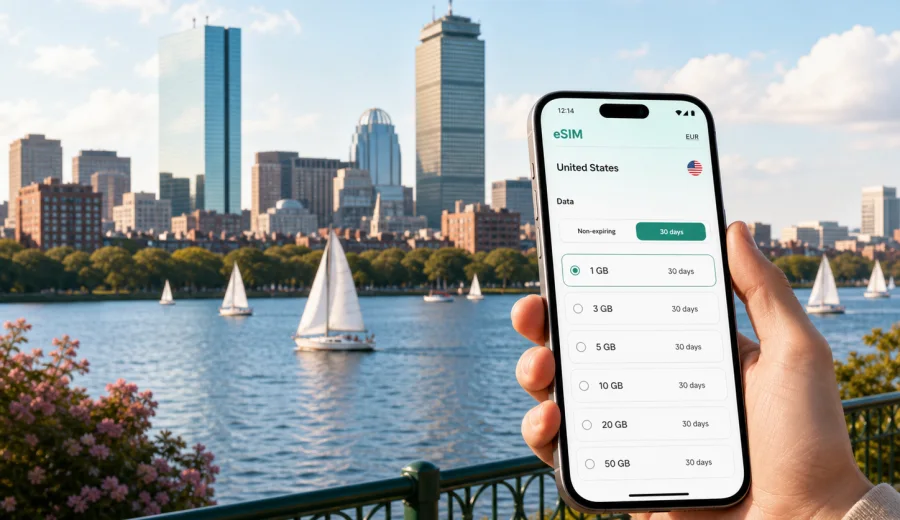
Boston eSIM: mobile connection and internet for your city trip
Boston is a compact city by American standards, but a trip here often depends on reliable mobile internet from the first minute. You may land at Boston Logan International Airport, take the Silver Line into Seaport, follow walking directions near the Freedom Trail, meet a client in Back Bay, or catch a train from South Station. In each moment, an eSIM can make the trip simpler because you can prepare mobile data before you start looking for Wi-Fi, ticket machines, or hotel check-in details.
This guide is for travelers who are visiting Boston and want practical, city-focused advice: when an eSIM is useful, how much data you may need, what to check before buying a plan, and how to use mobile internet for transport, navigation, business trips, hotels, stopovers, and short routes from the city.
Why mobile internet matters in Boston
Boston rewards visitors who can move quickly between neighborhoods. The distance between Logan Airport, Downtown, the North End, Beacon Hill, Back Bay, Cambridge, and Fenway can look small on a map, but bridges, tunnels, construction, harbor traffic, weather, and event crowds can change your route. Mobile data helps you adjust without waiting to find a cafe or hotel network.
Typical Boston travel moments that depend on internet access include:
- checking arrival instructions at Logan Airport;
- comparing public transport, taxi, rideshare, ferry, and walking routes;
- opening hotel confirmation details in Downtown, Seaport, Back Bay, or Cambridge;
- navigating narrow streets around the North End, Beacon Hill, and the waterfront;
- joining business calls between meetings;
- receiving restaurant, museum, train, or sports-ticket updates;
- messaging family, colleagues, or hosts after landing;
- checking weather before a harbor walk, campus visit, or day trip.
An eSIM is especially useful when you want to keep your regular physical SIM in the phone while using a separate data profile for travel. You can install the eSIM on a compatible device and choose it for mobile data, while your usual number remains available according to your device and home operator settings.
Arrival at Boston Logan: the first online tasks
Boston Logan is close to the city, but the first hour after arrival can still be busy. International travelers may need to message a hotel, open a rideshare app, check an airport map, or confirm whether the fastest route is the Silver Line, a water taxi, a shuttle, the Blue Line connection, or a car through the tunnel.
With mobile internet already prepared, you can handle these tasks before leaving the terminal:
| Moment after arrival | Why data helps |
|---|---|
| Immigration and baggage wait | Message your host or driver if the flight was delayed. |
| Terminal exit | Check the correct pickup zone, bus stop, or shuttle route. |
| Transfer to the city | Compare traffic through the harbor tunnels with public transport. |
| Hotel check-in | Open booking confirmations and access codes without searching for Wi-Fi. |
| First walk | Use maps around Downtown, Seaport, or the waterfront. |
City movement: MBTA, walking, rideshare, and trains
Boston is one of the best American cities for walking, yet visitors often mix walking with the MBTA, commuter rail, ferries, taxis, and intercity trains. A mobile data plan helps because decisions are local and time-sensitive: one route may be better in the morning, another after a game at Fenway Park, and another when rain or snow changes walking conditions.
Use mobile data in Boston for:
- live transit directions on the Red, Green, Orange, Blue, and Silver Lines;
- walking routes through Beacon Hill, the Common, the Public Garden, and the North End;
- rideshare pickup details near Logan, South Station, Fenway, and TD Garden;
- commuter rail updates if you are going to Salem, Worcester, Providence, or suburbs;
- Amtrak information from South Station or Back Bay Station;
- ferry schedules for waterfront routes when relevant to your itinerary.
Neighborhood scenarios where an eSIM is useful
Boston is not one single travel pattern. The best data setup depends on where you stay, why you came, and how often you move.
| Area or scenario | Useful mobile internet tasks |
|---|---|
| Downtown and Financial District | Maps, hotel check-in, restaurant bookings, meeting details, walking routes. |
| Seaport | Rideshare pickup points, event tickets, harbor directions, business messages. |
| Back Bay | Shopping, station transfers, conference schedules, hotel apps, maps. |
| Beacon Hill and Boston Common | Walking navigation, weather checks, photo backup, route changes. |
| North End and waterfront | Restaurant reservations, ferry or harbor plans, walking directions. |
| Fenway and Kenmore | Event tickets, rideshare timing, crowd-aware routes after games or concerts. |
| Cambridge and university visits | Campus maps, meeting updates, transit across the river. |
| Medical or academic trips | Appointment messages, document access, transport between institutions. |
For a weekend visit, you may only need enough data for maps, messages, reservations, and light browsing. For a work trip, you may need more data because video calls, hotspot use, document sync, and repeated taxi or transit checks can consume traffic quickly.
How much data to plan for Boston
There is no universal data amount for every traveler. The right eSIM plan depends on the length of your stay, whether your hotel and office Wi-Fi are reliable, and how much you use navigation, calls, cloud files, and streaming. The safest approach is to estimate by activity rather than by city alone.
| Traveler type | Typical use | What to consider |
|---|---|---|
| Short stopover | Maps, rideshare, messaging, airport updates | A smaller data package may be enough if you avoid streaming. |
| Weekend visitor | Maps, tickets, restaurant bookings, messaging, light browsing | Choose a plan that covers two or three active days outside the hotel. |
| Business traveler | Email, meeting apps, maps, cloud files, hotspot use | Allow extra data for calls and document sync. |
| Family trip | Navigation, messages, attraction tickets, photo sharing | More devices and shared hotspot use can increase traffic. |
| Regional route | Boston plus New York, Washington, or other U.S. cities | Make sure the plan covers the United States and fits the whole route. |
Video, cloud backup, app updates, and hotspot use can use data faster than maps and messaging. If you want to keep traffic predictable, download offline maps before departure, pause automatic media backup, update apps over trusted Wi-Fi, and keep streaming for hotel or office networks.
Choosing an eSIM plan for Boston
For a Boston city article, the relevant destination is the United States, because the eSIM plan should work in the country where the city is located. If your route continues beyond Boston, check whether you need a United States plan, a regional plan, or another destination for the next part of the trip.
When comparing plans, look at:
1. The destination covered by the plan: for Boston, this should include the United States.
2. The data amount: match it to maps, messaging, work apps, and hotspot needs.
3. The validity period: choose a duration that covers arrival, the full stay, and departure.
4. The activation rules: check when the validity period begins and how installation works.
5. Device compatibility: make sure your smartphone or tablet supports eSIM and is not locked.
6. Tethering rules: if you plan to use a laptop, check whether hotspot use is allowed by the selected plan.
Before your trip, you can use Kaspersky eSIM Store to choose an eSIM plan for travel to Boston and the United States. The site and app help you select a destination, review plan conditions, and prepare an eSIM for mobile internet in a foreign trip without looking for a physical SIM card after arrival.
Preparing your phone before departure
The best time to prepare mobile internet for Boston is before you leave home, while you still have stable Wi-Fi and time to read the plan details. You do not need to activate every feature too early, but you should know how installation and activation work for your device.
Use this checklist:
- Make sure your device supports eSIM: check your device.
- Confirm that the phone is not locked to one mobile operator.
- Update your operating system if your device recommends it.
- Keep access to the email or profile where the eSIM details will appear.
- Save your hotel address and first route from Logan Airport.
- Download offline maps for Boston as a backup.
- Turn off automatic app updates and large cloud sync over mobile data.
- Check whether your primary SIM should stay active for calls or messages.
How to install and activate an eSIM for Boston
The exact steps depend on your phone model and operating system, but the general flow is simple. You choose the destination and plan, complete the order, install the eSIM profile, and select it for mobile data when you want to use it. If you need device-specific guidance, follow the Android installation instructions or the iOS installation instructions.
A practical setup sequence looks like this:
1. Connect your phone to a stable Wi-Fi network.
2. Open your eSIM details in Kaspersky eSIM Store or the confirmation email.
3. Add the eSIM profile using the on-screen flow or QR code.
4. Label the profile clearly, for example “Boston data” or “United States data”.
5. Keep your regular SIM for your main number if you need it.
6. Choose the eSIM profile for mobile data when the trip begins.
7. Turn on data roaming for the eSIM profile if your device or plan instructions require it.
8. Wait a few minutes for the device to connect to the local network.
Do not delete the eSIM profile unless you are sure you no longer need it. Some eSIM profiles cannot be moved to another device after activation, and reinstalling may not work the same way as reinstalling an app. Read the selected plan conditions before making changes.
Business trips, conferences, and campus visits
Boston business, medical, academic, and event trips often involve several locations in one day: Logan Airport, Seaport venues, Back Bay hotels, Cambridge campuses, Longwood Medical Area, and client offices. Mobile internet helps with calendar changes, rideshare pickup, maps, meeting apps, cloud documents, and quick messages when venue Wi-Fi is not available yet.
If you expect video calls, laptop hotspot use, or large file sync, choose a data amount with room for more than basic navigation. Also check the selected plan conditions before relying on tethering. eSIM is useful for mobile internet, but it usually does not include a local phone number, standard voice calls, or SMS unless the plan conditions say otherwise.
Common mistakes to avoid
Avoid these issues before and during a Boston trip:
| Mistake | Better approach |
|---|---|
| Waiting until baggage claim to solve mobile data | Prepare the eSIM while you still have stable Wi-Fi before departure. |
| Choosing a plan without checking destination coverage | Make sure the plan includes the United States for Boston. |
| Forgetting device compatibility | Confirm eSIM support and operator-unlocked status before choosing a plan. |
| Using mobile data for all backups and updates | Save heavy downloads for trusted Wi-Fi. |
| Deleting the eSIM profile too early | Keep it until the trip and plan validity are finished. |
| Assuming eSIM includes calls and SMS | Check plan conditions; most travel eSIM use is for mobile internet. |
Quick answers about eSIM in Boston
Is eSIM useful for a short Boston trip?
Yes. Even on a short trip, mobile internet can help with airport transfer, maps, rideshare pickup, hotel check-in, restaurant bookings, and ticket updates. A smaller plan may be enough if you mostly use maps and messages.
Should I install the eSIM before flying to Boston?
Usually, it is more convenient to install the eSIM before departure while you have stable Wi-Fi. Check the plan instructions so you understand when validity starts and when to choose the eSIM profile for mobile data.
Does a travel eSIM give me a U.S. phone number?
Not usually. In this context, eSIM is mainly for mobile internet. Standard phone calls and SMS are not included unless the selected plan conditions state otherwise. You can use internet-based messaging and calling apps over mobile data.
Can I use eSIM for a laptop hotspot during a business trip?
Possibly, but you should check the selected plan conditions and your device settings. Hotspot use can consume data quickly, especially during video calls, file sync, and long work sessions.
What should I check before choosing a plan?
Check device compatibility, operator lock status, destination coverage, data amount, validity period, activation rules, and whether the plan fits your full route, not only your first night in Boston.
Choose your eSIM plan before Boston
A good Boston mobile internet setup is simple: prepare before departure, check that your device supports eSIM, choose a plan that covers the United States, and keep mobile data for the moments when travel decisions happen outside Wi-Fi. That gives you more control during arrival at Logan, movement between neighborhoods, business meetings, hotel check-in, and short routes from the city.
If Boston is your next stop, use Kaspersky eSIM Store to choose an eSIM plan for your trip to the United States. Review the data amount, validity period, and activation details, then install the eSIM on a compatible device so mobile internet is ready when your trip begins.