
Travel connectivity guide
Botswana eSIM: mobile internet guide
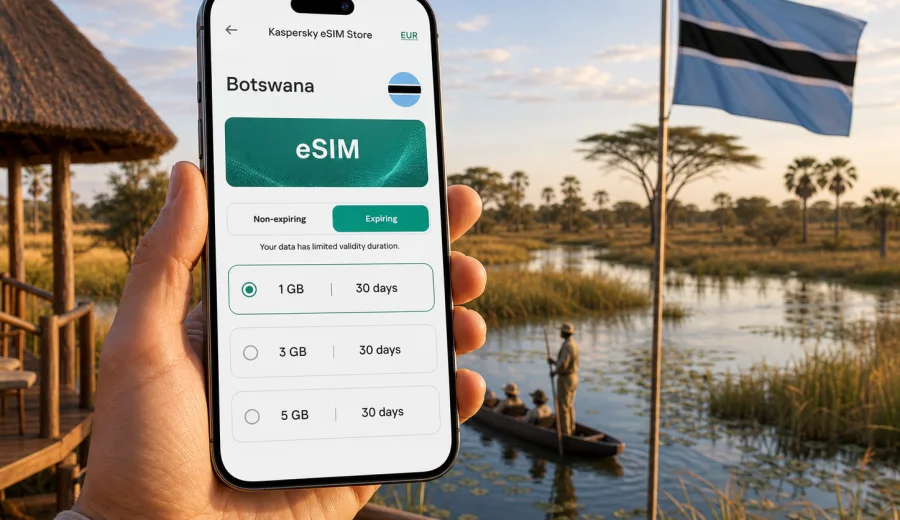
eSIM for Botswana: mobile connection and internet for your trip
Botswana is a country where travel often means moving between very different settings: Gaborone and Francistown, the Okavango Delta, Chobe National Park, the Makgadikgadi Pans, and long road sections between towns, lodges, airports, and border crossings. A stable mobile connection and internet access can make these movements easier to manage. You may need maps, lodge confirmations, banking apps, airline updates, messenger calls, translation tools, and weather information, sometimes on the same day.
An eSIM helps you prepare mobile internet for Botswana without looking for a physical SIM card after arrival. Instead of changing plastic SIM cards, you install a digital profile on a compatible phone and use a prepaid data plan for the destination or region. Kaspersky eSIM Store is an app and website where you can choose, arrange, and activate an eSIM with a suitable mobile data plan for an international trip.
This guide explains how to think about eSIM use in Botswana, how much data different travel styles may need, what to check before buying, and how to keep your setup practical if your route includes safari areas, remote roads, or neighboring countries.
Why eSIM can be useful in Botswana
Botswana is not a destination where every travel task happens in one compact city center. Many visitors combine urban arrivals with national parks, lodges, self-drive routes, and remote accommodation. That makes mobile internet less of a luxury and more of a planning tool.
Common online tasks during a Botswana trip include:
- checking arrival and departure details at Sir Seretse Khama International Airport in Gaborone or Maun Airport;
- using maps for road routes between Gaborone, Maun, Kasane, Nata, or Francistown;
- messaging a lodge, transfer driver, guide, or car rental desk;
- confirming park activities, pickup times, and domestic flights;
- using mobile banking or card verification messages through internet-based apps;
- sharing location with family or colleagues;
- downloading documents when Wi-Fi is slow or unavailable.
eSIM is especially convenient if you want mobile data ready before the trip. You can install the eSIM profile while you still have reliable Wi-Fi, check the plan details in advance, and switch to the travel data line when the trip starts, according to the activation rules of the selected plan.
Botswana travel scenarios where mobile internet matters
Your ideal data plan depends less on the country name alone and more on your route. Botswana trips can be short and city-based, long and remote, or part of a wider southern Africa itinerary.
| Travel scenario | Typical route | Why mobile data helps |
|---|---|---|
| Business trip | Gaborone, office districts, hotel stays | Email, ride apps, calendar updates, video calls over Wi-Fi with mobile data as backup |
| Safari arrival | Maun, Okavango Delta, lodges | Transfer coordination, documents, messages before heading into areas with limited service |
| Chobe and Kasane trip | Kasane, Chobe River, Victoria Falls area | Cross-border planning, maps, bookings, messenger calls |
| Self-drive route | Gaborone, Nata, Maun, Kasane, Francistown | Navigation, fuel stop planning, emergency contacts, offline-map updates |
| Multi-country journey | Botswana plus South Africa, Namibia, Zambia, or Zimbabwe | Regional planning and a data setup that fits more than one border crossing |
Coverage and speed depend on local networks, terrain, device settings, and the selected plan. It is better to treat mobile internet as a practical travel layer, not as a guarantee that every remote campsite or wildlife area will have a strong signal. Download key maps, vouchers, and route notes before leaving towns.
eSIM, roaming, local SIM, or public Wi-Fi
Travelers usually compare four ways to get online: international roaming, a local physical SIM, public Wi-Fi, and eSIM. Each option can work, but the right choice depends on your priorities.
| Option | Strength | Trade-off |
|---|---|---|
| International roaming | Uses your regular SIM and number | Costs and conditions may be less predictable depending on your operator |
| Local physical SIM | Can be useful for longer stays | Requires finding a shop, checking registration steps, and changing SIM cards |
| Public Wi-Fi | Often available in hotels, lodges, airports, and cafes | Not always available on the road and may be slow or shared |
| eSIM | Can be prepared before travel and used without a physical SIM swap | Requires a compatible, unlocked device and careful plan selection |
An eSIM is often a practical middle ground. You can keep your primary SIM in the phone for calls or messages from home, while using the eSIM profile for travel data. On many phones, you can choose which line handles mobile data and which line remains available for your regular number.
How much data do you need for Botswana?
There is no single correct data amount for every traveler. A short business trip in Gaborone may need much less data than a two-week safari route with daily navigation, photo backups, and messaging.
Use this table as a planning guide:
| Usage style | Typical activity | Possible data range |
|---|---|---|
| Light | Messaging, maps, email, boarding passes | 1-3 GB for a short trip |
| Standard | Daily maps, browsing, app updates, social posts | 3-5 GB for several days |
| Active | Frequent photo sharing, cloud documents, ride and travel apps | 5-10 GB depending on trip length |
| Heavy | Hotspot use, video calls, media uploads, work files | 10 GB or more may be more comfortable |
To reduce unnecessary data use, download offline maps before driving, turn off automatic cloud backup on mobile data, update apps over Wi-Fi, and set video apps to lower quality. If you are staying in lodges with Wi-Fi, use it for large uploads and keep mobile data for movement, coordination, and essential apps.
What to check before choosing an eSIM plan
Before you choose a plan for Botswana, review four practical details: device compatibility, route, data volume, and validity period.
Device compatibility
Your phone or tablet must support eSIM and must not be locked to a carrier that prevents another mobile profile from being added. If you are unsure, check your device before arranging a plan. This step matters because an eSIM profile cannot help if the device cannot install it.
Route and destination
Look at where you will actually travel. A city trip, a safari fly-in, and a road journey across multiple countries can require different plan choices. If your route includes neighboring countries, compare country and regional options before buying.
Data volume
Choose enough data for maps, messages, browsing, and trip management. If you expect video calls or hotspot use, choose a larger allowance. Remember that mobile hotspot use can consume data quickly, especially with laptops.
Validity period
Plan validity should match your travel dates. Check when the validity starts, how long it lasts, and what happens when the data allowance is used. The exact conditions depend on the selected plan.
A practical mid-trip choice point
If your itinerary is mostly in Botswana but you also expect movement through southern Africa, a regional option may be easier to manage than several separate arrangements. You can use Kaspersky eSIM Store to prepare an eSIM plan for your Botswana trip and compare the available data allowance, validity, and destination coverage before you travel.
This is the moment to match the plan to your real route. For example, a traveler flying into Maun for a lodge stay may care most about arrival coordination and messaging. A self-drive traveler from South Africa into Botswana may want a plan that remains practical across border days. A business traveler in Gaborone may prefer a smaller plan with enough data for email, maps, and secure account access.
How to install and activate an eSIM
The exact installation flow depends on your device and operating system, but the general process is simple:
1. Check that your phone supports eSIM and is not carrier-locked.
2. Choose the destination or region and select a suitable data plan.
3. Arrange the plan through the site or app.
4. Install the eSIM profile using the on-screen steps or QR code.
5. Before using it, confirm which SIM line is selected for mobile data.
6. When the plan is ready to be used, enable mobile data for the eSIM line according to the plan instructions.
For device-specific steps, use the Android installation guide or the iOS installation guide. Install the profile while you have a reliable internet connection, preferably before departure or at your accommodation, so you are not trying to solve setup questions during a transfer.
Some plans may require data roaming to be enabled for the eSIM profile. This does not mean you are using your home operator's roaming for data; it is a phone setting that may be needed for the travel eSIM to connect. Always follow the instructions shown for the selected plan and device.
Before departure: a Botswana eSIM checklist
Use this checklist a few days before the trip:
- Confirm that your device supports eSIM.
- Check that the phone is not locked to your home carrier.
- Make sure your operating system is up to date enough for stable eSIM installation.
- Decide whether your route is Botswana-only or regional.
- Estimate data needs by trip length and usage style.
- Save the QR code or installation instructions where you can access them.
- Download offline maps for long road sections.
- Save accommodation addresses, emergency contacts, and booking references offline.
- Set your primary SIM and eSIM roles in the phone settings.
- Turn off automatic media backups on mobile data if your plan is limited.
This preparation is useful for Botswana because distances can be long and remote areas may have limited or inconsistent connectivity. Good planning reduces the chance that you need a strong signal exactly when you do not have one.
On arrival in Botswana
When you arrive, avoid changing too many phone settings at once. A calm sequence works better:
1. Connect to airport, hotel, or lodge Wi-Fi if available.
2. Confirm that the eSIM profile is installed.
3. Set the eSIM as the mobile data line.
4. Turn on data roaming for the eSIM profile if the plan instructions require it.
5. Open a browser or map app to test mobile data.
6. Keep your primary SIM active only if you need calls or SMS from home.
If mobile data does not connect immediately, wait a few minutes, restart the phone, and check the selected data line. Also confirm that airplane mode is off and that the eSIM line is enabled. If the issue continues, contact support with your device model, destination, and a description of the current settings.
Data-saving tips for safari and road trips
Botswana travel often includes periods away from dense urban infrastructure. Even with a suitable eSIM plan, it is sensible to use data carefully.
- Download offline maps for Gaborone, Maun, Kasane, Chobe, and your road route.
- Save lodge directions and gate instructions as screenshots.
- Use messaging apps instead of large email attachments when possible.
- Disable automatic video playback in social apps.
- Upload photos over Wi-Fi at the end of the day.
- Keep a power bank with you, especially on long transfers.
- Do not rely only on cloud documents for border, hotel, or rental confirmations.
For self-drive routes, mobile internet is helpful for planning and updates, but it should not replace basic offline preparation. Keep paper or downloaded route information, emergency numbers, and accommodation contacts available without a live connection.
Understanding calls, SMS, and your regular number
Most travel eSIM plans for mobile internet are data-focused. They usually do not include a regular local phone number, voice calls, or SMS unless those features are clearly stated in the plan conditions. For many travelers, this is not a problem because calls and messages can be handled through internet-based apps.
If you need banking SMS or calls to your home number, keep your primary SIM active for those functions and use the eSIM line for mobile data. Check your home operator's conditions for receiving SMS or calls abroad, because those conditions are separate from the eSIM data plan.
This dual-SIM setup is one of the practical strengths of eSIM travel use: you can keep your regular number in the phone while adding a data profile for the destination. The exact menu names vary by device, so review your phone settings before the trip.
Choosing between a country plan and a regional plan
Botswana is often part of a wider itinerary. Travelers may fly through Johannesburg, drive from Namibia, continue to Victoria Falls, or combine Chobe with Zambia or Zimbabwe. In these cases, plan selection should reflect the whole journey.
Choose a Botswana-focused setup when:
- your trip is fully within Botswana;
- you fly in and out through Botswana airports;
- your main online needs are maps, messaging, and bookings inside the country.
Consider a regional setup when:
- you cross borders by road;
- you have long layovers in nearby countries;
- your route includes South Africa, Namibia, Zambia, Zimbabwe, or another regional destination;
- you prefer one data setup for several parts of the journey.
Before buying, review the plan details rather than assuming that every regional plan covers every stop in the same way. Availability and conditions depend on the selected plan.
Quick facts for trip planning
- eSIM for Botswana is a digital mobile data setup for compatible devices.
- It can help you get online without buying a physical SIM card after arrival.
- It is useful for maps, messaging, bookings, transfers, email, and travel apps.
- It does not automatically include a local phone number, voice calls, or SMS.
- Device compatibility and carrier-unlocked status must be checked before purchase.
- Remote safari areas may have limited coverage, so offline preparation remains important.
- A regional plan can be useful if Botswana is part of a multi-country route.
FAQ
Can I install an eSIM before flying to Botswana?
In many cases, yes. It is usually better to install the eSIM profile before departure while you have stable Wi-Fi. Check the selected plan's activation rules so you understand when validity and data usage begin.
Will eSIM give me internet in every part of Botswana?
No mobile solution should be described that way. Connectivity depends on local network availability, terrain, device settings, and the selected plan. Cities and travel hubs are different from remote wilderness areas, so download important information before leaving towns.
Do I need to remove my physical SIM card?
Usually no. On many eSIM-compatible phones, you can keep your physical SIM or primary SIM active and add the eSIM as a mobile data line. You can then choose which line handles data in your phone settings.
Can I use eSIM for hotspot sharing?
Hotspot use depends on the device and the selected plan conditions. If it is available, remember that laptops and tablets can use data much faster than a phone. Choose a larger allowance if you expect to share data.
What happens when the data runs out?
The answer depends on the selected plan. Some plans may allow top-ups or another plan purchase, while others end when the data allowance or validity period is used. Review the conditions before you travel.
Is public Wi-Fi enough for Botswana?
Public or hotel Wi-Fi can help with large downloads and photo backups, but it may not be available on roads, during transfers, or in remote areas. A travel eSIM gives you another way to manage essential online tasks when Wi-Fi is not convenient.
Final preparation for mobile internet in Botswana
A good mobile setup for Botswana starts before you board the plane. Check your device, estimate your data needs, download key information offline, and choose a plan that matches your actual route. This is especially important if your trip includes safari areas, long drives, or more than one country.
Kaspersky eSIM Store helps you choose, arrange, and activate an eSIM with a suitable data plan for an international trip. Before you leave, review the available options and choose an eSIM plan for your Botswana journey so your mobile internet setup is ready when you need it.