Travel connectivity guide
Bouillante eSIM: Stay Connected in Guadeloupe
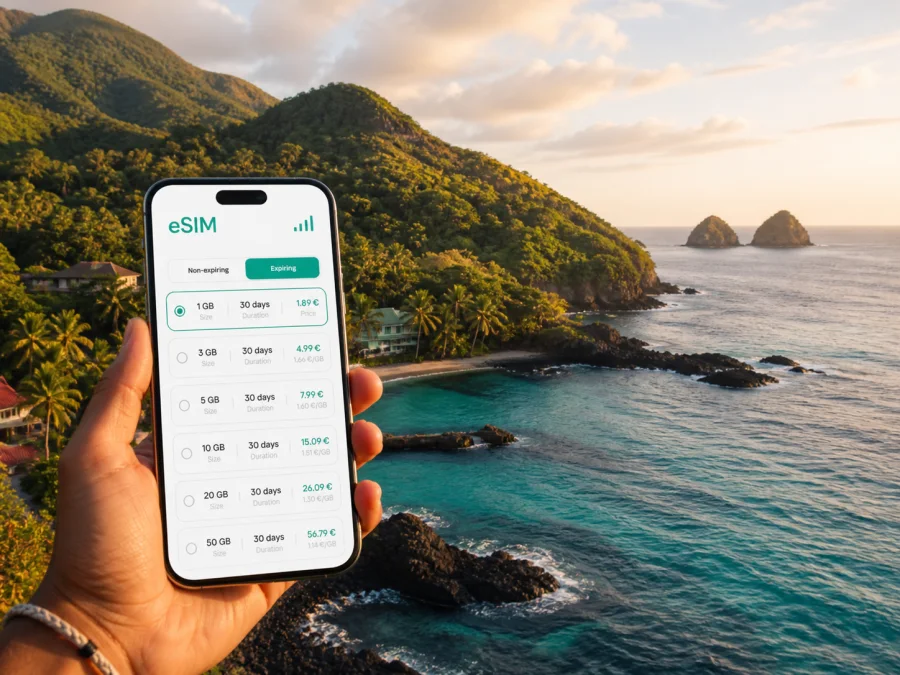
Bouillante eSIM: mobile connection and internet for your Guadeloupe trip
Bouillante is a rewarding place to explore with a little preparation. The town follows the Caribbean-facing west coast of Basse-Terre, with rainforest-covered slopes inland, coves along the road and the Pigeon Islets offshore from Malendure. Your phone may be needed to find a guesthouse after a late arrival, message a host, check a boat meeting point, follow a coastal route or translate a menu. Mobile internet is therefore part of the itinerary, not just a convenience.
An eSIM, or embedded digital SIM, is installed on a compatible phone instead of being inserted as a physical card after landing. For a stay based in Bouillante, the right choice depends on your routine: light navigation and messaging, daily drives and photo sharing, remote work from a villa, or a longer route around Guadeloupe. This guide ties the eSIM decision to the places and situations you are likely to encounter in Bouillante.
Why prepare mobile data for Bouillante?
Bouillante is not a compact resort where every useful place is around one walkable centre. The municipality includes the Bourg, coastal neighbourhoods and accommodation spread along the Basse-Terre road. Malendure, Pigeon, Petite Anse and Anse à la Barque can all serve as bases, but a map pin that looks nearby may still require a winding drive or a walk from parking to the shore.
Mobile data is useful for:
- locating the exact entrance to a rental, hotel or dive centre;
- checking a route before leaving for a beach, cove or viewpoint;
- confirming a meeting time or departure point for a boat activity;
- messaging a host without searching for public Wi‑Fi;
- translating an address, notice or restaurant information;
- sharing your location when travelling with friends.
The town’s attractions also alternate between land and sea. A day can begin on the coast, continue by boat toward the Pigeon Islets, and end at a warm-water bathing spot or a restaurant farther along the road. Having a planned eSIM tariff lets you focus on the route rather than looking for a connection at each stop.
Arriving in Bouillante from the airport
Most visitors arrive through Pointe-à-Pitre Le Raizet Airport on Grande-Terre and then continue to Basse-Terre. Bouillante is a separate part of the island journey, not a quick airport-to-city transfer. The official town information recommends a car for reaching Bouillante and notes that bus travel can be difficult, so navigation and accommodation communication matter from the start.
A practical arrival plan
- Keep the essentials offline. Save your accommodation address, booking details, car-rental information and the first route as screenshots or downloaded notes.
- Use the full address. Enter the property name and precise location, not only “Bouillante”. The municipality is long and coastal, and a general label may lead to the wrong entrance.
- Allow time for the drive. The route across Basse-Terre includes hilly and forested sections. Set directions before moving and stop safely if you need to recheck them.
- Confirm the neighbourhood. Ask whether the property is in or near the Bourg, Pigeon, Malendure or another coastal area. This helps you judge driving time to meals and activities.
- Prepare the departure route early. Save the airport direction, rental-car return details and flight information before the final morning.
An eSIM prepared before the flight can support this sequence while your physical SIM remains available for your usual number, subject to your phone settings. The exact data-line and roaming behaviour depends on the device and tariff, so read the conditions before travelling.
Moving around the coast
A rental car is often the most flexible option for a Bouillante itinerary. It makes it easier to combine Malendure with Petite Anse, collect groceries, stop at a viewpoint or continue toward Deshaies and Basse-Terre. Public transport may work for some journeys, but check schedules and connections in advance rather than building a tightly timed day around an unverified transfer.
Navigation is useful after arrival as well as on the airport route. You may need to distinguish a beach access road from a residential lane, find fuel before a more rural section, or check whether a business is open before making a detour. Download an offline map as a backup, then use live data for updated directions, messages and changes to plans.
Drive attentively on unfamiliar or winding roads. Set the next stop before moving, let a passenger manage route changes, and use a safe stopping place if travelling alone. Parking is part of the plan: the town has many parking areas, while paid parking is noted around Malendure beach and the Thomas hot baths. At busy times, expect to walk from the car to the water or activity provider and use your map to remember where you left the vehicle.
Before a driving day
- Save the first and last destinations and the exact activity meeting point.
- Check fuel, parking information and the accommodation entrance.
- Carry a charging cable or power bank and keep an offline map.
- Confirm which SIM is selected for mobile data.
- Keep booking messages available even when you expect to be online.
Choosing where to stay
The best base depends on the shape of your days. Central Bouillante can be practical for errands and access to the main road. Malendure and Pigeon are convenient for beach time and marine activities. Petite Anse and Anse à la Barque suit travellers who prefer a quieter coastal setting and do not mind driving for food, shopping or excursions.
| Area | Useful for | Connection-related planning |
|---|---|---|
| Bourg and central Bouillante | Errands and a practical road-access base | Find the precise accommodation entrance and check opening times |
| Malendure | Beach visits, diving, snorkelling and boat trips | Confirm the provider, parking and departure point |
| Pigeon | Staying close to the Malendure side of the coast | Share locations and arrange walks or meals |
| Petite Anse | A smaller coastal base and a slower pace | Navigate between the property and daily activities |
| Anse à la Barque | A scenic stop or quieter southward base | Save the next food, fuel and accommodation points |
When comparing hotels, apartments or villas, look beyond the word “Bouillante”. Check the map pin, road access, parking, distance to the water and whether a car is expected. If you work remotely, confirm the property’s own Wi‑Fi and treat an eSIM as a backup for short online tasks.
Once you know where you will stay and how much driving your itinerary involves, you can choose an eSIM tariff for a trip to Guadeloupe. Review the destination, allowance and validity, then select an option that fits your Bouillante plans rather than searching for a generic city label.
A connected day at Malendure
Malendure shows why a Bouillante guide needs a city focus. The beach faces the Pigeon Islets, which are part of the protected marine area commonly called the Cousteau Reserve. The islets belong to the commune of Bouillante and are offshore, so access is by sea rather than by road. Local providers may offer diving, snorkelling, kayaking, glass-bottom outings and boat trips; departure times, weather decisions and booking conditions can change.
Organise the day in four stages:
- Before leaving: save the beach, provider and accommodation locations; confirm the meeting time; charge the phone; keep the booking message accessible.
- At Malendure: allow time for parking and locate the precise departure point. “Malendure” may not be enough if the group meets at a particular stand or section of the beach.
- On the water: follow the crew’s instructions and the rules of the protected area. Do not touch coral or wildlife, and keep your phone protected from water and sand.
- Afterwards: message your host, check the next route and leave enough time for the return drive. A sunset-facing coast can make the end of the day feel short.
Travellers who do not dive can still plan a sea-focused visit with a calm swim, kayak or glass-bottom outing when conditions and local guidance allow. Check the day’s instructions rather than assuming that weather or water conditions will be the same as in a booking description.
Preparing an eSIM tariff for Bouillante
Kaspersky eSIM Store is an app and website where you can choose, arrange and activate an eSIM with a suitable tariff for mobile internet during an overseas trip. The available tariffs have their own conditions. Before confirming one, review the destination, data allowance, validity period, price and activation details.
Think about your Bouillante routine first:
| Routine | Data pressure | Check before choosing |
|---|---|---|
| Maps, messages and short searches | Low to moderate | Whether the allowance covers the full validity period |
| Daily driving, restaurant searches and photo sharing | Moderate | How often you will navigate and upload media |
| Work calls, cloud files and regular uploads | Higher | Hotspot rules and a trusted Wi‑Fi backup |
| Several people sharing one phone | Variable | Whether hotspot use is allowed and how data is consumed |
These are usage patterns, not promises about a specific allowance. Video calls, automatic photo backup and app updates can use data faster than expected. Download maps and entertainment over trusted Wi‑Fi where practical, turn off unnecessary automatic updates and decide which apps may use mobile data.
Checks before purchase
Confirm that the selected destination includes Guadeloupe and that the validity period covers arrival and departure days. Check the allowance, validity start and any top-up conditions before paying.
Check your phone too. It must support eSIM and should not be locked to another operator; regional models can differ. If unsure, check your device compatibility before purchase. Decide whether your physical SIM should remain active for calls or messages.
Pre-departure checklist
- The destination and validity match your Bouillante dates.
- The allowance suits maps, messages, work or media.
- Your phone supports eSIM and is operator-unlocked.
- You know which line will handle mobile data.
- Roaming settings and the QR code are ready.
- The accommodation address and a backup route are saved offline.
Installing and activating eSIM
You may install an eSIM before departure if the phone and tariff instructions allow it, or wait until arrival so the travel line is easier to identify. Do not delete your existing SIM profile until setup is confirmed.
Step-by-step setup
- Confirm eSIM support and operator-unlock status.
- Open mobile-network settings and choose the option to add an eSIM or mobile plan.
- Scan the QR code from your Kaspersky eSIM Store email or account.
- Select the travel eSIM for mobile data and enable data roaming only if instructed.
- Open a map and send a message to confirm that the intended line is being used.
For device-specific detail, follow the Android installation instructions or the iOS installation instructions. If setup does not behave as expected, recheck the tariff conditions and contact support through the available Kaspersky eSIM Store channel rather than repeatedly deleting the profile.
Scenarios for a Bouillante itinerary
Late arrival
Prepare the eSIM, accommodation pin and address before the flight. Use data for the route and host messages, then switch to the property’s Wi‑Fi for large downloads.
Diving, snorkelling or a beach day
Confirm the Malendure departure point, parking and start time while settled. Keep booking details available, protect the phone from water and sand, and message your host after returning to shore.
Remote work or a second base
Choose accommodation with a clear Wi‑Fi arrangement and check hotspot permissions before a long call. If you continue to Pointe-Noire, Deshaies or Basse-Terre, confirm that the destination and validity suit the full route. Carry a power bank, protect the phone from heat and sand, and keep an offline map.
FAQ
Is eSIM useful for a holiday based in Bouillante?
Yes. It can simplify mobile data for navigation, host messages, activity bookings and route changes after arrival.
Can I keep my regular SIM active?
Usually, a compatible dual-SIM phone can keep another SIM profile active while the travel eSIM handles data. Check the device’s data-line and roaming settings before travelling.
Does an eSIM include ordinary calls and SMS?
Not unless the selected tariff says so. Travel eSIM tariffs are generally intended for mobile internet; internet-based messengers can handle calls and messages.
Should I check my phone before selecting a tariff?
Yes. Confirm eSIM support, operator-unlock status and regional model compatibility before buying or installing.
How much data will I need in Bouillante?
There is no universal amount. Maps and messages usually require less than video calls or frequent uploads. Review your routine and limit background data.
What if the eSIM does not connect?
Check the selected data line, required settings, destination and validity. Restart the phone if appropriate; if the issue continues, contact support with your order details.
Final preparation for Bouillante
Before the first coastal drive, save your accommodation address, plan the airport transfer, check parking and activity meeting points, and download a map. Choose an eSIM tariff for your dates, verify compatibility and decide which line will handle mobile data.
Then concentrate on Bouillante itself: the coves, beaches, sunset coast and marine world around Malendure and the Pigeon Islets. Prepare your eSIM for a trip to Guadeloupe with Kaspersky eSIM Store, then install and activate it using your device instructions.


