Travel connectivity guide
Bouygues Telecom eSIM in France: activation guide
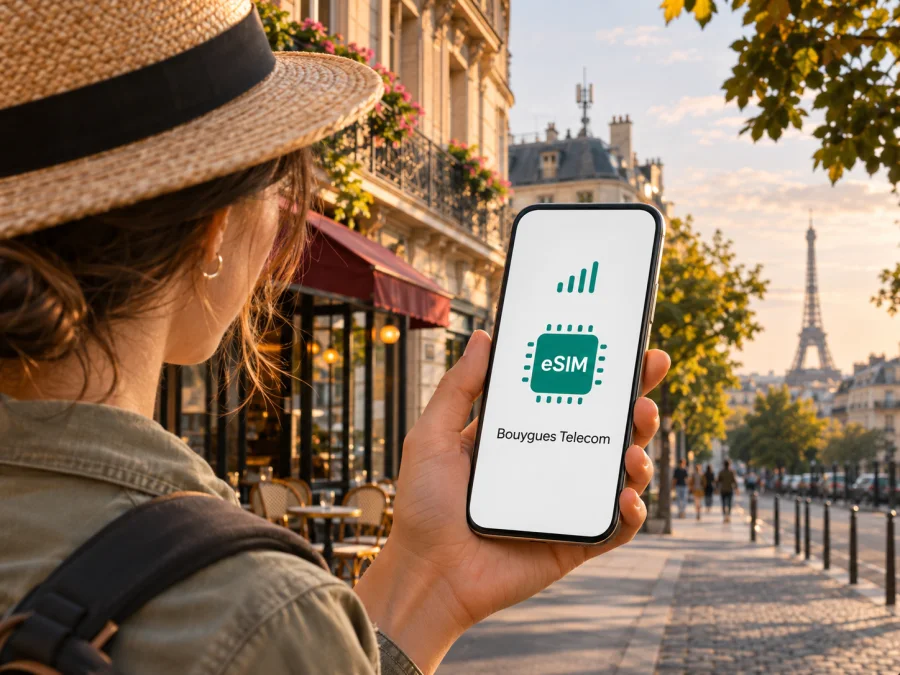
Bouygues Telecom eSIM in France: what travellers should know
If you are travelling to France, a Bouygues Telecom eSIM may be one way to keep a French mobile line on a compatible phone without handling a plastic SIM card. The operator confirms eSIM support for eligible customers and devices, with setup through its app or customer area and, for some new orders, a QR code. The exact route depends on whether you are already a customer, the line and offer you choose, and the phone’s eSIM support. A foreign visitor should check those conditions before relying on a local operator line for arrival-day connectivity.
Bouygues Telecom is one of France’s established mobile network operators. Its consumer pages describe mobile service, eSIM and prepaid options, while France’s telecom regulator, Arcep, provides operator-specific coverage information and comparisons for mainland France and overseas territories. Those are separate geographic markets: a Bouygues Telecom line associated with metropolitan France should not be assumed to have the same availability or arrangements in every French territory. Check the exact destination, device and service conditions before travelling.
This guide covers how to check a Bouygues Telecom eSIM, what activation can involve, how to assess coverage for an itinerary, and when a travel eSIM may be more suitable. Bouygues Telecom’s eSIM availability and activation steps below are based on its official eSIM and customer assistance pages, checked on 3 November 2026. Coverage guidance is based on Arcep’s public mobile network maps and information, also checked on that date. This independent guide is not affiliated with, sponsored by or endorsed by Bouygues Telecom; the operator name and marks belong to their respective rights holders.
Is Bouygues Telecom eSIM available in France?
Yes. Bouygues Telecom currently describes eSIM as an available digital SIM option for compatible phones. The operator’s “eSIM: advantages and installation guide” page explains that existing customers can request or install an eSIM through the Bouygues Telecom app or customer area. New customers can select eSIM during the order journey; depending on the flow, an activation QR code is made available in the customer area or order tracking. The operator also describes an automatic download flow for some eligible new subscriptions and phone combinations when the device first connects to Wi-Fi. These routes are not interchangeable in every case, so follow the instructions shown for the actual order and account.
An eSIM is a digital SIM profile stored in a compatible device. It identifies a mobile line in much the same way as a physical SIM, but the profile is downloaded rather than inserted. Having an eSIM-capable handset does not automatically mean that every Bouygues Telecom offer, account type, phone variant or activation route supports it. Confirm the offer’s current eSIM eligibility before ordering, particularly if you are a visitor without an existing French account or are buying through a third-party shop.
Bouygues Telecom’s contractual summary for tourist prepaid services, dated 26 January 2026, states that prepaid SIM and eSIM formats are available and supplied preloaded and pre-activated; it also says availability varies by sales outlet and describes service in metropolitan France. This does not mean every prepaid offer is an eSIM, that every visitor is eligible, or that purchase can be completed remotely. Confirm current eligibility, identity requirements, sales channel and activation with Bouygues Telecom rather than inferring them from the general eSIM page.
Who is Bouygues Telecom and where does its service apply?
Bouygues Telecom is a national mobile network operator in France and is among the four principal operators represented in Arcep’s mobile network comparison service. That national role does not mean every location has identical signal, indoor reception or service availability. Coverage depends on the place, the surrounding buildings and terrain, the network technology supported by the handset, and local operating conditions. A map offers a planning indication rather than a guarantee that a particular room, train carriage or rural road will have a usable signal.
France also includes distinct overseas territories and collectivities with their own network arrangements. Arcep’s “Mon réseau mobile” service and departmental coverage publications include information for metropolitan France and overseas areas, while its open data identifies Bouygues Telecom’s metropolitan network separately from operators serving some overseas territories. If a trip includes Corsica, an overseas department or territory, or travel onward to a neighbouring country, check coverage and roaming for each part of the itinerary. Do not treat the word “France” on a sales page as proof that a particular line works identically throughout all French jurisdictions.
Bouygues Telecom offers mobile service over 4G and 5G in relevant areas, but technology availability varies by location and handset. The presence of a 5G icon on a map or in an advertisement does not establish reception at a hotel, station or inside a building. Arcep publishes map layers and operator comparisons to help people check coverage and service information for specific places. Use a postcode or address where possible, inspect the route between destinations, and review indoor and transport conditions if those matter to you. Recheck shortly before departure because coverage maps and deployments can be updated.
Bouygues Telecom eSIM activation: what to expect
The activation method depends on the customer journey. Bouygues Telecom’s current public guide describes installation from its app or customer area for existing customers. A new customer can choose eSIM during an eligible online order and then use the activation details provided in the account or order follow-up. Some eligible phone and subscription combinations may offer an automatic download when the phone is turned on and has Wi-Fi access. The support pages also describe managing or replacing an eSIM through the account. Because order flows can change, use the instructions tied to your own line rather than relying on an old screenshot or someone else’s QR code.
A QR code is generally personal to a line or activation. Keep it private and do not post it in a message, public forum or photo album shared with others. Do not delete an installed profile to troubleshoot a minor connection issue unless the operator instructs you to; a removed profile may require a new download or reissue. If you change phones, ask Bouygues Telecom how to transfer or reissue the profile before wiping the old device. A transfer process can be different from simply scanning the original code again.
A practical setup sequence is:
- Confirm eligibility. Check the exact phone variant, whether it is carrier-unlocked, and whether the chosen Bouygues Telecom line can be activated as an eSIM.
- Complete the order or account step. Use the official Bouygues Telecom app, customer area, or the purchase channel specified by the operator. Confirm any identity and payment requirements before relying on the line.
- Prepare a stable internet connection. Keep the phone on Wi-Fi during download where the operator’s flow requests it. If the QR code is displayed on the same phone, use the operator’s app-based installation route or another screen as instructed by the device maker.
- Add the mobile plan. On iPhone, look in Settings under Cellular or Mobile Service for the option to add an eSIM. On Android, the menu is usually under Network & Internet, SIMs or Connections; names vary across manufacturers and software versions. Choose the scan or download method shown by the phone and follow the operator’s instructions.
- Label the line clearly. If the phone supports dual SIM, give the Bouygues Telecom line a name that distinguishes it from your home number or travel data line.
- Choose which line handles data. Review cellular data, default voice line and data-switching settings. Turn data roaming on only if the operator’s instructions and your intended use require it; roaming settings do not create local coverage or remove charges.
- Test before depending on it. Confirm that the line registers on the network, mobile data works, and any required account or identity step is complete. Save the operator’s support options while you still have Wi-Fi.
Device menus differ, and the steps above are general guidance rather than a substitute for Bouygues Telecom’s account-specific instructions. For Kaspersky eSIM Store setup guidance, see the internal the iOS or Android installation instructions, and check eSIM device compatibility before purchase. If a device-specific page or modal has a different route, follow the instructions displayed for your phone and product.
Device compatibility: check the exact variant
Many recent phones support eSIM, but “same model name” does not always mean the same SIM hardware worldwide. A phone sold in one market may have different SIM capabilities from a similarly named device sold elsewhere. Bouygues Telecom’s compatibility page lists supported examples and warns that some phones from other countries, including certain models sold for China, may not support eSIM. This is why a model-family list should not replace a check of the full model identifier, country of sale and manufacturer specifications.
Before buying or ordering, verify the following:
- The exact device and regional version support eSIM, not only the product family in general.
- The handset is not locked to another carrier or restricted by an installment or corporate policy.
- The device software is current enough to use the operator’s installation route.
- The phone can store and use the number of profiles or active lines you need; support varies by model.
- You can receive the activation information and complete the download while connected to Wi-Fi.
On many phones, the device settings show an option to add a mobile plan when eSIM is available. Bouygues Telecom also suggests checking for an EID identifier on supported devices, but menu paths and diagnostic codes vary by platform and region. Confirm through the manufacturer or operator if the setting is absent; do not assume that absence of a visible SIM tray proves eSIM support.
A dual-SIM setup can be helpful if you want to keep your home number reachable while using a French line for data or calls. It also creates a risk of choosing the wrong line for mobile data or allowing the home line to roam unexpectedly. Set the data line explicitly, review automatic data switching, and understand which line handles voice and messages. If the primary number must remain available for bank verification, keep it enabled only after checking the home operator’s roaming conditions.
Prepaid and tourist options: check the terms directly
Bouygues Telecom’s public customer information describes prepaid products for visitors as part of its French mobile offering. A prepaid option can be worth considering if you need a local line or want to arrange service through a local sales channel. But the broad category “prepaid” does not say whether a given product supports eSIM, what documents a non-resident must present, where it can be obtained, or whether it can be activated remotely. Those details can change and may depend on sales channel and customer status.
Before you travel, ask Bouygues Telecom or the authorised point of sale:
- Is the specific option currently issued as an eSIM, or only as a physical SIM?
- Can a visitor with a foreign passport or address buy and activate it?
- Is a French address, local payment method, identity check or in-person visit required?
- Can the eSIM be installed before arrival, and at what point does service begin?
- Does it provide the calls, messages or mobile data you need, and what usage or roaming conditions apply?
- What is the procedure if the QR code fails, the device is replaced, or the profile is deleted?
Ask for the current terms in writing or review the official conditions before confirming a purchase. Avoid relying on travel blogs or an old product image for current eligibility. If an online sales page mentions prepaid service without clearly identifying eSIM issuance, treat the eSIM question as unresolved until the operator confirms it.
Local operator eSIM or travel eSIM?
A local Bouygues Telecom line and a travel eSIM solve related but different needs. A local operator product may be appropriate if you need a French mobile subscription, local number or the particular services specified by that product. The trade-off is that ordering may involve account setup, identity checks, a local sales channel or other requirements that a visitor needs to confirm. Support and conditions come from the operator and depend on the exact offer.
A travel eSIM is designed for connectivity while away from your home market. Kaspersky eSIM Store is an app and website that helps travellers choose, purchase and activate an eSIM with a plan for mobile internet during an overseas trip. It is not a mobile network operator, does not own a network, and does not itself provide mobile connectivity. Before purchase, check the destination, device compatibility, activation timing, data-only or voice/SMS terms, and any other conditions shown for the product. Coverage depends on the underlying service and local network arrangements identified in the applicable product information.
A travel eSIM can be useful when you want to prepare connectivity before a trip or do not need a French phone number. It may not replace a local subscription for every purpose. If you need traditional calls or SMS to a French number, confirm that the chosen service includes those functions; an internet-only travel eSIM can instead support app-based calls and messaging over data. Conversely, a local operator offer may be the more direct fit when you specifically need a local number, subject to eligibility and identity requirements.
The two approaches can also coexist on a compatible dual-SIM device. For example, you might keep a home line enabled for incoming messages and use a separate eSIM for mobile data. Make sure you understand which line is selected for data and whether the home line can incur roaming charges. Some phones can maintain more than one profile but only a limited number of active lines at once. The device maker’s specification and settings determine what is possible.
If you want to review a travel eSIM option for a France itinerary, browse the current eSIM options for France. Check the destination, product conditions and compatibility details before purchase; this page does not establish availability of a Bouygues Telecom offer.
Frequently asked questions
Does Bouygues Telecom support eSIM in France?
Yes. Its official eSIM guide describes eSIM for eligible lines and compatible devices. Existing customers can use the app or customer area; new customers can select eSIM during an eligible order. The available route depends on the line and account.
Can a tourist buy a Bouygues Telecom eSIM?
Bouygues Telecom describes prepaid options for visitors and supports eSIM for eligible lines. That does not establish that every tourist product can be issued as eSIM or that every visitor can complete the process remotely. Confirm eligibility, identity requirements and activation steps with the operator or authorised seller.
Will it work on any recent phone?
No. Support depends on the exact model and regional variant. Check the full model details with the manufacturer and Bouygues Telecom, and make sure the handset is unlocked if you plan to use another provider’s eSIM.
Does Bouygues Telecom cover all of France?
Check Arcep’s maps for the exact address, route and territory. Coverage maps are estimates and cannot guarantee reception in a specific building or transport segment.
Is a travel eSIM the same as a Bouygues Telecom subscription?
No. A travel eSIM is intended for connectivity under its own product terms and may not provide a French number, ordinary calls or SMS. Kaspersky eSIM Store helps users select, purchase and activate an eSIM for mobile internet during an overseas trip; it is not an operator and does not own a network.
Key takeaways
Bouygues Telecom currently supports eSIM for eligible lines and compatible phones in France. Its official material describes activation through the app or customer area, QR-code setup for eligible orders, and automatic installation in some circumstances. Visitors should separately verify whether the particular line or prepaid option is available to them, what documents or in-person steps are required, and whether it can be installed before arrival.
Check the exact phone variant and the parts of France on your itinerary rather than relying on a general device-family label or national coverage impression. Arcep’s public maps can help assess local coverage, but actual reception varies. If your priority is preparing mobile data for travel rather than obtaining a French number, Kaspersky eSIM Store can help you review travel eSIM options for France; confirm the destination and product conditions before choosing. Bouygues Telecom and Kaspersky eSIM Store are separate services, and this article does not imply a commercial relationship between them.
Check current eSIM options for France and review the applicable destination, compatibility and activation information before you travel.


