Travel connectivity guide
Brades eSIM: Mobile Internet in Montserrat
Brades eSIM: Mobile Connection and Internet for Your Montserrat Trip
Brades is a practical base for exploring Montserrat, but it is not a large city with a dense transport network or a single, clearly defined downtown. Government offices and many everyday services are located in and around the settlement, while beaches, accommodation, the airport and island attractions are spread along the island’s roads. Mobile internet can help you coordinate a pickup, confirm a booking, navigate between communities and message people at home. An eSIM may be useful if your device and the selected destination plan are compatible.
There is an important geographic distinction behind the name. Plymouth is Montserrat’s former capital, abandoned after volcanic activity in the 1990s. Brades and nearby settlements have since become the island’s de facto administrative and commercial centre. Government of Montserrat contact listings place the Office of the Premier and Government Headquarters in Brades. So a guide to “Brades” is best read as advice for a small settlement and its surrounding travel area, not a promise of city-style services at every address.
What to expect from Brades
Brades is on Montserrat’s northwest side. Its role as a centre of government and local business makes it a useful reference point when arranging appointments, accommodation or transport, but visitors will also spend time in nearby communities such as Little Bay, Davy Hill, St. Peter’s, Salem and Lookout. The island’s scale makes a connected itinerary more useful than planning each day around a single urban core.
When meeting a driver or finding a villa, confirm the exact location with your host, save the pin and ask which landmark or junction to use. Download an offline map and save your accommodation details before leaving Wi-Fi.
| If your plan is… | Prepare this before leaving your accommodation |
|---|---|
| Meeting a host or taxi | Save the exact map pin and agree on a pickup point by message or call. |
| Visiting a government office in Brades | Confirm the office address and opening arrangements directly; government departments may occupy different buildings. |
| Going to Little Bay | Save the destination separately from Brades; the port and visitor facilities are in the Little Bay area. |
| Driving across the island | Keep the route available offline and confirm road access with your host, especially for less familiar destinations. |
| Working remotely | Ask your accommodation about its own Wi-Fi and power arrangements; do not assume mobile data is a substitute for a tested work connection. |
Arriving in Montserrat and getting to Brades
Most visitors first reach John A. Osborne Airport in Gerald’s, not an international airport in Brades. The Government of Montserrat identifies it as the island airport and key air-access facility. The Montserrat Tourism Authority describes connections from Antigua and St. Maarten; schedules and routes vary, so confirm your full itinerary with your airline or booking provider and leave enough time for connections.
The Tourism Authority’s sea-travel page currently says the ferry is out of service. Its status can change, so do not build a transfer around an old timetable or a general description of seasonal service. As checked on 3 November 2026, the published visitor information says it is not operating; verify again before departure.
For the airport transfer, ask your host whether your accommodation is in Brades or a neighbouring community. Agree on the meeting point, destination spelling and fare with your driver or host. A data connection helps you message if a flight is delayed, but save the contact number and offline directions in case service is unavailable.
Moving between Brades and nearby communities
Montserrat’s tourism information describes a main road linking communities and notes that people drive on the left. It describes buses as minibuses that stop along the road rather than a conventional city network with a dependable timetable. Ask locally about direction, fare and whether a bus passes close enough to your destination. For luggage, tight appointments or a property away from the route, arrange a taxi or car instead.
The tourism authority advises that taxis can be taken at the airport and accommodation providers may arrange one. Confirm pickup time, location, fare and payment method in advance, especially for an early flight or evening return. Do not assume ride-hailing apps, continuous vehicle availability or card payment.
A rental car can help if you plan several stops. Visitors need a local driving permit as well as a home-country licence; check the latest requirements with the local authority or rental company. Drive on the left and ask about road access and conditions. Whatever your transport choice, save the map pin and download directions before leaving Wi-Fi. A navigation app may suggest an unfamiliar shortcut, so ask your host or driver if you are unsure.
When mobile internet is most useful
A connection is most useful as a practical travel tool: confirm a pickup, message your host, look up directions, check a booking or handle routine email. Those small tasks matter when a stay combines an airport transfer, an accommodation outside Brades and trips to other island communities.
Useful moments include:
- On arrival: tell your host you have landed and confirm the meeting point.
- Finding a property: compare your saved pin with the host’s directions; ask if the road or entrance is unclear.
- Changing plans: contact a driver, tour or accommodation if timing changes.
- Working: receive email and updates, but test the actual connection before relying on video calls or large uploads.
- Staying in touch: use internet messaging while remembering that a data eSIM does not automatically include a local number, voice calls or SMS.
An eSIM listing for Montserrat does not guarantee service at every address or that every handset is eligible. Service depends on the selected plan, supported network, device and local conditions. Brades’ administrative role is not a promise of a particular speed or indoor signal. Keep accommodation Wi-Fi and offline resources as backups. A travel eSIM listing is also distinct from a local operator issuing its own eSIM: the destination page alone does not establish local visitor eligibility or identify the network behind a particular plan. Rely on the network and restrictions named in the current plan terms.
When comparing an eSIM with home-carrier roaming, check the actual destination, data amount, validity, activation conditions, top-ups and total price. Roaming may suit you if your current plan includes appropriate service; a travel eSIM can separate trip data from your primary SIM. Choose according to your own plan and usage.
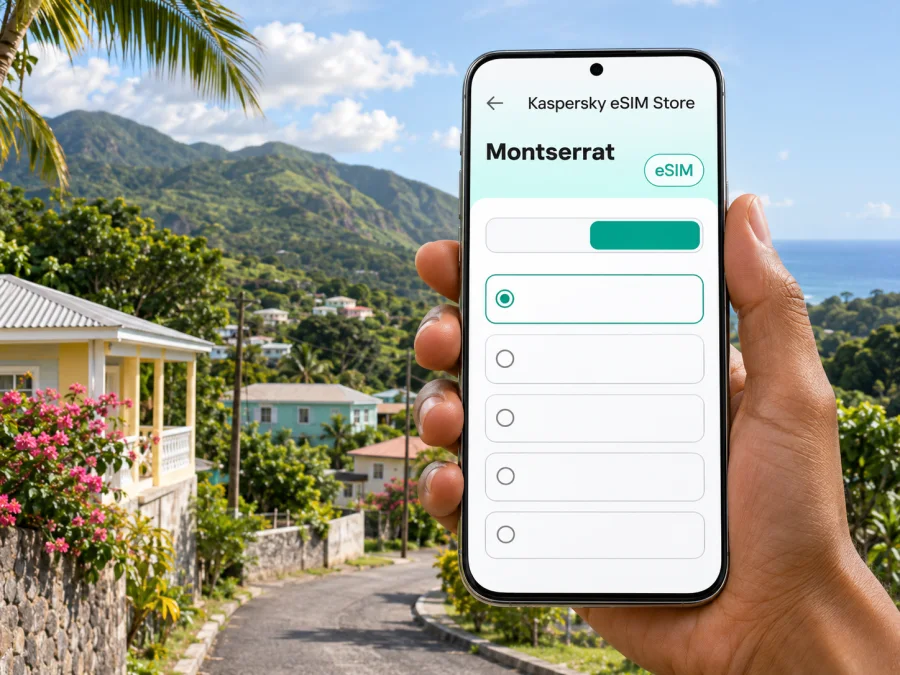
Once you know your route and data needs, you can review the available eSIM options for Montserrat. Kaspersky eSIM Store is an app and website where you can choose, arrange and activate an eSIM with a suitable plan for mobile internet while travelling abroad. Check the Montserrat plan details before purchase; this is a country-level destination page, not a Brades-specific coverage guarantee.
Choosing a plan for a Brades stay
Start with your itinerary, not with an assumed “city plan.” Brades is one stop within Montserrat, and you may travel elsewhere on the island during the same stay. A country-level plan may be relevant to that trip, but verify the plan’s listed destination and any network or usage conditions. If your itinerary continues to another country, check whether that separate destination is included; do not infer regional coverage from a Montserrat listing.
Estimate usage realistically: navigation and messages differ from video calls, backups, large uploads or streaming. Check whether accommodation Wi-Fi covers work needs, and use your phone’s data-usage screen to monitor consumption.
Before choosing, compare these details shown in the current plan terms:
- Destination: Montserrat must be included for the plan you select.
- Data amount and validity: match both to your trip dates and expected use.
- Start of validity: check whether the period begins on installation, activation or first network use; these are not necessarily the same event.
- Network and service conditions: review the stated network, speed policy, hotspot allowance and any other restrictions, if listed.
- Top-ups and expiry: confirm whether more data can be added and what happens to unused data.
- Device eligibility: check eSIM support for your exact device and sales region, and confirm that the phone is not carrier-locked.
Choose data for your expected use, allowing for changes in your schedule. Recent phone usage is a better guide than a generic allowance; account for extra navigation and messaging while travelling.
Check your phone before you buy
eSIM availability can vary by model, country of sale and carrier lock. The product name alone is not enough to confirm support. Check the manufacturer’s specifications for your precise model number and regional variant, then look in the phone’s cellular or SIM settings for an option to add an eSIM. Confirm that your device can use a second line in the way you intend and that it is unlocked for another provider’s service.
If the phone has an eSIM menu, that is a useful sign but not a complete check of destination-plan compatibility. Check the exact terms for the plan and your device, and ask your phone seller or carrier if the region-specific model is unclear. Check whether your device supports eSIM before paying. Keep access to Wi-Fi during setup, because you may need an internet connection to download a profile or troubleshoot installation.
Install and activate before you travel
If possible, prepare the eSIM over stable Wi-Fi and allow time to read its instructions. Purchase, profile installation and the start of a plan’s validity can be separate events. Follow the confirmation and plan terms; do not assume installing a profile starts the data period or that an eSIM can be moved to another phone.
- Check the exact phone model, regional version and carrier-unlocked status.
- Review destination, data, validity, activation timing and restrictions.
- Decide which line will handle mobile data and whether to keep your primary SIM active for calls or verification codes.
- Follow the Android installation instructions or iOS installation instructions.
- Label the profile clearly, such as “Montserrat data.” Avoid deleting it unless support instructs you to.
- On arrival, select the eSIM for mobile data and follow its instructions about data roaming. Check your primary SIM settings to avoid unintended roaming charges.
If installation fails, confirm the phone has internet access, note the exact error and contact the support channel in your order. Keep the confirmation accessible offline.
Scenarios for different trips
Short stay based in Brades: arrange the airport pickup, save your accommodation pin and download a local map. Messaging and occasional directions need a different allowance from daily uploads or video meetings, so choose for your real usage.
Island itinerary: if you will visit Little Bay and other communities, save directions between stops and confirm transport. A minibus is not a scheduled urban service and may not fit every timing.
Work trip or onward connection: ask your accommodation about Wi-Fi before relying on mobile data for calls. Save meeting details and travel bookings offline. If you transit through another island, do not assume a Montserrat-only plan covers it; check each destination and when validity begins.
Common questions
Is Brades the capital of Montserrat?
Brades is commonly described as the de facto administrative and commercial centre, and government listings place key offices there. Plymouth is the former capital. They are different places.
Is the airport in Brades, and is the ferry running?
John A. Osborne Airport is in Gerald’s. The Tourism Authority’s sea-travel page currently reports the ferry out of service. Both flight schedules and ferry status can change; confirm your travel date with the provider.
Will an eSIM work everywhere on the island?
No location-specific guarantee should be assumed. Check the plan’s network and device terms, and keep offline directions and accommodation contacts available.
Does a data eSIM include calls and SMS?
Not necessarily. Check the selected plan. Internet messaging uses data; ordinary calls and SMS may continue through your primary SIM under its own service and roaming conditions.
What should I check if there is no data?
Confirm the eSIM line is enabled and selected for data, the plan is valid and any required roaming setting is on. If it still fails, use Wi-Fi to contact support and follow the plan’s network instructions. Do not delete the profile unless instructed.
Prepare for Brades with a clear connection plan
For a trip to Brades, think beyond a city centre: arrange your airport transfer, confirm the exact community and address, save maps offline and choose mobile data for the island itinerary you actually have. Check the current transport status, especially if you are considering sea travel, and confirm every flight connection against your ticket.
Before purchase, verify eSIM support for your phone’s exact regional variant, check that the device is unlocked and read the Montserrat plan’s current destination, validity and activation terms. Kaspersky eSIM Store’s app and website let you select, arrange and activate an eSIM with a plan for mobile internet abroad. When you are ready, view the current options for a Montserrat trip and choose only after checking the details that apply to your device and dates.


