Travel connectivity guide
Brezovica eSIM: Mobile Internet for Travel
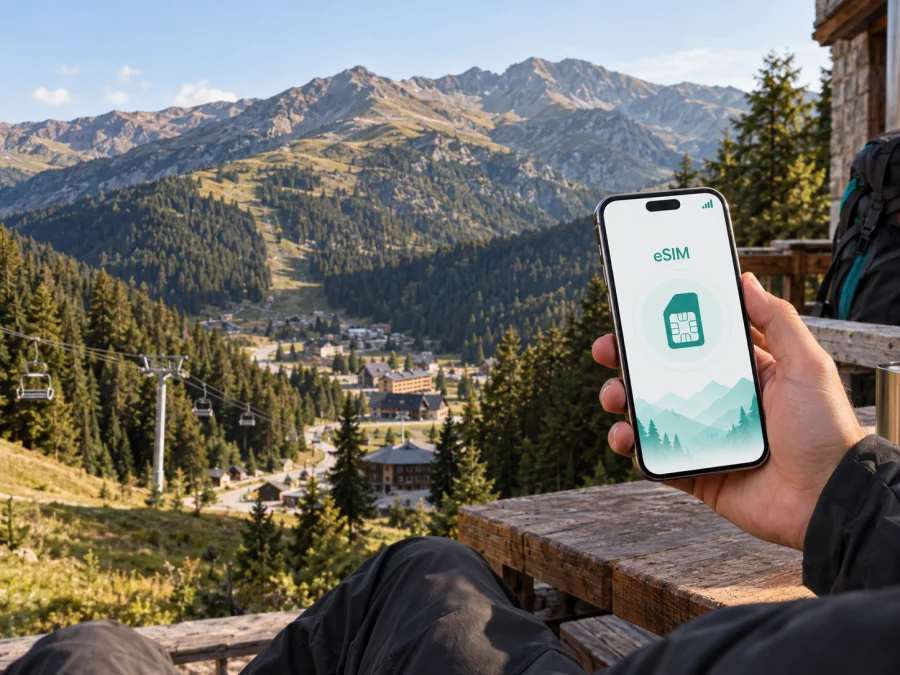
Brezovica eSIM: mobile connection and internet for a mountain trip
Brezovica is a mountain resort in southern Kosovo’s Šar Mountains. A trip can combine skiing, a forest walk, a quiet stay and a visit to nearby Prizren or Štrpce. A dependable mobile connection is useful for directions, host messages, weather updates and maps.
An eSIM, or digital SIM, can help you prepare mobile internet for Brezovica without changing the physical SIM card in your phone. With Kaspersky eSIM Store, you can use the website or app to choose and activate an eSIM with a suitable travel tariff. It is a data option, not a replacement for a regular phone number unless the tariff says otherwise.
Why mobile internet matters in Brezovica
The practical challenge in Brezovica is not only getting online at a hotel. It is keeping the right information available while the day changes from airport transfer to mountain activity and back. A connection can be useful for:
- sharing the meeting point with a driver or travel companion;
- checking a route between the resort, Štrpce and another stop on the itinerary;
- contacting accommodation when arrival time changes;
- using maps while walking between lodging, restaurants and activity areas;
- checking reservations, tickets and messages during a ski or hiking day;
- joining a work call from accommodation when the location and tariff are suitable for it.
Brezovica is a mountain destination, so performance can vary with terrain, weather, buildings, local networks and tariff conditions. Treat an eSIM as part of travel preparation, alongside route and accommodation checks.
Arriving in Brezovica: plan the connection before the transfer
Many visitors plan Brezovica as a transfer from a larger arrival point rather than as a destination with its own major airport. The Brezovica ski centre describes the resort as roughly 60 kilometres from Pristina and at a similar distance from Skopje Airport; the exact journey depends on the road, border arrangements, season and the transfer you book. That is why it is worth deciding when your eSIM should be installed before the travel day.
There are two practical arrival scenarios.
Scenario 1: the eSIM is ready before departure
Install the profile while you still have stable internet and time to read each confirmation screen. Keep your usual SIM active for calls or messages if you need it, but choose in advance which line will be used for mobile data. At the airport or on the road, turn on the travel eSIM only when you are ready to use it and follow the tariff conditions.
This is convenient for a pre-booked transfer or an early arrival: you can message the driver, open a map and contact your host without searching for a physical SIM counter.
Scenario 2: the eSIM is installed after arrival
If you prefer to wait, install it at the airport, hotel or another place with reliable Wi‑Fi. Do not leave setup until you are on a mountain road with a low battery. Make sure you can access your profile or QR code.
For either scenario, save the accommodation name, destination area and driver or host contact. A mountain transfer is easier when the essentials are available even if a map loads slowly.
Moving around the resort and the surrounding area
Brezovica is best approached as a spread-out mountain resort and village area, not as a compact centre with a simple grid of streets. The right connection setup supports several small decisions during the day:
- Meet the transfer. Confirm the pickup point and send a short message when you arrive.
- Find the accommodation. Check the address, road access and any last instruction from the host.
- Plan activity time. Review the route, opening information or meeting instructions before leaving.
- Stay in touch. Keep a messaging channel open for changes to weather, timing or transport.
- Return safely. Save the route back to your lodging and arrange the return transfer before the phone battery is low.
In winter, allow extra time for the road and keep navigation instructions simple. In summer, a hike can take you away from the main resort area, so share your intended route with a companion and carry a power bank. Neither habit depends on a particular operator: both are basic preparation for a mountain destination.
For a longer excursion, ask your accommodation or local guide about the route and current conditions. Save the address, pickup details and a basic route offline. Your eSIM can support communication where the selected tariff and local network availability allow it, but it cannot replace sensible mountain preparation.
Choosing an eSIM tariff for a Brezovica trip
The best choice depends on what you will do with the phone, how long you will stay and whether Brezovica is one stop on a wider Kosovo or Balkan route. Start with the destination and coverage area shown in the tariff details. If your itinerary includes travel beyond Kosovo, verify that the selected option covers the whole route rather than assuming that a country tariff follows you across borders.
Match the tariff to the travel pattern
Short stopover. If Brezovica is a brief mountain stop, you may mainly need maps, messages, booking confirmations and occasional browsing. Make sure validity covers the transfer in and out.
Ski or hiking holiday. A longer stay can involve navigation, photo sharing, weather checks and group messages. Estimate normal data use and check the rules if you upload videos or use a hotspot.
Remote work trip. Separate essential work use from leisure use. Video calls and large file transfers can consume more data than messages or route checks. Confirm that the accommodation has a suitable workspace and backup Wi‑Fi, then choose conditions that fit your expected data use. A travel eSIM is not a guarantee of a stable work call in a mountain location.
Multi-stop route. If you combine Brezovica with Prizren, Pristina, Skopje or another destination, compare geographical scope and validity. A country tariff does not automatically apply after a border crossing.
Four details to compare before activation
| Detail | Question to ask |
|---|---|
| Destination | Does the tariff cover Kosovo and the places on your route? |
| Data allowance | Is the amount appropriate for maps, messages, browsing and any work use? |
| Validity | Does the period include arrival, the full stay and the departure transfer? |
| Conditions | When does validity start, and are hotspot or other uses limited? |
The price, data volume and duration can change, so read the current terms shown for the selected option instead of relying on an old screenshot or a generic example. If the information is unclear, pause before activation and contact support.
When your destination and travel dates are clear, you can choose an eSIM tariff for a trip to Brezovica through the English travel section. Review the destination, data allowance, validity and conditions before completing the purchase.
Install and activate an eSIM before or after arrival
The exact menu names differ between phone models, but the sequence is usually straightforward. Have a stable internet connection, a charged device and the QR code or profile information available. If you want a device-specific walkthrough, use the Android installation instructions or the iOS installation instructions.
Step 1: check the phone
Confirm that the phone supports eSIM and is not restricted by an operator. Some models vary by region of sale, so the model name alone may not be enough. You can check your device compatibility before choosing a tariff.
Step 2: prepare the profile
Open the Kaspersky eSIM Store app or website and access the purchased eSIM details. Keep the QR code visible on another screen when possible. Do not delete your primary line while setting up the travel profile.
Step 3: add the eSIM
Open the mobile-network settings and choose the option for adding a mobile plan or eSIM. Scan the QR code or follow the on-screen instructions. Read the labels carefully so you can identify the travel line later.
Step 4: choose the data line
When the phone asks which line should handle mobile data, select the travel eSIM if that is your plan. Keep calls and messages on your regular line if needed, and check the settings that may allow automatic data switching. The names of these controls differ between Android and iOS.
Step 5: activate at the right time
Check when validity begins before turning the line on. When ready, enable the eSIM, allow data roaming for that line if required and wait a few minutes. If it does not connect, check the instructions, signal, selected data line and tariff conditions first.
Device, battery and data preparation checklist
Use this checklist before leaving for Brezovica:
- [ ] The phone supports eSIM and is not operator-locked.
- [ ] The device is charged and the operating system is ready for the installation.
- [ ] The eSIM profile or QR code is available in the account.
- [ ] The destination and validity period match the actual itinerary.
- [ ] The travel eSIM is clearly named in the phone settings.
- [ ] Mobile data is assigned to the correct line.
- [ ] Data roaming is enabled for the travel line if required by the device or tariff.
- [ ] Accommodation, transfer and emergency contact details are saved.
- [ ] Important maps, confirmations and tickets can be opened offline.
- [ ] A charger or power bank is packed for long road or mountain days.
Compatibility deserves particular attention. A phone may support eSIM in one regional version and lack it in another. A carrier lock can also prevent a profile from working. Check both points before buying, and do not confuse support for two physical SIM cards with support for eSIM.
Business trips and short stopovers in Brezovica
A business traveller may need mobile internet for colleague messages, cloud documents, two-factor authentication and transport changes. Save the meeting address, ask the accommodation about a quiet place for calls and check the data conditions before starting a long video meeting.
For a short stopover, install the eSIM while you have reliable internet, keep the itinerary in an offline note and choose validity that covers the transfer. Use the connection for the few actions that matter most: meeting the driver, confirming the room, opening the route and telling someone you arrived safely.
What to do if the connection does not work
Start with the basics and change one setting at a time:
- Confirm that the eSIM line is enabled.
- Check that it is selected for mobile data.
- Make sure the phone is not in airplane mode.
- Check whether data roaming is required for the travel eSIM.
- Move to a place with a clearer signal, especially if you are inside a thick-walled building or in a valley.
- Restart the phone and wait briefly for network registration.
- Re-read the tariff conditions and installation instructions.
- Contact support if the profile, account or activation status still needs attention.
Do not remove the eSIM in frustration. If the profile is deleted, reinstalling it may depend on the conditions of the tariff. Keep the QR code and account details until the trip is complete, and record any error message before requesting help.
FAQ about eSIM for Brezovica
Is eSIM useful for a trip to Brezovica?
Yes. It can help with maps, transfers, accommodation messages, reservations and mobile internet during a mountain stay. The result depends on the tariff, device, local network availability and route.
Should I install it before leaving?
That is often convenient because you have stable internet and time to check settings. If you wait, install it at the airport or accommodation while reliable Wi‑Fi is available, and check when validity begins.
Can I use it for ordinary calls and SMS?
Not usually. Travel eSIM tariffs in this context are intended for mobile internet and do not automatically include a regular phone number, voice calls or SMS. Keep your primary line for those services when appropriate, or use messaging apps over data.
Will an eSIM have service everywhere in the mountains?
No travel setup can promise identical service at every mountain point. Terrain, buildings, weather, local network availability and tariff conditions affect performance. Keep offline maps and essential contacts for weaker-signal areas.
What should I check before buying?
Check device compatibility, operator lock status, destination, data allowance, validity, activation rules and roaming or hotspot conditions. If compatibility is uncertain, use the compatibility check before completing the purchase.
Prepare your Brezovica connection before the road begins
Brezovica rewards a plan that is simple and flexible: install the eSIM when you have a stable connection, keep the travel profile separate from your regular line, save essential information offline and match the data allowance to the way you will actually travel. Use mobile internet for directions, messages, bookings and work when conditions allow, while keeping a battery, route and transport backup for the mountain environment.
When you are ready to prepare the trip, choose an eSIM tariff for your Brezovica journey and review the current conditions for the selected destination and period. Kaspersky eSIM Store helps you choose, arrange and activate an eSIM for mobile internet during an international trip, so you can spend less time looking for a connection after arrival and more time following your Brezovica itinerary.


