
Travel connectivity guide
Bridgetown eSIM for mobile internet in Barbados
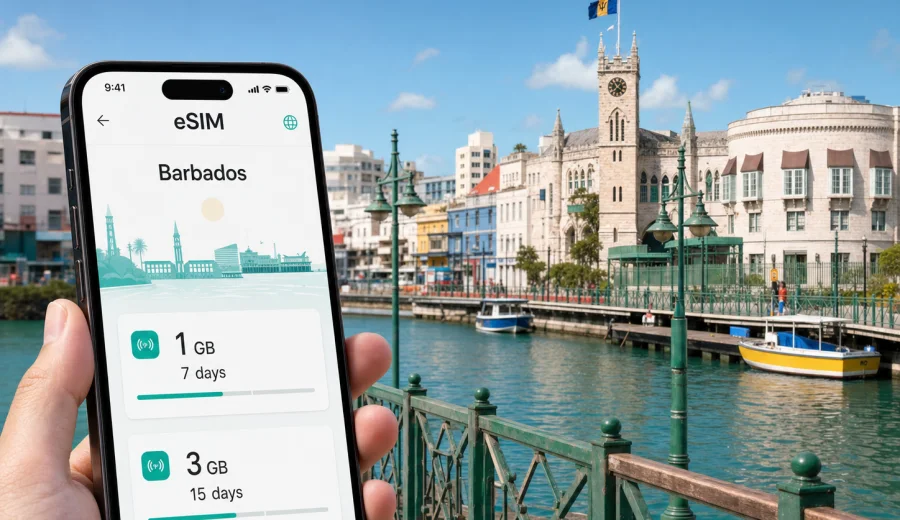
Bridgetown eSIM: mobile connection and internet for a Barbados city trip
Bridgetown is often the practical center of a Barbados trip. You may land at Grantley Adams International Airport, cross the island toward a hotel on Carlisle Bay or the south coast, spend a day around the cruise port, meet partners in the capital, or use the city as a base for beaches and short drives across the island. In each of those moments, mobile internet is not just a convenience. It helps you confirm addresses, check transport options, message a hotel, open boarding passes, translate details, and keep plans flexible.
An eSIM is useful in Bridgetown because many travel tasks happen before you have time to visit a shop or ask for Wi-Fi. You can prepare a compatible phone before departure, choose a data plan for Barbados, and activate the eSIM when the trip begins according to the plan conditions. Kaspersky eSIM Store is an app and website where you can choose, arrange, and activate an eSIM with a suitable data plan for mobile internet during an international trip.
This guide focuses on Bridgetown, not only Barbados in general: arrival routes, city movement, hotel areas, business schedules, cruise stops, airport transfers, and day trips from the capital.
Why mobile internet matters in Bridgetown
Bridgetown is compact, but travel around it can involve several different zones. The historic center, the Careenage, Carlisle Bay, the cruise terminal, business streets, south coast hotels, and airport road are close enough for short transfers, yet different enough that reliable navigation matters.
Mobile data is especially useful for:
- checking the route from the airport before you leave the arrivals area;
- messaging a hotel or apartment host when your arrival time changes;
- using maps around Broad Street, the Careenage, and National Heroes Square;
- finding a ride after a restaurant, meeting, beach stop, or cruise excursion;
- confirming opening hours and reservation details while you are already in the city;
- sharing location with colleagues, family, or a driver;
- managing boarding passes, ferry or cruise documents, and travel emails.
Wi-Fi can help in hotels, cafes, airport lounges, and some public spaces, but it is not a full travel plan. You may need internet while walking between streets, crossing from the city center to the beach, waiting outside a pickup point, or leaving for a day trip. A prepared eSIM reduces the number of moments when you have to stop and search for a network.
Arrival: from Grantley Adams International Airport to Bridgetown
Grantley Adams International Airport is on the southeast side of Barbados, while Bridgetown sits on the southwest coast. The transfer is usually straightforward, but the first hour of a trip is exactly when a data connection can prevent small delays from becoming stressful.
Before you leave the airport, mobile internet can help you:
- send your hotel a message if baggage or immigration takes longer than expected;
- check the route toward Bridgetown, Carlisle Bay, Hastings, Worthing, or the cruise port;
- compare a pre-arranged transfer with current taxi timing;
- share your live location with someone waiting in the city;
- open booking confirmations without relying on airport Wi-Fi.
If your first stop is central Bridgetown, maps are helpful for distinguishing the port area, the historic core, and the waterfront roads. If your hotel is technically outside the city, such as on the south coast, you may still pass Bridgetown or use it as your main point of reference during the stay.
Bridgetown travel scenarios and expected data use
Data needs vary by trip style. A short business stay may use less entertainment data but more email and messaging. A beach holiday may involve more maps, rides, photos, and restaurant searches. A cruise stop may be short, but time pressure makes online access especially valuable.
| Scenario in Bridgetown | Typical mobile internet tasks | Practical eSIM planning tip |
|---|---|---|
| Airport arrival | Maps, hotel messages, transfer coordination | Install before departure and activate according to your plan rules |
| City hotel stay | Navigation, restaurants, bookings, messaging | Choose enough data for daily maps and communication |
| Business trip | Email, calendar changes, ride coordination, video calls if needed | Check whether your plan volume fits work use, not only leisure use |
| Cruise stop | Meeting points, maps, quick searches, contact with the ship group | Avoid relying only on port Wi-Fi during a short visit |
| Beach and city mix | Maps, photos, messaging, transport apps | Keep data for both Bridgetown and the south coast |
| Day trips from the capital | Navigation to Holetown, Speightstown, Oistins, Bathsheba, or inland stops | Pick a plan for the whole Barbados trip, not just one city walk |
The safest approach is to estimate your data by behavior, not by destination alone. Maps and messaging are light. Video, cloud photo backup, long social media sessions, and laptop tethering can use much more data.
Where an eSIM helps most inside the city
Bridgetown has several travel zones where mobile internet makes movement easier.
The historic center is useful for walking routes, landmarks, quick searches, and meeting points. Streets can be busy, and a pinned location is more reliable than vague directions. The Careenage and waterfront are good examples: they are easy to enjoy on foot, but you may still want maps for the next stop.
Carlisle Bay is close to the city and often part of a Bridgetown day. Mobile data helps when you move between beach time, restaurants, taxis, and hotel plans. If your group separates for a while, messaging is often the simplest way to meet again.
The cruise port creates a different pattern. Time is limited, and many visitors want to see Bridgetown, a beach, or an excursion and return on schedule. An eSIM can help you keep maps, messages, and timing available away from the terminal.
Business travelers often move between hotels, offices, government buildings, conference venues, banks, and restaurants. A data plan is useful for calendar changes, document access, driver coordination, and quick calls through internet-based apps.
Before you choose an eSIM data plan for Bridgetown
Check three things before you pay for any eSIM data plan.
1. Make sure your phone supports eSIM and is not locked to one carrier.
2. Compare the data volume and validity period with the real length of your Barbados stay.
3. Read the activation rules, because some plans start when installed and others start when connected to a supported network.
If your trip includes a few hours in Bridgetown and several days elsewhere in Barbados, choose based on the full route. If Bridgetown is only a transfer point before a resort, you still need enough mobile internet for airport arrival, route changes, and local messages.
Choosing a data volume for a Bridgetown trip
There is no single correct data amount for every traveler, but the following estimates are practical.
| Trip length and style | Reasonable data behavior | What to watch |
|---|---|---|
| 1 cruise day or stopover | Maps, chat, reservations, light browsing | Avoid video streaming and automatic backups |
| 2-3 days in the city | Daily navigation, restaurants, taxis, messaging, some photo sharing | Check app updates and cloud sync settings |
| 4-7 days in Barbados with Bridgetown as a base | Maps across the island, messaging, trip planning, moderate social use | Consider a larger package if you upload photos often |
| Work trip | Email, messaging, files, possible hotspot use | Video calls and laptop tethering can raise data use quickly |
For many travelers, the best plan is not the smallest option. It is the plan that gives enough data for normal behavior without forcing you to ration maps, messages, and practical searches during the trip.
When to install and activate your eSIM
It is usually convenient to install the eSIM before your flight, while you have stable home Wi-Fi and time to follow the steps carefully. Activation timing depends on the selected plan, so read the instructions before you travel.
A simple preparation sequence:
1. Check that your device supports eSIM and is not carrier-locked.
2. Choose Barbados as the destination and review the available data plans.
3. Install the eSIM using a stable Wi-Fi connection.
4. Keep your primary SIM for calls or SMS if you need it.
5. After arrival, select the eSIM for mobile data and turn on the settings required by the plan.
6. Track remaining data and validity in your account or app.
If you are preparing mobile internet for the capital and the wider island, you can choose a data plan for your Bridgetown and Barbados trip through Kaspersky eSIM Store before departure or after arrival, depending on your travel schedule and Wi-Fi access.
For installation details, follow the official Android setup instructions or iOS setup instructions. Before buying, check your device to confirm eSIM support.
Local movement: walking, taxis, buses, and short transfers
Bridgetown can be explored partly on foot, especially around the historic center and waterfront. Still, mobile internet helps with the transitions between walking and transport. A route that looks simple on a map may involve heat, traffic, luggage, or a stop that is easier by taxi.
For taxis and transfers, data is useful for confirming the exact pickup place. Hotel names, beach entrances, port gates, and restaurant fronts can be close together. Sending a location pin reduces confusion.
For buses and shared local transport, online maps and quick searches help you understand direction and timing, even if you still confirm details locally. If you plan to move between Bridgetown, Oistins, Holetown, Speightstown, or Bathsheba, keep enough data for navigation outside the capital as well.
For walking routes, download or cache key areas if your map app supports it. Then use mobile data for live changes: traffic, rerouting, messages, opening hours, and last-minute searches.
Hotel areas and where connectivity changes your day
Many visitors say they are staying in Bridgetown when their hotel is actually in a nearby south coast area. That is normal for Barbados travel. Your phone connection should support the whole pattern: airport, city, beach, restaurants, and day trips.
Common city-based travel patterns include:
- a central stay near Bridgetown for meetings, government appointments, or port access;
- a beach stay near Carlisle Bay with frequent walks or rides into the city;
- a south coast hotel with Bridgetown as the arrival, shopping, or business point;
- a cruise visit where the city is the main destination for a few hours;
- a resort stay elsewhere on the island with one or two Bridgetown visits.
In hotels, Wi-Fi may be enough for heavy downloads, streaming, or laptop updates. Use your eSIM data for mobility: the route from reception to a restaurant, the message to a driver, the map back from the beach, or the confirmation email you need while away from the lobby.
Business trips to Bridgetown
For a business traveler, mobile internet in Bridgetown is about continuity. The city can involve formal meetings, banking, government offices, professional services, and hotel-based work. Even when the hotel Wi-Fi is good, the day often moves outside it.
Use an eSIM data plan to support:
- calendar updates between meetings;
- route checks before leaving the hotel;
- document access when a meeting location changes;
- messaging with colleagues and local contacts;
- internet-based calls when appropriate;
- backup connectivity if a venue Wi-Fi network is difficult to join.
Do not assume a travel eSIM includes a standard local phone number, voice calls, or SMS. Many travel eSIM data plans focus on mobile internet. If you need conventional calls or texts, check the exact plan conditions and keep your primary SIM active where necessary.
Cruise and stopover use
Bridgetown is a common cruise and transit point, and short visits change the value of mobile data. You may have only a few hours to leave the port, visit the center or beach, and return. A prepared eSIM helps you avoid spending the first part of that time searching for Wi-Fi or a shop.
For a cruise day, prepare:
- the port location and return time saved in your phone;
- offline copies of critical documents;
- enough mobile data for maps and messages;
- a plan for contacting your travel group if you separate;
- battery backup if you expect heavy map use.
For a flight stopover, the priority is different. You may need internet for onward boarding details, a transfer to the city, or a short visit to Carlisle Bay. Keep the setup simple so you can activate and use data without changing too many settings under time pressure.
Day trips from Bridgetown
Bridgetown is a useful starting point for wider Barbados routes. You might head south to Oistins, north toward Holetown and Speightstown, east toward Bathsheba, or inland for gardens, viewpoints, and historic stops. These trips are still part of the connectivity plan for a Bridgetown-based stay.
Mobile internet helps with:
- checking drive times before leaving the city;
- navigating roads outside the main tourist corridor;
- adjusting beach or restaurant plans if weather changes;
- contacting a tour operator or driver;
- sharing your location with people not traveling with you;
- finding your way back to the hotel after sunset.
If you rent a car, check whether your navigation app will use mobile data continuously or whether maps are cached. If several people share one phone for navigation, keep a charger in the car and avoid using the same device for heavy streaming.
Practical checklist before arrival
Use this checklist one or two days before your flight:
- Your phone supports eSIM, and the device is not carrier-locked.
- Your main number remains available if you need bank messages or travel alerts.
- The eSIM is installed using stable Wi-Fi.
- You understand when the selected plan starts counting validity.
- Mobile data switching is clear in your phone settings.
- Automatic app updates and cloud backups are limited on mobile data.
- Hotel address, airport address, and first meeting point are saved.
- Key documents are available offline.
- You know how to contact support if setup questions appear.
This preparation is especially helpful for late arrivals, tight cruise schedules, or business trips where the first morning starts quickly.
Quick guidance for data-saving in Bridgetown
You do not need to make your phone inconvenient to save data. Small settings usually help enough.
Turn off automatic cloud photo backup on mobile data. Download music, podcasts, and large documents before the trip. Use hotel Wi-Fi for app updates. Keep video streaming for Wi-Fi unless you chose a larger data package. Close background apps that constantly refresh maps, feeds, or cloud files.
At the same time, do not over-restrict the apps you actually need. Maps, messaging, email, bookings, and ride coordination are the practical reason for having mobile internet in Bridgetown.
FAQ: eSIM and mobile internet in Bridgetown
Is an eSIM useful for a short Bridgetown visit?
Yes, especially for cruise stops, airport transfers, and short business stays. The shorter the visit, the more useful it is to avoid spending time looking for Wi-Fi.
Can I use one eSIM data plan outside Bridgetown?
Choose a data plan for Barbados and check the plan details. For a city article, the country plan is the relevant destination because trips often continue beyond Bridgetown.
Should I install the eSIM before flying?
Often yes. Installing before departure gives you stable Wi-Fi and time to check settings. Activation rules depend on the selected plan, so review them carefully.
Will an eSIM give me a Barbados phone number?
Many travel eSIM plans are data-focused and may not include a standard local number, voice calls, or SMS. Check the exact plan conditions before relying on those services.
Can I keep my regular SIM active?
In many compatible phones, you can keep your regular SIM for calls or SMS and use the eSIM for mobile data. Device behavior varies, so review your phone settings.
How much data do I need for Bridgetown?
For maps, messaging, bookings, and light browsing, modest data can be enough. If you use video, hotspot mode, cloud backup, or long work calls, choose a larger package.
Prepare your eSIM for Bridgetown
Bridgetown is easy to enjoy when the basics are ready: your route from the airport, your hotel location, your first meeting point, and your mobile internet. An eSIM helps you keep those details available while moving between the airport, the city center, Carlisle Bay, the cruise port, business appointments, restaurants, and trips across Barbados.
Kaspersky eSIM Store helps you choose, arrange, and activate an eSIM with a suitable data plan for mobile internet in an international trip. Before you go, check compatibility, review the data volume and validity period, and install the eSIM while you have stable Wi-Fi. Then you can arrive in Bridgetown with a clearer plan for navigation, messages, and everyday travel tasks.
Choose a data plan for your Bridgetown and Barbados trip and prepare mobile internet before your journey.