Travel connectivity guide
Brikama eSIM: Mobile Internet for Your Trip
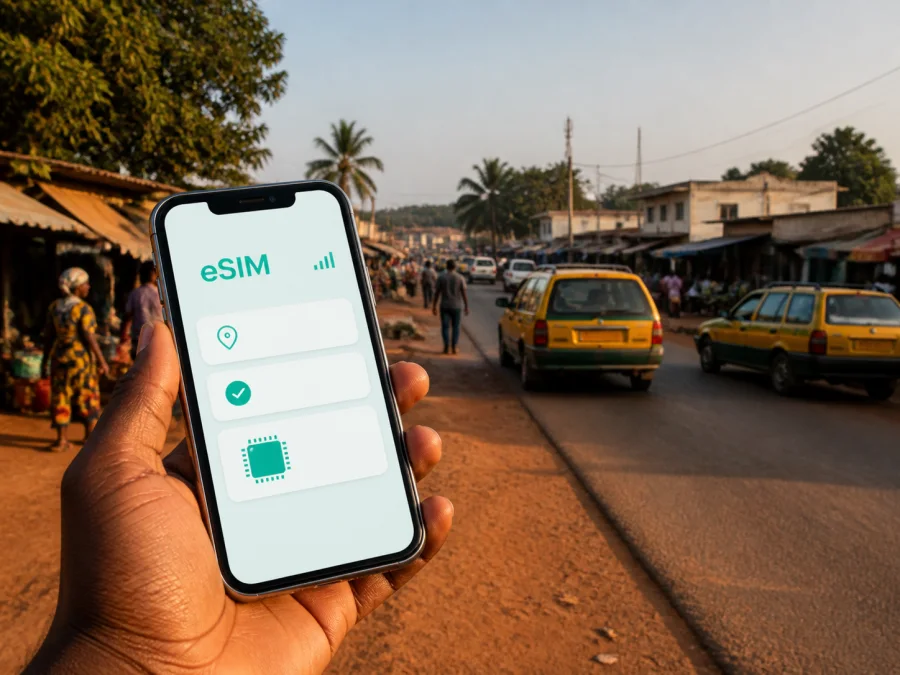
Brikama eSIM: Mobile Connection and Internet for Your Trip
Brikama is an inland commercial centre in Gambia’s West Coast Region and the headquarters of the Brikama Area Council. It is close to the greater Banjul area for airport arrivals, business appointments and coastal excursions, but it has its own rhythm of markets, homes, workshops and connecting roads. A dependable mobile connection helps you check a hotel pin, message a driver, use a map and confirm a meeting.
An eSIM, or digital SIM card, lets you add a data plan to a compatible phone without removing your usual physical SIM. The Kaspersky eSIM Store app and website help you choose, arrange and activate an eSIM with a suitable plan for mobile internet during an overseas trip. The service is not a mobile operator and does not own the local network; the selected plan is supplied through the relevant local telecommunications arrangements.
Quick answer: do you need an eSIM for Brikama?
An eSIM is worth considering if you want mobile data as soon as you begin moving around Brikama, prefer to keep your home SIM in the phone, or expect to travel beyond the town. It can be practical for a short visit or work trip.
The right plan depends on your route and habits. Someone who mainly exchanges messages and checks maps will use data differently from someone who joins video calls, shares a hotspot or uploads photos. Before paying, compare the available traffic volume, validity period, activation conditions and destination coverage shown for the plan.
Brikama connectivity in one sentence: prepare a compatible eSIM for Gambia, keep your regular SIM available if needed, and use the eSIM profile for mobile data while you explore Brikama and the surrounding West Coast routes.
What Brikama is like for a connected traveller
Brikama is an inland town and a gateway to the West Coast Region, with a central market, trading areas, residential quarters and roads leading towards coastal and rural destinations. It is not a compact resort strip: an itinerary that combines Brikama with a coastal hotel involves road travel. A map pin may be more useful than a street number, and a driver may describe a turn by a junction or landmark.
Mobile data is most useful for the first transfer, local errands around markets and offices, and journeys beyond town. It will not remove delays, but it makes it easier to message a host and confirm a changed meeting point.
Arriving in Brikama from the airport area
Most international visitors enter Gambia through Banjul International Airport and continue overland. Brikama is roughly 30 kilometres from Banjul, according to the Brikama Area Council, but the more useful planning question is where your accommodation is, how you will meet your driver and whether the route continues beyond the town.
Before leaving a reliable connection, save:
- the accommodation pin, driver or host’s number, and meeting point;
- the first appointment, nearby landmark and booking confirmation.
If you will install after arrival, keep the QR code ready and ensure temporary internet access.
A simple arrival sequence
Before departure, choose a Gambia plan, review its terms and install the eSIM on stable internet, or keep the details ready. At the airport, send one message with your name and meeting point. During the transfer, use a saved pin. On arrival, select the travel line for data and test a map or message.
Getting around Brikama
Transport in and around Brikama is shaped by the road network, local demand and the destination. Shared taxis and minibuses are common ways to move between towns and along busy corridors. A private taxi or prearranged driver can be more convenient with luggage, a precise meeting point or several stops. Confirm the destination and fare before setting off.
Use mobile data to make the journey clearer, not to assume that every vehicle follows a fixed timetable. Departure times, road conditions and traffic can change, so ask locally about the current situation before a tight connection.
| Travel task in Brikama | Useful preparation | Why mobile data helps |
|---|---|---|
| Airport transfer | Save the accommodation pin and contact | Message about the meeting point and follow the route |
| Business appointment | Confirm the location on the day | Support last-minute messages and a map check |
Name the destination before entering a shared vehicle, keep your phone secure during crowded journeys, and allow time for waiting and road conditions.
Navigation: maps, landmarks and low-data habits
Brikama is easier to navigate when you combine a digital map with local landmarks. A map shows the general direction, while a person on the ground may describe a turn using a market, junction, school, fuel station or public building. Save both the pin and the wording you receive. If a map suggests a shortcut, ask whether it is suitable for your vehicle and current conditions.
Search before leaving the hotel or guesthouse, zoom in on the area you need and avoid repeatedly refreshing a large map. Text directions and short voice messages usually use less data than video. An offline map, when supported, can reduce dependence on live data, although it may not contain the latest road changes or business hours.
Navigation checklist
- [ ] Pin the accommodation and the next appointment.
- [ ] Save the driver or host’s number and meeting point.
- [ ] Check the route before leaving Wi-Fi.
- [ ] Carry a charger and written address.
Choosing where to stay in and around Brikama
Start with the purpose of your trip. Accommodation near the central market or a main road can simplify errands and transport. A quieter residential setting may suit a longer stay, but confirm the exact pin, vehicle access and a landmark a driver can identify. Names in listings do not always describe formal boundaries.
If you choose a coastal hotel and spend the day in Brikama, plan the return as carefully as the outward trip. A Brikama guesthouse may suit work in town, while a coastal base may require more planning for beach activities. Ask for a precise pin and backup contact method.
Choosing an eSIM plan for a Brikama itinerary
Start with the complete route: airport area, Brikama, coastal stops and any onward journey. Then estimate daily use:
- Validity: match the active period to the whole trip and check when it begins under the plan’s terms.
- Traffic volume: include maps, messages, browsing, work tools, photos and possible hotspot use.
- Destination: confirm that the plan covers Gambia and every other country or region on your route.
- Top-ups: check how remaining data and additional packages are managed in the app or website.
- Device limits: confirm eSIM support, unlocked status and the required network settings.
A short stopover may need data for arrival and navigation. Meetings, photo uploads and hotspot use require more room. Choose from the actual options displayed for your destination and read the conditions instead of relying on a generic plan name.
When your route is ready, you can choose an eSIM plan for a trip to Gambia through Kaspersky eSIM Store. Review the traffic, duration and activation details shown at checkout, then keep the confirmation available until the profile is installed.
Check compatibility before you purchase
Not every phone supports eSIM, and support can vary by model, region of sale or operator lock. Before buying, check whether your device supports eSIM. Confirm that the phone is not locked to your home operator and that you can select a mobile-data line in its settings.
If you use two SIMs, decide which line handles mobile data and which remains available for your normal number. Review the home line’s data-roaming setting to reduce the chance of unexpected charges. Some devices may require data roaming for the travel eSIM, with usage counted against the selected plan.
How to install and activate an eSIM
Install it while the phone is charged and connected to stable internet, with the purchase confirmation or QR code ready. Check when installation, activation and data use begin under the plan’s rules.
1. Confirm prerequisites
Check eSIM compatibility, unlocked status, battery and access to the QR code or in-app installation flow.
2. Open mobile-network settings
Choose the option to add a mobile plan or eSIM; wording differs between devices.
3. Add the profile
Scan the QR code from the confirmation or use the installation option in your Kaspersky eSIM Store profile.
4. Label the line
Give it a clear name such as “Gambia travel” so that you do not confuse it with your home SIM.
5. Select mobile data
Choose the travel eSIM for mobile data when you are ready to use it. Check that the home line has not been selected by accident.
6. Configure roaming if required
Some devices need data roaming enabled for the travel eSIM. Follow the plan instructions and review the home SIM separately.
7. Test the connection
Open a map or send a short message; connection can take a few minutes.
For detailed steps, use the Android eSIM installation instructions or the iOS eSIM installation instructions. The same logic applies in Brikama: install carefully, select the correct line and test with a small action.
Managing data during your stay
The first hours can use more data because you are searching, messaging and checking maps at once. Review usage, limit automatic backups and use Wi-Fi for large downloads when appropriate. For work, ask about accommodation Wi-Fi; tethering, where supported, uses the selected package.
Match the plan to the scenario
Short stopover: transfers, maps and essential messages. Business trip: email, documents and meeting changes. Regional road trip: saved details and coverage for every country or region. Longer stay: monitor balance and validity before a top-up is needed.
From Brikama to the coast and beyond
Brikama is a useful starting point for the West Coast Region. Coastal and rural stops may involve different road conditions, so save the destination pin and driver contact, ask which road is practical, and plan the return before leaving.
Carry water, a charger and a backup address. A country-level plan can be practical beyond Brikama, but its stated coverage and terms remain decisive.
When the connection does not work
A missing data connection does not always mean that the eSIM profile is invalid. Work through the basics:
- Check that the eSIM line is switched on and selected for mobile data.
- Review whether data roaming is required for that profile.
- Turn airplane mode on briefly, then off, and restart the phone if needed.
- Move to a different location and wait a few minutes.
- Check plan status, traffic and validity in your profile.
- Contact support if the issue continues, keeping purchase details available.
Do not delete an installed eSIM while troubleshooting unless support or the device instructions say to do so. An activation code may be limited to one installation.
eSIM or physical SIM for Brikama?
Both can be reasonable. A physical SIM may suit a phone without eSIM support; an eSIM may suit someone who wants to keep the home line accessible and prepare data before leaving. Compare the actual conditions for your device and itinerary.
| Consideration | Travel eSIM | Physical SIM |
|---|---|---|
| Preparation | Can be arranged before departure | Usually requires an in-person purchase |
| Home number | Can remain in the phone | May need to be removed in a single-slot phone |
| Device | Needs eSIM support and an unlocked phone | Needs a compatible SIM slot |
Brikama travel checklist
- [ ] Confirm eSIM support, unlocked status and the correct data line.
- [ ] Choose a Gambia plan by traffic, validity and route.
- [ ] Install on stable internet, or save the QR code securely.
- [ ] Save accommodation, meeting-point and return-transport details.
- [ ] Test a map and a short message on the first day.
- [ ] Review traffic and validity during the stay.
- [ ] Carry a charger and keep an offline copy of essentials.
Frequently asked questions
Does an eSIM give me a Gambian phone number?
Usually not. These travel eSIM plans are intended for mobile data and do not include a separate phone number, ordinary calls or SMS unless the individual plan says otherwise. Messaging and calling apps can work through the internet.
Is Brikama the same as staying on the coast?
No. Brikama is inland, while many leisure properties and beach activities are associated with the coastal part of the West Coast Region. If you stay in one area and spend time in the other, plan road transfers and keep data available for navigation.
What is Kaspersky eSIM Store?
Kaspersky eSIM Store is an app and website where you can choose, arrange and activate an eSIM with a suitable data plan for an overseas trip. It helps you manage the selected eSIM and plan; it is not a mobile operator and does not represent the local network.
Plan your connection around the trip
Brikama rewards practical preparation. Save the right locations, allow time for road travel, confirm meeting points and keep the phone ready for changes. An eSIM can simplify the data side of that plan without removing your regular SIM, but compatibility, destination, traffic, validity and device settings still need to be checked.
When you are ready, select an eSIM plan for your Gambia itinerary, install it on a compatible unlocked device and activate it according to the plan instructions. Test mobile data before your first transfer and keep the confirmation details until the journey is complete.


