
Travel connectivity guide
Brisbane eSIM: mobile internet for travel
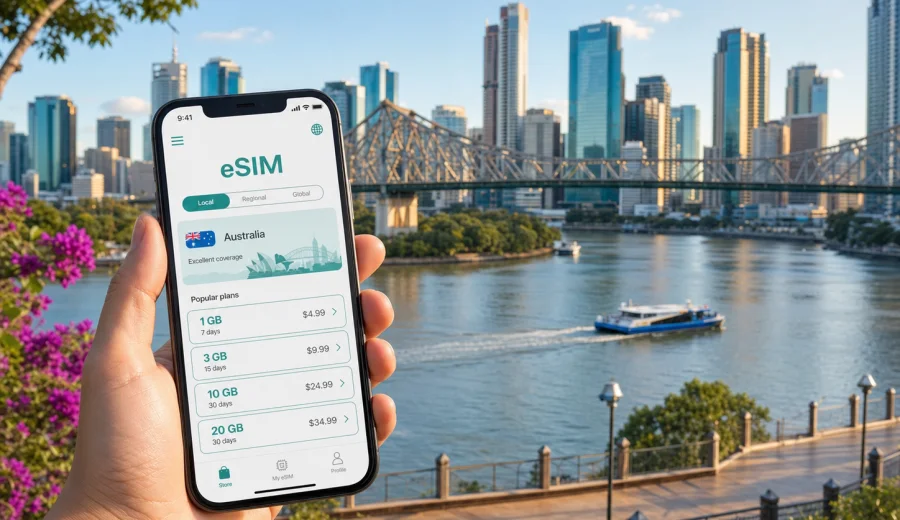
Brisbane eSIM: mobile connection and internet for your trip
Brisbane is a city where mobile internet quickly becomes part of the trip itself. You may need a map after Brisbane Airport, a rideshare app for the CBD, messages for hotel check-in, transit information for the CityCat, and bookings around South Bank or Fortitude Valley. An eSIM can help you prepare mobile data before you arrive, without looking for a physical SIM card after a long flight.
For a city trip, eSIM is not just a technical detail. It affects the first hour after arrival, how confidently you move between districts, and how easily you manage plans when weather, meetings, or transport timings change.
Why eSIM is useful in Brisbane
Brisbane is spread along the river, with many trips moving between the airport, the CBD, South Bank, Fortitude Valley, Spring Hill, New Farm, West End, Milton, and nearby coastal routes. Public transport, walking paths, ferries, rideshare services, hotel apps, ticket wallets, and messenger calls all work better when you are not waiting for public Wi-Fi.
An eSIM is a digital SIM profile installed on a compatible phone or tablet. In a travel scenario, it is used for mobile internet. It usually does not include a local phone number, ordinary voice calls, or SMS unless the chosen plan says so.
In Brisbane, mobile data can be especially useful for:
- checking the route from Brisbane Airport to your hotel;
- using maps around the CBD, South Bank, Roma Street, and Fortitude Valley;
- confirming hotel reservations and apartment access codes;
- ordering rideshare transport late at night or early in the morning;
- checking ferry, bus, and train options while moving between districts;
- joining video calls during a business trip;
- sharing trip updates with family or colleagues;
- planning day trips to the Gold Coast, Sunshine Coast, or Moreton Bay area.
The practical advantage is control. You can choose a data plan for Australia, review the allowance and validity period, install the eSIM on a compatible device, and arrive with a clearer plan for staying online.
Arrival at Brisbane Airport: the first mobile data moments
Brisbane Airport is the point where many travelers need internet immediately. You may have to open your accommodation address, message a host, check the train route, find a pickup zone, or load a QR code. Airport Wi-Fi can be useful, but it may not be available exactly when you need it, and you may not want to rely on it for every step.
A prepared eSIM helps with a simple arrival flow:
1. Turn off airplane mode after landing.
2. Make sure the eSIM line is selected for mobile data.
3. Enable data roaming for the eSIM if the plan instructions require it.
4. Wait a few minutes while the device connects to a local network.
5. Open maps, transport, hotel, or messaging apps.
If the eSIM is installed before the flight, you can avoid doing the setup while standing in the terminal. If you prefer to install it after arrival, keep access to airport Wi-Fi until the profile is added and the device has registered on the network.
Brisbane scenarios where mobile internet matters
Different visitors use Brisbane in different ways. A short stopover, a business visit, and a family holiday do not need the same amount of data. The city context helps you choose more calmly.
| Trip scenario | Typical mobile internet needs | What to consider |
|---|---|---|
| One-night stopover | maps, hotel check-in, rideshare, messages | a small data allowance may be enough if you mostly use hotel Wi-Fi |
| Business trip | email, calendar, calls, file access, transport | choose enough data for work apps and backup connection time |
| Weekend city break | maps, restaurant bookings, photos, messaging | allow extra data for navigation and social sharing |
| Family trip | maps, tickets, translation, shared plans | one device may act as the main travel organizer |
| Regional route from Brisbane | navigation, bookings, weather, messages | check that the plan covers Australia and fits the full route |
For most city use, the biggest data consumers are video calls, streaming, cloud photo backup, app updates, and using the phone as a hotspot. Maps, messaging, tickets, and transit checks usually use less data, but they are often the most important services when you are moving around.
Choosing an eSIM plan for Brisbane
For a Brisbane article, the relevant destination is Australia. Choose a plan that covers Australia rather than looking for a city-only plan. Then compare the practical details: data allowance, validity period, price, activation rules, and whether top-ups are available.
Start with the length of your stay. A two-day Brisbane stopover needs a different plan from a two-week trip that includes the Gold Coast, Sunshine Coast, and inland drives. Then think about how you actually use your phone. If you mainly need maps and messages, a smaller data package may work. If you join video meetings, upload photos, or use mobile data as a backup for remote work, choose more capacity.
A simple planning method:
- count the number of travel days in Australia;
- list the apps you cannot do without: maps, rideshare, banking, hotel, work, messaging;
- decide whether you will stream, upload photos, or use video calls on mobile data;
- check whether your accommodation has reliable Wi-Fi;
- leave a buffer for route changes and unexpected delays;
- review the plan validity period before paying.
Avoid choosing by data size alone. A large package with a validity period that does not match your itinerary may be less useful than a smaller plan that fits your actual travel dates. Also check when the validity period starts, because some plans begin when the eSIM connects to a supported network and others may have different activation conditions.
Where eSIM helps inside the city
Brisbane is easy to enjoy when you can move without pausing to solve connectivity problems. Mobile internet helps you treat the city as connected districts instead of separate stops.
In the CBD, you may need maps for Queen Street Mall, meeting addresses, office towers, and riverfront paths. Around South Bank, mobile data helps with restaurant bookings, event tickets, ride pickup points, and navigating between the parklands, museums, and the convention area. In Fortitude Valley and New Farm, you may use it for late transport, venue changes, and messaging friends. In West End or Milton, it helps when you move between cafes, accommodation, and evening plans.
On the river, mobile data is useful for checking ferry routes and timing changes. Brisbane’s river layout means that the fastest route is not always the most obvious one on foot. A working map can prevent long detours, especially when crossing points and ferry stops matter.
If you are in Brisbane for work, mobile internet also becomes a backup. Hotel Wi-Fi can be enough for planned work, but mobile data helps when you are between meetings, moving from the airport, or joining a quick call before check-in.
When to prepare your eSIM
The most convenient time to prepare an eSIM is before departure, while you still have stable home internet. That gives you time to check compatibility, complete payment, save instructions, and install the profile without pressure. You can then activate mobile data for the eSIM when you are ready to use it, following the plan instructions.
If your trip is already underway, you can still set up an eSIM after arrival. In that case, use a trusted Wi-Fi connection for installation and keep your device charged. Installation needs internet access because the phone must download and add the eSIM profile.
At this stage of planning, you can use Kaspersky eSIM Store to choose an eSIM plan for your trip to Brisbane and Australia. The page lets you review available options for Australia and compare the plan details before you decide what fits your route.
How to install and activate eSIM for Brisbane travel
The exact steps depend on your device, operating system, and selected plan, but the general process is straightforward. First, make sure the phone supports eSIM and is not locked by a mobile operator. Then choose the destination and plan, complete the order, and follow the installation instructions.
Typical installation flow:
1. Check that your device supports eSIM.
2. Choose an Australia eSIM plan that fits your Brisbane trip.
3. Complete the order and open the eSIM details in your profile, email, or app.
4. Install the eSIM by following the on-screen steps or scanning the QR code.
5. Select the eSIM for mobile data when you want to use it.
6. Enable data roaming for the eSIM if the plan instructions say it is required.
7. Wait a few minutes for the device to connect to a local network.
If you need device-specific guidance, use the Android installation instructions or the iOS installation instructions. Keep the instructions available before your flight, especially if you plan to activate the eSIM soon after landing.
Check device compatibility before you pay
Not every phone or tablet supports eSIM, and some devices can differ by region of sale. A compatible model can also be restricted if it is locked to a mobile operator. Before buying a plan, check your device and confirm that eSIM is available in the device settings.
This check matters because an eSIM profile is linked to the device where it is installed. Depending on the plan and profile conditions, it may not be possible to move it freely to another phone after activation. If you are traveling with a family or team, decide in advance which device should carry the eSIM.
Also check these points:
- your phone is updated enough to support eSIM installation;
- you have internet access during installation;
- you can open the email, profile, or app where the eSIM details are stored;
- your battery level is sufficient before a long arrival day;
- your primary SIM settings will not accidentally use expensive roaming data;
- you understand whether the plan is data-only.
Data planning for districts, hotels, and transport
Brisbane travel often mixes walking, ferries, trains, rideshare, and short regional transfers. That mix can increase the number of times you reach for your phone, even if each task uses little data.
For a hotel-based stay, use Wi-Fi for large downloads and cloud backups, and keep eSIM mobile data for movement: maps, tickets, bookings, and messages. For serviced apartments or late check-ins, keep mobile data active until you have entered the building and confirmed access details. For business hotels around the CBD or Spring Hill, eSIM can be a backup when you move between meeting rooms, restaurants, and transport.
For public transport, mobile data helps you compare walking, train, bus, ferry, and rideshare options. This is useful around Roma Street, South Brisbane, Fortitude Valley, and the airport line. For river routes, data helps you check whether a ferry is the pleasant option or whether a train or rideshare saves time.
For driving beyond Brisbane, keep a data buffer for navigation, fuel stops, parking apps, weather checks, and accommodation messages. Offline maps are still useful, but mobile data gives you live updates when roads, timing, or plans change.
Practical data-saving tips in Brisbane
You do not need to ration every megabyte, but a few habits help your eSIM plan last longer.
- Download offline map areas for Brisbane and nearby routes before busy travel days.
- Pause automatic app updates on mobile data.
- Disable cloud photo backup until you are on trusted Wi-Fi.
- Use lower video quality for calls when the connection is only for quick check-ins.
- Save hotel addresses, ticket PDFs, and booking references offline.
- Set your main SIM so it does not use roaming data by accident.
- Monitor data use in your phone settings during the first day.
These steps are useful if your trip includes both city days and regional travel. A plan that feels generous in the CBD can disappear faster if you upload videos, stream, or share a hotspot for several devices.
Stopovers, business trips, and routes from Brisbane
Brisbane can be a final destination, an overnight stop, or the start of a wider Queensland route. For a short stopover, mobile internet mainly supports airport transfer, hotel access, food delivery, maps, and messages. Save your hotel address and check-in method offline, then keep eSIM data for the moments when you are moving.
For business travel, plan more data if you expect video calls, calendar changes, file access, or hotspot use for a laptop. Brisbane’s CBD, Fortitude Valley, South Brisbane, and airport corridor are common work zones, so an eSIM can act as a practical backup between hotel Wi-Fi, meeting rooms, and transport.
For routes beyond Brisbane, choose a plan for Australia and allow a data buffer. Day trips to the Gold Coast, Sunshine Coast, hinterland areas, or Moreton Bay may need live navigation, weather checks, ferry or tour confirmations, parking apps, and group messages. Offline maps are still useful, but mobile data helps when timing or route plans change.
eSIM, roaming, Wi-Fi, and physical SIM cards
Each connection option has a different role. International roaming can be convenient, but the cost and rules depend on your home operator. Public Wi-Fi helps in hotels, airports, cafes, and offices, but it may not be available while you are walking, riding a ferry, or waiting for a pickup. A physical local SIM can work, but it usually means finding an offline point of sale after arrival.
For Brisbane, the main benefit of eSIM is preparation. You can land, move, check maps, message your hotel, and continue the trip without making connectivity the first errand of the day, provided your device is compatible and the chosen plan fits your route.
Common mistakes to avoid
The most common eSIM problems are preventable. They usually come from buying before checking compatibility, installing too late, choosing the wrong destination, or misunderstanding what a data-only plan includes.
Avoid these mistakes:
- buying a plan before confirming that your phone supports eSIM;
- assuming eSIM includes a local phone number;
- leaving installation until you are in a taxi queue with low battery;
- selecting a plan that does not match your full Australia route;
- using video streaming on mobile data without checking allowance;
- forgetting to switch mobile data from the primary SIM to the eSIM;
- deleting the eSIM profile without checking whether it can be reinstalled.
If something does not connect immediately, give the device a few minutes, check that mobile data is assigned to the eSIM, and confirm whether data roaming must be enabled for that eSIM profile. If the problem continues, review the plan instructions and contact support through the available channel.
Quick checklist before flying to Brisbane
Use this checklist the day before your trip:
- Your destination is set to Australia.
- Your device supports eSIM and is not operator-locked.
- Your eSIM plan validity matches the trip dates.
- You know when the plan starts using validity.
- Android or iOS installation instructions are saved.
- Hotel address and airport transfer details are stored offline.
- Primary SIM roaming data is controlled or disabled.
- Mobile data will be assigned to the eSIM after arrival.
- Important apps are signed in before you travel.
- Battery pack and charger are packed for the arrival day.
This preparation keeps the eSIM setup connected to real travel tasks: landing, transferring, checking in, moving around Brisbane, and staying reachable.
FAQ: eSIM for Brisbane
Do I need a Brisbane-specific eSIM?
No. For a city trip to Brisbane, choose an eSIM plan for Australia. Brisbane is the city context, but the plan destination should match the country where you will use mobile data.
Can I install eSIM before I arrive in Brisbane?
Yes, in many cases you can install the eSIM before departure and activate mobile data when you are ready to use it. Follow the selected plan instructions, because activation and validity rules can differ.
Does eSIM include calls and SMS?
Usually no. Travel eSIM plans in this context are intended for mobile internet. If calls, SMS, or a phone number are included, that should be stated in the specific plan conditions.
Is eSIM useful if my hotel has Wi-Fi?
Yes. Hotel Wi-Fi helps in your room, but eSIM mobile data is useful while moving through the airport, streets, transport, restaurants, meeting venues, and day-trip routes.
Can I use eSIM for a laptop hotspot?
It depends on your device and the plan conditions. If hotspot use is important for work, check the plan details and choose enough data for laptop browsing, calls, and file transfers.
What should I do if the eSIM does not connect after landing?
Check that the eSIM is installed, selected for mobile data, and allowed to use data roaming if required. Restarting the device or waiting a few minutes can help.
Prepare mobile internet for Brisbane
Brisbane is easier to navigate when mobile data is ready before you need it. From airport arrival to South Bank walks, CBD meetings, river transport, hotel check-ins, and trips beyond the city, an eSIM can help you keep maps, messages, bookings, and travel tools available on a compatible device.
Before you travel, check device compatibility, choose a data allowance that fits your route, install the eSIM carefully, and keep the plan instructions available. When you are ready to prepare your connection, choose an eSIM plan for your Brisbane trip in Australia through Kaspersky eSIM Store and review the available options for your travel dates.