Travel connectivity guide
Brufut eSIM: Mobile Data for Your Gambia Trip
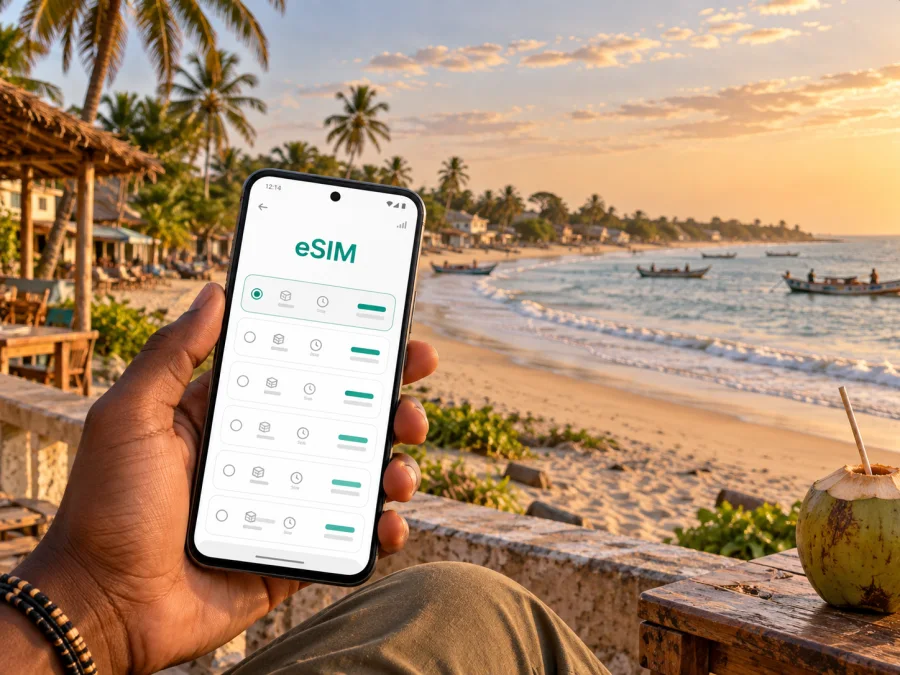
Brufut eSIM for mobile connection and internet
Brufut is a coastal town in Gambia, south of the better-known resort areas around Bijilo and Kololi. A visit can mean a quiet stay near the Atlantic, a work trip based in a guesthouse, or a short stop between the airport and destinations farther along the coast. In each case, mobile internet can make the practical parts of the day easier: confirming a pickup, checking a map, messaging your host and keeping booking details close at hand.
An eSIM is a digital SIM profile installed on a compatible device. It can give you a way to use mobile data during an overseas trip without replacing your physical SIM. Kaspersky eSIM Store is an app and website where you can choose, arrange and activate an eSIM with a suitable data plan for travel. The local experience still depends on the selected plan, the available network and your device.
When mobile data helps in Brufut
Brufut is spread between the town, residential areas and its Atlantic-facing coast. Your accommodation may be close to the beach, set back among local roads, or located toward Brufut Heights. That makes a saved address and a working map useful when you arrive, especially if a driver or host describes the last part of the route using a nearby junction or landmark rather than a formal street number.
A connection is useful for more than directions. During an ordinary day in Brufut, you may need to:
- confirm the exact pickup point with a driver or accommodation host;
- send your estimated arrival time if a flight or road journey runs late;
- open a map while moving between the town, Brufut Beach and nearby communities;
- check a restaurant, activity or transfer booking before leaving your stay;
- message family or colleagues without relying on hotel Wi-Fi;
- look up practical information while planning a trip toward Bijilo, Kololi, Tanji or a meeting elsewhere in the West Coast Region.
These are small tasks, but they often happen when you are away from a desk or reception. Having mobile data available can make it easier to adapt when a pickup point changes or you decide to stay longer by the coast.
Arriving and finding your way
If you arrive at Banjul International Airport, continue to Brufut by road. Route and journey time depend on traffic and the location of your stay, so confirm the details with your driver or host. Before boarding, share the accommodation name and agree on a clear pickup and drop-off point.
Save the property address in the format supplied by your host and as a map pin if available. In areas where a place is described relative to a beach, road or nearby settlement, the pin can help, but follow local directions for the final turn.
| Save before arrival | Why it helps |
|---|---|
| Accommodation address and host contact | Confirm the destination and report delays. |
| Pickup instructions | Find the agreed meeting point and driver. |
| Map pin and offline area | Keep basic directions available if data is limited. |
| Booking details | Check in and coordinate onward travel. |
At arrival, first check that the eSIM is selected for mobile data, data roaming is enabled if the plan requires it, and the phone shows a connection. Test with a short message or small map search. If it does not work, follow the plan instructions before changing several settings.
First-hour checklist
Confirm the pickup, message your host with your arrival time, keep the address and map pin offline, and save a practical meeting point once you reach your stay.
Getting around from your base
Brufut is not a compact centre where every service sits on one street. You may move between a beachside stay, the town and nearby communities for meals, work or excursions. Ask your accommodation which pickup points are easiest to find. For short rides, share a location pin and a written description, then agree how to recognize the vehicle or meeting place.
The coastal road links communities in the area, while local trips also use connecting roads inland. Traffic and road conditions vary, so allow extra time for a flight, appointment or pre-booked activity. A map is useful for orientation, but may not show a small access road or the best drop-off point; confirm the last turn with your host or driver. Keep enough battery for maps and messages, especially on a longer outing.
Brufut’s coastal and residential areas
Brufut includes several kinds of stay. Brufut Beach offers an Atlantic setting and a quieter feel than the busier resort strip. Brufut Heights is a residential area relevant to visitors staying in a villa or guesthouse, while the town and surrounding communities have their own everyday routes and services.
The location of your accommodation affects how you plan: a beach day may involve checking a return ride, while a residential stay may require more coordination with a host over the final road or entrance. If you work remotely, ask about the property’s Wi-Fi and test it on arrival. Mobile data is useful for messages and light tasks away from the property, but should not be treated as a guaranteed replacement for the connection at your accommodation.
Bijilo and Kololi are useful nearby reference points for visitor services; Tanji and Ghana Town may feature in coastal outings. Confirm transport and meeting arrangements locally before setting out, and plan separate travel time for Banjul or inland appointments.
Choosing a data plan for a Brufut trip
Start with your itinerary, not a guess about how many gigabytes a typical traveller uses. A weekend by the beach with occasional maps and messages has a different pattern from a longer visit with frequent video calls, photo uploads and day trips. Decide which activities matter most, then compare the plan’s destination coverage, data allowance, validity period and activation terms.
For Gambia, check that the plan you select is intended for use in the country and that its conditions match your travel dates. If your itinerary includes a crossing into Senegal or another destination, confirm that the plan includes that country before relying on it. A plan for one country should not be assumed to cover a neighbouring country.
Kaspersky eSIM Store helps travellers choose, arrange and activate an eSIM plan for mobile data abroad. To review the options for this destination, choose an eSIM plan for travel to Gambia. Compare the details shown for each option, including its data allowance and validity, with the way you expect to use your phone in Brufut.
Estimate your likely use
Maps and messaging are usually lighter tasks than repeated photo uploads, streaming or video calls. Background photo backups, app updates and laptop tethering can use data steadily. Download map areas and larger files over Wi-Fi where possible, turn off automatic backups over mobile data if needed, and review your phone’s usage screen during the trip. Consumption varies with app settings and quality, so treat this as a planning guide rather than a precise data estimate.
Install and activate before departure
If you prefer to have setup ready before landing, install the eSIM while you have stable internet access and enough time to follow each step. Some plans are installed ahead of travel and used after arrival; the precise activation process depends on the plan instructions. Read those instructions before you scan a code or change your primary SIM settings.
A practical sequence is:
- Check that your phone supports eSIM and is not restricted by a carrier lock.
- Review the plan’s destination, validity, data allowance and activation conditions.
- Connect to reliable Wi-Fi and keep the installation details accessible.
- Add the eSIM by following the device prompts and the plan’s instructions.
- Label the profile clearly, for example “Gambia data,” so it is easy to identify.
- Keep your usual number’s voice and messaging settings as you prefer, and select the travel eSIM for mobile data when appropriate.
- At the destination, enable data roaming for the eSIM only if its instructions say it is required.
For guided setup, see the Android eSIM installation instructions or the iOS eSIM installation instructions. Menu names can differ by device and software version, so follow the steps that match your phone.
If you would rather install after arrival, first make sure you have a reliable internet connection for setup. Keep the installation instructions available and do not delete an eSIM profile as a troubleshooting shortcut unless the plan provider tells you to do so; some profiles may not be available for reinstallation.
What to check before you rely on eSIM
Before you travel, check the phone itself and the plan. eSIM support can vary between model versions and markets, and a carrier restriction can prevent installation even on a supported model. Review the manufacturer settings or documentation for your exact device and confirm that it is unlocked for use with another profile.
Check these points before purchase and again before departure:
- Device support: confirm that your specific phone or tablet supports eSIM. Check your device.
- Carrier status: make sure your device is not locked in a way that blocks another eSIM.
- Destination: verify that the plan includes Gambia and any other countries on your route.
- Validity and activation: understand when the plan becomes active and how long it remains usable.
- Data allowance: choose an amount that fits your likely use, especially if you expect to tether or make video calls.
- Data roaming setting: follow the plan instructions; some eSIMs require roaming to be enabled for that profile.
- Primary SIM settings: decide which line should handle calls and messages, and which profile should use mobile data.
- Backup access: keep accommodation details and essential instructions saved offline.
An eSIM plan for mobile data does not necessarily include a local phone number, conventional voice calls or SMS. Check the plan terms for included services. Messaging and internet calls can work through apps when you have data, subject to the app and connection conditions.
If mobile data does not connect
A connection issue may involve installation, device settings, plan timing or local network availability. Check that the eSIM is enabled and selected for mobile data, confirm the plan is active and includes Gambia, then check whether data roaming is required for that profile. If needed, briefly toggle airplane mode or restart the phone, following the plan instructions. Review usage and validity, and contact the support channel listed with your plan if the issue continues.
Avoid removing the profile or resetting network settings without guidance; that can erase useful configuration. If your accommodation has Wi-Fi, use it to review setup instructions and get help.
Match your setup to the trip
For a short stop, prepare the pickup details, map pin and onward booking before arrival. For a beach break, decide whether your phone will mainly handle maps and messages or also frequent photo uploads and video calls. For a work visit, confirm the meeting entrance with your contact, ask about accommodation Wi-Fi and check plan terms before using a laptop hotspot. If you will stay longer or cross into Senegal, review validity and country coverage separately.
Frequently asked questions
Is an eSIM useful in Brufut?
It can help with maps, pickups, messages, reservations and work tasks while you move around Brufut and nearby coastal communities. The fit depends on your device and the plan’s coverage and activation terms.
Will it work as soon as I arrive?
Do not assume installation and service start at the same moment. Follow the plan’s activation instructions and check the required settings. Service also depends on your device and local network availability.
Can the plan also cover Senegal?
Only if Senegal is included in the selected plan. Check the destination list before crossing a border; coverage in Gambia does not automatically include another country.
Do I need to remove my regular SIM?
A compatible phone may let you use an eSIM alongside a physical SIM, but simultaneous line options vary. Select the eSIM for mobile data if that is your plan, and review your preferred settings for calls and messages.
Should I install before travelling?
It can be convenient to install over stable Wi-Fi, but follow the plan’s activation timing so you do not start its validity earlier than intended.
Prepare your Brufut connection
Before leaving, confirm your arrival transfer, save the address and contact details for your accommodation, and review how your eSIM is installed and activated. Choose a plan whose country coverage, data amount and validity fit your stay and your route. With the practical details ready, your phone can help you navigate Brufut’s coast, coordinate local rides and stay in touch as your plans change.
Choose an eSIM plan for your trip to Gambia and follow the setup instructions for your device before you travel.


