Travel connectivity guide
BSNL eSIM in India: activation and travel checks
BSNL eSIM in India: activation and travel checks
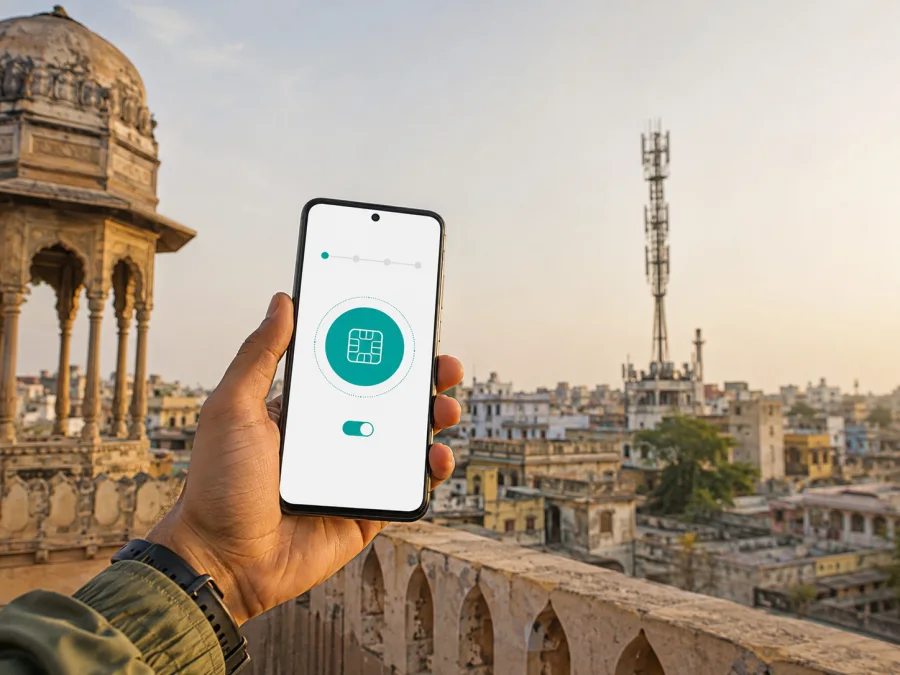
If you are travelling to India and need mobile internet, BSNL eSIM is one local connection to investigate alongside a travel eSIM. An eSIM is a digital SIM profile built into a compatible phone. It removes the need to insert a plastic card, but it does not remove operator registration, identity verification, device compatibility or network conditions.
This guide explains what is publicly known about BSNL eSIM in India, how activation generally works, what visitors should check before arrival, and when a travel eSIM may be a more convenient route. It avoids reproducing operator-specific commercial details. BSNL processes and local availability can change, so confirm the current route with the operator before travelling.
BSNL in India’s mobile market
Bharat Sanchar Nigam Limited, used here exactly as the brand name BSNL, is an Indian telecommunications operator with a nationwide public-sector role. The Telecom Regulatory Authority of India lists Bharat Sanchar Nigam Limited among India’s mobile service providers. BSNL’s public customer pages cover mobile, prepaid, postpaid and international roaming services.
A local BSNL line and a travel eSIM solve different problems. A local connection can involve a local number and account under Indian registration rules. A travel eSIM is generally arranged for mobile data in a selected destination and is not automatically a replacement for a local number or voice service.
Is BSNL eSIM available in India?
Public announcements confirm that BSNL has introduced eSIM services in India, while also showing why local confirmation matters. A Press Information Bureau release dated 26 September 2025 reported the launch of BSNL e-SIM services in the Kerala Circle after testing. Another PIB release, dated 13 October 2025, reported the launch for customers in Tamil Nadu and Puducherry. It described KYC at a BSNL Customer Service Centre followed by QR-code activation.
On 1 October 2025, Tata Communications announced that its eSIM infrastructure was powering a pan-India BSNL eSIM launch and quoted the BSNL chairman. It described QR-based provisioning for BSNL subscribers. These announcements support service availability, but the customer route can still depend on circle, channel, customer type and handset.
The official BSNL pages checked on 5 September 2026 describe prepaid mobile service, international roaming, customer care and handset checks, but do not show one identical eSIM workflow for every circle. Do not assume that every request can be completed online. Ask the relevant BSNL customer service centre whether new eSIM issuance or physical-SIM conversion is currently available for your circle and customer category.
BSNL eSIM for visitors to India
For an international traveller, supporting eSIM on the phone is only the first check. You must also be able to complete BSNL’s local registration process in the time and place available. The PIB description for Tamil Nadu and Puducherry says that new and existing customers can use the service, with KYC at a BSNL Customer Service Centre and activation by scanning a QR code. BSNL’s prepaid page similarly says that some roaming activation involves a centre, forms and required documents.
These statements do not define one document list for every visitor or circle. Requirements may depend on customer status and local verification. A passport, visa, local address or another identity document may be relevant, so ask BSNL what it accepts for your nationality and intended service before travelling.
Do not confuse two journeys. BSNL’s international-roaming pages are mainly for a BSNL customer using a BSNL number outside India; they explain activation before departure and checks when abroad. A traveller arriving in India and seeking a local BSNL eSIM needs a local-service enquiry instead. Confirm whether you need a local connection or a travel-data eSIM.
Before visiting a BSNL centre
- Confirm that eSIM issuance is available in the Indian circle where you will register.
- Ask whether the centre handles new eSIM connections, physical-SIM conversion, or both.
- Confirm the identity and address documents required for your status.
- Check that the phone is unlocked and that its regional model supports eSIM.
- Keep Wi-Fi available for profile download and ask how long activation normally takes.
- Keep BSNL support details available.
eSIM changes the format of the SIM, not the operator’s onboarding process.
How BSNL eSIM activation generally works
The screens differ by phone and circle, but the public BSNL launch description gives a practical sequence: complete registration, receive activation details, download the profile and select it for mobile service. Follow BSNL’s instructions and do not scan an unverified QR code.
1. Check the device
Open mobile-network or SIM settings and look for “Add eSIM”, “Add mobile plan” or “Download a SIM”. If no option appears, check the exact model and sales region. Devices with the same name can have different SIM capabilities in different markets.
Check for carrier lock as well. A locked phone can refuse a new profile even when the hardware supports eSIM. Verify its status with the seller or existing operator when necessary.
2. Complete registration
For a new local service, visit the BSNL Customer Service Centre or current authorised channel and complete KYC with the documents confirmed for your case. Existing customers converting a physical SIM should ask whether their number and circle qualify.
Do not delete a working physical SIM before understanding the conversion. Ask what happens if the QR code fails and retain any registration reference.
3. Scan the QR code
Connect to reliable Wi-Fi. In SIM settings, choose the eSIM option and scan the QR code. If the code is on the same phone, use manual entry when BSNL provides details, or display it on another trusted screen.
A QR code may be intended for one installation attempt. Do not share it. If the profile has already been downloaded, a second scan may fail. Contact BSNL support rather than repeatedly requesting or scanning codes without checking the account.
4. Select and test the line
Label the new profile so you can distinguish it from another SIM. Decide which line handles mobile data, calls and messages. If you keep a home SIM for verification, review its roaming settings. Test a basic web page before relying on the connection.
If data does not work, check that the correct profile is selected for mobile data and that the phone has not chosen another SIM. BSNL’s roaming guidance says that registration can take a few minutes and that manual network selection may help in a roaming situation. Local service may use different steps. Do not repeatedly remove and reinstall an inactive profile; record the error and contact the issuing channel.
Technologies and coverage in India
Technology claims need careful wording. Tata Communications’ launch announcement refers to BSNL eSIM provisioning for 2G, 3G and 4G. A February 2026 Department of Telecommunications and PIB release reported that BSNL had installed 4G sites across India and that those sites were technically upgradable to 5G. This describes infrastructure and technical direction, not service for every location or handset.
Department of Telecommunications annual-report material describes BSNL GSM coverage across district and block headquarters, villages, cities and parts of national and state transport routes, with figures tied to a reporting date. Those figures are not a guarantee for a particular hotel, railway journey, mountain road or indoor location. Terrain, buildings, congestion, spectrum, outages and the phone antenna can all affect service.
Before choosing a local BSNL line for a route through India, check the current coverage map or circle information and the supported bands on your exact phone model. A phone may display an eSIM menu yet lack a band used in the destination, and regional variants can differ. For remote travel, keep offline maps and important booking details.
BSNL’s international-roaming pages warn that service outside India depends on visited partner networks and can be affected by technology changes such as 2G or 3G shutdowns. A network icon does not prove that every data, voice or messaging function will work everywhere. Test the service and check current operator information for your route.
Prepaid, roaming and tourist use
BSNL publishes prepaid mobile information and a separate international-roaming journey. This confirms the general availability of prepaid and roaming service categories, not a universal offer for every traveller. The public pages indicate that roaming activation may involve customer care, a service centre and required documents. Confirm current conditions with BSNL when arranging service.
I did not find one public BSNL page defining a nationwide tourist eSIM product with identical eligibility and activation rules for all visitors to India. A local circle may provide a visitor route, but that possibility should be confirmed rather than assumed. Ask whether a short-term visitor can receive a local eSIM, which documents are accepted, where registration can be completed and whether service is available in the city where you land.
For many trips, keeping the home number for essential messages and using a travel eSIM for mobile data is simpler. This can reduce the need to find a service centre after landing, but it does not create a local Indian telephone number or remove compatibility checks.
Local BSNL eSIM or a travel eSIM?
The two options solve different problems. A local BSNL eSIM involves local registration, KYC and a BSNL-issued QR profile; it may provide a local mobile number. A travel eSIM is generally arranged online for mobile data during a trip and can often be prepared before departure. Neither option is universally better: choose according to whether local service, a local number or advance data preparation matters most.
Kaspersky eSIM Store is an app and website that helps you choose, arrange and activate an eSIM with a travel data plan for an overseas trip. It is not a mobile operator, does not own the BSNL network and is not the provider of BSNL coverage. It is an alternative route for preparing mobile internet for India when the destination is available.
If you use a travel eSIM, review the destination, compatibility requirements and activation conditions shown at purchase. Install it with reliable internet if instructed, then select it for mobile data after arrival. A data-focused travel eSIM does not automatically include ordinary calls or SMS.
For a practical next step, you can choose an eSIM plan for India after checking your phone and travel dates. The page can change as destination conditions and available offers are updated.
Checklist before buying or installing
- Confirm that the exact phone model supports eSIM and is not carrier-locked.
- Confirm the destination and current conditions for the selected service.
- Make sure you have internet access during profile installation.
- Decide which line will handle mobile data after arrival in India.
- Check whether data roaming must be enabled for that profile.
- Keep the QR code, confirmation and support route available until setup is complete.
Installation and activation are separate events. A profile can be added to the phone but remain inactive until it registers on the permitted network or until the selected conditions begin. The exact sequence depends on the operator, device and product.
If the eSIM does not connect
Confirm that the eSIM line is switched on, selected for mobile data and not restricted by airplane mode. Note any error, restart if appropriate and give registration a few minutes.
If a travel eSIM requires data roaming, enable it for that profile only and keep roaming disabled on the primary SIM unless you intentionally need it. If a BSNL profile does not register, contact BSNL or the issuing centre; one failed attempt does not prove that service is unavailable across India.
If the QR code is rejected, verify that it is the original and that the profile has not already been installed. Request help through the issuing channel and wait for instructions before deleting the profile.
Frequently asked questions
Does BSNL support eSIM in India?
Yes. Public 2025 announcements confirm BSNL eSIM launches, including a pan-India launch announcement and circle-level launches. The current route still needs confirmation from the relevant BSNL circle because public BSNL pages do not show one identical workflow for every customer.
Can a visitor get a BSNL eSIM after arriving in India?
Possibly, but eligibility and documents must be confirmed with BSNL. Public launch information describes KYC at a BSNL Customer Service Centre and QR-code activation. Do not assume that every airport, city or circle can issue a profile immediately.
Is BSNL eSIM the same as a travel eSIM?
No. BSNL eSIM is a local operator profile subject to BSNL registration and service conditions. A travel eSIM is generally arranged for mobile data during a trip and may use a local provider selected for the destination. Check whether a phone number, calls or SMS are included rather than assuming they are.
Is Kaspersky eSIM Store affiliated with BSNL?
No. Kaspersky eSIM Store is not BSNL, its official partner or its network provider. It is an app and website that helps users select, arrange and activate travel eSIM data service. BSNL and Kaspersky eSIM Store are separate brands and services.
Final decision guide
Choose the local BSNL route when you have confirmed circle availability, visitor eligibility, documents, device support and enough time for KYC and activation. An eSIM profile does not remove local registration requirements, and coverage depends on the actual location, network conditions and handset.
Consider a travel eSIM when you mainly need mobile internet for a trip to India and want to prepare the data connection before arrival. Check the destination, device compatibility, activation timing, mobile-data selection and any roaming setting required for the profile. Keep your primary SIM available for services that depend on its number.
Whichever route you choose, retain offline copies of your itinerary, accommodation details and support instructions. Verify the latest BSNL information with the operator and the latest travel-eSIM conditions before purchase because eligibility, activation, coverage and service terms can change. Kaspersky eSIM Store is not affiliated with BSNL, and an India travel eSIM option does not imply that Kaspersky owns, operates or guarantees any local mobile network.


