Travel connectivity guide
Buccoo eSIM: Mobile Internet & Connection Guide
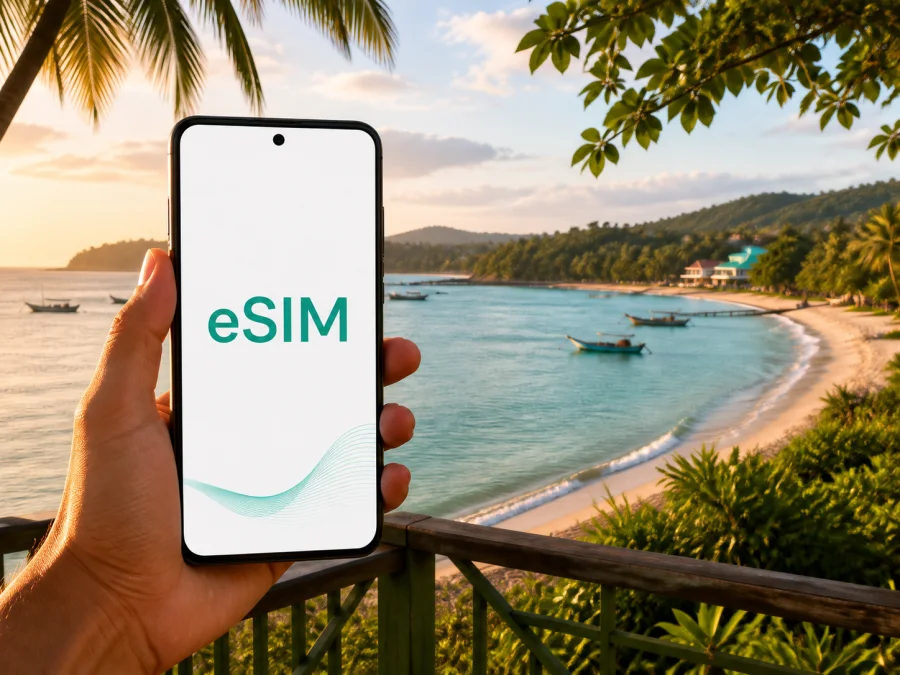
Buccoo eSIM: Mobile Connection and Internet for Your Trip to Tobago
Buccoo is a practical base for Tobago when you want a coastal village atmosphere, access to the water and short journeys around the island’s southwest. A dependable mobile connection helps you open directions, message your accommodation, contact a driver and keep a booking confirmation at hand. An eSIM, or digital SIM, prepares mobile internet without removing your everyday physical SIM card.
This guide focuses on mobile internet in Buccoo, Trinidad and Tobago. It covers arrival, local movement, nearby beaches and reef trips, accommodation, business travel, stopovers and journeys farther across Tobago. Kaspersky eSIM Store is an app and website that helps you choose, arrange and activate an eSIM with a suitable plan for mobile internet during an international trip. The selected plan remains subject to the destination, traffic allowance, validity and other conditions shown before purchase.
When an eSIM helps in Buccoo
An eSIM is useful when you need mobile data for practical tasks rather than looking for Wi‑Fi after every move. In Buccoo, those tasks may include:
- opening directions from A.N.R. Robinson International Airport in Crown Point;
- messaging a host, hotel or pre-arranged driver after landing;
- checking a meeting point or sharing your position on a work trip;
- navigating between Buccoo, Crown Point, Store Bay, Pigeon Point and Canaan;
- confirming an excursion, restaurant booking or change of plans.
The right allowance depends on your routine. A short stopover needs arrival data; a week of beaches, reef activities, photos and calls needs more room. A business traveller should account for meetings and laptop tethering. Before payment, check destination, traffic, validity and activation conditions.
| Buccoo scenario | Typical use | What to check |
|---|---|---|
| Arrival and one or two nights | Directions, messages and transport | Download key maps and limit background use |
| Beach and reef holiday | Navigation, bookings and uploads | Restrict automatic video backup |
| Business trip | Email, calls and occasional hotspot use | Estimate work traffic separately |
| Island itinerary | Directions, reservations and changes | Confirm the plan covers the whole route |
Arriving in Buccoo: prepare for the first hour
Most visitors arriving by air use A.N.R. Robinson International Airport in Crown Point. The airport and Buccoo are both in Tobago’s southwest, near places often combined in one itinerary. The exact journey depends on traffic, weather, road conditions and the chosen transfer, so use current directions rather than relying on a fixed travel time.
Before leaving the terminal:
- Open the address or pin sent by your accommodation.
- Compare it with the driver’s instructions.
- Send a message after collecting your luggage.
- Save the accommodation name and contact details offline.
- Check that the intended line is selected for mobile data.
If you arranged a transfer, keep the meeting point and contact in a note as well as in a message thread. If you take a taxi, confirm the destination before setting off. Mobile data is a useful backup for communication, but it does not replace confirming the transport arrangement.
Before the flight, open Kaspersky eSIM Store while you have a dependable internet connection, choose Trinidad and Tobago and review the available terms. If a plan covers a region, make sure it also fits the rest of your Tobago route. You can install the profile before departure and activate it according to the plan conditions, or complete the process after arrival over Wi‑Fi.
Buccoo as a base: keep plans flexible
Buccoo Bay, the Buccoo Integrated Facility and nearby coastal areas bring together beach time, food, shops and access to reef excursions. Tobago tourism information also highlights Buccoo’s local atmosphere, including music, evening socialising, horse riding and dining. A day can change naturally: a swim can become a reef trip, lunch can move along the coast and an evening walk can end at a different venue.
Mobile data supports those transitions. You can check a saved location, send an updated arrival time and keep a booking available without asking every venue for a password. Save important details offline because service can vary indoors, on a boat or along a quiet road.
For accommodation, save the exact address and access instructions before leaving the airport. In a hotel, use the eSIM for maps and messages away from the property, and use Wi‑Fi for large downloads when suitable. In a guesthouse or villa, keep the host’s contact details offline. On a work trip, test email, authentication and meeting tools before leaving; mobile data can be a backup for short tasks, not a guarantee for every corporate service.
Restrict automatic photo uploads, video feeds and large synchronisation. This keeps the allowance available for navigation and communication.
Moving around Buccoo and the southwest
Local movement can involve taxis, route taxis, maxi-taxis, public buses, a hired car or a bicycle. Tobago tourism guidance notes that taxis may stop when flagged down and that there are no designated pick-up and drop-off points in the usual sense. If you drive, remember that traffic keeps to the left and stay alert to vehicles stopping for passengers and changing road conditions.
Use mobile internet as a planning layer:
- Search for the full destination name.
- Compare the map pin with the landmark given by your host.
- Check the return route before a beach or evening outing.
- Save the next stop so you can show it to a driver.
- Allow extra time when a route includes several stops.
Buccoo, Crown Point, Store Bay, Pigeon Point and Canaan are distinct places even when visitors group them into one day. Keep the correct pin open when arranging a ride to a beach facility, boat departure point or restaurant. If you rent a car, set the destination before moving, use a passenger for changes and pull over safely before reading a message. Offline maps reduce data use, but they cannot reflect every temporary change.
Choosing a plan for the way you use Buccoo
Start with the number of days, devices and activities that consume data. Map searches and text messages generally use less traffic than video meetings, cloud backups or streaming. Choose a validity period that covers your intended use, and confirm that the destination includes Tobago and any additional stops.
Expected mobile data = essential travel use + communication + work or entertainment use + a reserve.
Essential travel use includes maps, transport coordination, accommodation messages, booking pages and occasional translation. Work or entertainment includes attachments, remote meetings, social uploads and streaming. If your usage is uncertain, reduce automatic media use first and select terms that match the trip.
Review these details:
- destination: Trinidad and Tobago or the applicable region;
- traffic allowance and whether additional data can be added;
- validity period and the event that starts it;
- whether the plan is for mobile data only;
- installation and activation method;
- whether data roaming must be enabled for the eSIM;
- support, cancellation and refund conditions.
Kaspersky eSIM Store helps you review destination and plan conditions in the app or website, then complete the purchase and activation flow. It prepares an eSIM profile for an international trip; it is not a mobile operator or a replacement for local transport and accommodation services.
When the destination and terms are clear, you can choose an eSIM plan for a trip to Trinidad and Tobago. Then return to the local question: how much data will Buccoo require? Offline maps and limited uploads may suit a quiet beach stay; regular calls, navigation and work require more headroom. Check your balance during the first day.
Three realistic Buccoo travel patterns
- Short stopover: prepare the profile, save accommodation details and download key maps before departure. On arrival, use data for the transfer, messages and the next booking.
- Beach and reef weekend: keep the meeting point and return arrangement easy to reach, confirm weather decisions with the organiser and save the excursion confirmation before boarding.
- Business stay: use accommodation Wi‑Fi for large files when suitable, keep work-line and eSIM roles clear, test a meeting tool and check hotspot conditions before sharing data with a laptop.
Installing and activating an eSIM
Start with three conditions: your phone supports eSIM, it is not operator-locked in a way that prevents another profile, and you have an internet connection for the download. Keep the QR code or profile details available. Menu names vary by manufacturer.
1. Check the device
Confirm eSIM support and the absence of an operator lock. Some models and regional versions differ, so check your device compatibility before choosing a plan.
2. Prepare the profile
Open the purchased eSIM details in Kaspersky eSIM Store or use the supplied QR code. Keep the phone connected to Wi‑Fi or another working data line during installation.
3. Add the eSIM
Open mobile-network settings and choose the option for adding a mobile plan or eSIM. Scan the QR code or enter the requested details.
4. Label the line
Give the profile a clear label such as “Tobago trip” so you can distinguish it from your everyday line.
5. Select mobile data
Set the travel eSIM as the line for mobile data when you are ready to use it. Keep the primary line available only if that fits your home operator’s roaming conditions.
6. Activate at the right time
Follow the plan’s activation rules. If validity begins when the profile connects or is switched on, wait until you are ready. If you install before flying, do not delete the profile simply because it is not yet active. Connection may take several minutes and depends on the device and local network conditions.
7. Check the result
After landing, turn on mobile data for the travel profile and, if required, enable data roaming for that profile. Test a simple webpage and map search. If you need mobile data later, switch lines according to the plan conditions rather than changing settings during a transfer.
For platform-specific steps, use the Android installation instructions or the iOS installation instructions. Keep the QR code and purchase details until the profile is installed and the correct line is confirmed.
Where mobile internet helps around Buccoo
Buccoo Bay and the waterfront
Use data for a pin, a message and a return plan. Protect the phone from water and heat, and download essential information before an activity. If an excursion departs from a particular facility, match the meeting point to your confirmation rather than assuming every coastal departure point is the same.
Reef excursions and Nylon Pool routes
Buccoo Reef is a prominent part of the southwestern Tobago experience. Tobago tourism information describes glass-bottom boat trips from places including Store Bay and Pigeon Point. Confirm the departure location, time and weather decision with the organiser. Mobile data can carry an update; an offline confirmation remains useful on the water.
Buccoo Historical Park
Tobago tourism describes this Golden Grove Estate site with two water mills, a copra tray and an old cocoa house. Download the route and site details before leaving the coast.
If the eSIM does not connect
Work through the least disruptive checks:
- Confirm that the travel eSIM is turned on.
- Confirm that it is selected for mobile data.
- Check whether the plan requires data roaming for that line.
- Turn airplane mode on briefly, then off.
- Restart the device if the instructions recommend it.
- Move to a safe open location and wait a few minutes.
- Check validity and remaining traffic in the app or profile.
- Contact support with the device model and purchase details if the issue remains.
A failed map search does not necessarily mean the profile is unusable. The cause may be a setting, temporary registration or insufficient traffic. If the issue appears after changing phones, ask support before deleting or moving the profile because transfer may depend on the plan conditions.
Frequently asked questions
Is an eSIM useful if I am staying only in Buccoo?
Yes. It can support airport directions, communication with accommodation, local transport coordination and booking details without changing a physical SIM. Choose terms that fit the length and style of your stay.
Does an eSIM replace my regular phone number?
Usually no. These plans are intended for mobile internet and do not include a separate number, ordinary calls or SMS unless the specific terms say otherwise. Use internet messaging services when appropriate.
Can I install the eSIM before flying to Tobago?
Yes, if the device is compatible and you have a stable internet connection. Read when validity begins before switching the profile on. Installation before departure can make arrival simpler.
Prepare your Buccoo connection before departure
The practical order is simple: identify your arrival point, save accommodation details, check compatibility, review the plan, install the eSIM on dependable internet and test the correct mobile-data line. In Buccoo, this supports leaving the airport, finding a coastal stop, meeting a driver and joining a reef excursion.
When you are ready, choose an eSIM plan for your Tobago trip, review its terms and complete the setup on a compatible device. Save essential details offline and monitor your data use.


