Travel connectivity guide
Buchanan eSIM: Mobile Internet for Liberia Trips
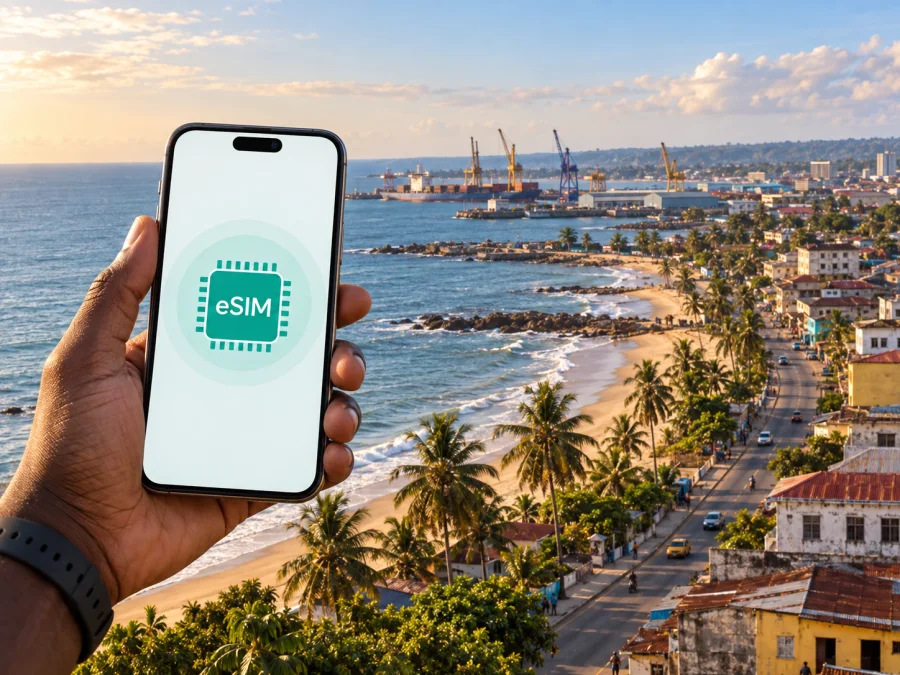
Buchanan eSIM for Mobile Connection and Internet: a Practical Travel Guide
Buchanan is a coastal city in Grand Bassa County, Liberia, where a trip may combine a road transfer, a working port, local business, Atlantic beaches, and short excursions beyond the city. In that setting, mobile internet is useful from the first planning message to the final map check. An eSIM, or digital SIM card, can help you stay connected without replacing the physical SIM in your phone.
Kaspersky eSIM Store is an app and website that helps you choose, arrange, and activate an eSIM with suitable prepaid data plans for an international trip. For Buchanan, consider how you will use data during the road arrival, around accommodation, at meetings, on the beach, and on trips along the coast. The right choice depends on your route, length of stay, device, and expected use.
Why mobile data matters in Buchanan
Buchanan has a different rhythm from a large capital. You may spend part of the day moving between the centre, the waterfront, a guesthouse, a meeting site, and quieter coastal areas. A connection is useful for navigation, messaging, checking a booking, sharing your arrival time, translating a short phrase, or contacting a driver. It also lets you download maps and travel details before leaving a stronger Wi-Fi connection.
The city is the capital of Grand Bassa County and is known for its Atlantic coast and port. Its working character matters when planning connectivity: a visitor may be travelling for leisure, while a colleague or contractor may be dealing with port-related work, agriculture, trade, or a local organisation. In both cases, the useful eSIM is the one that matches the Liberia portion of the itinerary and the amount of data you expect to consume.
Mobile data can help before departure, during the road transfer, at arrival, around the centre and coast, and on a side trip. The common thread is coordination: maps, messages, bookings, translation, and sharing an arrival or return time.
This does not mean that you must use data all day. It means that a planned eSIM gives you an option when Wi-Fi is unavailable, crowded, or inconvenient.
Arriving in Buchanan: prepare before the road
Most international visitors reach Buchanan after arriving in Liberia and continuing by road. Routes, transfer times, road conditions, and meeting points can vary, so avoid relying on an unverified schedule. Treat the journey as two stages: arrival in the country, followed by the overland trip to Grand Bassa County.
Before leaving the airport area or the capital, save your accommodation address, driver or host contact, route to Buchanan, booking confirmations, and meeting instructions. Download maps and charge your phone while Wi-Fi is reliable; a power bank is useful for the road.
If your transfer is arranged by another person, send an arrival window rather than an exact time. A data connection helps with changes, but it cannot remove delays caused by road conditions, weather, traffic, or a changed plan. Keep accommodation details, a local contact, your itinerary, and eSIM installation steps on the phone.
Plan the eSIM around a Buchanan itinerary
An eSIM profile is installed digitally on a compatible device. A travel eSIM plan is normally intended for mobile data; it is not automatically a replacement for your normal phone number, voice calls, or SMS. Check the terms of the particular plan. You may be able to keep your primary line available while selecting the travel eSIM for mobile data.
For a Buchanan trip, a Liberia plan is the direct starting point because the city is the destination. If your route includes other countries, compare a regional option with a Liberia-specific option. The important match is between the plan’s stated destination and the places you will visit, not simply the number of cities in your itinerary.
| Question | What to consider for Buchanan |
|---|---|
| Where will you use data? | Buchanan, the road route, and planned stops outside the city |
| How long is the trip? | Include working days, arrival, and departure buffer |
| What will you do online? | Maps and messages use less data than calls, uploads, or streaming |
| Is your device ready? | Verify eSIM support and that the phone is not operator-locked |
Estimate your use by activity rather than guesswork. Light use covers messages, occasional maps, email, weather, and short searches. Regular use adds frequent navigation, work mail, document review, and photo sharing. Heavy use includes video meetings, large uploads, cloud backup, streaming, or hotspot use.
For a short Buchanan stopover, light use may be enough if maps and documents are saved offline. A work trip with video calls needs a larger buffer and a plan whose conditions allow the intended use. If you are unsure, monitor your balance instead of choosing only by the headline data number.
Choose the Liberia option for your trip
Once you know your route, device, and approximate use, you can choose a suitable eSIM option for a trip to Liberia. The country page is the relevant destination link for a city stay in Buchanan; a separate city URL is not necessary.
Before payment, read the displayed details for the selected option. Check data allowance, validity, price, destination, activation conditions, and any instructions about data roaming. Conditions can differ between plans, so do not assume that one plan follows the rules of another.
Use this sequence:
- Select Liberia as the destination for the Buchanan part of the route.
- Compare validity with the real travel dates and a reasonable buffer.
- Match the allowance to maps, work, messages, and media habits.
- Confirm whether the plan is data-only and how you will handle ordinary calls or SMS.
- Review activation and validity wording before payment.
- Keep the confirmation and installation details available offline.
If the journey begins elsewhere in Liberia, count the whole period during which you expect to use the eSIM. If it crosses a border, review the destination scope rather than assuming that a Liberia plan applies outside Liberia.
Check your phone before buying
Device preparation prevents many problems that appear to be network problems. Some phones do not support eSIM, some regional versions differ, and an operator-locked phone may not accept a travel profile. Before purchase, check whether your device supports eSIM and confirm that you can add a mobile plan in the phone’s settings.
Use this checklist:
- The phone model and regional version support eSIM.
- The phone is not operator-locked.
- The operating system is compatible with the device’s eSIM menu.
- You can connect to Wi-Fi or another internet source during installation.
- You know which line will be used for mobile data.
- You know whether data roaming must be enabled for the travel eSIM.
- You have enough battery and storage for installation.
Keep your primary SIM unless you have a specific reason to remove it. It can remain available for important calls or messages while the travel profile handles data on a dual-SIM phone. Menu names vary by manufacturer.
Install and activate the eSIM
Install the profile before departure when the plan instructions allow it, but distinguish installation, activation, and the start of validity. The plan terms determine when the period begins. If the instructions say to install after arrival, follow that timing.
Before the journey
- Connect the phone to reliable Wi-Fi.
- Open the purchase confirmation or eSIM section in your profile.
- Follow the on-screen steps or use the supplied QR code.
- Label the line clearly, such as “Liberia travel.”
- Leave your primary line unchanged unless the instructions say otherwise.
- Review mobile-data selection and keep the travel line disabled until needed if the plan terms recommend this.
For a visual walkthrough, use the Android installation instructions or the iOS installation instructions. The screens differ, but the decisions are similar: add the profile, name it, select the data line, and check data settings.
After arrival
When ready, select the travel profile for mobile data and follow the plan’s instructions about data roaming. Keep primary-line data roaming disabled if you want to avoid accidental use of its roaming allowance, unless your own operator’s conditions say otherwise. Turn off automatic updates if you need to conserve traffic.
Test one small task: send a message, open a saved map, or load a simple page. If it does not work, check that the eSIM is enabled, verify the selected data line, and review the access-point or roaming instructions. Avoid changing several settings at once because it makes the cause harder to identify.
Moving around Buchanan
Buchanan rewards a deliberate approach to navigation. Practical districts and landmarks may be described differently by a host, driver, accommodation, or map application. Save the name of your destination and nearby reference points in writing, and confirm the meeting point before leaving.
For a first day, use a three-part route:
Arrival point → accommodation or meeting place → daytime destination.
This creates a simple return route if your battery falls or data becomes intermittent. Share your movement with a trusted contact, and keep enough battery for the return journey. When taking a car or local transfer, confirm the destination verbally and on the map before setting off.
Helpful habits include pinning accommodation and meeting points, saving a route screenshot and address in text, using an offline map area, and sending “leaving,” “arrived,” and “returning” messages at agreed points. Reduce background data and carry a paper note with the destination and contact number.
The coast and port create different navigation needs. A beach walk requires attention to time, weather, and the route back. A port meeting may require a named contact and a pre-agreed gate. Arrange road transfers in advance where possible, confirm the departure point locally, and do not enter restricted work areas because a map suggests a nearby path.
Accommodation, business trips, and the coast
Accommodation is the centre of many Buchanan itineraries: it is where you confirm a transfer, charge devices, join a work call, and store offline information. Save the property name, address, host contact, check-in window, meeting point, and a nearby landmark before arrival. Ask about power arrangements and Wi-Fi if you need to work; do not assume listed Wi-Fi will cover every task or room.
For business travel, save the day’s agenda and meeting contacts, download documents before leaving, reserve mobile data for navigation and urgent updates, and carry a charging cable or power bank. Schedule demanding calls where you have a confirmed connection. For a leisure stay, use data for transport, messages, routes, and selected photos; download large media at Wi-Fi, follow local advice about sea conditions, and agree on a return time before visiting a beach or riverbank.
If you travel from Buchanan to another Liberian destination, confirm transport locally and check that the plan remains within its stated destination and validity.
Short stopover checklist
If Buchanan is one stop in a larger itinerary, save accommodation and transport contacts, download the next route before leaving Wi-Fi, keep purchase details accessible, check remaining data before a long road transfer, and confirm the next departure point in writing.
Do not delete the eSIM at the end of a stopover if the plan may still be needed elsewhere in Liberia. Check the plan conditions first. Depending on the rules, deleting a profile may make it difficult or impossible to reinstall.
If the connection does not work
Confirm that the eSIM is enabled and selected for mobile data, check whether data roaming is required, toggle airplane mode once, and wait for reconnection. If needed, move to a safe open location, restart the phone, and review the plan instructions. Contact support with the device model, location, and steps already tried. Do not factory-reset the phone or delete the eSIM as a first response.
Frequently asked questions
Is an eSIM useful for a trip to Buchanan?
It can be useful when you want mobile data for maps, messages, arrival coordination, work, and local movement without removing your physical SIM. The best option depends on compatibility, route, validity, data needs, and plan conditions.
Does a travel eSIM give me a Liberian phone number?
Not automatically. Many travel eSIM plans are intended for data, so ordinary calls and SMS may not be included. Check the selected plan and keep another calling method available if your itinerary needs a normal number.
What should I check before purchase?
Check eSIM support, operator-lock status, destination, validity, data allowance, activation rules, roaming instructions, and whether calls or SMS are included. If you travel onward from Buchanan, confirm that the same plan covers the rest of Liberia itinerary.
A simple plan for your Buchanan trip
The dependable setup combines a destination-matched data plan with offline prep. Check your phone, save arrival information, install the profile at the appropriate time, and note which line handles mobile data. On the road to Buchanan, use it for coordination and navigation while keeping essential details offline. In the city, plan your return route before exploring the coast or travelling to a meeting.
When you are ready, prepare your eSIM option for Liberia and your Buchanan itinerary. Review the displayed conditions, choose a plan that fits your dates and data habits, and activate it according to the instructions for your device.


