
Travel connectivity guide
Budaiya eSIM for Mobile Internet in Bahrain
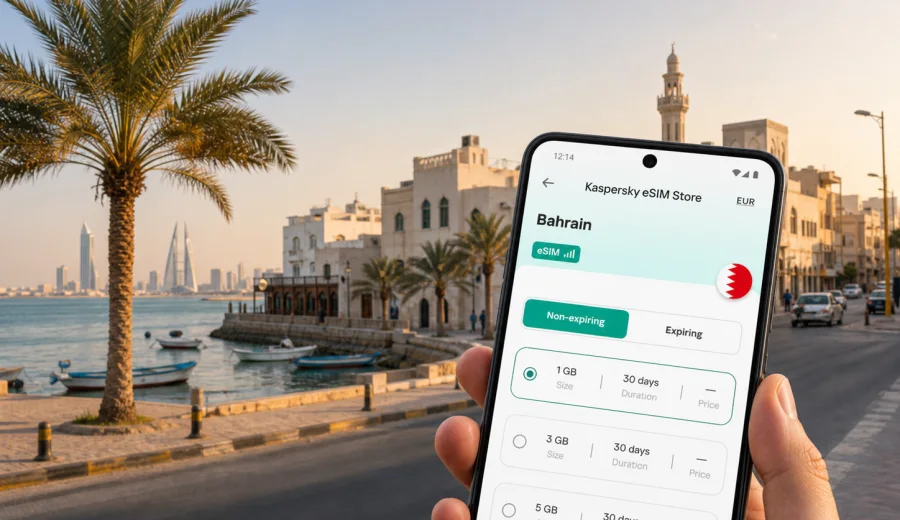
Budaiya eSIM: mobile connection and internet for a Bahrain trip
Budaiya is a quieter side of Bahrain: a coastal town on the northwestern side of the island, close enough to Manama for business meetings and shopping districts, but local enough for slower days by the sea, family visits, hotel stays around Saar or Janabiyah, and short drives along the coast. If your trip is based here, mobile internet matters from the first hour. You may need maps for the airport transfer, a ride-hailing app for evening plans, hotel messages, restaurant bookings, work calls, or navigation toward Manama, Seef, Bahrain Bay, Muharraq, or the King Fahd Causeway.
An eSIM can make that easier because you can prepare mobile data for Bahrain without looking for a physical SIM card after arrival. With a compatible phone, you install a digital SIM profile, choose it for mobile data, and keep your main SIM available for your usual number if your device supports dual SIM use. Kaspersky eSIM Store is an app and website where you can choose, arrange, and activate an eSIM with a suitable data plan for a foreign trip. The goal is practical: get mobile internet ready for the route you actually have, not just for the country name on your ticket.
Why mobile internet is useful in Budaiya
Budaiya is not a city where every step is usually handled on foot. Many trips involve short drives between residential areas, beaches, cafes, hotels, shopping districts, and Manama. Even when distances look simple on a map, you may still need live navigation, traffic-aware routes, and messaging with drivers or hosts.
Common moments when mobile data helps:
- finding your way from Bahrain International Airport to Budaiya or nearby Saar;
- sharing your live location with family, colleagues, or a hotel contact;
- booking taxis or ride-hailing cars for trips into Manama;
- using maps on smaller residential streets and coastal roads;
- joining work calls from a hotel, cafe, or serviced apartment;
- keeping boarding passes and reservations accessible.
Budaiya travel scenarios where eSIM helps
Different visitors use Budaiya in different ways. Some come for family visits, some stay in the northwestern suburbs for work, and others use it as a calm base while spending parts of the day in Manama or Seef. Your data needs depend on the shape of the trip.
| Trip style | Typical online needs | Practical eSIM approach |
|---|---|---|
| Short stop in Budaiya | Maps, rides, hotel messages, payments | A smaller data allowance may be enough if you mainly use Wi-Fi indoors. |
| Business stay near Saar or Janabiyah | Email, calendar, messaging, video calls | Choose enough data for work outside hotel Wi-Fi and check the plan validity period. |
| Family visit | Messaging, video calls, navigation, photo sharing | Consider a plan with extra data if you use video calls often. |
| Bahrain sightseeing base | Routes to Manama, Muharraq, Seef, beaches, museums | Pick a Bahrain plan that covers your full stay and daily movement. |
| Regional route | Bahrain plus a nearby country or stopover | Check whether a country plan or a regional option better matches the route. |
Arrival: from the airport to Budaiya
Most international visitors arrive at Bahrain International Airport on Muharraq Island. From there, Budaiya is on the opposite side of the main island, so the first journey often involves a taxi, private transfer, rental car, or ride-hailing app. This is the moment when mobile internet is most useful: you may need to contact a driver, check the route, confirm the hotel address, or message someone waiting for you.
Before you leave the airport, check three things:
1. Your phone is connected to mobile data through the correct SIM profile.
2. Data roaming is enabled for the eSIM profile if the plan instructions require it.
3. Your main number is still set up the way you want for calls or SMS, if you plan to use it.
If you prefer to install the eSIM before the flight, do it while you have a stable connection at home or at the airport. Some plans should only be activated close to the travel date, depending on when the validity period starts, so read the plan conditions before you turn it on. If you install after landing, use airport Wi-Fi only for the setup step, then switch mobile data to the eSIM profile once it is ready.
Moving around Budaiya and nearby districts
Budaiya works best when you treat it as part of a wider northwestern Bahrain route. Nearby areas such as Saar, Janabiyah, Diraz, Barbar, Hamala, and Seef may all appear in a single day, depending on where you stay and who you visit. A working mobile connection helps because local plans can change quickly: a cafe meet-up becomes a drive to Seef, a beach walk becomes dinner in Manama, or a business meeting moves to Bahrain Bay.
Useful mobile tasks during local movement:
- compare routes before crossing busier roads into central districts;
- send a map pin instead of describing a residential address by text;
- check whether a restaurant or cafe is busy before you go;
- keep parking, booking, and payment confirmations available;
- use messaging apps for internet-based calls when voice service is not included in the eSIM plan;
- translate short address details when needed;
- look up the return route before your phone battery gets low.
eSIM data plans for travel usually focus on mobile internet. They may not include a local phone number, regular voice calls, or SMS unless the selected plan says so. For many Budaiya trips, that is fine because maps, messengers, email, and booking apps are the main tools. If you expect local voice calls, check the exact conditions before purchase.
How to choose an eSIM plan for Budaiya
For a city article, the correct destination is the country that covers the city. For Budaiya, that means Bahrain. When you compare options, think less about the city name and more about your route, trip length, and daily data habits.
Use this quick framework:
- Destination: choose a plan that covers Bahrain for a Budaiya stay.
- Validity: match the plan duration to your arrival and departure dates.
- Data volume: allow for maps, messaging, uploads, and work tasks outside Wi-Fi.
- Activation timing: check when the plan starts and how installation works.
- Device: confirm that your phone supports eSIM and is not locked to one carrier.
- Route: if you also travel outside Bahrain, compare country and regional options.
For a simple Bahrain itinerary based in Budaiya, you can view mobile internet options for Bahrain and choose a data plan that fits your stay. Place that step after you have checked your phone compatibility and estimated how much mobile data you will use away from hotel or home Wi-Fi.
Data planning for a Budaiya stay
There is no single perfect data size for every traveler. A person who checks maps twice a day and uses hotel Wi-Fi needs much less than someone who works from cafes, uploads photos, and uses video calls.
| Daily behavior | What uses data | Planning note |
|---|---|---|
| Light use | Maps, text messages, email checks, ride apps | A modest data package may work if Wi-Fi is reliable indoors. |
| Standard travel use | Navigation, searches, messaging, photos | Leave a buffer for airport time and route changes. |
| Work-heavy use | Tethering, file uploads, video meetings, long calls | Choose more data and avoid relying only on public Wi-Fi. |
| Family or group travel | Shared routes, constant messaging, photo/video sharing | Usage can rise quickly when several plans change during the day. |
| Stopover or weekend | Airport transfer, maps, bookings, light browsing | Validity period may matter as much as data volume. |
To reduce unnecessary data use, download offline map areas before the trip, pause automatic photo backups on mobile data, update apps over Wi-Fi, and keep streaming for hotel or home networks.
Installing an eSIM before or after arrival
The cleanest setup is usually before departure, while you have a stable internet connection and time to read the phone prompts carefully. In Kaspersky eSIM Store, after you choose and arrange the selected plan, the eSIM appears in your profile or setup flow. Follow the instructions for your device, then choose the eSIM profile for mobile data when you are ready to use it.
For device-specific steps, use the official setup guides: Android eSIM installation instructions and iOS eSIM installation instructions. The exact screens can differ by phone model, operating system version, and carrier settings, so follow your device prompts rather than forcing a generic sequence.
A simple installation checklist:
1. Connect your phone to reliable Wi-Fi.
2. Open the eSIM setup details from your profile, app flow, or QR code.
3. Add the eSIM profile to the phone.
4. Name the profile clearly, for example "Bahrain data".
5. Keep your main SIM for calls if you need your usual number.
6. Set mobile data to the eSIM profile when you want to use the travel plan.
7. Enable data roaming for the eSIM profile if the plan instructions say it is required.
8. Test a small page or map search before leaving Wi-Fi.
Do not delete the eSIM profile during the trip unless you are sure you no longer need it. Some eSIM profiles cannot simply be moved to another device after activation, and reinstall rules depend on the plan conditions.
Check device compatibility first
Before you choose any plan, confirm that your device supports eSIM. This matters more than the city, the airport, or the hotel. A phone can be recent and still have market-specific restrictions, carrier locks, or software settings that affect eSIM use.
Use this checklist before buying:
- Your phone or tablet supports eSIM.
- The device is not locked to a mobile carrier that blocks other profiles.
- You know where the SIM or mobile network settings are on your device.
- You have a stable internet connection for installation.
- You understand whether the plan starts at purchase, installation, or first connection.
- You know whether regular calls and SMS are included or not.
If you are unsure, check your device before you continue. It is better to confirm compatibility while you still have time to adjust the plan than to discover the issue after landing in Bahrain.
Business trips, stopovers, and routes from Budaiya
Budaiya is often part of a wider Bahrain schedule. You may sleep in Budaiya, meet colleagues in Manama, shop in Seef, work from a hotel near Saar, or make a short coastal drive before dinner. For these trips, mobile data supports calendar changes, ride confirmations, two-factor authentication, map searches, and backup access when a venue Wi-Fi network is slow or unavailable.
For work trips, test your eSIM data before the first meeting day, keep key documents offline, carry a power bank, and avoid large system updates on mobile data.
For a weekend or stopover, focus on timing: the plan validity should include arrival and departure days, and the data allowance should cover airport transfer, maps, ride apps, bookings, and a few route changes.
For trips beyond Budaiya, check the plan coverage before you travel. A Bahrain plan is usually the direct choice for Budaiya, Manama, Muharraq, Seef, and other Bahrain stops, but it should not be treated as coverage for another country unless the plan conditions say so.
After installation, set mobile data to the travel eSIM, keep your usual SIM for calls if needed, enable data roaming for the eSIM only if the instructions require it, and set app updates or cloud backups to Wi-Fi only.
Quick answers about eSIM in Budaiya
Does an eSIM for Budaiya need a city-specific plan?
No. Budaiya is in Bahrain, so you normally choose a plan that covers Bahrain. The city matters for your travel scenario, but the plan coverage is country or region based.
Will the eSIM include calls and SMS?
Travel eSIM plans commonly focus on mobile data. Regular voice calls and SMS are included only if the plan conditions say so. For many travelers, internet-based messaging and calling apps cover everyday communication.
Is public Wi-Fi enough for Budaiya?
It can help in hotels and cafes, but it is less convenient during transfers, route changes, and local movement. Mobile data gives you a more flexible option when you are between Wi-Fi networks.
What should I do before buying?
Check device compatibility, confirm the destination, read the data allowance and validity period, and make sure you understand installation and activation timing.
Final checklist before your Budaiya trip
Before you leave for Bahrain, take ten minutes to prepare your phone:
- choose a plan that covers Bahrain for the full Budaiya stay;
- check that your phone supports eSIM and is not carrier-locked;
- read the plan conditions for validity, activation, and data roaming;
- install the eSIM while you have stable Wi-Fi;
- save your hotel or host address offline;
- set app updates and photo backups to Wi-Fi only.
Budaiya is easier to enjoy when your phone is ready for the practical parts of the trip: airport transfer, maps, family messages, work updates, restaurant plans, and quick drives across Bahrain. With Kaspersky eSIM Store, you can prepare in advance, compare the available data options for your destination, and activate an eSIM on a compatible device.
Before you travel, choose an eSIM data plan for Bahrain that fits your Budaiya itinerary, trip length, and expected mobile internet use. Check the conditions, install carefully, and keep your mobile connection ready for the moments when Wi-Fi is not enough.