Travel connectivity guide
Budapest eSIM: Mobile Internet for Your Trip
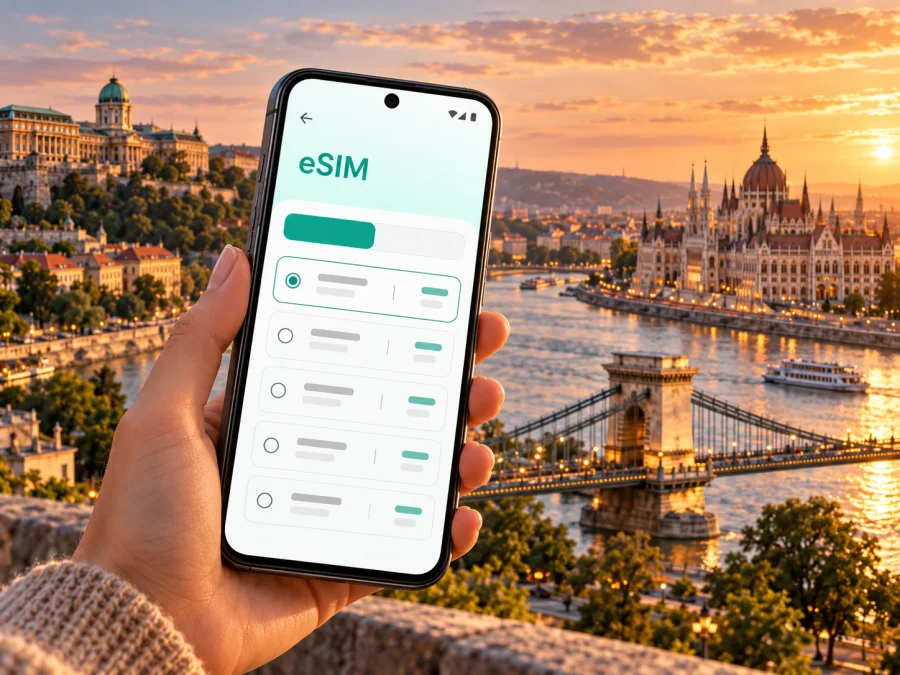
Budapest eSIM for a reliable mobile connection and internet on your city trip
Budapest is a city of two riverbanks, broad boulevards, compact historic streets and neighbourhoods that reward a little wandering. On a first day, your phone may be doing several jobs at once: showing the route from the airport, translating a menu, checking a tram departure, confirming a hotel address and helping your group find one another. Planning mobile internet before you leave makes those small decisions easier, especially when you arrive tired or need to move straight from the terminal to a meeting.
An eSIM is a digital SIM profile that you can install on a compatible phone. A travel data plan may help you get online without swapping out your usual physical SIM, while you keep your regular number available if your device supports dual SIM and your home operator permits it. The details depend on the selected plan and device. An eSIM does not automatically include a Hungarian phone number, voice calls or SMS; check the plan terms and use internet-based messaging for calls when appropriate.
This guide focuses on using mobile data around Budapest: arriving at Liszt Ferenc International Airport, navigating between Buda and Pest, using public transport apps, working from a hotel or café, and planning a day trip beyond the city. It also explains what to check before choosing an eSIM, without assuming that every phone or plan works in the same way.
Why mobile data helps you settle into Budapest
Budapest is easy to explore in stages, but many visitors move between different kinds of places in a single day: the airport, a hotel, a market, a museum, a riverside walk and dinner across town. A data connection can support practical tasks such as:
- checking a live route when a road, platform or stop is unfamiliar;
- locating a hotel entrance, apartment check-in point or meeting room;
- viewing maps while walking through the Castle District, the Inner City or the Jewish Quarter;
- checking opening hours and reservation details before crossing the river;
- messaging a host or colleague if an arrival time changes;
- using translation, ride-hailing or banking apps when needed.
These are conveniences, not guarantees of uninterrupted service. Signal strength can vary inside older buildings, underground spaces, crowded venues and along a route. Download a city map, booking confirmations and essential travel details for offline access as a backup. Keep your regular SIM settings in mind too: data roaming charges and call costs are set by your home operator, not by the city or by an eSIM plan.
From the airport to the centre
Budapest’s main international airport is Liszt Ferenc International Airport, southeast of the central districts. The direct 100E Airport Express connects the airport with Deák Ferenc tér, stopping at Kálvin tér on the way. Those central stops are useful transfer points for onward journeys by metro, tram, bus or on foot. BKK currently describes the 100E as a 24-hour service; timetables and fares can change, so check the latest information before travelling.
There is also the 200E bus, which connects the airport with the city’s public transport network. It follows a different route and uses standard tickets or passes under the relevant conditions; the special 100E airport shuttle ticket is not valid on 200E. Compare the current route and fare rules for your arrival time rather than choosing by the bus number alone. A taxi or pre-booked transfer may suit bulky luggage, late-night arrivals or travellers who want a door-to-door ride, but verify the pickup point and fare with the provider before getting into a car.
A practical arrival sequence:
- Before landing, save your accommodation address and any check-in instructions offline.
- After switching on your travel eSIM, allow a few minutes for it to register. Follow the plan’s activation guidance and use its specified data line and network-selection settings.
- Check the current 100E or 200E route and the ticket conditions for that service. Do not assume one airport ticket covers both.
- If you use a digital ticket, complete any required validation before starting the journey. A purchased ticket may still need a scan or an in-app validation animation.
- At Deák Ferenc tér or Kálvin tér, check the onward route to your hotel; the closest metro station is not always the easiest choice when you have luggage.
The 100E has front-door boarding and its mobile ticket needs to be validated before boarding. BKK’s BudapestGO app can be used for journey planning and tickets, but some mobile ticket actions require live mobile data. Having data ready can therefore be useful for transport as well as maps. If connectivity is not yet available, use a ticket machine or another official ticket channel and follow the instructions displayed there.
Choose an eSIM plan for the way you will use the city
A short city break and a month-long stay have different data needs. Think about what you will actually do on your phone: map checks and messages use less data than frequent video calls, cloud photo uploads or streaming. Hotel Wi-Fi may cover some evening use, but it should not be your only plan if you need directions while out or an online transport ticket.
Before confirming a plan, compare these details on its current offer page:
| What to check | Why it matters in Budapest |
|---|---|
| Destination and network terms | Confirm that the plan is intended for Hungary and read any stated network or roaming conditions. A country-level plan does not promise identical reception in every building or district. |
| Data allowance | Estimate navigation, messaging, browsing, work calls and media use. Leave room for updates or tethering if those are part of your trip. |
| Validity period | Make sure the plan covers your arrival and departure dates. Check when validity begins: purchase, installation, first connection or another stated event. |
| Hotspot or tethering | If you plan to connect a laptop or a second phone, check whether sharing is permitted and how it affects the allowance. |
| Activation steps | Some plans are best installed before travel and activated later; others follow different instructions. Use the specific terms shown for the plan you choose. |
| Calls and messages | Do not assume data includes a local number, standard calls or SMS. Keep your usual number for calls if needed, and check its roaming charges. |
Kaspersky eSIM Store is an app and website where you can select, purchase and activate an eSIM plan for mobile internet on an international trip. The Hungary page is the appropriate country destination for Budapest; use it to review the options and current terms shown there. Explore eSIM options for a trip to Hungary. The country page shows the current options and terms; network selection and reception depend on the selected plan and local conditions.
A measured data estimate is more useful than picking a plan by the largest number on the screen. For example, if your routine is maps, chat and occasional web searches, your needs are different from a remote-work itinerary with daily video meetings. Use the plan details and your own expected usage as the basis for a choice, and check the balance or remaining data in the app during the trip if that feature is available.
Getting around between Buda and Pest
The Danube is the city’s most visible landmark and a useful orientation line. Buda lies on the western bank, with Castle Hill and steep streets around the historic quarter. Pest, on the eastern bank, contains much of the flat central grid, major shopping streets, the Parliament area and a dense network of cafés and hotels. Bridges connect the two sides, but a route that looks short on a small map can involve a climb, a long riverside walk or a transfer.
Use a route planner to compare walking, metro and tram options rather than assuming that the straight-line route is fastest. The M1, M2, M3 and M4 metro lines cover important corridors; trams are especially useful for following the river or crossing central districts. Service patterns, construction work and accessibility can change. Confirm the live route before departure, and look for step-free options if you are travelling with a stroller, wheelchair or heavy luggage.
BKK’s official BudapestGO app combines journey planning with digital ticket options. Read the conditions for the ticket you choose: some mobile tickets require validation when boarding or before entering the metro, and BKK notes that mobile data is required for certain scans and validity checks. A daily travelcard and a single ticket do not necessarily follow the same validation steps. Keep the animated confirmation visible when the app instructs you to show it to a driver or inspector.
A city-centred data plan can be especially helpful in the following areas:
- Deák Ferenc tér and the Inner City: a major interchange and a convenient starting point for walking toward the Danube, shops and central hotels.
- Castle District and Buda Castle: steep lanes, courtyards and viewpoints make a saved map useful; allow extra time for walking uphill.
- Parliament and the riverfront: check your reservation and the nearest transit stop before arriving, as a large building or riverside stretch can have several possible approaches.
- Erzsébetváros and the Jewish Quarter: restaurants, bars and cultural venues can be busy in the evening; pin the exact meeting point, not only the neighbourhood name.
- City Park and Heroes’ Square: these lie farther from the river-centred core, so check the return route and last connection as part of your plan.
Mobile data supports decisions, but it does not replace a ticket or a valid fare. Purchase transport through official channels, read the validation instructions, and keep a bank card or paper-ticket option available if your phone battery or connection fails.
Keep your connection useful, not wasteful
Before departure, download maps, tickets and key booking details for offline access. Turn off automatic video playback and large updates on mobile data if you want to conserve your allowance. Check which SIM is selected for mobile data, and understand the roaming charges on your home line. Navigation and camera use can drain a battery, so carry a charger for a long day.
An eSIM plan works only if your phone supports eSIM and can use the selected plan. Support may differ by exact model, regional variant, software and carrier-lock status. Confirm your variant in device settings or manufacturer information, and check whether your device supports eSIM before purchase. Review the plan’s destination, validity dates, data allowance, hotspot terms and activation conditions as well.
Before you travel, confirm:
- [ ] Your exact phone variant supports eSIM and is not restricted by a carrier lock.
- [ ] You know which line will carry data and whether the plan requires data roaming.
- [ ] The plan’s destination, start condition and validity fit your Budapest dates.
- [ ] You have saved setup instructions and essential travel details for offline use.
- [ ] You know whether tethering, calls or SMS are included; do not assume they are.
If eSIM is not supported, use your usual roaming arrangement or consider an authorised physical SIM after arrival, checking current terms and requirements. A second phone or hotspot may work for multiple devices, but adds charging and setup needs.
Install and activate with time to spare
Install over reliable Wi-Fi where possible, and follow the selected plan’s exact instructions because menus and activation rules vary. See the guides for installing an eSIM on Android and installing an eSIM on iOS.
- Review the destination, data, validity, network and activation terms.
- Confirm device compatibility and retrieve the plan’s QR code or setup details.
- Add the eSIM in phone settings and give it a clear label such as “Hungary data.”
- Set it as the data line and enable it at the time specified by the plan. Some plans should be installed before travel but enabled on arrival.
- Test a basic webpage or map. If it fails, check the selected data line, eSIM status and plan instructions before changing other settings.
Enable data roaming only when the plan instructs you to. Do not delete an installed eSIM as a troubleshooting step unless its provider says to; some profiles cannot be installed again with the same code. If the problem continues, contact the plan’s support channel with your device model and the step where setup stopped.
Budapest trip scenarios
Weekend near Deák Ferenc tér: save your hotel address, then use data for airport transfers, restaurant details and short route checks. If you expect to use hotel Wi-Fi in the evenings, estimate data around your daytime habits.
Meetings across the city: pin venue entrances and nearest stops, and save calendar details offline. If you need laptop tethering or video calls, check whether hotspot use is allowed and plan for higher data use.
Travelling with family: check whether sharing is permitted before relying on one phone for everyone. Agree on a named station exit or square as a meeting point in case someone loses signal or battery.
Short layover: decide whether there is enough time to enter the city after allowing for baggage, traffic and airport check-in. Verify current transport schedules and leave a generous return buffer.
Day trip from Budapest: confirm the plan’s stated destinations and network terms beyond the capital. Save rail tickets and maps before leaving; reception and transport procedures can differ outside the city.
If the connection or ticket app fails
If there is no data after arrival, confirm airplane mode is off, the travel eSIM is enabled, the correct line is selected, and the plan is active for Hungary. Check whether that plan requires data roaming, then restart once to prompt network registration. Change one setting at a time.
Slow service in a station or crowded area may improve outside or after moving to a clearer location; underground reception can differ from street-level service. If other websites work but one app does not, check its permissions, login and offline settings.
For a digital BKK ticket, complete the required validation and show its confirmation as directed. If the app cannot connect, use an official ticket machine or another permitted method; do not assume a screenshot alone is valid. Keep your phone charged and have a backup payment option.
Frequently asked questions
Will an eSIM work everywhere in Budapest?
No. Reception depends on the plan’s network arrangements, the phone and local conditions. It can vary indoors, underground and when networks are busy. Review the current Hungary plan terms and allow for offline backup.
Does a travel eSIM replace my usual number?
A data-focused plan may not include standard calls, SMS or a Hungarian number. Keep your regular SIM available if needed, and check its roaming costs with your home operator. Messaging apps can use the data connection.
Can I use mobile data for a BKK ticket?
BKK offers digital ticket and journey-planning options. Its guidance says some mobile ticket actions and validation scans require live data. Follow the ticket’s instructions; if you cannot connect, use an official alternative channel.
Should I install before flying?
Installing over Wi-Fi in advance can be convenient, but activation timing varies. Read when validity begins and follow the plan’s specific instructions.
Can one eSIM cover Budapest and a neighbouring country?
Only if the offer explicitly includes both destinations or a relevant region. Do not assume a Hungary plan covers another country; check its destination list before crossing a border.
Before you leave the hotel
Charge your phone, check remaining data and validity if available, save your next destination and ticket details offline, and confirm whether your next transport ticket needs validation. Keep activation codes private and agree on a meeting point with your group.
Budapest is easier to explore when you can check the next stop without planning every minute. Prepare a compatible device, choose a plan whose current terms fit your dates and usage, and keep offline essentials as backup. Kaspersky eSIM Store lets you review, select and activate a travel eSIM in its app or on its website. Choose an eSIM plan for your Hungary trip before departure, then follow its setup guidance and enjoy your time in Budapest.


