Travel connectivity guide
Budva eSIM Guide: Mobile Internet in Montenegro
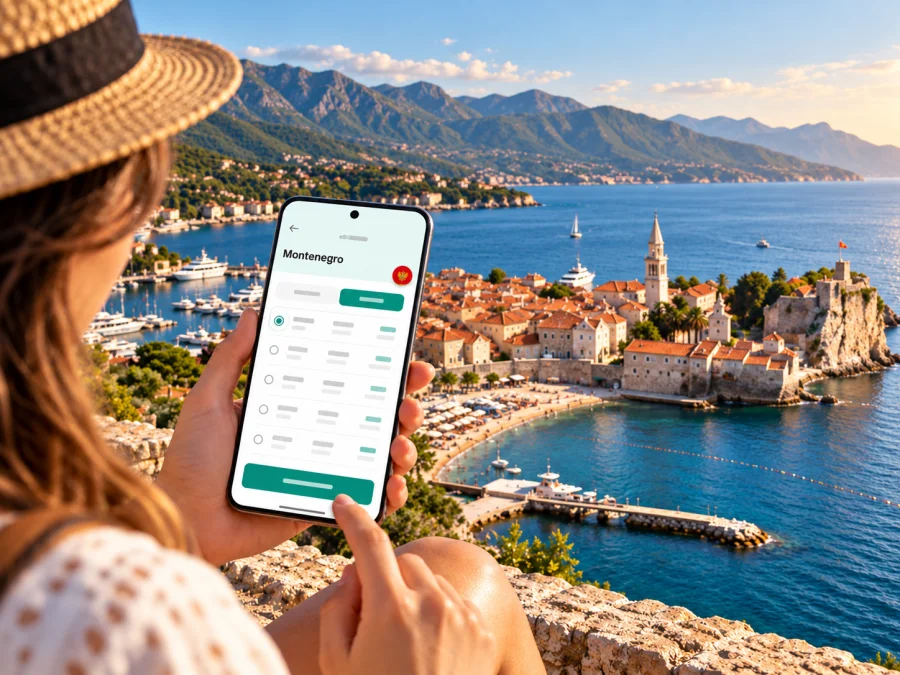
Budva eSIM: mobile connection and internet for your trip
Budva combines a compact historic centre with a long, busy stretch of Adriatic shoreline. In a single day you might arrive from Tivat Airport, check in near Slovenska Beach, walk the stone lanes of the Old Town, and head out toward Bečići or Sveti Stefan. A mobile data connection helps with each transition: checking your accommodation details, following a map, messaging your host, or confirming a return journey.
An eSIM can make that part of a Montenegro trip easier to prepare. It is a digital SIM profile installed on a compatible device, so you can keep your usual physical SIM in place while using a separate data plan abroad. The useful choice is not simply “an eSIM for Budva”; it is a plan whose destination, allowance, validity, and activation conditions fit your whole itinerary.
What to plan for in Budva
Budva is a coastal city in Montenegro, on the Adriatic Sea. You may see the country labelled Republic of Montenegro in a travel plan list; this refers to Montenegro, the country Budva is part of. Budva is not a separate country or a separate mobile market. A country plan is therefore the relevant starting point, while the exact network, plan terms, and local signal depend on the product selected and the place you are using it.
The city is easy to understand as a few connected travel zones:
- Old Town and the harbour: a walled historic centre on the water, with narrow lanes, squares, restaurants, and the Citadel. GPS can be less precise between tall stone walls, and a blue-dot position may take a moment to settle.
- Slovenska obala and the central waterfront: a convenient base for the promenade, beaches, cafés, hotels, and the main everyday walking routes.
- Bečići and Rafailovići: coastal areas east of the centre. You may travel between them and central Budva by road, local transport, or on foot depending on your accommodation and route.
- Jaz and the western coast: a useful direction for beach days and excursions. Check the return option before you set out, especially outside the busiest season.
- Sveti Stefan and Pržno: places farther along the coast, often combined with a beach or scenic outing. Check transport times on the day rather than assuming the service runs at the same frequency year-round.
A phone is most valuable when plans change: a flight is delayed, a driver asks you to confirm a pickup point, a restaurant sends a new location, or a coastal bus stop is not where you expected. Downloading an offline map is still sensible. It gives you a fallback in a dead spot, when a phone battery is low, or while the map app is refreshing.
Arrival: from the airport to your accommodation
Tivat Airport is the closest airport for many Budva itineraries. The airport operator lists Budva at about 21 km by road and an estimated 27 minutes by car. That estimate is a route reference, not a promise about journey time: summer traffic, roadworks, queues, and the exact pickup location can make the transfer longer. Podgorica Airport is another option, with the route to the coast running through the Budva–Cetinje–Podgorica road corridor.
Before you leave the airport, save the key details you may need without a connection:
- The hotel or apartment name, full address, and host’s phone or messaging details.
- A map pin for the actual entrance, not only the building or neighbourhood.
- The name and meeting point for any pre-booked transfer.
- Your next step if the driver cannot find you: a nearby landmark, terminal meeting point, or agreed call method.
- A screenshot of your accommodation and transport confirmations.
Mobile data is useful for live messages and map updates, but do not make the first few minutes of the trip depend on it. Install and check the eSIM while you still have reliable Wi-Fi, then follow the plan’s activation instructions. If you prefer to wait until arrival to use the data, confirm when the validity period begins and which settings should remain off until then.
When leaving Tivat Airport, a ride-hail or pre-arranged transfer may be the simplest option if you have luggage or arrive late. The airport’s public information also gives road directions, but transport services, prices, and availability can change. Check current options before departure and confirm the final fare or booking conditions with the provider. For a short connection through the airport, make sure your onward transfer is realistic; the distance is short on a map, but road conditions matter.
Getting around the city without losing your bearings
Budva has a walkable centre, but the wider coast is linear and spread out. That changes how you use mobile internet. In the Old Town, directions may be about finding a doorway or a lane; on a coastal trip, they may be about locating the correct stop and checking how to return.
| Trip | What to keep available on your phone | Practical backup |
|---|---|---|
| Airport to hotel | Address, pickup messages, live map | Save a pin and screenshots before boarding |
| Old Town walk | Map, meeting point, restaurant booking | Agree on a landmark outside the narrow lanes |
| Beach day at Mogren or Slovenska Beach | Walking route, weather and meeting messages | Take a screenshot of the way back to your lodging |
| Bečići, Rafailovići, or further along the coast | Stop location and current departure details | Check the return service before leaving central Budva |
| Day trip to Kotor, Tivat, or Petrovac | Intercity route and ticket or pickup details | Keep the next connection and address offline |
The local tourism organisation publishes information about city and coastal bus routes. Timetables can be seasonal and are subject to change, so use current information for the date of travel rather than relying on an old screenshot or a general search result. A map app can help find a stop, but it cannot confirm that a particular bus is running today.
For short urban journeys, walking is often the least complicated way to move between the waterfront and the Old Town. For longer distances, compare the time and drop-off point of a bus, taxi, or booked ride. If you use a taxi, check the route and fare arrangement before the journey begins. Keep your accommodation pin saved so you can return even if your phone has switched to a different map view or language.
Choosing an eSIM plan for Budva and the rest of your route
A city article can help you plan the trip, but eSIM plans are generally selected for the country or region rather than a single street or attraction. Start with the full route. If you will stay only in Budva, a country plan for the Republic of Montenegro may be enough. If you will cross borders, compare the plan’s included destinations and roaming allowance before choosing a regional option. A package that includes Montenegro does not automatically include every neighbouring country.
The live country page in Kaspersky eSIM Store currently identifies MTEL as the local telecommunications provider for the listed Montenegro offers. This is information about the destination packages shown on that page; it should not be read as a promise of identical signal or service in every part of Budva. Montenegro’s wider mobile market also includes Crnogorski Telekom and One; each provider’s own prepaid and eSIM products have separate terms. Check the provider and included destinations shown for the exact plan you are considering, especially if you expect to use data beyond Budva.
To compare options, look at the conditions that affect your actual days in Montenegro:
- Coverage and provider: confirm the listed destination and network details for the exact plan. A national plan does not guarantee a strong signal in every building, cove, or stretch of road.
- Data allowance: estimate navigation, messaging, browsing, and any video or work use. Video calls and cloud backups can consume more data than map checks.
- Validity: match the plan period to your arrival and departure dates. Find out whether it starts at purchase, installation, or first network connection.
- Regional use: check whether data outside Montenegro is included, how much, and under what conditions. Do not assume that a Balkan or Europe label means every country on your route is covered.
- Top-ups and limits: review what happens when the allowance runs out, whether an add-on is available, and whether the plan slows or stops data use.
- Phone number and calls: a travel data eSIM generally provides internet access rather than a new local voice number. Read the plan description if you need standard calls or SMS.
Kaspersky eSIM Store is an app and website where you can choose, arrange, and activate an eSIM with a suitable plan for mobile internet on an international trip. It helps you prepare the digital SIM workflow; mobile service and coverage depend on the selected plan and the local provider identified in its terms. To review the current destination options, browse eSIM plans for the Republic of Montenegro and compare the details before purchase.
Check your device before buying
An eSIM plan is useful only if your phone or tablet can install and use an eSIM profile. Compatibility can vary by manufacturer, model, and sales region. Some device variants that share a product name have different SIM hardware, and a carrier lock can prevent activation even when the model family supports eSIM. Check your exact model and regional variant in the manufacturer’s information and with the seller or mobile provider if the status is unclear. Check whether your device supports eSIM before you choose a plan.
Also confirm that your device is not locked to a home carrier and that you can access the email or account containing the installation details. If the eSIM is installed on one phone, do not assume it can be transferred to another after activation; follow the selected plan’s instructions. Keep the QR code or installation details accessible on a second screen or printed copy if the setup method requires scanning it.
Install ahead, activate at the right time
If your plan allows installation before the trip, setting it up at home or at the hotel Wi-Fi can reduce the number of steps after arrival. Installation and activation are not always the same event: a profile may be added in advance while data use begins only under the plan’s stated conditions. Read those conditions first, and do not guess when validity starts.
A practical setup sequence is:
- Connect your phone to stable Wi-Fi.
- Open the Kaspersky eSIM Store app or website and follow the instructions for the selected plan.
- Add the eSIM profile using the available installation method.
- Label the new line clearly, such as “Montenegro data”.
- Keep your home SIM selected for your regular number if you still need it for calls or account verification.
- Set mobile data to use the travel eSIM when you are ready to connect, and review data-roaming settings for that line as the plan instructions require.
- On arrival, check that the intended line is active and that the phone has registered on a supported network.
The precise menu names differ across operating systems and device versions. Use the current steps for your phone: eSIM setup instructions for Android and eSIM setup instructions for iOS. If the connection does not appear, confirm the data line, plan validity, network selection settings, and any roaming instruction in the plan before reinstalling or deleting a profile.
Budva scenarios: what to prepare
A weekend focused on the Old Town
For a short stay, save your arrival address, check-in message, and a walking map before you leave the airport. Once in central Budva, use data for restaurant reservations and meeting arrangements, but download the city area offline in case GPS is slow among the stone streets. If you plan to visit Mogren, save the route back to the hotel as well as the outward route.
A multi-stop coastal itinerary
If Budva is one stop among Tivat, Kotor, Petrovac, or another coastal destination, compare the travel eSIM’s country and regional terms against every border on the route. Save each accommodation pin and the next transport details. A plan that works for Montenegro alone may not cover the next country, and a regional option can have a separate allowance for each destination.
When the connection is weak or unavailable
No travel eSIM can promise service in every room, on every beach, or throughout every journey. Coastal terrain, thick stone walls, distance from a cell site, network congestion, and the phone’s settings can all affect the result. In Budva’s Old Town, a weak indoor signal does not necessarily indicate a problem with the whole plan; step outside to an open area and check again.
Try these steps in order:
- Verify that the travel eSIM is enabled and selected for mobile data.
- Check that the plan is valid, has remaining data, and includes the destination you are in.
- Toggle airplane mode off and on, then give the phone time to reconnect.
- Check the plan’s network-selection and data-roaming instructions.
- Move to an open location and retry a map or message.
- Use saved maps, accommodation details, or Wi-Fi while you investigate.
- Contact the service support channel shown with your plan if the issue continues.
Avoid deleting an eSIM profile as a first troubleshooting step. Some profiles cannot be reinstalled with the same activation details. If you need to change settings, follow the device-specific instructions and keep your plan details available.
Before-you-go checklist
- [ ] Confirm the destination is Montenegro and that each country on your route is included in the selected plan.
- [ ] Compare the exact provider, data amount, validity, and activation conditions.
- [ ] Check eSIM compatibility for your device’s exact model and regional variant.
- [ ] Make sure the device is not carrier-locked and can connect to Wi-Fi for installation.
- [ ] Install the profile in advance if the plan permits it, and note when validity begins.
- [ ] Decide which line will handle mobile data, calls, and text messages.
- [ ] Save your arrival address, accommodation pin, transfer details, and a map for offline use.
- [ ] Check current airport transfer and local bus information for your travel date.
- [ ] Review automatic updates, cloud backups, and hotspot use to manage your allowance.
- [ ] Keep a charger or power bank handy for long walks and beach trips.
Frequently asked questions
Is Budva in the Republic of Montenegro?
Yes. Budva is a city on Montenegro’s Adriatic coast. “Republic of Montenegro” may appear as the destination label in a plan list; it refers to the country Montenegro, not a separate region or mobile market.
Is there a separate eSIM plan just for Budva?
The destination plans are generally listed by country or region, rather than by city. Select Montenegro for a stay in Budva, then check the plan details for the provider, data allowance, validity, and activation rules. If your trip crosses a border, verify every destination separately.
Which mobile network will my travel eSIM use in Budva?
Check the provider named for the exact plan before purchase. The current Montenegro destination listing identifies MTEL for its listed offers, but network access and coverage depend on the selected product and local conditions. No plan should be assumed to perform identically everywhere in the city.
Can I use an eSIM for ordinary phone calls?
A travel data eSIM generally provides mobile internet and does not include a new local number, standard calls, or SMS unless its terms say otherwise. You can use internet calling and messaging apps when they are available and your account is set up. Keep your regular number active if you need it, and check your home operator’s roaming charges.
Should I install the eSIM before flying to Budva?
If the plan permits advance installation, doing so over Wi-Fi can make arrival simpler. Check separately when data validity begins. Some plans may start on a schedule or on first connection, while others use different conditions; follow the terms shown for your chosen plan.
Will the eSIM work in every hotel or beach area?
There is no universal guarantee. Signal can vary indoors, along the coast, and as the network becomes busy. Check the plan’s provider and coverage information, keep important maps available offline, and use Wi-Fi as a backup where appropriate.
Can I use the same eSIM on a phone and tablet?
Do not assume so. An eSIM profile is usually installed on a particular device, and transfer or simultaneous use depends on the product’s terms and device capabilities. Check this before purchase if you need data on more than one device; hotspot sharing may be an option only when supported and permitted.
Get ready for your Budva trip
Before departure, confirm your route, device compatibility, and the plan’s data and validity conditions. Install the eSIM over Wi-Fi if allowed, keep your home number settings in mind, and save the details you may need offline. Kaspersky eSIM Store lets you choose, arrange, and activate an eSIM with a suitable plan for mobile internet during an international trip. Review the available eSIM plans for the Republic of Montenegro and select the option that matches your Budva stay and any onward travel.


