
Travel connectivity guide
Buea eSIM: mobile internet for Cameroon travel
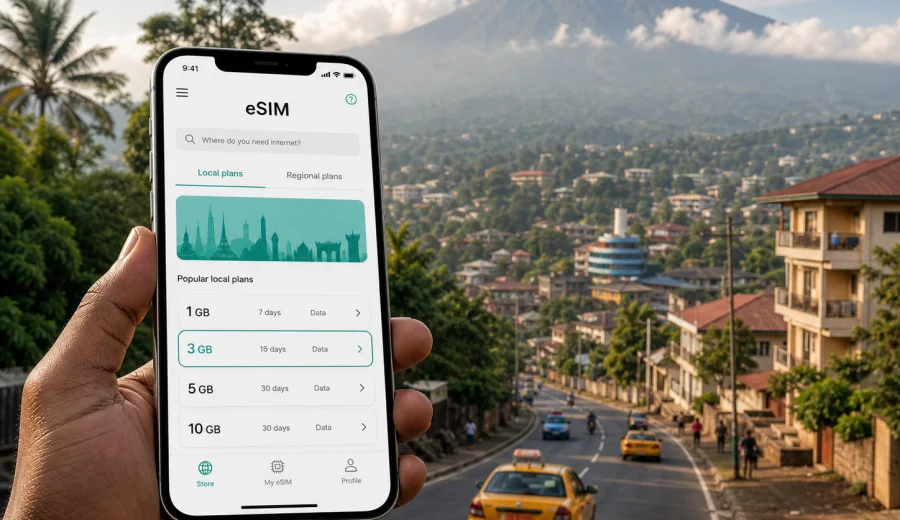
Buea eSIM: mobile connection and internet for a trip to Cameroon’s mountain city
Buea is not the kind of city where you want to solve mobile internet only after something becomes urgent. Many visitors arrive through Douala, travel by road toward the slopes of Mount Cameroon, then need maps, messaging, hotel contacts, ride coordination, and weather checks before settling into the city. An eSIM can make that first day simpler because you can prepare mobile internet for Cameroon before you leave or while you still have reliable Wi-Fi.
This guide is for travelers, students, visiting lecturers, business guests, NGO teams, conference attendees, and hikers planning time in Buea. It focuses on practical connectivity around arrival, neighborhoods, hotel check-ins, work calls, day trips, and routes toward Limbe or Douala. The goal is to help you decide how to use an eSIM for Buea, what to check before buying, and how to avoid common travel connectivity problems.
Why mobile internet matters in Buea
Buea sits on the lower slopes of Mount Cameroon, so daily movement can involve elevation changes, rain, mist, and short trips between spread-out areas rather than a single flat city center. You may move between Molyko, Great Soppo, Bonduma, Clerks Quarters, Federal Quarters, Mile 17, hotel zones, university buildings, offices, restaurants, and road connections toward Limbe. Even when distances look manageable on a map, timing can change with traffic, weather, and local transport availability.
Mobile internet helps with the parts of the trip that are easy to underestimate:
- confirming the route from Douala International Airport to Buea;
- messaging your hotel or host before arrival;
- checking whether a meeting point is in Molyko, Great Soppo, or another district;
- sharing your live location with colleagues or family;
- using maps when a driver asks for a landmark rather than a street number;
- coordinating hikes, campus visits, events, or day trips;
- checking weather before heading toward Mount Cameroon;
- keeping access to booking confirmations and travel documents.
An eSIM is useful because it does not require a physical SIM swap. If your phone supports eSIM, you can install a digital SIM profile and use a suitable data plan for Cameroon while keeping your main SIM in the device. That is especially convenient if your main number is needed for banking messages, work calls, or account verification.
Arrival: from Douala to Buea with fewer connection gaps
Most international travelers heading to Buea pass through Douala, then continue by road. That makes the first connection window important. You may need to contact a driver, check traffic, update a host about your arrival time, or confirm whether your accommodation expects payment, ID details, or a late check-in message.
If you rely only on airport Wi-Fi, you may have a short online window and then lose access once you step outside, enter a car, or start the road journey. If you wait to arrange mobile data after arriving in Buea, you may spend the first hours asking where to buy a SIM card and which shop is open. With an eSIM, you can prepare the data profile before the trip and activate it according to the instructions for the selected plan.
A practical arrival setup looks like this:
| Moment | What you may need internet for | Why an eSIM helps |
|---|---|---|
| Before departure | Install the eSIM, save hotel details, download offline maps | You reduce tasks during arrival |
| At Douala airport | Message the driver, check route time, confirm pickup point | You are not limited to airport Wi-Fi |
| On the road to Buea | Share updates, follow the route, contact your host | You stay reachable during the transfer |
| First evening in Buea | Find food, pharmacy, ATM, or meeting point | You avoid solving everything at reception |
For a trip, this may be enough to keep the day calm. For a longer stay, it gives you time to decide whether you also need a local voice option, a larger data package, or a different setup for work.
Where eSIM is most useful around the city
Buea travel often depends on landmarks and local knowledge. A visitor may hear directions such as “near the university,” “around Mile 17,” “toward Great Soppo,” or “close to the mountain road.” Mobile internet helps you match those directions with a map, but it also helps you communicate when the map is not enough.
Key city scenarios include:
- Molyko and the University of Buea area. Useful for students, visiting academics, conferences, cafes, guesthouses, and evening plans.
- Great Soppo and surrounding residential areas. Useful for longer stays, family visits, rentals, and local errands.
- Federal Quarters and administrative areas. Useful for official visits, meetings, and appointments where timing matters.
- Mile 17. Useful as a transport reference point for arrivals, departures, and road connections.
- Mount Cameroon access points. Useful for weather checks, guide coordination, group messaging, and emergency contact planning.
- Routes to Limbe and Douala. Useful for day trips, beach plans, onward travel, and rescheduling when traffic changes.
The biggest advantage is not only having maps. It is having enough mobile internet to coordinate small changes: a driver is delayed, a meeting moves, the weather turns, the hotel asks for an arrival update, or a colleague sends a new location pin.
How much data to plan for Buea
Your data needs depend on how you use the phone. Buea is a practical city for navigation and messaging, but it can also be a work base for university trips, NGO projects, field visits, and regional travel. A traveler who only checks maps and messages will use far less data than someone joining video calls or uploading photos after a hike.
Use this planning guide:
| Trip style | Typical use | Data approach |
|---|---|---|
| Weekend visit | Maps, messaging, ride coordination, hotel contact | Choose a modest package with enough margin |
| University or conference stay | Email, documents, maps, messenger calls | Choose more data and track usage daily |
| Business trip | Work chat, cloud files, hotspot for laptop when needed | Choose a larger package and avoid heavy sync on mobile data |
| Hiking and sightseeing | Maps, weather, photos, group chat | Save offline maps and keep data for coordination |
| Multi-city route | Buea, Limbe, Douala, perhaps other parts of Cameroon | Make sure the selected plan covers the country and your route |
Video calls, cloud backups, app updates, and streaming can consume data quickly. Before traveling, turn off automatic media downloads in messengers and disable cloud photo backup on mobile data if you do not need it. Download maps, documents, playlists, and boarding passes on Wi-Fi. That keeps your eSIM data for the moments when mobile connection matters most.
Choosing an eSIM plan for Buea
For a city trip, the plan still needs to match the country where the city is located. Buea is in Cameroon, so choose a plan that covers Cameroon rather than searching for a separate city-only option. If you are also visiting other countries, compare whether a regional or broader plan fits your route better, but do not assume that every plan covers every border crossing.
When comparing options, look at four details:
1. Destination coverage. Check that Cameroon is included in the selected plan.
2. Data volume. Estimate maps, messaging, calls, work files, and hotspot use.
3. Validity period. Match the plan length to your actual days in Buea and nearby cities.
4. Activation rules. Read when the validity period starts and what steps are required on your device.
Kaspersky eSIM Store is an app and website where you can choose, arrange, and activate an eSIM with a suitable data plan for mobile internet during an international trip. For Buea, use the Cameroon destination page to compare available options and prepare an eSIM data plan for your trip to Buea. Check the data allowance, validity period, and plan conditions before you pay.
What to check before buying
The most important check is device compatibility. Not every phone supports eSIM, and some phones may be locked by a mobile operator. If your device does not support eSIM or cannot accept another mobile profile, an eSIM data plan will not solve your travel connection problem.
Before purchase, check your device and confirm these points:
- your phone or tablet supports eSIM;
- the device is not locked to one operator;
- the operating system is up to date enough for eSIM setup;
- you can access Wi-Fi during installation if the instructions require it;
- your primary SIM settings will not block mobile data on the eSIM profile;
- you understand whether the selected plan includes only mobile data or also other services.
In many travel eSIM scenarios, the plan is for mobile data. It may not include a local phone number, regular voice calls, or SMS unless the specific terms say otherwise. For calls and messages, you can often use internet-based apps over mobile data. Keep your main SIM active if you need your usual number for banking, work verification, or incoming messages, and check possible roaming charges with your home operator before using it abroad.
Installing an eSIM for a Buea trip
Install the eSIM while you have stable internet and time to follow the steps carefully. Many travelers prefer to install the profile before departure and activate mobile data when the trip begins or when the plan instructions say to do so. Others install it after arrival using hotel Wi-Fi. The best option depends on the plan rules and your comfort with device settings.
General setup flow:
1. Confirm that your device supports eSIM and is unlocked.
2. Choose a Cameroon data plan that matches your Buea itinerary.
3. Complete the purchase and open the eSIM details in your account or app.
4. Follow the installation steps on the device.
5. Select the eSIM profile for mobile data.
6. Turn on data roaming for the eSIM profile if the instructions require it.
7. Test the connection after arrival or when the plan becomes active.
For device-specific setup, use the Android installation guide or the iOS installation guide. Keep the QR code or installation details available until setup is complete, and avoid deleting the eSIM profile unless you are sure you no longer need it. Depending on the profile and plan conditions, deleting an eSIM may prevent reuse.
Transport, navigation, and local movement
In Buea, mobile internet is most useful when a plan changes. A driver may describe a pickup point by landmark. A hotel may be on a side road that is easier to find by map pin than by street name. A meeting may move from a campus building to a cafe. Rain can affect walking plans and transport timing, especially during wetter periods.
Keep these practical habits:
- Save your hotel address and at least one nearby landmark.
- Download an offline map of Buea and the Douala-Buea corridor.
- Keep your driver or host contact pinned in your messenger.
- Save screenshots of booking confirmations and meeting addresses.
- Carry a power bank if you expect long movement days.
- Use mobile data for navigation, but do not leave live maps running all day.
If you take a day trip to Limbe, mobile internet helps with timing, route checks, restaurant searches, and coordination for the return journey. If you travel back to Douala, it helps you monitor travel time and keep airport or accommodation contacts updated. For longer regional movement, review whether the same plan and data allowance still fit the route.
Business, study, and remote work in Buea
Buea receives travelers for education, administration, research, entrepreneurship, development work, and regional meetings. In these cases, mobile internet is not only for maps. It is also a backup for email, calendars, file access, chat, and identity verification.
For work trips, separate your data needs into three levels:
| Need | Examples | Preparation |
|---|---|---|
| Essential | Messaging, maps, email, calendar | Works with moderate data if used carefully |
| Productive | Document downloads, voice calls, hotspot for short tasks | Choose more data and monitor usage |
| Heavy | Long video calls, cloud backup, large uploads | Prefer hotel or office Wi-Fi when reliable |
If your trip includes presentations or meetings, download key files before the day starts. Do not depend on mobile data for a large slide deck at the last minute. If you plan to use your phone as a hotspot, check whether tethering is allowed under the selected plan and remember that laptops can use data quickly through background updates.
Mount Cameroon plans and outdoor connectivity
Mount Cameroon is one of the reasons many visitors know Buea. Even if you are not doing a major climb, you may plan viewpoints, guide meetings, group walks, or outdoor activities near the mountain. Mobile internet is useful for preparation, but outdoor coverage can vary by exact location, weather, terrain, and local network conditions. Treat mobile data as a helpful tool, not as your only safety plan.
Before mountain-related activities:
- tell someone your route and expected return time;
- save emergency and guide contacts offline;
- download maps or route notes in advance;
- check weather before leaving your accommodation;
- preserve battery by lowering screen brightness and closing unused apps;
- keep a small amount of data available for the return journey.
Do not rely on a constant signal in every outdoor spot. Use the eSIM for planning, communication where service is available, and post-activity coordination, while keeping offline information ready.
Buea trip checklist
Use this checklist a few days before departure:
- Check that your passport, visa or entry documents, bookings, and insurance details are saved offline.
- Confirm your arrival route from Douala to Buea.
- Save the address and phone number of your hotel or host.
- Check whether your device supports eSIM and is not operator-locked.
- Choose a Cameroon eSIM data plan with enough volume and validity.
- Install the eSIM using stable Wi-Fi if the instructions recommend it.
- Download offline maps for Douala, Buea, Limbe, and your main route.
- Turn off automatic cloud backup and app updates on mobile data.
- Keep your main SIM settings clear if you need your usual number.
- Pack a charger and power bank for long road or field days.
This preparation is especially useful if your first day includes airport arrival, road transfer, hotel check-in, and a meeting or campus appointment in the same schedule.
Common mistakes to avoid
The first mistake is buying too little data for a work-heavy trip. Maps and messaging are light, but video meetings and file transfers are not. The second mistake is installing the eSIM only when you are already under pressure. The third is forgetting device compatibility and discovering too late that the phone cannot use eSIM.
Avoid these problems:
- Do not wait until you are outside the airport with no stable Wi-Fi to read installation steps.
- Do not assume a city name has its own plan; choose coverage for Cameroon.
- Do not delete an installed eSIM profile unless you understand the consequences.
- Do not use mobile data for automatic photo backup during a short plan.
- Do not assume regular voice calls and SMS are included.
- Do not depend on public Wi-Fi for banking, ride coordination, and work access when mobile data would be more convenient.
The aim is not to use your phone more. It is to keep the right connection available when the trip requires it.
Quick answers about eSIM in Buea
Can I buy a city-specific eSIM for Buea?
Usually, you choose a plan for the country or region rather than for one city. For Buea, look for Cameroon coverage and check the plan conditions.
Should I install the eSIM before flying?
Installing before departure can be convenient if you have stable Wi-Fi and time to follow the steps. Check the activation rules so you know when the validity period starts.
Will an eSIM give me a Cameroonian phone number?
Many travel eSIM plans focus on mobile data and do not include a regular local number, voice calls, or SMS unless the plan says otherwise. Use internet-based calling apps when appropriate.
Is eSIM useful if my hotel has Wi-Fi?
Yes, because hotel Wi-Fi only helps when you are on the property. Mobile data is useful during transfers, campus visits, restaurant searches, day trips, and route changes.
Can I keep my usual SIM active?
On many compatible phones, you can keep your main SIM for calls or messages and use the eSIM for mobile data. Check your phone settings and your home operator’s roaming costs.
What if I travel from Buea to Limbe or Douala?
If the plan covers Cameroon, it is intended for use in the country rather than one city. Still, coverage and performance depend on local network conditions and your exact location.
Prepare your Buea mobile internet before the trip
Buea is easier to navigate when you do not have to hunt for Wi-Fi at every step. An eSIM can help you arrive with mobile internet ready for airport transfer, road travel, hotel check-in, maps, messages, work, and day trips around the Southwest Region. Check your device first, choose a data allowance that fits your actual plans, and install the eSIM while you have time to follow the instructions.
To prepare for the trip, open Kaspersky eSIM Store and choose an eSIM data plan for Cameroon before you travel to Buea. Review the validity period, data volume, activation rules, and device requirements, then keep the setup details available until your connection is working.