
Travel connectivity guide
Buenos Aires eSIM for mobile internet
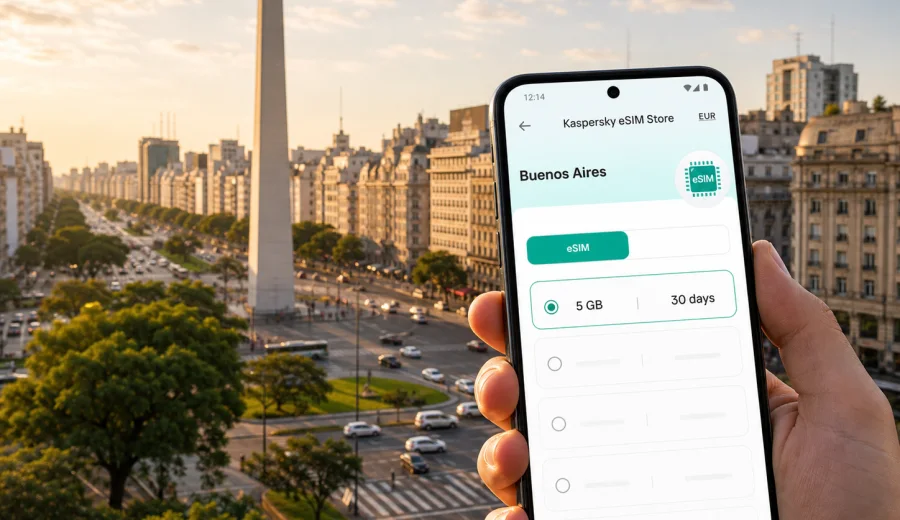
Buenos Aires eSIM: mobile connection and internet for a city trip
Buenos Aires is a city where mobile internet becomes useful immediately. You may need it at Ezeiza airport while confirming a transfer, at Aeroparque while checking a domestic flight, in Palermo when a restaurant uses a QR menu, or in Microcentro when you are finding the correct entrance to an office building. For many trips, eSIM is a practical way to prepare mobile connection before arrival without looking for a physical SIM card after a long flight.
This guide focuses on Buenos Aires, not Argentina in general. It explains where mobile data matters in the city, how to estimate the traffic you need, what to check before buying an eSIM tariff, and how Kaspersky eSIM Store can help you choose, set up, and activate an eSIM with a suitable data package for a trip abroad.
Why mobile internet matters in Buenos Aires
Buenos Aires is large, spread out, and highly digital in everyday travel. Hotel Wi-Fi can help in the room, but it does not help while you are moving between neighborhoods, waiting for a driver, entering a building, or changing plans on the street.
Common situations where mobile data helps:
- checking the address and entrance of a hotel, apartment, coworking space, or meeting venue;
- using maps between Palermo, Recoleta, Retiro, San Telmo, Puerto Madero, Belgrano, and La Boca;
- messaging a driver, host, guide, colleague, or family member;
- translating short notices, menus, and service messages;
- confirming restaurant reservations, event tickets, and check-in instructions;
- checking flight, taxi, ferry, or long-distance bus updates;
- using banking and travel apps that require a verification step;
- sharing your location when a group splits up.
The city is walkable in some districts, but distances can be substantial. A day can start near Plaza de Mayo, continue through Recoleta, move to Palermo, and end in Puerto Madero. Without mobile internet, each change of plan depends on hotel Wi-Fi, a cafe connection, or downloaded maps that may not reflect traffic.
Arrival: Ezeiza, Aeroparque, and the first hour
Most international travelers arrive through Ministro Pistarini International Airport, better known as Ezeiza or EZE. The airport is outside the city, so the transfer to central Buenos Aires can take time. Mobile data is useful before you leave the terminal: you can message your driver, open the hotel address, check traffic, and follow the route into the city.
Aeroparque Jorge Newbery, or AEP, is closer to the city and often used for domestic and regional flights. It is convenient for Patagonia connections, Mendoza routes, Iguazu trips, business travel, and short regional itineraries. Even there, mobile internet helps with pickup points, ride instructions, and gate or schedule changes.
| Moment | What mobile data is useful for |
|---|---|
| Baggage claim | Messages, meeting point details, flight updates |
| Before leaving the terminal | Transfer confirmation, hotel address, route estimate |
| On the way to the city | Live traffic, driver contact, arrival time sharing |
| Hotel or apartment arrival | Check-in messages, door codes, reservation details |
| First walk outside | Maps, pharmacies, cafes, ATMs, and transport stops |
An eSIM does not remove the need to check tariff conditions or local travel rules, but it can reduce the practical friction of arrival. You can install it before the trip, then activate mobile data for the eSIM when you are ready to use it.
Moving around the city with mobile data
Buenos Aires has several layers of movement: walking districts, taxis and ride-hailing, Subte lines, buses, commuter trains, private transfers, and ferries or day trips. The right option often depends on time of day, weather, traffic, and where exactly you are going.
Mobile internet helps you compare options in real time. A short route on the map may be slow by car during rush hour. A Subte ride can be easier for some central routes, while a taxi may be better late at night or when traveling with luggage. If you are visiting La Boca, mobile data helps you coordinate transport and avoid returning without a clear route.
Useful city habits:
- keep maps available both online and partly offline;
- save your hotel address in English and Spanish;
- keep the eSIM line selected for mobile data;
- keep your primary SIM available for messages if your device supports dual SIM;
- check whether data roaming must be enabled for the eSIM profile;
- track data use if you rely on video calls, hotspot sharing, or navigation throughout the day.
Districts create different data needs. Palermo is large, so ride pickup points are easier with maps. Recoleta is useful for museums, hotels, medical appointments, and embassies. Microcentro and San Nicolas are practical for offices and historic sights. San Telmo and La Boca are best visited with a clear route back to your base.
Choosing an eSIM tariff for Buenos Aires
For a Buenos Aires trip, the relevant country destination is Argentina. City visitors usually need a tariff that works in Argentina, unless their route continues across borders or combines several South American countries. The right choice depends on trip length, data habits, and how much you expect to rely on mobile internet outside hotels and offices.
| Traveler profile | Typical mobile data needs |
|---|---|
| Stopover or 1-2 days | Maps, messages, ride apps, booking checks |
| City break of 3-5 days | Navigation, restaurant searches, tickets, photo sharing |
| Business trip | Email, calendars, messaging, document access |
| Remote work week | Hotspot use, file sync, calls, cloud tools |
| Argentina route | Buenos Aires plus domestic flights, buses, or day trips |
Choose more data if you expect to use video calls, tethering, high-resolution uploads, or streaming. Choose a longer validity period if your itinerary includes arrival day, several city days, a domestic side trip, and a final night back in Buenos Aires. If you mostly use hotel Wi-Fi and need mobile data for maps and messaging, a smaller package may be enough.
Read the tariff conditions before checkout. Check destination, data amount, validity period, activation rules, and whether top-up is available. Travel eSIM tariffs often focus on mobile data; they may not include a local phone number, voice calls, or SMS unless the specific tariff says so.
Preparing eSIM before you fly
The easiest approach is to prepare eSIM before departure, while you still have stable home Wi-Fi and time to check your device. This reduces pressure after landing. You can install the eSIM profile in advance if the tariff conditions allow it, then switch mobile data to that profile when appropriate.
Before buying, check whether your device supports eSIM. Also check that the phone is not locked to one carrier and that it supports the mobile settings you need for travel. Some devices require data roaming to be enabled for the travel eSIM profile; this is a device and tariff setting, not a promise of a specific network result.
When you are ready to install, follow the setup flow for your device. Kaspersky eSIM Store provides guidance for both major mobile systems: use the Android eSIM installation instructions or the iOS eSIM installation instructions and keep the QR code or profile details available until setup is complete.
Pre-flight checklist:
1. Confirm that your phone supports eSIM and is not carrier-locked.
2. Choose Argentina as the destination if Buenos Aires is the main city of the trip.
3. Compare data amount and validity period with your itinerary.
4. Install the eSIM while you have stable Wi-Fi.
5. Save hotel, airport transfer, and reservation details.
6. Download an offline map of central Buenos Aires as a backup.
7. Turn off automatic cloud backups on mobile data if your package is limited.
8. Name the eSIM line clearly, for example "Argentina data".
Setting up mobile internet after arrival
Some travelers decide on mobile internet only after reaching Buenos Aires. That can work, but the process is easier if you can access stable Wi-Fi at the hotel, apartment, airport lounge, or office. You need internet access to complete the purchase and installation flow, receive instructions, and load the eSIM profile.
If you have not prepared mobile data in advance, do this before leaving a reliable Wi-Fi point:
- check device compatibility;
- choose Argentina as the destination;
- read the data amount, validity, and activation terms;
- complete the eSIM setup;
- switch mobile data to the new eSIM profile only when ready;
- open maps and messaging once to confirm that setup is complete.
For a straightforward way to prepare mobile internet for the city, you can use Kaspersky eSIM Store to choose an eSIM tariff for a trip to Buenos Aires and Argentina once you know your dates and data needs.
Business trips, stopovers, and routes beyond the city
Buenos Aires is a frequent business destination for regional offices, conferences, technology teams, creative industries, finance, education, and professional services. A business traveler often needs mobile internet for more than navigation. Calendar updates, meeting links, messaging, and document access can all matter between the hotel, taxi, office, and airport.
For business travel, choose a data package with a buffer. A short video call, a large presentation download, or hotspot use from a laptop can consume more traffic than a normal sightseeing day. For a long layover, mobile data is more about reducing uncertainty: live traffic, restaurant search, driver messages, boarding pass access, and return flight updates.
Many visitors also use Buenos Aires as the starting point for other parts of Argentina. You might fly to Mendoza, Iguazu, Bariloche, El Calafate, Ushuaia, Cordoba, or Salta, or take a day trip to Tigre. For trips within Argentina, check whether the selected tariff covers your full route and validity period. If you leave the country, check whether you need a different country or regional tariff. A Buenos Aires arrival does not automatically mean every onward destination is covered by the same package.
What eSIM does and does not do
An eSIM is a digital SIM profile that lets a compatible device use a mobile data tariff without inserting a physical SIM card. For a trip to Buenos Aires, that usually means you can prepare mobile internet before or during travel and use it for maps, apps, messaging, and browser access.
It is also important to understand the limits:
| Point to check | Why it matters |
|---|---|
| Device compatibility | Not every phone, tablet, or wearable supports eSIM |
| Carrier lock | A locked phone may not accept a travel eSIM |
| Voice and SMS | Many travel eSIM tariffs are data-focused |
| Validity period | The tariff may start from purchase, installation, or first network use depending on conditions |
| Destination | Coverage is defined by the selected country or region |
| Data roaming setting | Some eSIM profiles require data roaming to be enabled |
If a tariff is data-only, you can usually use internet-based calls and messages through apps, but it may not provide a regular local phone number. Read the specific tariff details before relying on it for any critical service.
Kaspersky eSIM Store is an app and website that helps you choose, set up, and activate an eSIM with a suitable tariff for mobile internet in a trip abroad. For Buenos Aires, the practical value is planning: you can choose the destination, review the data amount and validity period, complete setup, and manage the eSIM without going to an offline SIM counter after arrival.
The service should not be treated as a mobile operator or a promise of identical connection quality everywhere in the city. Local network conditions, the selected tariff, device settings, building interiors, and movement around the city can all affect the experience.
FAQ: eSIM and mobile internet in Buenos Aires
Is eSIM useful for a short trip to Buenos Aires?
Yes, especially if you need maps, ride apps, booking confirmations, messaging, and airport transfer coordination. For a very short stopover, choose a package that matches the number of hours or days you will actually use mobile data.
Should I choose a city tariff or an Argentina tariff?
City articles usually point to the country destination. For Buenos Aires, choose Argentina unless your itinerary clearly requires a broader regional tariff. Always check the selected tariff's destination and conditions.
Can I install eSIM before flying?
In many cases, yes. It is often easier to install the eSIM while you still have stable Wi-Fi. Read the activation terms, because the start of validity can depend on the specific tariff.
Will eSIM include calls and SMS in Buenos Aires?
Many travel eSIM tariffs are focused on mobile data and may not include a local phone number, voice calls, or SMS. If you need calls, check the tariff details before purchase and plan to use internet-based calling apps where appropriate.
Choose mobile internet for your Buenos Aires trip
For a city like Buenos Aires, eSIM is most useful when it is prepared before the moment you urgently need it. Decide how many days you will spend in the city, whether you will continue elsewhere in Argentina, and how much data your navigation, messaging, work apps, and hotspot use may require.
Kaspersky eSIM Store helps you choose, set up, and activate an eSIM tariff for mobile internet in a trip abroad. If Buenos Aires is your destination, prepare an eSIM tariff for Argentina before you travel and keep your mobile connection ready for arrival, local movement, business plans, and trips beyond the city.