Travel connectivity guide
Bugibba eSIM: Mobile Internet in Malta
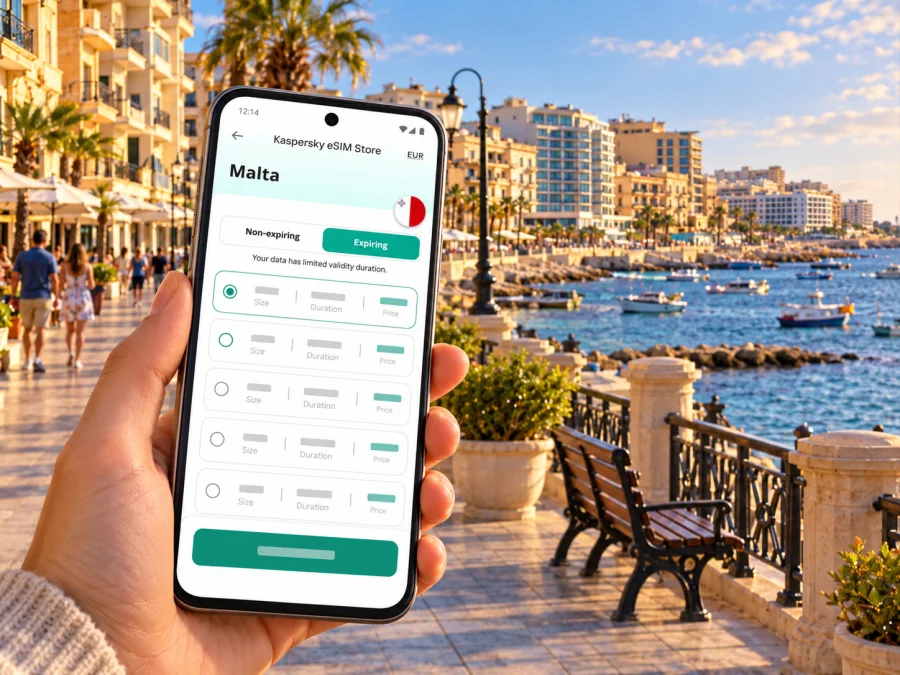
Bugibba eSIM: Mobile Connection and Internet for Your Visit
Bugibba is a useful base for a Malta trip: the seafront, hotels, cafés and bus connections are close together, while the island’s capital and northern coast are reachable by public transport. A travel eSIM can help you use maps, check a bus connection, message your accommodation and look up a booking without first finding a physical SIM card. With Kaspersky eSIM Store, you can use the app or website to choose, purchase and activate an eSIM with a suitable mobile data plan for travel abroad.
A geographic note helps set expectations. Bugibba is commonly treated as a town and visitor area, but administratively it is part of the St Paul’s Bay locality in Malta’s Northern Region. Nearby Qawra and St Paul’s Bay are closely connected on the ground, yet your hotel, bus stop or meeting point may use one of those names. Keep the exact address saved offline as well as online; a pin labelled “Bugibba” may not be the closest entrance to a property on the edge of the area.
When mobile internet is useful in Bugibba
The first hours after landing are often the time when a working data connection is most helpful. You may need to confirm a transfer, find the right bus stop, open a hotel message or tell someone you have arrived. An eSIM can be prepared before departure, then selected for mobile data when your trip and plan conditions allow. It does not require removing your home SIM, although the way dual-SIM phones handle calls, messages and data varies by model.
Around Bugibba, a phone is useful for more than directions. It can help you check a restaurant reservation, translate a short message, find a pharmacy, view an attraction’s opening information or share your location with your group. If you plan to spend the day between Bugibba, Qawra and St Paul’s Bay, mobile maps can also make it easier to check where one waterfront district ends and the next begins.
A mobile connection is particularly practical when plans change. A bus may be delayed, a walk may take longer than expected, or a group may split up along the promenade. Keep tickets, booking confirmations and essential addresses available offline too, so a temporary signal gap or a low battery does not leave you without the information you need.
Common travel moments
| Situation | What a connection can help you do | Useful backup |
|---|---|---|
| Arrival at Malta International Airport | Check the latest route, message your host and follow the journey north | Save the address and route details before boarding |
| Finding your hotel | Compare the street name and map pin with the booking confirmation | Take a screenshot of the directions and entrance details |
| Moving around Bugibba | Walk between the waterfront, accommodation and bus terminal | Agree on a meeting point that everyone can identify |
| A day trip | Check stops and connections toward Valletta, Rabat or the northern coast | Download map areas and keep a return-time buffer |
| Remote work | Join a call or reach work services when the chosen plan and local network allow | Confirm the accommodation’s Wi-Fi and have a backup location |
The table describes possible uses, not a promise of speed or signal at every location. Mobile service depends on the local network, device, building, terrain and plan. Concrete results can vary between the open waterfront, a busy indoor venue and a room behind thick walls.
Getting from the airport and around the island
Malta International Airport is in the south of the island, while Bugibba is in the north. Malta Public Transport lists Airport Direct routes TD1 and TD5 for Bugibba-related airport journeys, and route 214 also connects Bugibba with the airport via a longer set of local stops. The bus terminal in Bugibba is a practical starting point for island trips. Routes listed by the transport operator include services toward Valletta, Qawra, Sliema, Rabat and Mdina, as well as the airport and northern destinations.
Services, departure times, stop names and diversions can change. Before leaving the airport or your accommodation, check the current timetable for the date and direction you need. “Airport to Bugibba” and “Bugibba to airport” are separate journey searches, and a route number alone may not tell you which side of the road or terminal bay to use. Read the stop name displayed in the journey details, then compare it with the sign at the stop.
For a first arrival, think through the journey in stages:
- Save the full accommodation address and a map pin before you travel.
- Check whether a direct service or a route with transfers suits your arrival time and luggage.
- Confirm the exact airport stop and the Bugibba-area stop nearest your accommodation.
- Keep enough battery to follow the route and contact your host. A power bank can be useful on a long travel day.
- If the bus is not suitable, compare other available transfer options after you arrive; do not assume the next departure time from an old screenshot.
The bus terminal is a good reference point for orientation, but it may not be the closest stop to every hotel. When walking from it, check both the street name and the direction of travel. A short walk can feel different with a suitcase, in midday sun or after dark, so a map route is most useful when paired with a realistic estimate of the terrain and your luggage.
From Bugibba, buses connect with Valletta, Rabat and Mdina, as well as northern coastal destinations. For Gozo, continue north to Ċirkewwa for the ferry; verify current bus and ferry information separately and leave time for connections.
Choose a data plan around your Bugibba itinerary
The right plan depends less on the name of the resort area than on how you will use your phone and where else you will travel. A stay based entirely in Bugibba and a week split between Bugibba, Valletta and Gozo can call for different amounts of data and different validity periods. Check that the plan’s destination coverage matches Malta and any other country on your itinerary; a city name in a search is a starting point, not a separate network zone.
Before choosing, consider:
- Length of stay: Match the validity period to the days you expect to need mobile data. Check when validity begins under the specific plan terms.
- Expected use: Messaging, route searches and occasional browsing use a different pattern from video, hotspot use or frequent video calls. Estimate based on your habits rather than a generic daily figure.
- Your route: If you will leave Malta during the trip, confirm that the plan covers every destination or consider a suitable regional option where available.
- Top-up and expiry terms: Read whether additional data can be added, what happens at expiry and whether unused data remains available. These details vary by plan.
- Existing mobile service: Review your home operator’s roaming settings and charges so you know which line your phone will use for data.
Kaspersky eSIM Store lets you review available travel options for the country and the terms shown for each plan. Browse current eSIM options for Malta and compare the stated data allowance, validity, price and conditions with your itinerary. The available selection and plan terms can change, so rely on the information displayed when you make your choice rather than on a saved quote or an example from another trip.
A simple way to estimate data needs
Start with the activities you expect to do away from Wi-Fi. Navigation, messages, email and searching for local information are usually lighter uses than streaming, uploading many photos or using a phone as a hotspot. If you need to work, consider whether your calls will be audio or video and whether your accommodation provides a dependable Wi-Fi connection for larger tasks.
| Your likely pattern | Planning approach |
|---|---|
| Mostly maps, messages and occasional searches | Choose a modest allowance that covers your trip, then review the plan’s top-up terms |
| Frequent social uploads and browsing | Allow more room for photo and video uploads, especially when away from Wi-Fi |
| Video calls or hotspot use | Check whether tethering is permitted and plan for substantially heavier data use |
| Multi-country itinerary | Verify every destination explicitly and compare a country plan with an eligible regional plan |
These are planning categories, not data guarantees. Apps can use data in the background, and media quality settings affect consumption. Turn off automatic app updates over mobile data if you want more control, download offline maps over Wi-Fi and check your phone’s data-usage screen during the trip.
eSIM compatibility and preparation
An eSIM is a digital SIM profile that can connect a compatible device to a supported mobile network. Compatibility depends on the exact phone or tablet version and, in some cases, its sales region or carrier lock. Do not assume that two devices with the same marketing name have identical eSIM support. Before purchase, check whether your device supports eSIM, confirm that it is not restricted by a carrier, and make sure you can access a reliable internet connection during installation.
If you are uncertain, check the device settings and the manufacturer’s information for your exact model and regional variant. A device that supports eSIM in one market may differ from a variant sold elsewhere. If the model is not confirmed, keep your existing SIM active and identify another way to get online until you can verify the device and plan requirements.
Before you leave
- Confirm the exact destination and validity period shown in the plan details.
- Check your phone’s eSIM support and carrier-unlock status.
- Install system updates at home, where you have stable Wi-Fi and time to troubleshoot.
- Keep access to the email account or app profile used for the purchase.
- Save your hotel address, airport transfer details, and the first day’s key locations offline.
- Decide which line will handle calls and texts and which line will use mobile data.
- Read when the plan activates and whether data roaming must be enabled for the eSIM profile.
Installing and using the eSIM
Follow the instructions shown for your purchase and device. In broad terms, the process is to add the eSIM profile, label it so you can identify it, and select it for mobile data when appropriate. Some devices use a QR code; others may offer an installation flow in an app or settings. Keep the QR code private and do not delete an eSIM profile while travelling unless the support instructions say it is safe to do so.
For device-specific steps, use the Android eSIM installation guide or the iPhone and iOS eSIM installation guide. Menus and labels differ by software version, so follow the instructions for your device rather than expecting every screen to look the same.
A practical setup sequence is:
- Purchase a plan only after checking its destination, validity and restrictions.
- Install the profile while connected to Wi-Fi, if the plan instructions permit pre-installation.
- Keep the home SIM available if you still need its phone number for calls or verification messages.
- In the mobile settings, select the travel eSIM for mobile data when the plan should be used.
- Enable data roaming for that eSIM only if the plan’s instructions require it. Roaming charges for your home line may be separate, so check that line’s settings too.
- After arrival, allow the device to register and follow the plan instructions if it does not connect. Avoid deleting and reinstalling the profile without guidance.
The eSIM plan is for mobile data unless the particular plan explicitly says otherwise. It does not automatically provide a regular local phone number, voice calls or SMS. Internet calling and messaging apps may work over data, subject to the app, your account and local conditions. Keep a separate way to contact accommodation or travel providers if a conventional call or text is essential.
Using your phone comfortably in Bugibba
Bugibba’s coastal walks can mean frequent map, photo and transport use. Download an offline map before leaving Wi-Fi, monitor app data use, and pause cloud photo backups if you want to conserve allowance. Carry a charger for a long day, keep tickets and booking confirmations saved locally, and verify which SIM line is selected for data.
Coverage and performance are not uniform. Indoor spaces, crowded areas, the local network and your device all affect service. If a page will not load, check that mobile data is assigned to the eSIM, verify the plan is active and move to a place with a clearer signal before changing advanced settings. Restarting the phone may help in some cases, but use the plan’s troubleshooting guidance if the problem continues.
Short stay, work trip or family holiday?
For a short stopover: Prioritise arrival details, directions and messages. Check when the plan’s validity begins, especially if you install it before travelling.
For a work visit: Test essential apps before departure and ask your accommodation about Wi-Fi for large downloads or video meetings. Keep key documents available offline in case a connection is interrupted.
For a family or group: Each traveller should check their own device compatibility and data needs. A hotspot uses the host phone’s allowance and battery, and tethering depends on plan conditions. Agree on a Bugibba meeting point.
For a day trip north: Check the return connection before setting out. If heading toward Ċirkewwa for Gozo, allow time for both the bus and ferry and download the map area in advance.
If the eSIM does not connect
Work through the basics calmly before reinstalling anything:
- Confirm that the eSIM profile is still present and switched on.
- Check that the eSIM is selected for mobile data and that the home line is not selected instead.
- Review the plan’s activation, destination and roaming instructions.
- Toggle airplane mode off and on, then give the phone time to register.
- Restart the device if the instructions recommend it.
- If the issue remains, contact the service support channel with your device model, operating system and a description of what you have already tried.
A message such as “no service” can have several causes, including an unsupported device variant, carrier lock, incorrect settings or a temporary local network issue. Avoid changing several settings at once; it becomes harder to identify the cause. Keep access to Wi-Fi or another connection while requesting help.
Frequently asked questions
Is Bugibba a separate city in Malta?
Bugibba is widely used as the name of a town and tourist area, and it is part of the St Paul’s Bay locality for local administration. Nearby place names such as Qawra and St Paul’s Bay are also used in addresses and transport information, so check the precise destination rather than relying on a broad area label.
Can I use an eSIM from the airport to Bugibba?
Potentially, if the device supports eSIM, the profile is installed and the selected plan is valid for Malta. Check the plan’s activation rules before installing or enabling it. Malta Public Transport lists airport services serving Bugibba, but you should confirm the current departure and stop details for your travel date.
Does an eSIM include calls and text messages?
A travel data eSIM generally provides mobile data only unless the individual plan states otherwise. It should not be treated as a replacement for your normal phone number. Messaging and voice apps may use the data connection, while ordinary calls and SMS continue to depend on your other line and its plan.
Will one Malta plan work everywhere on the island?
A plan is defined by its stated destination and conditions, not by a promise of identical signal at every point. Check that Malta is included and remember that real-world service can vary by local network, building, device and location. If your trip includes other countries, verify those destinations too.
Should I install the eSIM before travelling?
That depends on the plan’s instructions and when its validity begins. Many travellers prefer to prepare while they have reliable Wi-Fi, but read the activation terms carefully and avoid enabling a plan earlier than intended. Keep the installation details accessible until the profile is working.
What if my phone has two SIMs?
Many dual-SIM phones let you keep more than one line available, but exact behavior depends on the model. Choose the travel eSIM for mobile data only when you intend to use it, and review settings for calls, messages and data roaming on both lines.
Prepare your connection for Bugibba
Before travelling, confirm device compatibility, compare the current plan conditions with your dates and itinerary, and save your arrival address and key routes. Kaspersky eSIM Store is an app and website that helps you choose, purchase and activate an eSIM with a suitable plan for mobile internet abroad. When you are ready, review eSIM plans for Malta, choose an option whose terms fit your trip, and follow the installation instructions for your device.


