Travel connectivity guide
Bugis eSIM: Mobile Internet for Singapore Trips
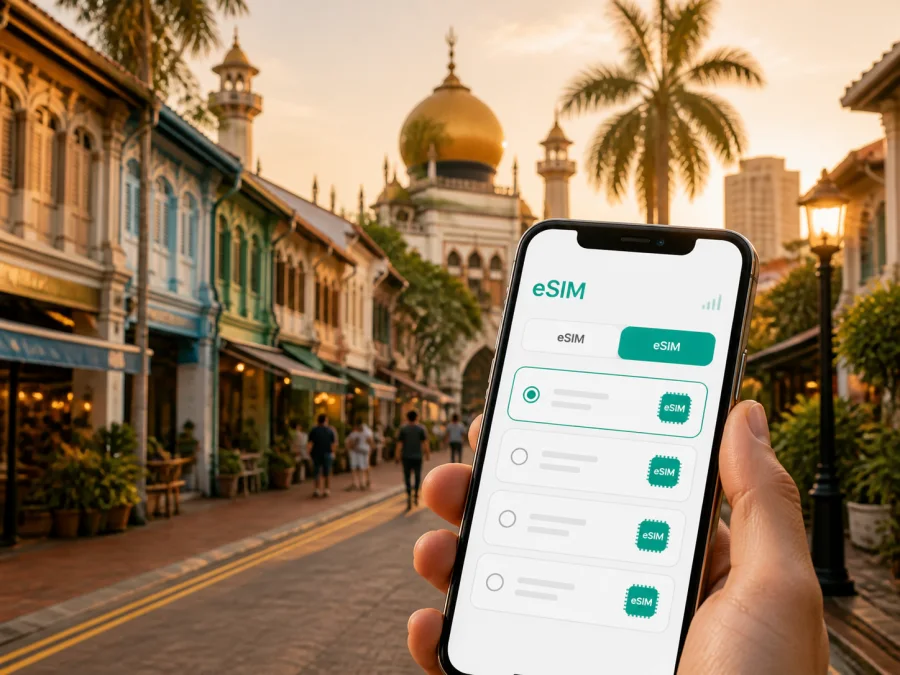
Bugis eSIM for Mobile Connection and Internet on Your Singapore Trip
Bugis is a useful base for a short Singapore visit. A major MRT interchange sits close to shopping streets, heritage quarters, hotels, cafés, museums, and business venues. This is convenient, but it also creates small navigation tasks: finding a station exit, checking a hotel entrance, or sharing a meeting point.
An eSIM, or digital SIM, lets you prepare mobile internet without replacing the physical SIM card in your phone. Kaspersky eSIM Store is an app and website for choosing, arranging, and activating an eSIM with a suitable plan for an overseas trip. For Bugis, match the validity and allowance to your stay in Singapore.
Why mobile data is useful in Bugis
Bugis is more than a shopping district. Its different areas create different data needs throughout the day.
| Bugis situation | What mobile internet helps you do |
|---|---|
| Arrival from Changi Airport | Check the route to your hotel, confirm a transfer, and message reception. |
| MRT interchange | Compare routes, identify the direction of travel, and find a useful exit. |
| Kampong Glam walk | Move between Haji Lane, Arab Street, Sultan Mosque, and nearby cafés. |
| Shopping and dining | Open reservations, use translation tools, and coordinate with companions. |
| Business visit | Reach an office or venue and respond to work messages between meetings. |
| Short stopover | Use maps and transport information without first searching for Wi‑Fi. |
Mobile data keeps practical information available between the terminal, station, and crowded street.
Prepare your eSIM before leaving
Separate preparation into three decisions: whether the phone can use an eSIM, how much data the itinerary may require, and when the travel line should become active.
Check the phone first
Confirm that the smartphone supports eSIM and is not restricted by an operator lock. Look for “add eSIM” or “add mobile plan” in the cellular settings. You can also check your device compatibility before purchase. Keep the phone charged and connected to the internet during installation.
If the plan uses a QR code, display it on another screen or use the app’s installation flow. You can usually keep the everyday SIM installed and select the travel eSIM for data; check the selected line so the primary line does not use roaming unintentionally.
Choose by use, not by the biggest allowance
Your data needs will depend on maps, messages, photos, video calls, cloud backups, and automatic app activity. A traveler who spends most of the day walking around Kampong Glam has a different pattern from a business traveler using a laptop hotspot.
| Trip pattern | Main data habits | Sensible planning approach |
|---|---|---|
| One-day stopover | Routes, messages, bookings | A small package may be enough when video use is limited. |
| Weekend in Bugis | Maps, photos, restaurant research | Allow some buffer for navigation and sharing. |
| Business stay | Email, work chat, documents, meetings | Review the allowance and hotspot conditions carefully. |
| Longer itinerary | Daily navigation, media, trips beyond Bugis | Compare a larger allowance or longer validity. |
Limit automatic downloads and cloud backups on cellular data, and save hotel details and key addresses offline where your apps support it.
Pre-departure checklist
- [ ] The phone supports eSIM and is not operator-locked.
- [ ] The destination is Singapore and the plan validity covers the trip.
- [ ] The allowance, price, and expiration conditions are clear.
- [ ] The phone has enough battery for installation.
- [ ] The purchase details are accessible in the app or on the site.
- [ ] A second screen or QR code is available if needed.
- [ ] Automatic updates and backups are limited on cellular data.
- [ ] The primary line’s roaming setting is understood.
Installing before departure is useful for a late arrival and a first hotel message or MRT route.
From Changi Airport to Bugis
When you arrive at Changi Airport, keep the first route straightforward. A common MRT journey to Bugis includes a change at Tanah Merah before continuing west. Check the current service pattern in your transport app after landing.
For a taxi or booked ride, use mobile data to confirm the pickup point and vehicle details. At the hotel, use the full address rather than only “Bugis,” and message reception if you will arrive late.
First steps after landing
- Connect or select the travel eSIM according to the plan instructions.
- Choose it for mobile data and check the required data-roaming setting for that line.
- Keep roaming on the primary line disabled unless you intentionally use it abroad.
- Open the route to the exact hotel entrance, not only the district name.
- Save the key transfer or pickup details before starting the journey.
- Check that the correct line is being used for data.
Review the selected data line and activation status, especially on a two-line phone.
Moving around Bugis
Bugis MRT station is served by the East West and Downtown lines, making it a useful reference point for central Singapore. The station is large, and the right exit can shorten the walk with luggage or in heavy rain. Before leaving the paid area, check the destination pin, street name, and suggested exit.
Combine the map with a visible landmark. Use this three-step check:
- Read the street or building name.
- Match the pin with the nearest major landmark.
- Confirm the final entrance using the hotel, restaurant, or venue details.
| Need | Often practical | Check before moving |
|---|---|---|
| Travel between central districts | MRT | Line, direction, interchange, and exit. |
| Reach a side street or hotel door | Walking or a ride | Exact address and pedestrian access. |
| Carry luggage or shopping | A ride or short route from a station | Pickup point. |
| Travel during rain | MRT, sheltered paths, or a ride | Walking distance and weather. |
| Make an early appointment | Route with fewer uncertain changes | Service status and a backup route. |
If you use a ride-hailing app, go to the designated pickup point and verify the vehicle details. Keep the phone charged for the final walk.
Bugis areas and nearby routes
Plan by the kind of movement you expect rather than treating every nearby place as one zone.
- Bugis Junction and the station area: a meeting point for shopping, food, and transport changes. Keep venue and floor details in your notes.
- Bugis Street: saved pins help with crowds and small storefronts; postpone large uploads until trusted Wi‑Fi.
- Kampong Glam: combine Haji Lane, Arab Street, cafés, and Sultan Mosque as short walks. Save the hotel pin and respect local customs.
- Bras Basah: a calmer option between stops; check opening information and keep digital tickets accessible.
- City Hall and Marina Bay: onward options from a Bugis base; save each destination before boarding and allow time for the final walk.
Hotels and everyday logistics
When choosing a Bugis hotel, check the entrance, luggage access, late check-in process, workspace, and Wi‑Fi. Mobile data helps outside the room or while waiting for reception.
Keep these details in one note:
- property address, reservation number, and check-in instructions;
- reception contact, nearest MRT station, entrance pin, and backup route.
Open café and restaurant reservations before leaving the hotel. If a group separates, choose a station exit or named landmark rather than “somewhere near Bugis Street.”
Business trips around Bugis
A working itinerary may connect hotels, offices, conference rooms, and nearby central districts. Keep directions, work chat, email, two-factor authentication, documents, and internet-based calls available.
Before the first meeting:
- Confirm the travel eSIM is selected for data.
- Turn off automatic photo backup and app updates on cellular data.
- Download essential files on Wi‑Fi and save the full next address.
- Test the meeting app and carry a charging cable.
Singapore addresses can include a building, tower, level, unit, and separate entrance. Put full details in the calendar event and review the eSIM conditions before using a hotspot.
Kaspersky eSIM Store helps you prepare this part of the trip by letting you choose a Singapore eSIM plan, review its allowance and validity, and manage the eSIM in the app or website. When your itinerary is settled, you can choose a Singapore eSIM plan for a trip to Bugis. The plan is for mobile internet; an ordinary phone number, voice calls, and SMS are not included unless the specific plan says otherwise. Internet-based messaging and calls use data and depend on the relevant apps.
Install and activate the eSIM
Complete installation in a calm place with the phone charged and connected to the internet. Screens vary by device and plan, so follow the on-screen instructions and keep your purchase details available.
For detailed help, use the Android installation instructions or the iOS installation instructions.
A careful sequence
- Sign in to the app or site where the purchased eSIM is available.
- Read when validity begins and how the allowance is measured.
- Start the phone’s eSIM-add flow or the in-app installation option.
- Scan the QR code or enter manual details if requested.
- Label the line “Singapore travel data.”
- Select it for mobile data at the time specified by the plan.
- Review the required roaming setting for the travel eSIM.
- Open a simple page or message and confirm the correct line is being used.
Do not delete the profile during the trip without reading the plan conditions. A profile may not be transferable or reinstallable in the same way. If data does not work, check the selected line, activation status, signal, and roaming setting before contacting support.
Keep data under control while exploring
Bugis encourages short searches for menus, routes, tickets, shops, and messages. Video and photo uploads can use the allowance quickly.
- Turn off video autoplay and unnecessary background refresh on cellular data.
- Upload large photo batches and download documents over trusted Wi‑Fi.
- Check the remaining allowance and review conditions before any top-up.
If the allowance is running low, stop nonessential uploads first and preserve data for directions, messages, and transport details. Power-saving mode can extend battery life but may delay notifications.
Short trips from Bugis
Bugis is a useful starting point for a wider itinerary: walk through Kampong Glam, continue toward the Civic District, visit another neighborhood, and return to Bugis for dinner.
For travel outside Bugis, check that the Singapore plan covers the route and validity period. If your route crosses a border, review the other destination separately instead of assuming the Singapore plan applies.
Before leaving Bugis, save:
- the first destination and full address;
- the return route and last practical transport option;
- tickets, reservations, meeting confirmations, and contacts.
Three useful scenarios
Late arrival. Select the travel eSIM, confirm the hotel entrance, choose the rail or ride route, and message reception with your estimated arrival.
Shopping and heritage walk. Save restaurant and hotel pins before leaving Bugis MRT, then use data for route changes and group messages. Defer large uploads.
Split business day. Put every venue’s address in the calendar, check the next route before leaving, and review the allowance if a video meeting or hotspot becomes necessary.
FAQ about eSIM for Bugis
Can I use an eSIM for a short stopover?
Yes. Choose a Singapore plan whose validity and allowance fit the stopover, prioritizing maps, messages, transport, and reservations.
Should I remove my physical SIM?
Usually, you can leave it installed if the phone supports two lines. Select the travel eSIM for data and decide whether the primary line should handle calls, texts, or roaming. It is not a phone-number replacement unless its conditions say so.
Do I still need Wi‑Fi in Bugis?
Use trusted hotel, café, or venue Wi‑Fi for large downloads. Mobile data remains useful while walking, changing stations, waiting for a ride, or moving between districts.
What if there is no data after installation?
Check that the eSIM is enabled and selected for data, review the roaming setting, and confirm activation. Restarting may help; otherwise consult the instructions and contact support.
Can I use the eSIM for a work hotspot?
That depends on the plan and phone. Confirm hotspot support because video calls and laptop updates can consume data quickly.
Final Bugis travel check
Before leaving the hotel, ask:
- Is the travel eSIM selected for mobile data?
- Is the next destination pin correct?
- Do you have the exact entrance or meeting details?
- Is the primary line’s roaming setting intentional?
- Is the battery sufficient for maps and messages?
- Is the remaining allowance suitable for the day?
- Is there a backup route for rain, crowds, or a service change?
The goal is simple: keep a station exit, hotel entrance, pickup point, meeting room, or return route available when you need it.
Prepare your Bugis trip with eSIM
Bugis brings transport, shopping, heritage streets, hotels, and business venues into one compact itinerary. Check the phone before departure, select a Singapore plan by validity and expected use, and keep the travel-line settings clear. Kaspersky eSIM Store lets you choose, arrange, and activate an eSIM through its app or website for mobile internet abroad.
Choose an eSIM plan for your Singapore trip and arrive in Bugis ready to navigate, message, work, and explore with a clear plan for mobile data.


