Travel connectivity guide
Cable & Wireless eSIM in Seychelles: visitor guide
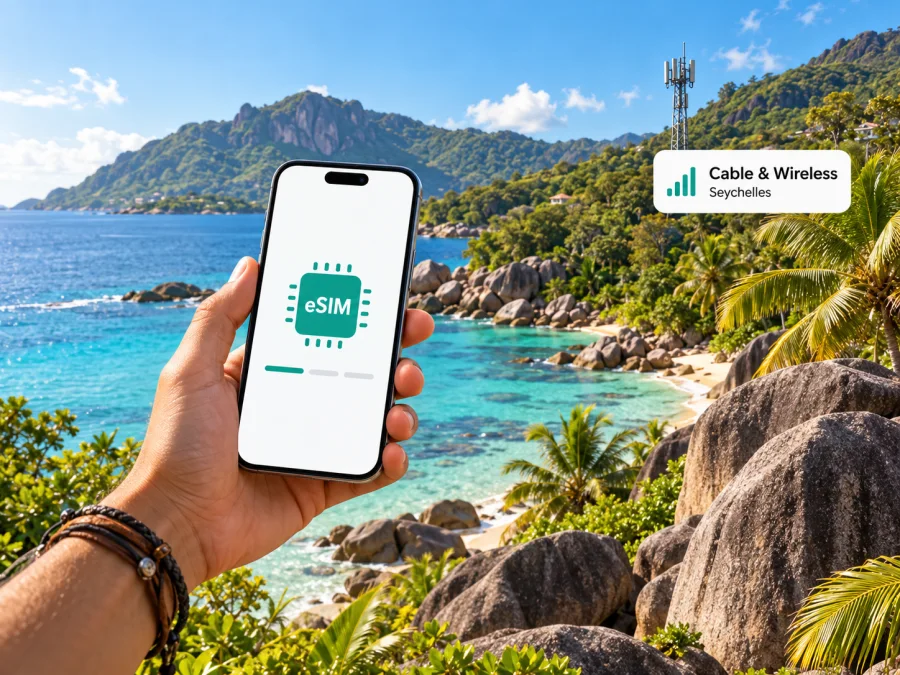
Cable & Wireless eSIM in Seychelles: a practical guide for visitors
If you are travelling to Seychelles and want a local mobile connection, Cable & Wireless has a prepaid eSIM option for visitors. Its current eSIM FAQ says visitors can register at a Cable & Wireless customer-service desk or book an eSIM online through the Seychelles Electronic Border System before departure. The route, registration steps and service available to you may depend on your visitor status and current operator procedures, so confirm the details before travelling.
This guide focuses on confirmed details and practical checks. Plans and prices can change, so confirm them with the operator. Kaspersky eSIM Store is separate and is not affiliated with or endorsed by Cable & Wireless.
Cable & Wireless and the Seychelles mobile market
Cable & Wireless is an established communications operator in Seychelles. Its Seychelles website presents mobile services alongside fixed broadband, wireless broadband and television. A local mobile line is an operator-issued service and may be useful if you need a local number or ordinary calls and SMS, subject to the service’s terms.
Seychelles is an island country in the western Indian Ocean. Mahé, Praslin and La Digue are the main inhabited islands in many visitor itineraries. Reception in one town or hotel cannot guarantee service on another island, beach, ferry or trail, and network availability can change as infrastructure is updated.
Tourism Seychelles’ official “About Seychelles” page, reviewed on 17 October 2026, describes Seychelles as an island archipelago and identifies Mahé, Praslin and La Digue among its main inhabited islands. Mahé is home to the capital Victoria and the international airport; Praslin and La Digue are separate destinations. Keep bookings and directions available offline as well as planning for mobile data.
Is Cable & Wireless eSIM available to visitors?
Yes. The Cable & Wireless Seychelles eSIM FAQ, checked on 17 October 2026, says visitors can register for a prepaid eSIM at a Cable & Wireless Customer Service desk. It also says they can book one online through the Seychelles Electronic Border System before departure. This is a current public statement from the operator, not an assumption based on eSIM availability in other markets.
The FAQ describes an eSIM as a digital SIM profile downloaded to a compatible phone. It says the operator’s customer-service team can provide a QR code for installation and that a visitor can use the online booking route. For applications made online, follow the steps shown in the government system and any later instructions from Cable & Wireless; do not assume that booking means the profile is already installed or active.
The Seychelles Electronic Border System is the official government website for travel authorisation and immigration forms. Cable & Wireless directs visitors there for online eSIM booking. Check the government system for the current application flow, and confirm with the operator how registration, payment, profile collection and activation work. For in-person registration, confirm current desk locations, opening hours, visitor information requirements and support procedures with Cable & Wireless.
What a local eSIM is useful for
A Cable & Wireless eSIM is relevant if you want a local operator relationship while in Seychelles. Depending on the service and its current terms, a local line may suit travellers who need a local number, conventional calls or SMS, or direct assistance from the operator. Confirm those features before registering: the word “eSIM” alone does not guarantee a particular visitor service includes a number, voice, messaging or data in the way you expect.
An eSIM replaces a removable SIM card with a downloaded profile. It does not remove registration requirements or the need for a compatible device. Cable & Wireless says its eSIM can access the operator’s networks; actual service still depends on coverage, device compatibility and account setup.
An international travel eSIM is a separate option, often selected online for mobile data in a destination. A local operator service is registered with that operator and may include a local number or other local-service features. The exact distinction depends on each service’s terms. If you mainly need data for navigation, bookings and messaging apps, compare the conditions shown for each option. If ordinary calls or SMS are important, confirm them explicitly.
Check whether your phone is compatible
The Cable & Wireless eSIM FAQ says an eSIM-compatible phone is required and suggests checking the device settings for an EID. Its page lists some models, but eSIM support can differ by regional variant, carrier configuration and software release. A model-family name alone does not prove that your handset is compatible. Check the exact version with the phone maker and ask Cable & Wireless to confirm that its profile will work.
Before travelling, use this checklist:
- Open mobile-network settings and look for an option to add an eSIM or mobile plan.
- Check for an EID, as Cable & Wireless recommends in its FAQ.
- Confirm that the phone is not locked to another carrier.
- Verify the exact regional model and software requirements with the manufacturer and operator.
- Make sure you will have Wi-Fi or another internet connection during profile installation.
- Keep access to the booking details, email or QR code until setup is complete.
These checks reduce avoidable problems but do not guarantee installation. If the add-eSIM option is missing, ask the device maker about the exact regional model and Cable & Wireless about its profile requirements. If you plan to keep two lines active, check your phone’s dual-SIM limits, choose which line handles data and consider roaming charges on your home line.
How to arrange and install the eSIM
Cable & Wireless describes visitor registration at a customer-service desk or online booking through the Seychelles Electronic Border System. Its FAQ describes desk registration as receiving and scanning a QR code. Follow the current instructions for your route.
Before applying
- Check the phone. Confirm eSIM capability, carrier-unlock status and internet access for downloading the profile.
- Choose a route. Review the government travel system or confirm a customer-service location with Cable & Wireless.
- Ask the operator. Confirm visitor requirements, service features, installation timing and support contact.
Install from a QR code
- Connect the phone to Wi-Fi or another working internet connection.
- Open mobile or cellular settings and select the option to add an eSIM. Menu wording varies by device.
- Scan the QR code supplied for your registration and follow the prompts. Keep the code private and use it only as directed.
- Label the new line so you can distinguish it from your home SIM.
- Select the line for mobile data, calls and messages. Review roaming settings for each line before use.
- Wait for profile installation and network registration to finish. If there is no service, check that the line is enabled and restart the phone once before contacting Cable & Wireless.
The operator notes that installing an additional profile may require an active connection or mobile data. Plan for internet access during setup. Do not delete a working profile or transfer it to another phone without the operator’s instructions.
Coverage and mobile technologies
Cable & Wireless describes LTE services on its official website. Its 5G page, reviewed on 17 October 2026, says a compatible device is required and points customers to a coverage map for areas on Mahé, Praslin and La Digue; coverage is being expanded. This supports a limited, location-dependent description of 5G, not a promise that it is available everywhere or on every handset.
Cable & Wireless’s eSIM FAQ says network generation does not depend on whether the SIM is physical or digital. The available connection still depends on coverage, device support and service conditions. Check the current coverage map for your accommodation and route; it cannot guarantee reception in a particular room or at a remote location. Network-generation labels do not promise a specific speed or quality. Confirm 5G compatibility for your exact phone and keep essential travel information offline.
Local operator eSIM or travel eSIM?
There is no single choice for every visitor. Start with what you need the connection to do, then compare current terms instead of assuming that all eSIMs work in the same way.
| Question | Cable & Wireless local eSIM | Travel eSIM |
|---|---|---|
| How is it arranged? | The operator says visitors can register at a service desk or book through the Seychelles Electronic Border System. | Usually selected online for a destination; check the specific service’s purchase and activation steps. |
| Is a local number relevant? | Ask what the visitor service includes and whether it provides calls or SMS. | Many options focus on mobile data; check the terms if you need calls, SMS or a local number. |
| Where do you get help? | Cable & Wireless for its registration, profile and account questions. | The travel eSIM provider or app for purchase and setup questions. |
| What should you verify? | Visitor eligibility, profile installation, service features and coverage for your route. | Destination availability, plan conditions, compatible device and activation timing. |
This table describes general service differences, not a quality or price ranking. Some travellers value a local number or direct operator support; others prefer a data-focused travel eSIM arranged before departure. You can also keep a home SIM enabled for calls while choosing another profile for data, if the phone supports it. Check roaming costs and dual-SIM settings first.
If a travel-data option suits your trip, check current eSIM options for Seychelles. Kaspersky eSIM Store is an app and website that helps travellers choose, arrange and activate an eSIM with a suitable travel plan. It is separate from Cable & Wireless, does not own a Seychelles mobile network and is not a substitute for a local number or operator service. Review the destination page and the selected plan’s terms before purchase; availability and conditions can change.
Island-hopping checklist
Before leaving home, note the islands and areas where you will stay and when you may need maps or booking messages. Service in one place does not establish coverage elsewhere.
- Verify eSIM and carrier-lock status for your exact phone.
- Confirm visitor requirements and complete any online steps before departure.
- Check the current coverage map for the islands on your route.
- Ask whether the local service includes the functions you need.
- Save travel authorisation, accommodation and transport details offline; check roaming settings on your home SIM.
If the eSIM does not connect, check that the correct line and mobile data are enabled, then restart the phone once. If the issue continues, contact Cable & Wireless. Do not delete the profile before asking support, as reinstallation may require a new QR code.
Frequently asked questions
Can visitors get a Cable & Wireless eSIM in Seychelles?
Yes. Its eSIM FAQ says visitors can register for a prepaid eSIM at a customer-service desk or book online through the Seychelles Electronic Border System. Confirm current visitor requirements and any steps after booking directly with the operator.
Will a Cable & Wireless eSIM work on any smartphone?
No. The phone must support eSIM, be allowed to use another carrier’s profile and meet the operator’s current requirements. Check for an EID and add-eSIM option in settings, then confirm the exact regional variant with the manufacturer and Cable & Wireless.
Does the visitor eSIM include calls and SMS?
Do not assume that it does. Ask Cable & Wireless whether the specific service includes a local number, voice calls and SMS if those features matter to you.
Is 5G available throughout Seychelles?
The operator identifies 5G coverage areas on Mahé, Praslin and La Digue and says a compatible device is required. It does not promise 5G at every address or on every device. Check its latest coverage map and device guidance before relying on 5G.
Is Kaspersky eSIM Store a Cable & Wireless service?
No. Kaspersky eSIM Store is an app and website that helps travellers choose, arrange and activate an eSIM plan for travel data. It is separate from Cable & Wireless and is not a mobile operator or network owner. Review the Seychelles destination page and the terms shown for the selected plan.
Plan your connection before departure
For a local Seychelles connection, Cable & Wireless confirms a visitor prepaid eSIM route through its customer-service desks and the Seychelles Electronic Border System. Check registration, device compatibility, service features and coverage for your itinerary directly with the operator. Because the country is an island destination, plan for the places you will visit rather than assuming a single coverage condition applies everywhere.
If a data-focused travel eSIM better fits your trip, Kaspersky eSIM Store can help you choose, arrange and activate an eSIM plan for travel. Check device compatibility and current destination and plan conditions before purchase. Review eSIM options for Seychelles and keep the local operator’s support route available if you need a local number or help with its service.
Information checked on 17 October 2026. Operator procedures, device compatibility, coverage and service terms can change. Cable & Wireless is named solely to identify the operator discussed; this article is not affiliated with or endorsed by Cable & Wireless.


