Travel connectivity guide
Cacheu eSIM: Mobile Internet and Connection
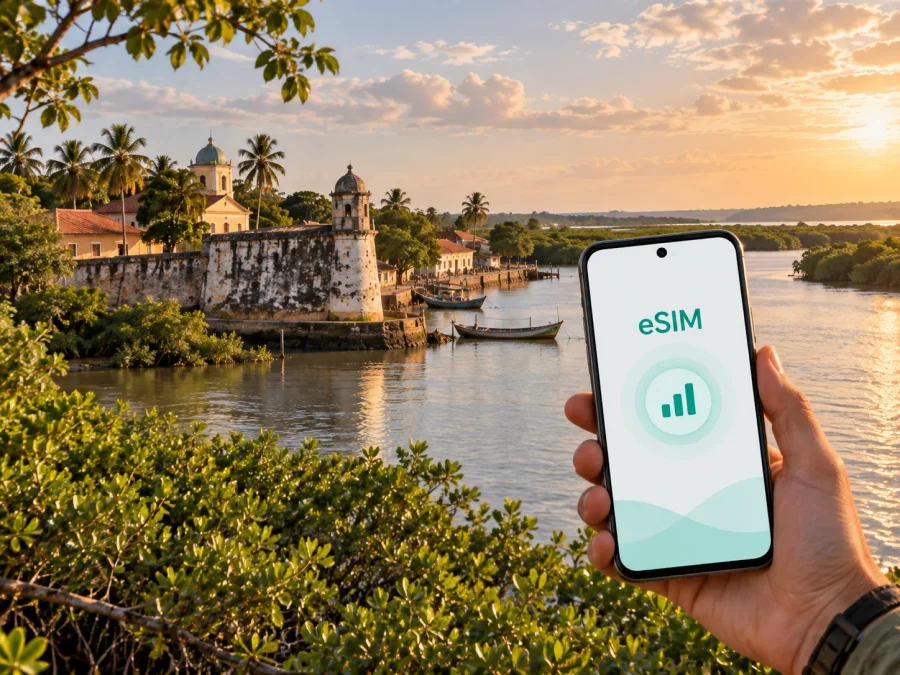
Cacheu eSIM: mobile connection and internet for your trip
Cacheu is a practical destination for travellers who want to experience the historic riverside town, the Cacheu River and the surrounding mangrove landscape without losing access to essential mobile internet. An eSIM, or digital SIM, can help you prepare data for the journey before you leave home. It is especially useful when your route combines an arrival in Guinea-Bissau, a transfer from Bissau, time in Cacheu and a later trip through the Cacheu Region.
The goal is not to turn a short visit into a complicated telecom project. You need a compatible phone, a suitable data plan and a clear idea of when you will use maps, messages, bookings or work calls. This guide covers arrival, road transfers, the riverfront and fort, accommodation, day trips and business travel.
Why mobile data matters in Cacheu
Cacheu lies in north-western Guinea-Bissau on the left bank of the Cacheu River and is the capital of the Cacheu Region. It is a smaller town rather than a large, highly signposted city. That changes the way you use your phone. In a major capital, you can often replace a missed turn with a nearby station, shop or hotel desk. In Cacheu, it is sensible to prepare the next step before leaving a known point.
Mobile data can support several simple but important tasks:
- opening an online map while approaching the town or moving between landmarks;
- sharing your location with a driver, guide, host or travel companion;
- confirming an accommodation address and arrival time by messenger;
- translating a short message when Portuguese or another local language is needed;
- checking a booking, travel document or transport arrangement;
- sending a quick update to family without looking for public Wi-Fi;
- downloading a map area and travel notes for moments when the signal is weaker;
- using email and cloud documents during a work trip, when the plan and network conditions allow it.
These are modest tasks, but they tend to occur at the least convenient moment: after a long journey, when you are carrying luggage, looking for a turn, or trying to coordinate a pickup. An eSIM does not replace local knowledge or a confirmed transfer. It gives you a prepared mobile-data option for the parts of the journey where being able to check information matters.
Cacheu arrival: plan the first connection before the first walk
Many itineraries to Cacheu begin with an arrival elsewhere in Guinea-Bissau followed by a road transfer. If Bissau is the starting point of your route, the useful preparation is the same whether your onward journey is arranged by a hotel, a local contact or a private driver: keep the contact details available, agree on the meeting point, and make sure your phone can use mobile data when you leave the first reliable Wi-Fi connection.
An eSIM can be installed before the trip, so you do not have to search for a physical SIM card immediately after arrival. You can also complete the setup after reaching Guinea-Bissau if your phone has an internet connection and the selected tariff permits the required activation steps. The convenient moment depends on your device, your purchase conditions and the connection available at the time.
Moving around Cacheu: think in points, routes and meeting places
Cacheu is well suited to a point-to-point travel plan. Instead of trying to navigate an unfamiliar urban grid all day, identify the places that matter to your visit: your accommodation, the riverfront, the historic fort, a meeting point, a market or food stop, and the road out of town. Share these points with your travelling companions and keep their names consistent in your messages.
Riverfront and historic area
The Cacheu River is central to the town’s character. The historic fort stands near the river and is one of the places visitors associate most strongly with Cacheu. A phone with mobile data can help you save the location, check the route from your accommodation and coordinate a visit without repeatedly returning to a reception desk.
The fort and the town’s history call for a respectful pace. Cacheu is connected both to Portuguese activity on the Upper Guinea coast and to the painful history of the transatlantic slave trade. Allow time for local interpretation and treat heritage spaces with care. A live connection is useful for arrangements and translation, but it should support attention to the place rather than replace it.
For short walks, save the starting point before you set out. Map data may not show every path or local change, so confirm the final turn with your host, guide or driver. For a departure, ask for the pickup time and location in writing and allow room for road conditions and stops.
Choosing an eSIM tariff for a Cacheu trip
The right tariff depends more on your behaviour than on the size of Cacheu. A traveller who uses a phone for occasional messages needs a different amount of data from someone who uploads work files, makes video calls or shares a hotspot with another device.
Start with four questions:
- How many days will you spend in Guinea-Bissau, including transfers before and after Cacheu?
- Will you mainly use messages, maps and occasional searches, or will you work online every day?
- Does the route include another country or only Guinea-Bissau?
- Do you need data for one phone, or might you use hotspot mode for a laptop or second device?
Practical usage comparison
| Travel pattern | Typical phone tasks | What to check before choosing |
|---|---|---|
| Short stopover | Messages, a few map checks, booking confirmation | Short validity and enough data for arrival and departure |
| Heritage visit | Maps, translation, photos, messages and local coordination | Coverage terms for the full town-and-transfer route |
| Several days in Cacheu | Navigation, regular messaging, browsing and social updates | A data allowance that leaves room for unplanned travel |
| Field or business trip | Email, documents, calls through apps and occasional hotspot use | Validity, balance management and hotspot behaviour |
| Regional itinerary | Data in Cacheu plus other stops in Guinea-Bissau | Country or regional scope, not just a single-city assumption |
These are planning categories, not promises about how much data a particular activity consumes. Photo backups, video, automatic updates and video meetings can use much more data than text messages or a saved map. Turn off automatic downloads and app updates while travelling if you want better control over the allowance.
Country plan or regional plan?
For a trip focused on Cacheu and other stops inside Guinea-Bissau, begin by checking the country option. If your itinerary crosses a border, compare it with a regional option only when the plan conditions clearly include every destination you need. A regional plan may simplify a multi-country route, but it is not automatically the right choice for a short visit.
The important details are visible conditions rather than a slogan:
- destination or region of validity;
- data amount and whether it is expiring or non-expiring;
- validity period and the moment it starts;
- activation requirements;
- whether top-up is available;
- whether tethering or hotspot use is allowed under the selected conditions.
Around the middle of your preparation, you can choose an eSIM tariff for travel to Guinea-Bissau and compare the available data and validity options. Select the option that matches your entire Cacheu itinerary, then review the conditions once more before payment.
Installing and activating eSIM before or after arrival
Installation is easiest when your phone is charged and connected to stable Wi-Fi. The eSIM profile may appear in your account after purchase, and the exact screens vary by operating system and model. Keep the QR code or installation details available, but do not scan the same profile repeatedly if the instructions tell you otherwise.
A calm installation sequence
- Check that the phone supports eSIM and is not locked to another operator. Check your device compatibility before buying.
- Choose Guinea-Bissau or the relevant region in Kaspersky eSIM Store and review the allowance, validity and activation conditions.
- Complete the purchase and open the profile or installation instructions on the same phone, or use a second screen for the QR code if that is how your device works.
- Add the eSIM in the phone’s mobile-network settings and give the profile a clear label, such as “Guinea-Bissau travel”.
- Set the eSIM as the line for mobile data when you are ready to use it. Keep your regular line available for calls or messages if your operator and plan allow it.
- If the device requires data roaming for the travel profile, enable it for that profile and check the warning shown by the phone.
- Open a lightweight page or send a message to confirm the setup, then check the balance and data settings in the app or website.
For platform-specific steps, use the Android installation instructions and the iOS installation instructions. The eSIM is intended for mobile internet during a foreign trip; it does not automatically provide a standard phone number, voice calling or SMS unless the selected tariff explicitly says so. Messaging and voice apps can work over data, subject to the app and local network conditions.
What to verify before paying
Compatibility is a practical checkpoint, not a formality. eSIM support can depend on the exact phone model, regional version and operator lock. Open the device settings and confirm that an option such as “Add eSIM” or “Add mobile plan” is available, then compare your model with the compatibility information. Check your device compatibility before selecting a tariff.
Also review these items:
- The phone is unlocked and can accept a profile from another provider.
- You will have Wi-Fi or another internet connection when the profile must be downloaded.
- The tariff covers Guinea-Bissau and any other country on the route.
- The validity period fits both the arrival and departure dates.
- You understand whether data use begins at installation, activation or connection to a local network under the plan conditions.
- You have a fallback such as offline maps, saved addresses and a written contact.
Do not buy a plan solely because its data amount looks large. If the phone is locked, unsupported or configured to use the wrong line, the allowance does not solve the actual problem.
Cacheu scenarios: the connection plan follows the day
An overnight stay
You need to coordinate check-in, confirm a meal or pickup, navigate between your accommodation and the historic area, and send updates. In this case, the value of mobile data is continuity: you do not have to treat each short task as a search for Wi-Fi. Keep automatic photo backup restricted if you want to reserve data for maps and messages.
A research, conservation or field visit
You may spend time outside the most familiar points of town or travel toward the mangrove landscape associated with the Cacheu Tarrafes Natural Park. Download what you can before leaving a stable connection, share your plan with a contact and treat live coverage as variable. Local transport, safety and access instructions remain separate responsibilities.
A business trip
For work, separate essential communication from high-bandwidth tasks. Email, text messaging and document review are easier to control than long video meetings or large uploads. Schedule demanding work for a reliable connection, carry a power bank and decide in advance whether hotspot use is permitted and affordable under your plan. Keep your usual number active if colleagues need it, while directing mobile data to the travel eSIM.
A route through other parts of Guinea-Bissau
Cacheu can be one stop in a broader itinerary. Check the destination scope at the planning stage instead of assuming that a plan chosen for one town will suit every later stop. If you cross a national border, reassess the tariff before travelling onward.
If the eSIM does not connect in Cacheu
Start with the simplest checks. Make sure the eSIM profile is enabled, the travel profile is selected for mobile data, and the phone has been restarted if the installation instructions recommend it. Confirm that the device is in an area with available local service and that the plan’s validity and balance are still active.
Then check the following:
- Airplane mode is off, or toggle it briefly to refresh the network registration.
- Mobile data is enabled for the eSIM profile.
- Data roaming is enabled for that eSIM if the device requires it.
- The regular SIM is not taking priority for mobile data.
- The plan destination, activation status and remaining balance are correct.
- The phone is not locked and the eSIM has not been deleted.
Avoid deleting the profile as a first response. Some eSIM profiles cannot be installed again after removal, depending on the tariff conditions. If the basic checks do not help, keep the account details and purchase information ready and contact support through the service. A saved address and offline map remain useful while you troubleshoot.
FAQ about eSIM and mobile internet in Cacheu
Can I install the eSIM before travelling to Cacheu?
Usually, preparation before departure is the most comfortable option because you have time, battery and Wi-Fi. Whether you should activate it immediately depends on the selected tariff’s conditions. Read when the validity starts and when data consumption begins.
Will an eSIM give me a normal phone number in Guinea-Bissau?
An eSIM data tariff is normally intended for mobile internet, not as a replacement for a standard local number. Voice calls and SMS are not included unless the specific conditions say otherwise. You can use messaging or calling apps over data for communication when those services are available.
Can I use the same eSIM while travelling from Cacheu to another place?
That depends on the destination scope of the tariff. A Guinea-Bissau plan may suit several stops within the country, while a cross-border route may require a regional or additional plan. Check the listed destinations and validity before leaving Cacheu.
What if my phone is not compatible?
Do not purchase until you have checked the exact model and operator-lock status. You can use a physical SIM or another compatible device according to your travel arrangements, but the eSIM workflow requires a supported and unlocked device.
A compact departure checklist
Before travelling to Cacheu, confirm:
- [ ] The eSIM option is supported by your exact phone model.
- [ ] The phone is not operator-locked.
- [ ] Guinea-Bissau is included in the chosen destination.
- [ ] The validity period covers transfers, the Cacheu stay and departure.
- [ ] You understand when the plan begins using data.
- [ ] The profile and QR code or installation details are accessible.
- [ ] Your eSIM is labelled and selected for mobile data at the right time.
- [ ] Accommodation and transfer details are saved offline.
- [ ] Maps, translation resources and key documents are available without constant streaming.
- [ ] You have a charging plan and a fallback contact method.
Prepare mobile internet for Cacheu
Cacheu rewards a simple, prepared approach: know your arrival sequence, save the places that matter, leave room for changes in road travel, and choose data for the whole itinerary rather than for one isolated stop. Kaspersky eSIM Store is an app and website that helps you choose, purchase and activate an eSIM with a suitable travel tariff. Conditions depend on the selected destination, allowance, validity and device.
When your phone is compatible and your route is clear, prepare an eSIM tariff for your Cacheu trip and review the plan details before you travel. Install it using the relevant instructions, activate the travel data line when appropriate, and keep offline information ready for the moments when navigation or local conditions are less predictable.


