Travel connectivity guide
Cahul eSIM: Mobile Internet for Moldova Travel
Cahul eSIM: Mobile Connection and Internet for Your Trip
Cahul is a regional city in southwestern Moldova, near the Prut River and the Romanian border. A visit may begin in Chișinău, continue by road to Cahul, and include meetings, family visits, local errands or day trips across the south of the country. Having mobile internet ready helps with maps, messages, accommodation details and last-minute route checks, especially when plans change between arrival and check-in.
An eSIM can give a compatible phone a separate mobile data profile without replacing its physical SIM. For a trip to Cahul, the useful question is not simply whether a phone supports eSIM. Check whether the particular device variant can install a travel profile, what destination the selected plan covers, how long its data remains valid, and what you will use your home SIM for while away.
Where Cahul is—and what that means for connectivity
Cahul is a municipality in Moldova, not a Romanian city. It lies in the southwest of the country, in the wider Lower Prut area; Romania is across the river to the west. The Romanian border and the wider region can make a cross-border extension tempting, but a Moldova data plan should not be assumed to include Romania. If your itinerary crosses into Romania or Ukraine, check the plan’s listed destinations before you buy and arrange data for each country you will actually visit.
The city is about 175 km from Chișinău according to local public information. Plan to have data before reaching Cahul so you can confirm a pickup, review a route, contact your host or check a change to ground transport. The distance is a planning reference, not a promise about travel time; road conditions and stops affect the journey.
Cahul is the administrative centre of its district and a base for exploring Moldova’s south. Visitors may use maps to find a hotel or business address, translate a message, arrange a ride, check opening hours or coordinate a trip outside the city. Frequent map refreshes, photo uploads and video calls can add up over a full stay.
A short connectivity plan for the journey
| Trip moment | What mobile data can help with | What to prepare |
|---|---|---|
| Before departure | Confirming lodging, transfer details and saved map areas | Keep booking details available offline as well |
| Arrival in Chișinău | Messaging a driver, checking the route south and updating someone at home | Install or prepare the eSIM while you have reliable Wi-Fi |
| The road to Cahul | Navigation, messages and route adjustments | Download an offline map in case data is temporarily unavailable |
| In Cahul | Finding an address, coordinating meetings and checking local information | Save key addresses in a notes app and use clear place names |
| A regional excursion | Rechecking the route and contacting your host | Confirm that the destination remains within the plan’s coverage area |
| A border crossing | Reconnecting after entering another country | Check whether the plan explicitly includes that country |
Choosing an eSIM for a stay in Cahul
Start with the trip rather than a headline data amount. A visitor staying mainly in Cahul and using messaging, maps and web pages has a different pattern from someone uploading video, joining frequent calls or working from a laptop hotspot. Estimate what you will do each day, then compare the package size and validity period shown for Moldova. Product availability, prices, data allowances and plan terms can change, so check the live details at the time of purchase.
Before choosing, compare the plan using these questions:
- Does the destination match the itinerary? The plan should list Moldova. If you will also travel through Romania or Ukraine, check each country separately rather than inferring regional coverage from a map or the proximity of a border.
- How long is the visit? Match the validity period to the dates you expect to use data. Check when the validity begins and whether activation timing can be scheduled; do not rely on assumptions from another plan.
- What will use the data? Messaging and route checks are modest tasks; video calls, streaming, cloud backups and hotspot use may consume substantially more. Turn off automatic photo and app updates over mobile data if you want tighter control.
- Is it data-only? A travel eSIM may provide mobile data without a Moldovan phone number, conventional voice calls or SMS. Read the individual product details. Keep your usual line available for calls or texts if needed, and check your home operator’s roaming rates before using it.
- Can you install it on your exact phone? eSIM support depends on the device model and regional variant, and a carrier lock can restrict installation. Confirm support and unlock status before purchase. Check whether your device supports eSIM.
- What happens if you need more data? Look for the plan’s top-up or replacement terms before departure. Keep access to your account and email, and do not count on being able to install a profile again after deleting it.
Orange Moldova and Moldcell publish local eSIM information; their eligibility, number, calling and activation terms differ from a travel data eSIM. If you need a local number or calling allowance, check the operator’s current terms directly.
Avoid choosing solely on the phrase “unlimited” or on a large-looking allowance. Confirm the fair-use terms, validity, tethering rules and any speed or service limitations shown for the specific plan. An eSIM gives access through a partner or local mobile network under that plan’s conditions; actual availability and performance can vary by location, device, indoor setting and network conditions. No plan name guarantees the same experience at every address in Cahul or along the route.
Preparing before you leave
A few minutes of preparation can prevent a frustrating setup at the curb or hotel reception. Use a stable Wi-Fi connection to check the plan information, install the profile if appropriate, and save the details you may need later. Follow the instructions supplied with the specific eSIM: activation steps can differ by device and product.
Device and account checklist
- Confirm that your exact phone model and regional variant support eSIM. A device name alone may not be enough; manufacturers sometimes sell different configurations in different markets.
- Check that the phone is not locked to a mobile operator in a way that blocks another eSIM profile.
- Update the operating system if the manufacturer recommends it, and make sure you can unlock the phone and access its settings.
- Keep your main SIM active if you need its number for calls, one-time codes or messaging apps. Decide which line should handle mobile data while in Moldova.
- Make sure you can access the email address or account used to receive the installation details. Store a copy of essential confirmations somewhere secure and accessible.
- Do not delete an installed eSIM profile as a troubleshooting shortcut. Some activation codes are single-use; contact the service’s support team if setup fails.
- If you plan to share data with another device, check that your phone and the plan allow tethering, and remember that laptop traffic can use data quickly.
The eSIM profile can often be installed before departure, while you still have reliable Wi-Fi, and then selected for mobile data at the appropriate time. Read the instructions for the particular product carefully: some plans begin their validity on purchase, some on installation or activation, and others when they first connect in the destination. The plan’s own terms determine this. Avoid switching off your usual line until you understand how calls and messages will be handled.
Installation steps
- Connect to Wi-Fi and open the eSIM details from the service where you made your purchase.
- Follow the device-specific steps to add the profile. Depending on the product, this may use an in-app installation flow or a QR code.
- Label the new line something recognizable, such as “Moldova data,” so it is easier to select later.
- Before or after arrival, set the travel eSIM as the line for mobile data according to the plan instructions. Keep data roaming settings aligned with the instructions for that eSIM; the setting may be required for some plans.
- Once in Moldova, allow the phone to register and test a simple webpage or message. If it does not connect, check the selected data line, the plan’s activation status and the device settings before changing or deleting the profile.
For device-specific guidance, use the Android eSIM installation instructions or the iPhone eSIM installation instructions. The exact menu labels can vary with operating-system version and manufacturer. Follow the instructions shown on your phone and the directions supplied with the plan.
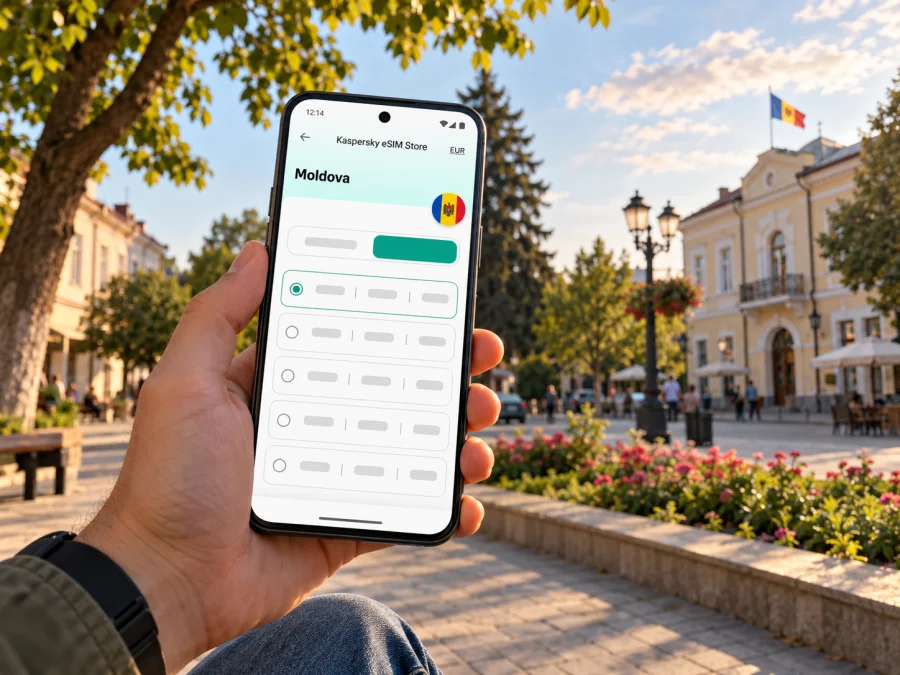
Kaspersky eSIM Store is an app and website where you can select, purchase and activate an eSIM with a suitable plan for mobile data during an international trip. The Moldova destination page is the relevant place to review what is currently listed for a visit to Cahul. Explore the available Moldova eSIM options for your trip. This page is for the country; it should not be read as a separate Cahul city tariff or as a guarantee of a particular local network or signal level.
Using mobile internet around Cahul
The most useful setup is one that works for your actual day. Save your lodging’s address and a map of the route you expect to take. In the city, enter full place names rather than relying only on a pin sent without context. If you are meeting someone, exchange a recognizable landmark or street name as well as a map location; this gives you a fallback if the pin opens slowly or points to the wrong entrance.
For sightseeing and regional excursions, plan for signal variation. A map may load in one street and become slower indoors, on the road or outside the town. Download relevant map areas while connected to Wi-Fi, carry a charged power bank, and save the address or directions for your return. If your day includes rural areas, check the route and data destination details ahead of time; do not assume a city experience predicts service in every surrounding village.
Three practical travel scenarios
A weekend in the city. You arrive via Chișinău, message your accommodation, and use maps for a few visits each day. A smaller data allowance may be sufficient if you use Wi-Fi for larger downloads and keep media backups paused. Check validity against your arrival and departure dates, and make sure the plan begins when you expect.
A longer stay with remote work. You use chat, maps and occasional calls, perhaps with a laptop. Estimate video-call time and hotspot needs separately; these can consume more data than ordinary browsing. If work depends on a stable connection, arrange a backup such as venue Wi-Fi and keep key files available offline. A travel eSIM is not a substitute for checking the reliability needed for a specific work task.
A south Moldova itinerary. You base yourself in Cahul and visit other towns or nature destinations. Save routes before leaving, check the plan’s included destination and confirm transport details while online. If you cross into Romania or another country, check whether a separate plan is needed before crossing. Border proximity does not mean that one country’s allowance automatically follows you into the next.
If the connection does not work
A failed first connection does not always mean the eSIM is unusable. Work through the basics calmly and avoid removing the profile until you know whether it can be installed again.
| Check | What to do |
|---|---|
| Correct line | Confirm that the travel eSIM is enabled and selected for mobile data. |
| Arrival and activation | Check that the plan is active for Moldova and that its validity has started under the stated terms. |
| Data settings | Follow the plan’s instructions for mobile data and data roaming; keep your home line’s roaming setting separate. |
| Signal and selection | Move to a place with a clearer signal, wait briefly, or use the network-selection method given in the instructions. |
| Device restart | Restart the phone after confirming the settings, then test a basic page or message. |
| Remaining allowance | Check the account or app using Wi-Fi if possible, especially if maps or video have been used heavily. |
| Profile recovery | Do not delete the eSIM. Contact support through the service that issued it if the profile or activation needs attention. |
A local Wi-Fi connection can help you open instructions or contact support, but treat public networks carefully: avoid entering sensitive account details on a network you do not trust. If you use a hotel or café connection temporarily, return to mobile data when it is working and verify which SIM is selected before continuing the trip.
Staying in control of data use
You do not need to monitor every megabyte, but a few settings can make a limited package last longer. Disable automatic app updates and cloud photo uploads over mobile data. Set maps to download offline areas in advance. In messaging apps, choose whether photos and videos should download automatically. Prefer audio calls when video is not necessary, and disconnect a laptop hotspot when you finish.
Keep your home SIM’s role clear. If it remains enabled for calls or verification texts, your home operator may apply roaming charges according to its own policy, even while the travel eSIM handles mobile data. Review those terms before departure. For app-based calls and messages, check that your accounts are already set up and that you can receive any verification code needed to sign in.
Frequently asked questions
Is Cahul in Moldova or Romania?
Cahul is a city in Moldova. Romania is across the Prut River to the west. The border is nearby in regional terms, but Cahul and Romanian destinations are separate countries for mobile-plan selection.
Will a Moldova eSIM work everywhere in Cahul?
No plan should be treated as a guarantee of service at every location. Coverage and performance depend on the network used by the plan, local conditions, your phone and the place where you use it. Review the current plan details and keep offline maps or Wi-Fi as a backup.
Does a travel eSIM give me a Moldovan phone number?
Not necessarily. Many travel eSIM plans are data-only and do not include conventional voice calls or SMS. Check the selected plan’s description. You can often continue using messaging apps over data, while calls and texts on your regular number remain subject to your home operator’s terms.
Should I buy a local operator eSIM instead?
That depends on what you need and whether you meet the provider’s current requirements. Moldovan operators publish their own eSIM offers and activation rules. A local line may suit a visitor who needs a local number or operator services; a travel data eSIM may suit someone who wants to prepare mobile data for an international trip. Compare the current conditions directly.
Can I install the eSIM after arriving in Cahul?
Usually you need an internet connection to complete the setup, so installing or preparing it over dependable Wi-Fi before travel is useful. If you wait until arrival, you may need hotel or other Wi-Fi first. Check whether the plan’s validity starts at purchase, installation, activation or first connection.
What if I am travelling onward to Romania?
Check whether Romania is explicitly included in the plan or select a separate destination plan. Do not infer coverage from Cahul’s proximity to the border. If your route goes through Romania on the way to or from Moldova, plan data for the time spent in that country as well.
How much data do I need?
There is no single amount that fits every visitor. Messaging, maps and light browsing use less than streaming, video meetings, large uploads or hotspot use. Estimate your daily activities, use Wi-Fi for large transfers where appropriate, and compare that estimate with the allowance and validity shown for the plan.
A simple checklist for your Cahul trip
Before departure, confirm your eSIM-capable device variant, unlock status, plan destination and validity. Install the profile using the supplied directions while you have a reliable connection. Save your accommodation address, route and important contacts offline. Decide which line will handle mobile data and check your home operator’s roaming terms. If you will travel beyond Moldova, verify each country in your itinerary separately.
In Cahul, keep maps and messaging available for local movements, but use offline information as a backup for roads and excursions. Check plan details rather than assuming that coverage, top-ups or activation work the same way for every eSIM. A little preparation makes it easier to focus on the city and your plans rather than troubleshooting at the moment you need a route.
Prepare your eSIM for Cahul
When you are ready, review the current Moldova options, compare the data allowance and validity with your itinerary, and follow the installation instructions for your phone. Choose a Moldova plan for your visit to Cahul through Kaspersky eSIM Store, the app and website for selecting, purchasing and activating an eSIM for mobile data on an international trip. Check the terms for the specific plan and keep an offline copy of essential travel details before you set out.


