
Travel connectivity guide
Cairo eSIM: Mobile Internet for Your Trip
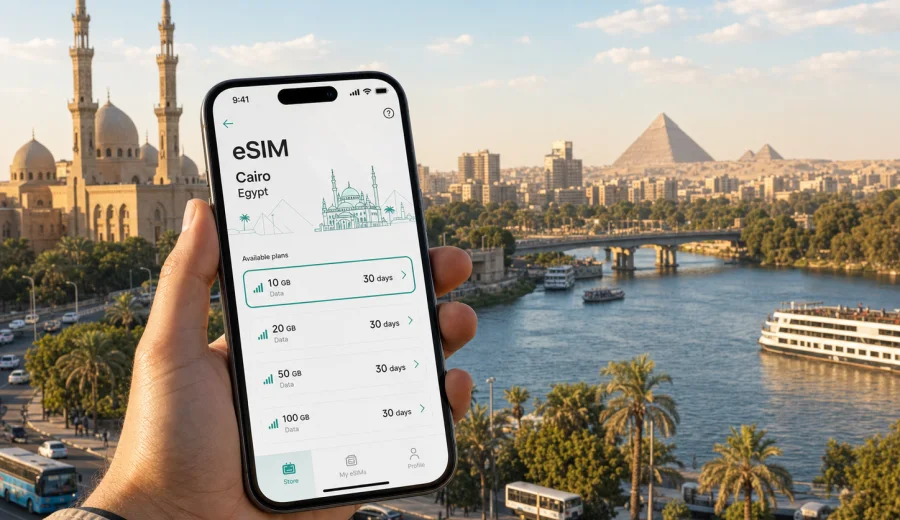
Cairo eSIM: mobile connection and internet for your trip
Cairo is a city where mobile internet becomes useful before you even reach your hotel. The first decisions come quickly: finding your driver at Cairo International Airport, checking the route to Downtown, confirming a hotel address in Zamalek, sharing arrival details, or opening a map before traffic changes again. An eSIM can make those first hours easier because you do not need to look for a physical SIM card counter before you can get online.
This guide is about using an eSIM for a trip to Cairo, not about replacing a full local mobile plan. In Kaspersky eSIM Store, you can choose, arrange, and activate an eSIM with a suitable data plan for mobile internet during an international trip. Before choosing a plan, check the destination, data allowance, validity period, device compatibility, and whether your phone is unlocked for eSIM use.
Why mobile internet matters in Cairo
Cairo is large, busy, and easier to navigate with a connected phone. Distances on the map can look short, but travel time changes by district, bridge, time of day, and the route along the Nile. A reliable data connection helps you keep a live view of your day instead of relying only on saved screenshots.
You are likely to use mobile internet in Cairo for:
- opening maps from Cairo International Airport to your hotel;
- confirming pickup points for taxis, rides, or private transfers;
- checking hotel booking details at reception;
- messaging colleagues, friends, or family after arrival;
- translating short phrases in restaurants, shops, and transport situations;
- checking museum, mosque, or attraction opening hours you saved earlier;
- navigating between Downtown Cairo, Zamalek, Giza, Maadi, New Cairo, and Heliopolis;
- managing flight changes, boarding passes, and stopover plans.
The benefit is not only speed. It is control. You can decide where to go next, whether to wait, whether to change route, and how much time to leave before a meeting or a flight.
Arrival at Cairo International Airport
Many Cairo trips begin at Cairo International Airport, which sits northeast of the central districts. After passport control and baggage claim, you may need to message a driver, check a terminal meeting point, or confirm which bridge and road the route will use. If you are arriving late at night or during a tight business schedule, searching for Wi-Fi or a SIM counter can feel like an unnecessary extra step.
An eSIM can be prepared before departure or after arrival, depending on your device and the plan conditions. The practical scenario is simple:
1. Check that your phone supports eSIM and is not locked by an operator.
2. Choose a data plan for Egypt before you travel.
3. Install the eSIM while you still have a stable connection.
4. Activate or switch to the eSIM profile according to the plan instructions.
5. Use mobile data for maps, messages, and booking details when you land.
If you prefer to install after arrival, keep in mind that eSIM setup usually requires an internet connection. Airport Wi-Fi may be enough for that, but installing in advance is often calmer because you can deal with any device settings before you are standing in an arrivals hall.
Cairo travel scenarios where eSIM is useful
Cairo is not a single sightseeing zone. A visitor may cross several very different areas in one day, and each area can create a different mobile internet need.
| Scenario in Cairo | Why mobile internet helps | What to check in your eSIM plan |
|---|---|---|
| Airport transfer | Driver messages, route changes, hotel address confirmation | Plan validity and activation timing |
| Downtown and Egyptian Museum area | Walking navigation, ride pickup points, booking details | Enough data for maps and messaging |
| Zamalek | Restaurants, river routes, business meetings, hotel coordination | Stable data for calls through messengers |
| Giza day trip | Navigation, photo backup, return route, timing | Data allowance for a longer day out |
| New Cairo or business districts | Ride-hailing, calendar updates, document access | Validity period for the full trip |
| Stopover in Cairo | Fast route planning and flight updates | Short validity plan or enough data for one day |
The common thread is that your phone becomes the control center for the trip. Cairo rewards flexible planning, and mobile internet helps you adjust without turning every small decision into a search for Wi-Fi.
Choosing an eSIM plan for Cairo
For a city trip to Cairo, the destination in the plan should be Egypt. A city page may use the name Cairo, but the mobile data plan usually applies by country or region. That is why you should check the country coverage and conditions before choosing a plan.
Think about four questions before you decide:
- How many days will you stay in Cairo?
- Will you use mobile data only for maps and messaging, or also for work?
- Will you travel from Cairo to Giza, Alexandria, Luxor, or another Egyptian city?
- Do you need a small backup plan or a main travel data plan?
A short stopover or two-day city break may need only a modest data allowance if you mainly use maps, messages, and booking apps. A business trip, remote work day, or content-heavy itinerary can use more data, especially if you rely on cloud files, video calls, or frequent photo uploads.
Data use depends on your habits. Video streaming, automatic cloud backups, app updates, and high-resolution uploads can consume data quickly. Before you travel, turn off automatic updates on mobile data and download offline maps or entertainment over home Wi-Fi, so the plan is used for travel tasks that matter in Cairo.
Districts and routes: what changes your internet needs
Downtown Cairo is useful for hotels, museums, historic streets, and practical errands. Mobile internet helps with walking routes, pickup points, and checking whether a place is actually close enough to reach on foot.
Zamalek is popular for hotels, restaurants, river views, and meetings. If you are moving between Zamalek and Downtown, keep your route flexible because bridges and traffic can affect timing. A connected phone helps you compare pickup locations and message people when the route changes.
Giza is often part of a Cairo trip even when the hotel is in the city center. The pyramids area, the Grand Egyptian Museum zone, and nearby hotels can require a longer transfer than expected. Mobile data is useful for coordinating return transport and checking travel time before sunset, dinner, or a flight.
Maadi, Heliopolis, and New Cairo are common for residents, business stays, embassies, offices, and longer visits. These districts may be less convenient for spontaneous offline navigation because distances are wider. If your meetings are there, choose a plan with enough data for repeated ride-hailing, calendar checks, and messenger calls.
Before you choose a plan
Before arranging mobile internet for Cairo, make a short checklist. It prevents most avoidable problems.
- Confirm that the plan destination includes Egypt.
- Check the data allowance and validity period.
- Read when the validity period starts.
- Check whether top-up is available for the selected plan.
- Make sure your device supports eSIM.
- Make sure your device is not locked by your mobile operator.
- Keep your primary SIM active if you need bank SMS or regular phone calls.
- Save your hotel address and passport copy offline as a backup.
You can check your device before choosing a plan. Some phones support eSIM only in certain regional versions, and a device locked to a carrier may prevent activation of another mobile profile.
If you are ready to prepare mobile internet for Cairo before departure, choose Egypt as the destination and review eSIM plans for your trip to Egypt. Kaspersky eSIM Store helps you choose and activate a travel eSIM plan; it is not a mobile network operator and does not replace every service of a local phone contract.
Installing eSIM for Cairo
The exact setup steps depend on your phone, operating system, and the chosen plan. The general flow is still straightforward: choose the destination, arrange the plan, install the eSIM profile, and select it for mobile data.
For detailed setup steps, use the official installation guides for Android or iOS. Install while you have a stable internet connection, keep the QR code or profile details available, and do not remove the eSIM profile unless you are sure you no longer need it.
On some phones, you may need to enable data roaming for the eSIM profile. This does not mean using your home operator's roaming for the trip. It is a device setting that may be required for the travel eSIM profile to access mobile data, depending on the plan and local network conditions.
A practical Cairo setup plan
Use this sequence if you want a low-stress arrival:
1. A few days before travel, check that your phone supports eSIM.
2. Choose Egypt as the destination and select a plan that matches your stay in Cairo.
3. Install the eSIM at home or at the hotel before you need it.
4. Label the eSIM profile clearly, for example "Cairo data" or "Egypt travel".
5. Keep your home SIM for calls or SMS if you still need it.
6. When ready to use mobile internet, set the eSIM as the mobile data line.
7. Test maps and messaging before leaving the airport or hotel.
If you are traveling for work, also check whether your company apps allow sign-in from a new country and whether you need mobile data for two-factor authentication. If you are traveling with family, decide in advance whether each person needs an eSIM or whether one phone will handle most navigation.
Keeping data use under control
Cairo travel days can become long: airport transfer, museum visit, Giza route, dinner booking, and late hotel return may all use maps and messages. Download offline maps before departure, disable automatic app updates on mobile data, pause cloud photo backup, and use lower quality for video calls when possible. Choose more data if you expect daily ride-hailing, work calls, hotspot use where allowed, or trips outside Cairo. Choose a smaller plan if your mobile use is mainly maps, chat, and booking confirmations.
Business trips, stopovers, and hotels
Cairo business travel often combines airport transfers, hotel meetings, office visits, and movement between distant districts. Plan for calendar access, messenger calls, route checks, document downloads, and a backup option if venue Wi-Fi is weak. If you need hotspot for a laptop, check whether the selected plan and device settings allow it.
A Cairo stopover has less room for connection problems. Save your flight number, terminal details, planned route, return time, and offline map area before landing. A short-validity eSIM plan can help you handle transport apps and flight updates without spending stopover time on a physical SIM card.
Hotel Wi-Fi is useful for heavy downloads and backups, but mobile data matters when you are outside, waiting for a driver, checking a reservation, or moving between districts. Public Wi-Fi can be convenient, but it may require registration, may be slow, or may not reach the exact pickup point.
Quick guide: eSIM for Cairo in one view
| Question | Practical answer |
|---|---|
| Which destination should I choose? | Egypt, because Cairo trips use a country or regional data plan. |
| Should I install before travel? | Usually yes, if the plan instructions allow it and you have stable internet. |
| Can I use it for regular calls? | Not unless calls or SMS are included in the selected plan conditions. Use internet-based apps for most communication. |
| Is device compatibility important? | Yes. Check eSIM support and carrier lock status before choosing a plan. |
| Is it only for tourists? | No. It is useful for business travel, stopovers, family trips, and longer stays. |
| Does it replace hotel Wi-Fi? | Not necessarily. It complements Wi-Fi when you are outside, in transit, or need quick access. |
FAQ
Is eSIM useful for a first trip to Cairo?
Yes. Cairo often requires live navigation, driver communication, hotel coordination, and quick route changes. An eSIM can help you use mobile internet without looking for a physical SIM card after arrival.
Do I need an eSIM plan for Cairo or for Egypt?
Choose the destination according to the plan coverage. For a Cairo trip, that usually means Egypt rather than a separate city plan. Check the plan details before arranging it.
Will eSIM give me a local phone number in Cairo?
Usually no. Travel eSIM plans for mobile internet do not include a regular phone number, voice calls, or SMS unless the plan conditions say otherwise. Use internet-based calls and messages when mobile data is active.
What should I do if mobile data does not start?
Check that the eSIM profile is installed, selected for mobile data, and allowed to use data roaming if required by the plan. Restarting the phone can also help. If the problem continues, check the plan instructions and contact support.
Choose an eSIM plan for Cairo before you travel
Cairo is easier to manage when your phone is ready for maps, messages, transport, hotel details, and route changes from the first day. Before departure, check your device compatibility, choose Egypt as the destination, review data allowance and validity, and install the eSIM while you have a stable connection.
Kaspersky eSIM Store helps you prepare internet for an international trip through an eSIM plan that fits your route and duration. If Cairo is your next stop, choose an eSIM plan for your trip to Egypt and set up your phone before the airport, the hotel transfer, or your first meeting depends on it.