Travel connectivity guide
Camtel eSIM in Cameroon: What to Check
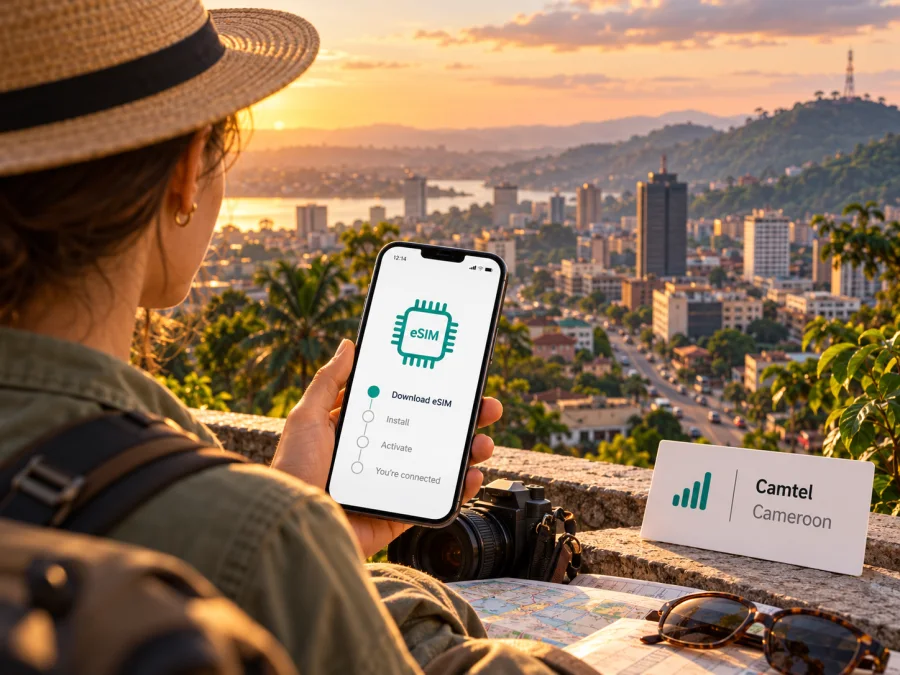
Camtel eSIM in Cameroon: what travellers should check
If you are travelling to Cameroon and searching for a Camtel eSIM, the first thing to establish is whether Camtel currently issues an eSIM profile to visitors. As checked on 18 October 2026, Camtel’s public website describes mobile voice, SMS and 4G data under the blue brand, and explains how to subscribe to mobile service, but I could not find an official public page confirming Camtel eSIM availability or a tourist eSIM offer. That is not proof that no eSIM service exists; it means travellers should get a direct, current answer from Camtel before planning around one.
This guide covers what Camtel’s published information does confirm, what remains uncertain, how to check compatibility and network availability, and how to prepare a separate mobile-data option for a trip. It does not list or compare individual mobile packages. The information below was reviewed against Camtel’s official website, Services and Support Center pages, and its mobile coverage map on 18 October 2026. Product details and network maps can change, so confirm the latest terms with Camtel before travelling.
What is confirmed about Camtel in Cameroon?
Camtel is Cameroon Telecommunications, the country’s incumbent telecommunications operator. Its official site says it was created in 1998. Consumer mobile service is presented under the blue brand, with voice, SMS, mobile data and value-added services. Camtel also operates fixed-network and wholesale infrastructure; those services are separate from the mobile service a visitor might use with a handset.
For a traveller, the distinction between the company and the customer-facing mobile brand is useful: Camtel is the operator, while blue is the name used for its mobile service. Camtel’s public mobile information describes ordinary mobile service and data access. It does not, on the pages reviewed, document a visitor-specific eSIM application, digital QR activation, or a process for converting an existing blue number to eSIM.
Camtel’s Support Center says a new blue subscription requires valid identification and directs customers to agencies, sales points or authorised distributors. It also describes ways existing subscribers can activate a voice or data bundle, including a USSD menu, the Blue Recharge app and in-person locations. These are published routes for the mobile service described by Camtel; they should not be taken as confirmation that a new customer can obtain an eSIM. Requirements and available channels may vary, so ask Camtel which identification documents a foreign visitor can use, whether registration is possible with a passport, and whether a physical SIM is required.
Camtel eSIM availability: the key uncertainty
As of 18 October 2026, I could not verify eSIM support for Camtel from a current official public source. Camtel’s main site and Support Center explain mobile service, onboarding and physical SIM subscription, but the public information reviewed does not confirm eSIM issuance, eSIM-compatible prepaid service, or an online tourist activation flow. Search results and third-party references are not enough to establish a service as available.
The practical conclusion is straightforward: treat Camtel eSIM availability as unconfirmed until Camtel confirms it directly. If a representative says eSIM is available, ask whether it is offered to new customers or only existing subscribers, whether a visitor may register, which devices and regional variants are accepted, how the eSIM profile is delivered, and whether activation must take place in Cameroon. Request current written instructions before relying on it.
Do not assume that a phone which supports eSIM can download a Camtel profile. Device capability and operator support are separate requirements. A handset may include an eSIM chip but still be unable to use a particular operator’s eSIM service, or its eSIM function may be restricted by the market version or carrier lock.
How Camtel mobile service is presented
Camtel’s official Services page describes the blue mobile service as offering national and international calls and SMS, international roaming, and mobile data. The public Support Center describes subscriptions and bundle activation through existing customer channels. It does not identify a separate tourist product in the pages checked. That leaves two practical questions for visitors: whether a short-term visitor can register for a local line, and what documents or local steps are needed.
If you want a local number, ask Camtel whether new subscriptions are open to non-residents and whether the same process applies to prepaid customers. Confirm the accepted identity document, registration location, payment methods, SIM format, and whether service must be activated at the point of sale. These checks matter even if you intend to use data only: registration rules may apply to the SIM itself, not just to voice calls.
If you already have a Camtel line, check that it is active and that you can access your account and recharge or activation method before departure. Ask about roaming outside Cameroon if you plan to keep the Camtel line active while travelling onward. International roaming on a home operator’s plan is different from using a local Camtel connection in Cameroon, and the operator’s public description of roaming does not establish coverage, charges or availability in every destination.
For data-only use, clarify whether the local service requires a physical SIM and whether the handset can use the network bands and technologies offered at the places you will visit. If a physical SIM is needed, locate an authorised sales point and complete any identity registration before leaving the counter. Check that mobile data works, and that the line can reconnect after a restart, while you still have access to staff who can help.
Coverage and mobile technologies
Camtel publishes a mobile coverage map for Cameroon. The map offers technology layers for 2G, 3G and 4G and lets visitors inspect mapped base-station locations and the displayed service footprint. This is useful for checking an itinerary, but a map is an estimate and cannot guarantee an indoor signal, a particular data speed, or uninterrupted service at a specific address. Terrain, buildings, network load, maintenance and the phone itself can all affect the result.
Camtel’s main website describes blue mobile data as 4G data. The interactive map’s technology filter also lists 2G and 3G. These are the technologies named by Camtel’s current public materials; the checked pages do not establish 5G availability for Camtel’s consumer mobile service. Do not infer 5G support from a handset’s specifications or from maps belonging to another provider.
Before a trip, inspect the Camtel map for the exact locations you will visit, not just the country as a whole. Check the airport and city address, lodging, work or event venue, and any long road or rail route. If the map shows stations near a destination, treat that as a planning clue rather than a service promise. Ask your host or accommodation about recent local experience if reliable connectivity is important, and prepare an offline copy of directions, tickets and essential contact details.
Cameroon’s geography makes itinerary-specific checking especially useful. A city stay, a transfer between cities and a visit to a rural area are different coverage scenarios. Service visible in one neighbourhood does not prove the same service along a route or inside a building. If you are travelling through several regions, check each stop individually and plan for periods without data.
The coverage map is an operator resource rather than an independent measurement. It can show Camtel’s mapped technologies and locations, but it does not provide a neutral comparison of operators or a guarantee of performance. This guide therefore does not rank networks or make claims about which provider is faster or more reliable.
Before choosing a connection for your trip
Use this checklist to match the connection to the way you will travel:
- Decide whether you need a Cameroon phone number. If you need local calls or SMS, ask Camtel about a local subscription and visitor registration. A data-only travel eSIM may not provide a number or standard telephony.
- Ask Camtel about eSIM directly. Request confirmation that eSIM is currently available, whether tourists can subscribe, and whether it is supported for new lines. The official public pages reviewed did not verify these details.
- Check the exact phone variant. Confirm the full model identifier, market of sale, eSIM support and any carrier lock. Related models can have different SIM configurations in different regions.
- Check the planned coverage area. Use Camtel’s map for each city, venue and route. Do not treat a national map or a nearby site marker as a guarantee for your exact location.
- Confirm registration documents. Camtel says valid identification is required for a new blue subscription. Ask whether your passport is accepted and whether any additional local steps apply.
- Keep your existing number available. If you need banking codes or calls on your home SIM, make sure you understand roaming settings and charges before changing the default line.
- Prepare for setup without relying on arrival Wi-Fi. Save the installation instructions and support details, and install a travel eSIM while you have a stable internet connection if its provider recommends advance installation.
- Keep essential information offline. Save accommodation details, maps and emergency contacts on the phone in case mobile data is temporarily unavailable.
Device compatibility: check the model, not only the brand
To use an eSIM, the device must have eSIM hardware and software enabled for its specific regional variant. The handset must also be unlocked if the intended profile is from a different provider. The brand name or model family alone is not enough: manufacturers sometimes sell versions with different SIM capabilities in different markets, and some carrier-sold phones may be restricted.
On an iPhone, check the cellular settings for an option to add an eSIM and confirm the device’s carrier-lock status. On Android, look in SIM or network settings for an option to add a mobile plan, and confirm the full model number with the manufacturer or seller. Menu names vary by operating-system version. If the device was bought in a country where eSIM models differ, verify the regional variant with the manufacturer’s official support information.
For a Camtel eSIM specifically, device compatibility would only be one part of the check. Camtel must also confirm that it issues a profile for your customer type and that the device can use its supported service. Since current public Camtel information reviewed does not confirm eSIM availability, a compatible handset alone does not establish that a Camtel profile can be obtained.
Check device compatibility before selecting a travel eSIM. If your phone does not support eSIM, ask whether your current handset can use a physical SIM and review the operator’s registration requirements. If it is locked, contact the original carrier before travelling; a third-party profile usually cannot bypass a carrier lock.
Setting up an eSIM on a compatible phone
These general steps apply only after a provider has issued an eSIM profile; they do not confirm Camtel eSIM availability. Follow the provider’s instructions if they differ.
- Check the phone. Confirm eSIM support for the exact regional model, that the device is unlocked, and that you have internet access for setup.
- Open mobile settings. Choose Add eSIM or Add mobile plan in the cellular or SIM settings. The menu name varies by device.
- Install the profile. Scan the provider’s QR code or enter the supplied details. Check the destination and provider shown on screen, then wait for installation to finish.
- Select the data line. If you keep another SIM active, label each line and choose the intended one for mobile data. Follow the provider’s instructions for data roaming.
- Confirm activation timing. Installation and service start may be separate steps. Check the provider’s terms before activating early or removing a profile.
- Troubleshoot without deleting the profile. Confirm the eSIM is enabled and selected for data, then follow provider support guidance. Some QR codes cannot be reused after a profile is removed.
Local SIM, roaming and travel eSIM: practical differences
| What matters | Camtel local mobile service | Travel eSIM |
|---|---|---|
| Provider relationship | Subscription is with Camtel / blue, subject to its current eligibility and registration rules | A separate travel service selected through its provider |
| Phone number | Ask Camtel whether the service includes the local number and voice/SMS you need | Often data-focused; confirm whether calls, SMS or a number are included |
| How to obtain it | Camtel describes agencies, sales points and authorised distributors for new subscriptions | Usually selected and installed digitally, subject to destination and device support |
| eSIM status | Not confirmed by the current official public pages reviewed for this article | Depends on the specific travel product and compatible device |
| Coverage check | Camtel’s mobile map provides its own mapped service information | Check the travel provider’s stated partner network and destination terms |
| Best next step | Contact Camtel about visitor registration, SIM format and eSIM availability | Check device compatibility and the current Cameroon destination information |
The table describes the general arrangement, not a promise of eligibility, coverage or service. Conditions can change, and a phone may need to be unlocked or configured before either option works.
Frequently asked questions
Is Camtel eSIM available in Cameroon?
I could not confirm Camtel eSIM availability from a current official public source on 18 October 2026. Camtel’s website describes blue mobile service, data and subscription channels, but the pages checked do not document Camtel eSIM issuance or a tourist activation process. Ask Camtel directly before relying on eSIM.
Can a visitor activate Camtel mobile service?
Camtel’s Support Center says a new blue subscription requires valid identification and can be arranged through an agency, sales point or authorised distributor. It does not clearly state which identity documents foreign visitors may use. Confirm passport acceptance, registration steps and SIM format with Camtel before travelling to a sales point.
Which mobile technologies does Camtel list?
Camtel’s official materials describe 4G mobile data, and its coverage map provides 2G, 3G and 4G layers. The pages reviewed do not establish consumer 5G availability. Check the map and your specific destinations, and confirm current service details with the operator.
Can I use Kaspersky eSIM Store for a Cameroon trip?
Kaspersky eSIM Store is an app and website that helps travellers choose, purchase and activate an eSIM data plan for international travel. Check the Cameroon destination page for current availability and the conditions of any product shown. This travel option is separate from Camtel and is not a Camtel subscription or confirmation of Camtel eSIM support.
Will an eSIM work without internet during installation?
Usually, the phone needs an internet connection to download or activate an eSIM profile. Follow the provider’s instructions and prepare access to Wi-Fi or another data connection during setup. Save the activation details and support information before your trip.
A practical plan for staying connected
For a local Camtel line, confirm visitor registration, accepted identification and SIM format with Camtel. The official information reviewed on 18 October 2026 did not confirm eSIM for new customers. If you prepare mobile data separately, check your phone variant and review the Cameroon destination options in Kaspersky eSIM Store. Follow the selected provider’s instructions; a travel eSIM may not include a local number, voice calls or SMS.
Camtel’s operator resources reviewed for this guide were its official home page, Services page, Support Center and mobile coverage map. They were checked on 18 October 2026. The sources confirm Camtel’s blue mobile service, the stated onboarding channels, the identification requirement for a new subscription and a map showing 2G, 3G and 4G layers. Apple Support’s “Set up eSIM on iPhone” and Google Pixel Help’s “Set up a new eSIM” were also checked on 18 October 2026 for the general device steps above; menus can differ by model. The Camtel pages did not confirm Camtel eSIM or a tourist eSIM offer. Contact Camtel for current information before making a purchase or travel plan.
Kaspersky eSIM Store is not affiliated with Camtel. It is an app and website for selecting, purchasing and activating an eSIM data plan for international travel; it does not operate Camtel’s network or provide mobile coverage.
Choose an eSIM option for Cameroon and review current destination availability and conditions before you travel.


