Travel connectivity guide
Can Tho eSIM: Mobile Internet & City Travel Guide
Can Tho eSIM: Mobile Connection and Internet for a River City
Can Tho is a useful base for exploring the Mekong Delta, but a city visit often begins with practical questions: how to get from the airport or bus station to your hotel, how to find a boat before sunrise, and how to keep maps and messages available while moving between the riverfront and outlying orchards. A travel eSIM can make mobile data easier to prepare before you arrive, provided your phone supports it and the chosen plan covers Vietnam.
The name Can Tho now has two geographic uses. Since 1 July 2025, the centrally governed city’s administrative area has included the former city of Can Tho and the former provinces of Hau Giang and Soc Trang. Most visitor references to Ninh Kieu Wharf, Cai Rang Floating Market, and the old urban centre mean the historic Can Tho city area on the Hau River. This guide focuses on that visitor hub, and flags when a journey extends beyond it.
What mobile data helps you do in Can Tho
Mobile data helps with practical transitions: confirming a pickup, checking a map pin, translating a message from a boat operator, or sharing your location with someone meeting you at the quay. It can also help you check details as plans shift around weather or an early departure.
Can Tho is not only a grid of streets. The Hau River and smaller waterways shape how people travel and where visitors spend time. A map may show a short distance across the water that still requires a bridge, ferry, or boat. Keep the destination name and address written down as well as saved in an app, especially when the next leg depends on a local driver or boat crew.
Mobile data is most useful as a practical layer alongside local advice. It does not replace a confirmed pickup, a boat booking, or checking that a route is operating. In the centre, you may move between a hotel, riverfront and food streets; on a day trip, you may be on a boat or among garden paths where access and signal conditions can differ. Download essential booking details and map areas in advance when possible.
Choose the right part of Can Tho as your base
For a first visit, accommodation near the historic centre and Ninh Kieu Wharf can simplify evenings and boat departures. The riverfront, Ninh Kieu Park, the pedestrian bridge and nearby streets are convenient reference points for meeting a driver or returning after dinner. A central address is also practical if you expect to walk to restaurants and arrange tours from your hotel.
Cai Rang Floating Market is a separate early-morning outing rather than an attraction right outside every central hotel. Vietnam’s official tourism guide describes market activity in the morning, usually around 4:30–8:00 a.m. Ask your host or boat provider about the exact departure point and timing for your date. A working data connection can help you reconfirm those details the night before, but plan for a pre-dawn start and do not rely on last-minute searching from the river.
Binh Thuy Ancient House and Con Son are other visits that take you away from the central riverfront. Con Son is an island in the Hau River reached by boat or ferry; the crossing and onward transport are part of the itinerary, not just a street address. If you are staying outside the centre, save the hotel location and confirm how your driver will identify the correct entrance or landing point.
The expanded administrative city extends far beyond the historic centre. Check exact locations before booking transfers and allow time for traffic, boarding and weather-related changes.
Arriving: Can Tho International Airport or an overland transfer
Can Tho International Airport serves the city. Flight schedules and routes change, so check the operating itinerary with your airline for your travel date rather than assuming a route is available. After landing, you may need mobile data to message a driver, confirm a hotel transfer, or open the correct map pin. Keep the hotel’s address and a screenshot of any pickup instructions available in case you have to wait before getting online.
Many visitors also reach Can Tho by road from Ho Chi Minh City. Vietnam’s tourism information gives a journey of about three hours by road, but actual travel time depends on the departure point, traffic and the service you book. If you are arriving by coach, check the exact terminal or drop-off point: “Can Tho” is not enough to identify where the vehicle stops. Send the bus company or host your arrival details and agree on a meeting place before departure.
At either arrival point, treat your first connection as one step in a plan:
- Save your accommodation address in text and as a map pin.
- Confirm who is meeting you, where, and what to do if the vehicle is delayed.
- Keep your home SIM available for calls or one-time verification if you need it, while checking its roaming settings and charges.
- Set the travel eSIM as the mobile-data line only after you are ready to use it.
- Verify that the phone has connected before leaving a Wi-Fi area, then check maps and messages.
An eSIM data plan may be useful for maps, ride coordination and messaging, but it does not automatically provide a local Vietnamese phone number. If a driver or accommodation needs to call a number, agree in advance whether messaging through an app is sufficient or arrange another contact method. Check the specific plan conditions before purchase; ordinary voice calls and SMS are not included unless the plan explicitly says otherwise.
Navigate the riverfront, markets and neighbourhoods
Ninh Kieu Wharf is a natural orientation point for the historic centre, on the Hau River. Nearby Ninh Kieu Park and the pedestrian bridge make good landmarks when explaining where you are. In a busy evening scene, use a precise meeting pin and a nearby named landmark rather than a vague instruction such as “by the river.” If a location pin fails to load, a screenshot of the map and the written name of the place can help you communicate.
Cai Rang is best approached as an early outing with logistics confirmed beforehand. Ask whether your boat leaves from Ninh Kieu or another pier, what time you should arrive, and how long the trip is expected to take. Market visits are tied to morning activity, so a late start may change what you see. Your mobile connection can help with updates, but sunrise boat travel is a poor time to depend on a newly installed eSIM, a low battery, or an unconfirmed meeting point.
For Binh Thuy Ancient House, use the current map listing and verify the address with your host before setting out. Older location data may show former ward or district labels, while official administrative names have changed. When asking for directions, include the landmark name as well as the street address. Keep your return plan in mind; a map route that looks simple on a screen may not account for local traffic or the availability of a ride back.
Small canals, orchards and islets offer a different experience from the central streets. Mobile data can assist with directions to a meeting point and with translation, yet a boat route is best confirmed with the local host who knows the day’s conditions. Save the tour contact, booking confirmation and any instructions before boarding. Bring a charged phone and protect it from splashes; do not assume you can recharge during a boat excursion.
eSIM for Can Tho: what to check before choosing
An eSIM is a digital SIM profile installed on a compatible device. For a city stay, select a plan that explicitly includes Vietnam and compare its data allowance, validity period, activation rules and any fair-use conditions with the way you expect to use your phone. A trip focused on maps and messages has a different data pattern from one that includes frequent video calls, cloud uploads or streaming.
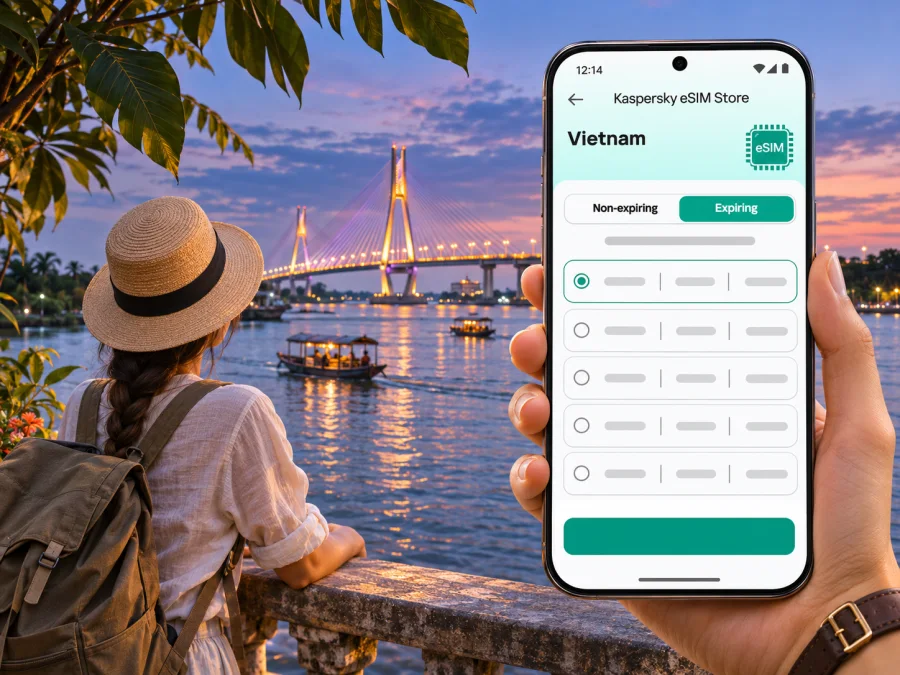
Kaspersky eSIM Store is an app and website where travellers can choose, order and activate an eSIM with a suitable plan for mobile data abroad. The Vietnam destination page currently lists plan options for Vietnam; it does not create a separate Can Tho tariff or guarantee performance in a particular building, on a specific boat, or throughout the city’s enlarged administrative area. Coverage and service depend on the local network, location, device and plan terms. Review the current destination and conditions before you pay.
A sensible comparison starts with the trip, not a headline data amount:
- Length of stay: match the plan’s validity to your dates and check when the validity clock begins.
- Likely use: navigation, translation and messaging generally need less data than repeated video uploads or streaming.
- Route: if you will travel beyond the historic centre into other parts of the expanded city or to another region, confirm that Vietnam coverage applies to the full itinerary.
- Tethering: check the selected plan’s terms and whether your device supports sharing data if you need a laptop connection.
- Existing SIM: decide whether you need your home line for calls and verification, and prevent unwanted roaming data charges by setting mobile data to the travel eSIM.
- Backup: keep hotel details, bookings and essential directions accessible offline.
Explore current Vietnam eSIM options for your Can Tho trip. Compare the live plan details for data, validity and activation before choosing. The page is for Vietnam as a destination; it is not a city-specific offer.
Device and regional-variant checks
Do not assume that every phone with the same commercial name supports eSIM. Support can vary by exact model number, country or region of sale, carrier lock status, and software configuration. Check the manufacturer’s specifications for your precise variant and confirm that the device is not restricted to a carrier. If you are travelling with a work-managed phone, ask your administrator whether eSIM installation is allowed.
Before purchase, check whether your device supports eSIM. Also confirm that you can connect to Wi-Fi during setup, have access to the account or email containing the activation details, and know how to switch the mobile-data line in your phone settings. If you have an unfamiliar regional variant, use the exact model code in the manufacturer’s official compatibility information; do not rely on a general device-family list.
A few minutes of preparation can prevent a common travel-day problem: buying a data plan and then discovering that the handset is locked, the eSIM menu is unavailable, or the installation instructions differ from your operating-system version. If the exact model remains uncertain, contact the device maker or mobile carrier before the trip. Do not remove an existing eSIM profile while troubleshooting unless the provider’s instructions tell you to do so.
Install before departure, use after arrival
Install the profile while you have reliable Wi-Fi and enough time to follow the on-screen steps. Depending on your device and plan, installation and first connection may happen at different times. Read the plan’s activation instructions carefully: some plans start their validity at purchase or installation, while others begin when they connect in the destination. The Vietnam destination page’s current terms should take precedence over assumptions based on another plan.
For detailed steps, follow the Android eSIM installation guide or the iOS eSIM installation guide. Menu labels vary by phone model and operating-system version, so use the guide that matches your device and the instructions shown in your account.
A practical setup sequence is:
- Prepare: update the phone if appropriate, charge it, and connect to stable Wi-Fi.
- Install: add the eSIM through the device settings or the installation flow in your account. Keep the QR code available on another screen if scanning is required.
- Label: give the profile a clear name such as “Vietnam data” so you can distinguish it from your primary line.
- Choose data: select the travel eSIM for mobile data when you intend to use it. Keep the home line selected for calls only if you need it and understand its roaming terms.
- Check settings: enable data roaming for the travel eSIM only if the plan’s instructions require it. Avoid enabling data roaming on your home line unless you intend to use that service.
- Connect: after arrival, allow time for the profile to register, then open a map or send a short message to confirm data is working.
If the connection does not appear, check that the eSIM is enabled, the correct line is selected for mobile data, and any required roaming or APN settings match the plan instructions. Restarting the phone can help in some cases. If the issue continues, use Wi-Fi to contact support and share the device model, location and the steps already tried. Avoid repeatedly deleting and reinstalling the profile; some activation codes can only be used once.
Data planning for different trips
Navigation, messaging, translation and ride coordination generally use less data than repeated video calls, streaming or uploading large files. App settings also matter: automatic photo backups and updates may consume mobile data in the background. Choose an allowance after considering your trip length and habits, and download maps, tickets and confirmations over Wi-Fi where possible. These are planning principles rather than fixed usage estimates; actual consumption varies by app, screen time and video quality.
Short stopover or business visit
A short stopover calls for a compact plan. Before leaving the airport or bus terminal, check the time required for the return journey, save your onward ticket and choose one or two priorities rather than trying to cover the market, city centre and outer districts. If your visit includes a morning boat trip, book and confirm it ahead of time; arrival-day improvisation may not fit the departure schedule.
For a business visit, save office and hotel addresses with a host contact. A data-only eSIM supports internet-based communication but does not replace a business number for ordinary calls; agree on a backup channel with colleagues.
If you travel onward from Can Tho, look at the full route before choosing a data plan. A Vietnam plan is relevant to travel within Vietnam, while a cross-border itinerary may require a regional plan or another destination option. Confirm the included countries in the current terms; do not infer regional coverage from a plan name alone.
Keep the phone ready
Can Tho is warm and humid, with a rainy season commonly described as May to November. Protect your phone from rain and splashes, carry a power bank for long outings, and save important details before boarding a boat. Where a signal may be interrupted, use offline maps and booking confirmations rather than depending on a live route. Keep the device secure on a moving boat.
Frequently asked questions
Does a Can Tho trip need a city-specific eSIM?
Usually, start by checking a Vietnam destination plan and its conditions. A city-specific plan is not implied by a Vietnam plan page. If your route includes other countries, check that each destination is included in the selected plan.
Will the eSIM work everywhere in Can Tho?
No provider can responsibly guarantee service in every location. Performance can vary with local network availability, buildings, river travel, device configuration and congestion. Check the plan’s coverage information and keep offline directions for journeys where a live connection matters.
Can I call a Vietnamese phone number with a travel data eSIM?
A data-only plan does not include a regular phone number, voice service or SMS unless its terms explicitly say so. Internet calling and messaging apps may work over data if your accounts are already set up. For a driver or business contact who expects a normal call, agree on a suitable alternative in advance.
Should I install the eSIM before flying?
Installing over reliable Wi-Fi before departure is often more convenient, but first check when the particular plan begins its validity. Follow its instructions about installation and activation, and avoid turning on mobile data from the travel profile until you want to use it if the plan’s terms allow that.
How can I avoid using my home SIM for data?
In mobile settings, choose the travel eSIM as the data line and review data roaming for the home SIM. Keep the home line enabled only if you need calls or verification messages and have checked your carrier’s charges. Some phones offer a data-switching setting; review it so the device does not unexpectedly use the other line.
Prepare for a smoother Can Tho visit
The most useful connection plan is the one that fits your actual days: an arrival transfer, a central walk, a pre-dawn market visit, or a longer journey through the Delta. Confirm the location and departure details first, check that your exact phone variant supports eSIM, and choose a Vietnam plan whose data allowance and validity match the trip. Keep maps and booking details available offline for river and rural legs.
Kaspersky eSIM Store is an app and website for choosing, ordering and activating a travel eSIM with a suitable data plan. Review the current Vietnam options and conditions before deciding, then install the profile on a compatible, unlocked device. Choose a Vietnam eSIM plan for your Can Tho journey.


