Travel connectivity guide
Canaima eSIM: Mobile Internet & Travel Guide
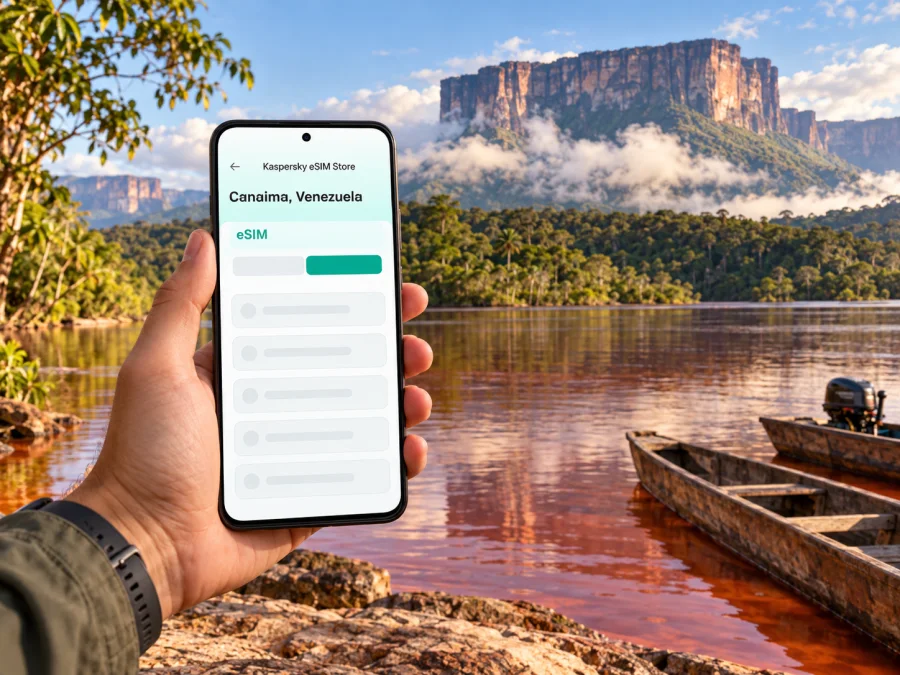
Canaima eSIM: Mobile Connection and Internet for a Remote Park Visit
Canaima is a remote destination in southeastern Venezuela, not a conventional city with a continuous street grid, public transport network and reliable signal on every block. The name refers both to a settlement and to the vast Canaima National Park around it. A visit may include an arrival by small aircraft, a stay near the lagoon, boat travel on rivers and guided excursions into areas where mobile service can be weak or absent. Plan for useful connectivity where it is available, but do not build your safety or itinerary around a phone being online.
An eSIM can help with mobile data when your route reaches a compatible network. It does not create coverage in the park, replace a guide or guarantee calls, emergency access or internet at a lodge. For Canaima, the practical question is not simply “Which eSIM should I buy?” It is “Where will I have a signal, what must work offline, and how will I stay in contact if service disappears?”
This guide explains how to prepare your phone, choose a data allowance, manage the first hours after arrival and reduce dependence on a live connection. Canaima sits in Bolívar State and forms part of a protected landscape recognized by UNESCO as a World Heritage property. Its tepuis, rivers, waterfalls and Indigenous communities are part of a remote environment, so the logistics differ from a city break. Confirm current access, flights, park arrangements and safety information with your tour operator and official authorities before you travel.
First, understand the destination
Canaima is a remote destination in southeastern Venezuela, not a conventional city with a street grid and continuous urban services. The name refers to a settlement and the much larger Canaima National Park around it. The Venezuelan parks authority places Canaima Lagoon in the park’s western sector, fed by the Carrao River; UNESCO recognizes the park as a World Heritage property. Tepuis, rivers, waterfalls and Indigenous communities define this landscape.
A visit may combine a flight, lodge stay, boat journey and guided walk. A map label does not necessarily indicate a road, mobile signal or independent access. Routes and access can change with weather, water levels and local operating conditions, so confirm each transfer with your tour operator before departure.
| Setting | Connectivity planning |
|---|---|
| Settlement or lodge area | Service may be available in some locations; confirm locally rather than assuming coverage indoors. |
| Lagoon, river or boat route | Expect signal to vary; save directions and contacts before leaving your base. |
| Trail or viewpoint | Mobile service may be absent. Stay with your guide and follow the agreed plan. |
| Flight or transfer | Keep schedules, tickets and operator contacts available offline. |
Plan to use data where available and remain prepared offline throughout. An eSIM may help with mobile data at a connected point; it cannot create coverage across the park or replace local guidance.
What to expect from a mobile connection
Rural connectivity in Venezuela can be limited. The UK Foreign, Commonwealth & Development Office notes that rural mobile and internet connections are often limited and that power cuts can disrupt communications. Canaima’s remote geography makes dependable continuous service especially hard to assume. A plan valid for Venezuela does not prove that its network reaches a particular lodge, landing strip, lagoon or trail.
Terrain, distance from infrastructure, weather, congestion and power interruptions can all affect service. Even a phone that registers on a network may have slow or intermittent data. Ask your accommodation or tour operator what guests have recently experienced, where Wi‑Fi or mobile service may be available, and how changes to excursions are communicated when phones are offline. Treat those answers as useful local guidance, not a guarantee.
Before you travel, agree how to handle a changed meeting time or delayed transfer without relying on an immediate message. Save the itinerary and contacts on your device or on paper.
Before choosing an eSIM for Canaima
Check the destination and network terms rather than guessing from the place name. A plan may be intended for use in Venezuela, but supported partner networks, allowance, validity and activation rules depend on the offer. This guide does not verify which local network a specific plan uses or whether it reaches Canaima.
Kaspersky eSIM Store is an app and website where you can choose, purchase and activate an eSIM with a suitable data plan for an international trip. Options and terms can change. Review the displayed destination, network information if provided, data amount, validity, activation instructions and restrictions before ordering. Do not assume a travel eSIM includes a regular phone number, voice calls or SMS unless the terms say so. Internet messaging also depends on a working data connection.
Use this sequence:
- Confirm every country and region on your itinerary.
- Estimate data use: messaging and text maps need less than video calls, uploads or streaming.
- Compare allowance and validity; check when validity begins and how unused data is handled.
- Check network and device requirements before purchase.
- Download essential information and agree on an offline fallback.
You can review available Venezuela eSIM options to check current destination terms. This page is a starting point for plan selection, not a claim that a particular tariff reaches Canaima or that a specific network is available there.
Compatibility and preparation on your phone
Check eSIM support before paying. It can vary between regional device variants even when phones share a retail name, and a device must also be unlocked to use another provider’s eSIM. Verify the exact model number with the manufacturer and check whether your device supports eSIM. An “Add eSIM” menu is a useful clue, but confirm it against the plan’s requirements.
While you have reliable Wi‑Fi:
- Install the eSIM as directed and note how to select it for mobile data.
- Save bookings, accommodation details and operator contacts offline.
- Download relevant map areas, translations and key documents.
- Pause large automatic photo backups and app updates if data is limited.
- Charge your phone and power bank; protect devices from water and humidity.
Installation and activation may be separate steps. Check when the plan starts counting its validity, and follow the instructions for your specific plan and operating system: Android eSIM installation guide or iPhone eSIM installation guide. Menu names vary by version. Do not delete an installed eSIM while troubleshooting unless the instructions or support team tell you to; a QR code may not be reusable.
Arrival and the first connection check
Confirm with your airline or tour operator whether your itinerary includes an onward flight or transfer to Canaima, where to meet, and what happens if plans change. Do not assume that your international flight lands directly at Canaima or that every onward service operates daily. Keep the booking reference, meeting point and operator contact offline, and check schedules close to departure.
After arrival, follow local staff first. When practical, check that the eSIM is installed and switched on, choose it for mobile data if required, and follow the plan’s instructions on data roaming. Keep your regular SIM set up for calls or verification messages if needed, while checking possible home-carrier roaming charges. Test with a lightweight page or short message where service is expected. If there is no service, ask local staff what to expect rather than assuming repeated setting changes will help.
A phone may take time to register, and signal can drop once you leave a connected point. Keep enough battery for later navigation and contact attempts. If the connection does not work, use the provider’s instructions and support over Wi‑Fi if available; switch to your offline plan when it is time to depart.
Use less data without losing useful access
Save mobile data for tasks that need a live connection. Download maps and tickets beforehand, pause cloud photo uploads and automatic app updates, and avoid streaming over mobile data. Text messages and lightweight pages use less data than video calls or large media files. GPS may show your position without mobile data if map areas are saved, but it cannot tell you whether a route is open or safe.
Plan movement around each transfer rather than city neighborhoods. Confirm the pickup place, departure window, destination and responsible contact for each flight, boat or guided walk. Ask how delays are handled if phones are offline. At a lodge, check where visitors may safely access Wi‑Fi or mobile service; do not wander off to find a signal. On an excursion, follow your guide, protect your phone from water and assume messages may not send until you return to a connected area.
Short stop, work trip or longer visit
For a short stop, prioritize booking details and communication with the transfer provider. For a guided excursion, treat data as a convenience at connected points, not something available along the route. If you need to work, tell colleagues that live calls may not be possible throughout the itinerary and arrange a confirmed connected location. On a multi-stop trip, check whether every destination is included; a Venezuela plan does not automatically cover neighboring countries.
For internet calls and messaging, both parties need a connection at the same time for a live conversation. Agree on meeting places and check-in times in advance instead of relying on instant delivery.
Safety, power and offline backups
Mobile internet is not an emergency system. Check current travel advice from your own government for Venezuela and the specific region, confirm that your trip is appropriate, and follow local authorities and your guide. Advice can vary by nationality and change quickly. The UK travel advice notes limited mobile and internet access in rural areas and that power cuts can interrupt communications.
Share your broad itinerary and check-in schedule with someone outside the trip. Save emergency contacts, documents, tickets and directions in offline form, and keep a backup outside a messaging app. Ask your operator how they handle missed connections and signal gaps. A charged power bank matters: a phone searching for a weak signal can use battery quickly. Follow guide instructions about airplane mode or switching off data during excursions, and keep devices protected from water and heat.
Troubleshooting: what to try and when to stop
If a connection fails, first consider whether service is expected at your location. In a remote area, “no service” may be a coverage limitation rather than a setup error. Check that the eSIM line is enabled and selected for data, confirm the plan validity and allowance, and review its roaming or network instructions. You can toggle airplane mode once and allow time for the phone to register again. If the problem persists, use Wi‑Fi for support if available and save any error message. Do not delete the eSIM or reset network settings as an early step. Stop troubleshooting when it is time to move and use your offline arrangements.
Frequently asked questions
Is Canaima a city?
Canaima commonly refers to the settlement and the surrounding national park destination. It is not a conventional large city with continuous urban transport and services. Confirm the exact locations and transfers in your itinerary.
Will an eSIM work everywhere in Canaima?
No plan can guarantee that. The plan must support Venezuela and your phone must be compatible and unlocked, but service depends on local network availability and operating conditions. Save essential information offline.
Does a Venezuela eSIM include a phone number?
Do not assume so. Check the specific terms for voice, SMS and number inclusion. Internet messaging requires data access.
Can I navigate without mobile data?
GPS may work without mobile data, but map areas must be saved in advance. A map does not confirm that a route is safe or open; follow your guide.
Should I buy more data for remote travel?
Choose an allowance based on likely online use and trip duration. Extra data does not improve coverage. Arrange a confirmed connected location for video calls or uploads.
A practical checklist before departure
- [ ] Check current travel advice for Venezuela and the region you plan to visit.
- [ ] Confirm flights, transfers, tour access and meeting points for your dates.
- [ ] Ask your host what service and backup power are realistically available.
- [ ] Verify eSIM support for your exact phone variant and confirm it is unlocked.
- [ ] Review the plan’s destination, network information, allowance and validity.
- [ ] Save maps, tickets, contacts and key documents for offline access.
- [ ] Agree on meeting and check-in procedures for periods without signal.
- [ ] Charge your phone and power bank and protect devices from water.
Prepare the connection, then travel offline-ready
Canaima’s remote geography is part of the trip. Mobile internet can help at connected points, but no plan or setting removes the need to prepare for gaps. Confirm transport details, check current travel and plan terms, and save essential information before leaving reliable Wi‑Fi.
When ready, review Venezuela plans for your trip in Kaspersky eSIM Store. Check the conditions for the specific option and confirm it fits your compatible device and itinerary. Then keep offline maps, contacts and a clear meeting plan ready for times when Canaima has no mobile signal.


