Travel connectivity guide
Canar eSIM in Sudan: what to check
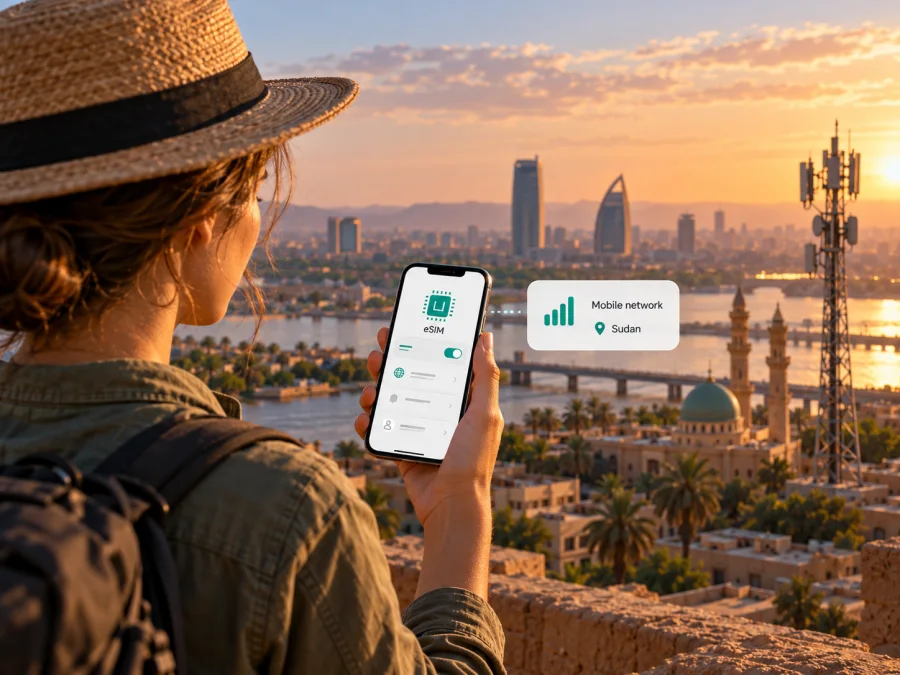
Canar eSIM in Sudan: what travelers should check
If you are travelling to Sudan and searching for a Canar eSIM, verify the product before planning around it. On 17 October 2026, Canar’s public website described telecommunications services in Sudan, including fiber, wireless, satellite and 4G/LTE connectivity, but its reviewed service and support pages did not confirm a Canar eSIM for smartphones or explain how to activate one. A 4G/LTE reference alone does not establish eSIM availability, prepaid handset service or a tourist offer.
Canar’s published portfolio covers several kinds of connectivity. Travelers should distinguish home or business internet from a mobile subscription that can be installed on a phone. Ask Canar whether it currently issues handset eSIM profiles, whether visitors can register, and what documents and activation steps apply.
This guide separates verified public information from unresolved eSIM details and offers practical checks for planning connectivity. Service and coverage can vary by location and change over time, so confirm current details for your route and dates.
What Canar offers in Sudan
Canar’s homepage and Services section describe consumer, business and infrastructure services, including voice, home internet, wireless broadband, fiber, satellite connectivity, public Wi-Fi and business services. Its About Us page discusses fiber infrastructure, fixed wireless technologies and satellite, and also refers to 4G/LTE connectivity. The company says its fiber network spans multiple states and towns; this describes infrastructure, not a guarantee that every traveler or handset can connect at every destination.
“Mobile” and “wireless” can describe different products. A 4G/LTE network reference does not by itself prove that Canar issues an eSIM profile for a smartphone. A home broadband modem, a fixed wireless service, a corporate connection or a satellite terminal is not automatically interchangeable with a phone subscription. Ask whether the exact service works in an unlocked handset, uses an eSIM or physical SIM, and is available to short-term visitors.
Canar’s FAQ page is a general support portal. Its Contact Us page lists customer support by phone, email and service centres. Use those official channels to ask about the current product and market. Older articles, device menus and generic LTE references are not proof that an offer remains available.
Canar eSIM availability: what is and is not verified
As checked on 17 October 2026, the public Canar pages reviewed did not confirm a consumer eSIM, prepaid eSIM, tourist offer, visitor registration requirements, QR-code installation flow or supported-device list. Availability is therefore unverified from public materials; this is not a claim that eSIM is impossible. Ask Canar directly and request a clear answer for the current product.
Questions to ask include:
- Does Canar issue eSIM profiles for personal phones in Sudan today?
- Can a short-term visitor register, and what identification is required?
- Is activation online, before arrival, or at a store in Sudan?
- Are there restrictions by phone model or regional variant?
- Is the offer for a smartphone, or does it require a modem or router?
- Where is service available, and does it include a local number, calls or SMS?
These checks prevent assuming that an operator with telecom infrastructure necessarily sells a SIM product to visitors. Confirm the service and its delivery method before comparing it with other options.
Network, technology and coverage
Canar’s About Us page describes 4G/LTE connectivity and refers to service in major Sudanese cities. It also describes fiber, point-to-point and point-to-multipoint wireless links, and satellite services. The Services page discusses international fiber and submarine-cable connectivity through Port Sudan. These describe different parts of a telecom network: backbone and fixed-access infrastructure do not by themselves confirm mobile service for a traveler’s handset.
The practical question is whether a specific service is available where you are going, supports your phone and can be activated for your customer status. The pages reviewed do not provide an eSIM coverage map, eSIM-specific device or band list, or visitor conditions. Do not read broad infrastructure descriptions as a guarantee of service in a particular building, on a road or in a remote area.
If Canar confirms a phone-based product, ask for current coverage information and technical requirements for your exact handset. If it confirms fixed wireless or home broadband, plan to use it at the intended location rather than assuming it travels with you; a terminal may require power or installation. Satellite service is a separate category that can require dedicated equipment and its own registration.
The term 4G/LTE alone cannot predict real-world speed or continuity. Terrain, buildings, congestion, equipment and local infrastructure can affect service. No comparable independent measurements were reviewed for this guide, so it makes no ranking or quality claim about Canar. For a multi-stop trip, ask about each city, route and accommodation separately and keep essential maps and contacts offline.
Local Canar service or travel eSIM?
A local service can be useful when you need a local customer relationship, a local number or connectivity tied to a fixed address. Whether Canar is suitable depends on the specific product it confirms, eligibility, registration, supported device, service locations and activation method. As no Canar eSIM offer was confirmed on the public pages reviewed, do not assume that the operator can provide a downloadable phone profile. A physical SIM, fixed wireless subscription or business service would have different setup steps and constraints.
A travel eSIM is a separate option: it is designed to be installed on a compatible, unlocked device and used for mobile data in a destination or region, subject to the terms of the selected plan and its local network arrangements. It may be useful when you want to prepare connectivity before a trip and avoid visiting a shop on arrival. However, a travel eSIM is not proof of Canar eSIM availability and should not be described as a Canar product. Check the destination, included service, activation conditions and compatibility before purchase.
Kaspersky eSIM Store is an app and website that helps travelers choose, arrange and activate an eSIM with a plan for mobile internet abroad. Its Sudan destination page is available for browsing current options; the page identifies local telecommunications providers for the service. This is a travel-data option, not a Canar plan and not a substitute for confirming Canar’s own product availability. The service is intended for mobile internet; it should not be assumed to include an ordinary local phone number, voice calls or SMS unless the selected offer explicitly says otherwise.
If you want to review the currently displayed destination options, browse eSIM options for Sudan. This link is a destination page for checking available travel options; it does not certify Canar eSIM support or represent a specific Canar tariff. Availability and terms can change, so read the current offer details before placing an order.
How to check your phone before travel
Confirm that your phone supports eSIM and is not locked to another carrier. Device names can hide regional variants, so check the exact model number in settings or documentation, then compare it with the manufacturer’s current support information and your chosen eSIM provider’s compatibility checker. Do not infer support from a similar model in the same product family.
Installation usually needs an internet connection, sometimes to download a profile or open a QR code. Keep access to the account or email where the instructions will arrive. If you expect to install after landing, plan how to connect first; an uninstalled eSIM cannot be assumed to provide the connection needed to download itself.
For a travel eSIM, follow the selected offer’s instructions for installation, activation and data roaming. Installing a profile and starting a plan’s validity may be separate events. Enable roaming only for the eSIM line if the provider requires it. If Canar confirms a phone eSIM, ask whether it uses a QR code or in-store activation and whether you need to be physically present.
For general device checks, see eSIM device compatibility. Keep your primary SIM settings if you need your usual number for calls or verification messages, and note which line is selected for mobile data.
A practical setup plan for a Sudan trip
Before departure
- Map your route. Note each city, accommodation and travel leg. A service at one address does not guarantee coverage elsewhere.
- Ask Canar about the exact product. Confirm whether a consumer handset eSIM exists, whether visitors can register, which identification is accepted, and whether setup happens before travel or at a store. Canar’s Contact Us page lists customer care at 15000.
- Check your device. Verify eSIM support for the exact regional model and confirm that the phone is unlocked. Check compatibility with the provider you plan to use.
- Prepare a fallback. If Canar cannot confirm an eligible eSIM, consider a travel eSIM whose current terms include Sudan, another provider’s verified visitor process, or Wi-Fi at your accommodation. Save essential directions and contacts offline.
Installing a travel eSIM
- Connect to reliable Wi-Fi and open the provider’s installation instructions.
- Add the profile in mobile-network settings or scan its QR code; label the line clearly.
- Follow the offer’s instructions for activation and when validity begins. Profile installation and plan activation may be separate.
- Select the eSIM for mobile data. Enable data roaming on that line only if the provider requires it.
- Test a simple web page or map after arrival. If the connection fails, check the line selection and the provider’s troubleshooting guidance.
Phone menus vary by device. Keep the QR code and account instructions accessible, but do not share them. Avoid deleting an installed eSIM while troubleshooting unless the provider instructs you to; some profiles cannot be installed again.
If you choose Canar
Use the setup instructions for the specific Canar product, not a generic eSIM guide. Confirm whether it uses a phone eSIM, physical SIM, modem or fixed installation; ask about registration, equipment and service locations. If Canar cannot confirm a handset eSIM, treat availability as unresolved and use a separately verified way to get phone data.
Troubleshooting connection problems
If an eSIM is installed but data does not work, confirm that its profile is enabled, it is selected for mobile data, the plan is active for the destination and any required data roaming is on for that line. Follow the provider’s network-selection guidance and avoid deleting a profile unless support tells you to. Note your exact phone model, location, time and error message before contacting support.
A Canar fixed wireless or home service may require troubleshooting its modem or router rather than the phone. Check power and connections, then contact Canar. These steps differ from handset eSIM troubleshooting. Keep an alternate contact method and essential maps or booking details available offline.
Frequently asked questions
Does Canar offer eSIM in Sudan?
Its public pages checked on 17 October 2026 did not confirm a consumer eSIM, prepaid eSIM or visitor activation process. Ask Canar directly before travel; 4G/LTE references do not prove that it issues smartphone eSIM profiles.
Can a tourist register with Canar?
The public information reviewed does not specify visitor eligibility or required documents. Ask Canar whether registration is available to short-term visitors, whether it must be completed in person and what service type is offered.
Is Canar wireless broadband the same as mobile eSIM?
Not necessarily. Wireless broadband may be intended for a fixed address or dedicated modem. Confirm whether the exact product works in an unlocked smartphone and whether it uses a physical SIM or eSIM.
Can I use a travel eSIM instead?
A travel eSIM may be an alternative if its current terms explicitly support Sudan and your exact device is compatible. It is separate from Canar and does not confirm Canar eSIM availability. Check the provider’s destination, activation and service details before purchase.
Where can I ask Canar?
Canar’s Contact Us page lists customer care at 15000 and provides email, service-centre and online contact options. Confirm the current details on Canar’s official site and include your phone model and the exact product in your question.
Before you go
The public facts checked for this guide are limited but useful: Canar’s website describes fiber, wireless, satellite, voice and 4G/LTE services in Sudan, and it provides official support channels. The reviewed public pages do not confirm consumer eSIM availability, visitor registration or an eSIM installation method. That distinction is the main thing to resolve before relying on Canar for mobile data on a personal phone.
For a dependable plan, confirm Canar’s exact service and coverage for your route, check your phone’s precise regional variant, and arrange a verified alternative if the operator cannot confirm an eligible eSIM. Kaspersky eSIM Store is one way to browse travel-data options for Sudan; it is an app and website for selecting, arranging and activating an eSIM plan, not a mobile operator or network owner. Review the destination page and current terms, then install and activate the selected profile according to its instructions.
This article is independent and is not affiliated with Canar. Company names and marks belong to their respective owners. Information about products, availability, technology and coverage can change; confirm current service details with the provider before making travel arrangements.


