Travel connectivity guide
Canchungo eSIM: Mobile Internet Guide
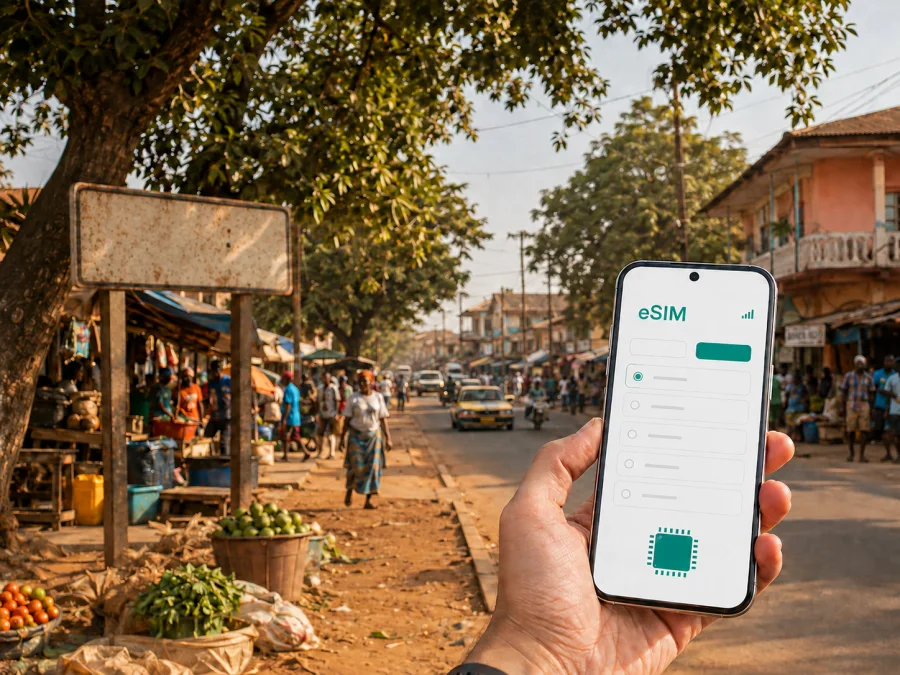
Canchungo eSIM: Mobile Connection and Internet for Your Trip
Planning a stay in Canchungo means preparing for a town that works at a practical, local pace. You may arrive after an international flight into Bissau, continue north-west by road, find a guesthouse near the center, and use your phone for directions, messages, translation, bookings, and updates along the way. A physical SIM card is not the only option. With a compatible device, an eSIM can help you arrange mobile internet before you leave or shortly after you arrive.
Canchungo is in the Cacheu Region of Guinea-Bissau and is a useful base for exploring the surrounding area. It is not a large resort city with a dense grid of visitor services, so a reliable way to check a map, contact a driver, confirm a room, or share your location can make a real difference. The best eSIM choice for Canchungo is therefore connected to your actual route: how long you will stay, whether you are coming from Bissau, whether you will continue towards Cacheu or other towns, and how much of your time will be spent walking rather than streaming.
Why an eSIM can be useful in Canchungo
The first useful moment for mobile data may come before you see the town itself. After landing in Bissau, you may need to coordinate a road transfer, open a saved address, send a message to your accommodation, or check whether a meeting time has changed. Once you reach Canchungo, the same connection can support everyday navigation and communication without making a separate trip to look for a physical SIM card.
In Canchungo, mobile data is especially practical for:
- checking a map while walking between the center, market area, and your accommodation;
- messaging a host, driver, guide, colleague, or travel companion;
- saving directions before leaving an area with uncertain signal or limited charging options;
- translating short phrases when arranging transport or buying everyday goods;
- confirming a road departure or adjusting a regional itinerary;
- using a ride or map service when one is available for your route;
- sending a location pin when meeting someone in an unfamiliar part of town;
- keeping work messages and two-factor codes available during a short business trip.
An eSIM also lets you keep your regular physical SIM in the phone if your device supports dual-SIM use. That can be convenient when you need to receive messages on your usual number while using the eSIM for mobile data. Check how your phone handles calls, SMS, mobile data, and roaming before departure; the exact menus differ by model.
Arriving in Canchungo from Bissau
For most international visitors, the journey begins in Bissau and continues overland. Bissau is the practical arrival point for international flights, while Canchungo is reached by road in the direction of the Cacheu Region. Travel time can vary with traffic, weather, road conditions, the type of vehicle, and how the departure is organized. Treat the transfer as part of the itinerary rather than assuming that a fixed city-to-city schedule will fit your arrival.
That makes mobile data useful in three stages:
| Stage of the journey | What you may need to do online | Useful preparation |
|---|---|---|
| At arrival in Bissau | Contact a driver, confirm a meeting point, or notify your accommodation | Keep contacts and the first route saved |
| On the road to Canchungo | Send updates, review directions, and check changes to the plan | Carry a charged phone and a power bank |
| In Canchungo | Navigate on foot, message a host, and arrange the next local trip | Store the town center and nearby destinations |
If your transfer is arranged in advance, agree on a recognizable meeting point and a backup way to communicate. If you are using shared or informal transport, ask locally about the departure point and timing rather than assuming that an online timetable is current. The eSIM does not remove the need for local travel planning; it gives you a practical data connection for the conversations and checks that planning requires.
Once the road journey ends, Canchungo is best approached as a compact town rather than as a city of clearly separated tourist districts. The center, main road, market activity, accommodation, and everyday services are more useful reference points than a long list of formal neighborhoods. A map pin helps, but a local landmark or a meeting arrangement can be just as important.
Getting around Canchungo
Walking is often the most straightforward way to understand the center during daylight. It lets you combine errands, market visits, and short observations of the town without waiting for a vehicle for every movement. For longer distances, a local driver, shared taxi, or other locally available transport may be more appropriate. Availability, pricing, and departure practices can change, so confirm the details before setting out.
Use your phone as a navigation aid, but do not treat a map as the only source of local knowledge. Roads, entrances, landmarks, and building names may be easier to identify when you ask someone nearby. A good routine is:
- open the route before leaving your accommodation;
- identify the destination by both its name and a nearby landmark;
- take a screenshot of the route and return path;
- keep the phone accessible but discreet in busy areas;
- share your planned destination with a companion or host;
- confirm the route again before starting a longer trip outside town.
For a short walk, the phone may only need occasional data. Repeated map use, image sharing, and video calls require more headroom, so choose around your own routine.
Center, market, and changing plans
The town center is the most useful base for a first visit because it keeps everyday services and local activity within reach. Market streets can be busy and change character during the day, so go with a clear destination and a nearby landmark. If you need medicine or a specialized service, ask your host early rather than relying on an old online listing.
Travel in a smaller regional town rarely follows a rigid schedule. A driver may suggest a different departure time, or you may decide to stay in Canchungo instead of continuing immediately to Cacheu. A connected phone helps you adjust without losing contact.
When a plan changes, send one concise message with your Canchungo landmark, new arrival time, and a request to confirm the meeting point. If you are traveling with others, share the same agreed location rather than relying on everyone to interpret a moving pin.
Choosing an eSIM plan for Canchungo
Start with the route, then estimate data use. A visit limited to Canchungo may need less data than a trip that combines navigation, regular video calls, document uploads, and several road transfers through Guinea-Bissau. If your wider itinerary crosses borders, check whether the selected plan applies to all destinations or whether you need a different regional option.
Consider these questions before choosing:
- How many days will you spend in Canchungo and elsewhere in Guinea-Bissau?
- Will the eSIM be used mainly for messages and maps, or also for calls, meetings, and uploads?
- Will you keep your home SIM active for calls or verification messages?
- Are you traveling only to Canchungo, or continuing towards Cacheu, Bissau, or another country?
- Do you need to share data with a laptop or another phone, and does your device support tethering?
- When should the plan start using data under its specific conditions?
Choose a package whose validity and data allowance match the trip you are actually planning. A very small package may be suitable for occasional messages and map checks, while remote work, frequent photo uploads, and video calls require more headroom. Review the current terms shown for the destination, including activation, validity, supported use, and any conditions for data roaming.
When you are ready, you can choose an eSIM plan for a trip to Guinea-Bissau through Kaspersky eSIM Store. Kaspersky eSIM Store is an app and website that helps you choose, arrange, and activate an eSIM with a suitable mobile-data plan for an international trip. The relevant plan conditions are the ones displayed for your selected destination and package.
How to install and activate an eSIM
Install the eSIM when you have a stable internet connection and enough battery. Some travelers prefer to complete the installation before departure; others install after landing. Follow the instructions shown for your device and the specific eSIM. If you need a detailed device walkthrough, use the Android installation instructions or the iOS installation instructions.
Before installation
First, check whether your device supports eSIM. Also confirm that the phone is not locked to another operator and that you know the screen-lock code. Keep the QR code or activation details available on another screen where possible. If the code is displayed on the same phone, the installation method may differ by model.
A practical sequence
- Open the mobile-network or cellular settings on your phone.
- Choose the option to add a mobile plan or add an eSIM.
- Scan the QR code or enter the supplied activation details.
- Label the new line clearly, for example “Guinea-Bissau trip,” so that it is easy to identify later.
- Select the eSIM as the line for mobile data when you are ready to use it.
- Decide whether your regular SIM should remain active for calls and messages.
- Enable data roaming for the eSIM only if the plan instructions require it.
- Turn off data switching if your phone might move mobile data back to the home SIM.
- Test a message, open a map, and verify that the correct line is using data.
Do not delete the eSIM while troubleshooting unless the product instructions or support team tell you to do so. Reinstalling a profile may not be the same as switching it off and on. If the connection does not appear, check the selected data line, roaming setting, network selection, and the plan’s activation conditions before trying another change.
What to check before leaving for Canchungo
A short checklist helps avoid the most common travel-day problems:
- The phone supports eSIM and is not carrier-locked.
- The eSIM installation information is accessible offline.
- The regular SIM is labeled separately from the travel eSIM.
- Mobile data is assigned to the intended line.
- Automatic data switching is disabled if you want strict control over the line in use.
- The plan’s destination, validity, activation, and roaming conditions are understood.
- The route from Bissau to Canchungo and the accommodation details are saved.
- The phone, power bank, and charging cables are ready for a long road transfer.
- Important contacts and meeting points are written down as well as stored in the phone.
If you use a dual-SIM phone, test the settings at home. Make one change at a time and note which line handles mobile data. This is easier to resolve before a flight than after a long arrival day.
Planning trips beyond Canchungo
Canchungo is a useful stop on a route through the Cacheu Region. Travelers may combine it with a visit to Cacheu, return to Bissau, or arrange another regional excursion. Departure arrangements, weather, road conditions, vehicle availability, and daylight can all affect the plan.
For any trip outside Canchungo:
- Ask your accommodation or a trusted local contact about the practical departure point.
- Confirm the destination name and whether the vehicle goes directly there.
- Save the return route and a contact for the person coordinating the journey.
- Carry water, a charged phone, and enough time for an unplanned delay.
- Keep a reserve of data for the return rather than using the full allowance early.
An eSIM is helpful because the route may involve several conversations and map checks; local advice, sensible timing, and offline notes remain important too.
Frequently asked questions
Is Canchungo a good use case for an eSIM?
Yes, if you need mobile data for the arrival transfer, maps, messages, accommodation coordination, or regional road travel. It is particularly convenient when you want to prepare the digital SIM before looking for a local physical SIM after arrival.
Can I keep my usual number active?
Often, yes, if your phone supports dual-SIM use and you configure the lines correctly. Keep your regular SIM for the services you need, set the travel eSIM as the mobile-data line, and check the roaming settings of the home line to avoid unintended data use.
Does an eSIM include a local phone number?
Not necessarily. An eSIM plan in this context is intended for mobile internet, and ordinary voice calls or SMS may not be included unless the specific conditions say otherwise. Internet-based messaging and calling apps can be used when their service is available and your data plan allows it.
Should I install the eSIM before leaving home?
You can install it before departure if your phone and the plan support that workflow. Installing in advance gives you time to resolve compatibility or settings questions. If activation depends on connecting in the destination, follow the stated conditions and do not assume that installation and data use begin at the same moment.
Prepare your trip to Canchungo
If you want to arrange mobile internet before the journey, choose an eSIM plan for Guinea-Bissau, review the current conditions, and install it on a compatible device. Prepare the route from Bissau, save your Canchungo accommodation details, and keep a charged phone ready for the road. With those basics in place, your connection supports the trip without becoming the trip.


